
Abolee HP
Abolee HP 1500W Ceramic Space Heater User Manual
Model: HP
1. Introduction
Thank you for choosing the Abolee HP 1500W Ceramic Space Heater. This manual provides essential information for the safe and efficient operation of your new heater. Please read it thoroughly before use and retain it for future reference.
This portable electric heater is designed for indoor use, offering rapid and customizable warmth with advanced safety features, a motion sensor, remote control, and oscillation.

Image 1.1: The Abolee HP Space Heater, highlighting its compact design and quick heating capability.
2. Important Safety Information
Always follow basic safety precautions when using electrical appliances to reduce the risk of fire, electric shock, and injury.
- Read all instructions before using this heater.
- Do not use this heater outdoors.
- This heater is hot when in use. To avoid burns, do not let bare skin touch hot surfaces.
- Keep combustible materials, such as furniture, pillows, bedding, papers, clothes, and curtains at least 3 feet (0.9 meters) from the front of the heater and keep them away from the sides and rear.
- Extreme caution is necessary when any heater is used by or near children or invalids and whenever the heater is left operating and unattended.
- Always unplug heater when not in use.
- Do not operate any heater with a damaged cord or plug or after the heater malfunctions, has been dropped or damaged in any manner.
- Do not run cord under carpeting. Do not cover cord with throw rugs, runners, or similar coverings. Arrange cord away from traffic area and where it will not be tripped over.
- Do not insert or allow foreign objects to enter any ventilation or exhaust opening as this may cause an electric shock or fire, or damage the heater.
- To prevent a possible fire, do not block air intakes or exhaust in any manner. Do not use on soft surfaces, like a bed, where openings may become blocked.
- A heater has hot and arcing or sparking parts inside. Do not use it in areas where gasoline, paint, or flammable liquids are used or stored.
- Use this heater only as described in this manual. Any other use not recommended by the manufacturer may cause fire, electric shock, or injury to persons.
- Always plug heaters directly into a wall outlet/receptacle. Never use with an extension cord or relocatable power tap (outlet/power strip).
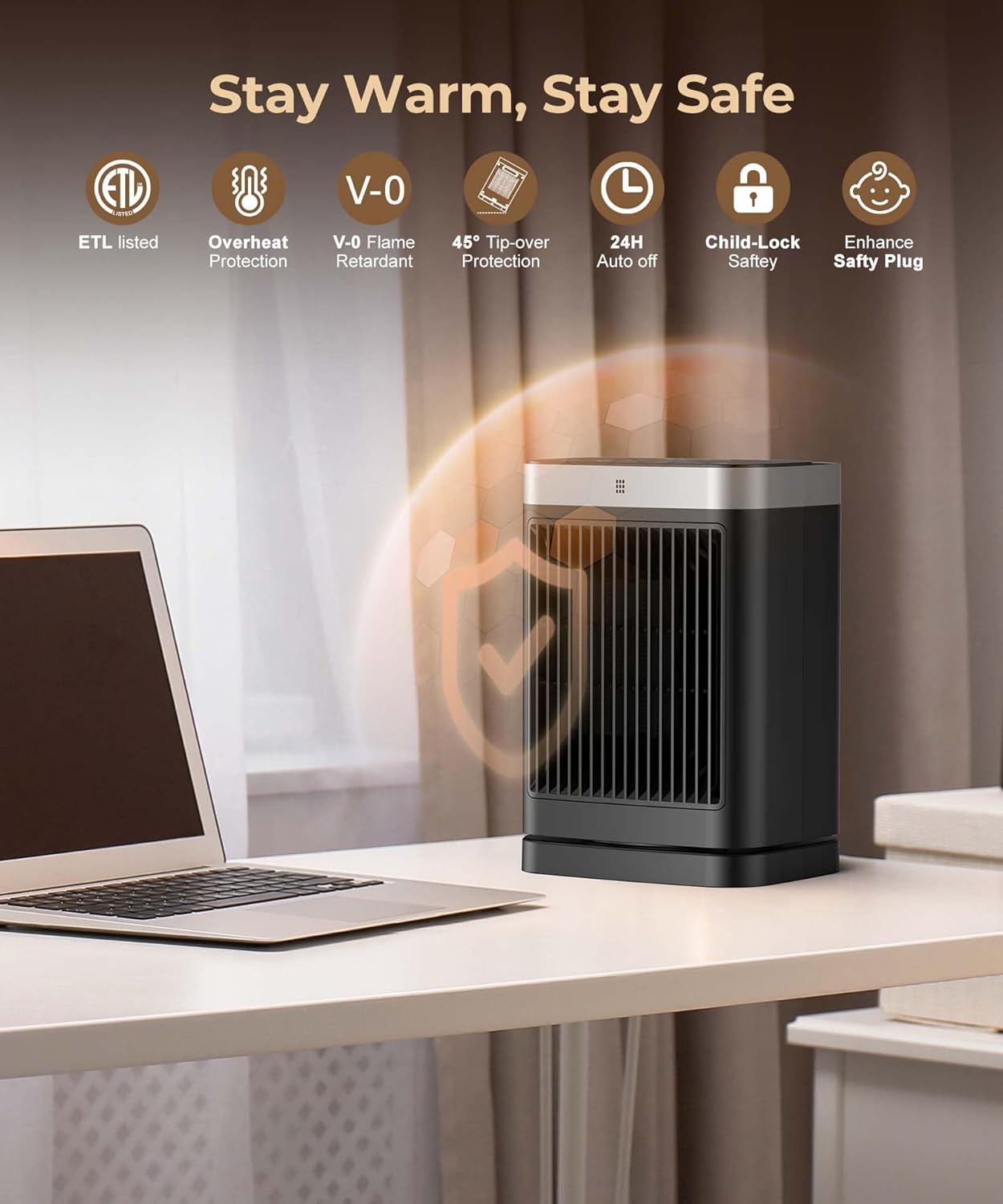
Image 2.1: Overview of the Abolee HP Space Heater's comprehensive safety features, including ETL listing, overheat protection, flame-retardant materials, tip-over protection, auto-off, child lock, and an enhanced safety plug.
3. Package Contents
- Abolee HP 1500W Ceramic Space Heater
- Remote Control
- User Manual
4. Product Overview
Familiarize yourself with the components of your Abolee HP Space Heater.

Image 4.1: The Abolee HP Space Heater, illustrating its design, air output, and 70-degree oscillation capability, alongside its remote control.
Control Panel & Display

Image 4.2: A detailed view of the heater's LED touch control panel and the included remote control, demonstrating user interaction.
- Power Button: Turns the heater on/off.
- Mode Button (M): Cycles through High, Low, ECO, and Human Sensor modes.
- Oscillation Button: Activates/deactivates 70° oscillation.
- Timer Button: Sets the auto-off timer (1-12 hours).
- Temperature Adjustment (+/-): Adjusts the target temperature (41-95°F).
- Child Lock Button: Activates/deactivates the child lock.
- Display: Shows current temperature, mode, and timer settings.
5. Setup
5.1 Placement
- Place the heater on a firm, level surface.
- Ensure there is at least 3 feet (0.9 meters) of clear space around the heater to allow for proper airflow and prevent fire hazards.
- Do not place the heater near water sources or in excessively humid environments.
- Ensure the power cord is not obstructed or placed under carpets.
5.2 Power Connection
- Plug the heater directly into a 120V AC, 60Hz wall outlet. Do not use extension cords or power strips.
- The heater is equipped with an enhanced safety plug for added protection.
6. Operating Instructions
6.1 Power On/Off
- Press the Power button on the control panel or remote control to turn the heater on or off.
- Upon powering on, the heater will typically start in a default heating mode.

Image 6.1: The Abolee HP Space Heater demonstrating its rapid heating capability, reaching warmth in 2 seconds with 1500W power.
6.2 Heating Modes
Press the Mode (M) button to cycle through the available heating modes:
- High Heat (1500W): Provides maximum heating power for quick warmth.
- Low Heat (1000W): Offers a lower heat output for sustained warmth or smaller spaces.
- ECO Mode: Automatically adjusts heating power (1500W or 1000W) based on the ambient temperature to maintain your set temperature efficiently.
- Human Sensor Mode: Utilizes the motion sensor to detect presence and adjust heating accordingly.
6.3 Temperature Adjustment
Use the + and - buttons on the control panel or remote to set your desired temperature between 41°F and 95°F (5°C and 35°C). The heater will work to maintain this temperature.

Image 6.2: Illustration of the heater's precision heat sensor, capable of detecting and adjusting temperature within a range of 60°F to 95°F for optimal comfort.
6.4 Oscillation Function
Press the Oscillation button to activate or deactivate the 70° wide-angle oscillation feature, distributing warmth more evenly across the room.

Image 6.3: The Abolee HP Space Heater demonstrating its 70-degree oscillation, designed to spread heat widely for comprehensive warmth.
6.5 Timer Function
Press the Timer button to set an automatic shut-off timer from 1 to 12 hours. Each press will increase the timer by one hour. The heater will automatically turn off once the set time expires.

Image 6.4: The heater's LED display and touch controls, highlighting the 12-hour timer function and 24-hour auto-off feature.
6.6 Motion Sensor (Human Sensor Mode)
In Human Sensor Mode, the heater uses its motion sensor to detect presence. It will automatically resume heating when motion is detected and can enter a standby state or shut off after a period of inactivity (e.g., 180 seconds auto-off).
- Activity-Based Heating: Heats when a person is detected.
- Automatic Absence Shutdown: Powers down or reduces heat when no presence is detected, saving energy.
- The motion sensor has a detection range of approximately 6.5 feet and a 60-degree angle.

Image 6.5: The Abolee HP Space Heater's Smart Heat Detection feature, illustrating how it automatically resumes heating when a person is detected within its 6.5ft, 60-degree sensing range.

Image 6.6: The Smart Motion Heating feature, detailing the 180-second auto-off function and motion sensor, with a graph demonstrating up to 58% energy savings when the heater adjusts based on presence.
6.7 Child Lock
Press and hold the Child Lock button on the control panel or remote to activate or deactivate the child lock. When active, the control panel buttons will be disabled to prevent accidental changes.
7. Maintenance
7.1 Cleaning
- Always unplug the heater and allow it to cool completely before cleaning.
- Use a soft, damp cloth to wipe the exterior surfaces of the heater.
- Do not use abrasive cleaners or solvents.
- Gently vacuum the air intake and exhaust grilles to remove dust and lint.
- Ensure no water enters the interior of the heater.
7.2 Storage
- Store the heater in a cool, dry place when not in use.
- It is recommended to store the heater in its original packaging to protect it from dust and damage.
8. Troubleshooting
| Problem | Possible Cause | Solution |
|---|---|---|
| Heater does not turn on. | No power, power switch off, tip-over switch activated. |
|
| Heater stops working unexpectedly. | Overheat protection activated, tip-over protection activated, timer expired. |
|
| Heat output is low. | Low heat mode selected, thermostat set too low, blocked air intake/exhaust. |
|
| Motion sensor not responding. | Heater not in Human Sensor Mode, obstruction, out of range. |
|
9. Specifications
| Brand | Abolee |
| Model Number | HP |
| Power Output | 1500W / 1000W |
| Voltage | 120V ~ 60Hz |
| Heating Element | PTC Ceramic |
| Temperature Range | 41°F - 95°F (5°C - 35°C) |
| Oscillation Angle | 70° |
| Timer | 1-12 Hours |
| Product Dimensions | 3"D x 3"W x 3"H |
| Item Weight | 4.11 pounds |
| Safety Features | ETL Listed, Overheat Protection, Tip-Over Protection, UL94 V-0 Flame-Retardant Material, Child Lock, 24-Hour Auto-Off, Enhanced Safety Plug |
| UPC | 717023928647 |
10. Warranty and Support
For warranty information or technical support, please contact Abolee customer service. Refer to the product packaging or the official Abolee website for the most current contact details.
Please have your model number (HP) and purchase information ready when contacting support.
Ask a question about this manual
Ask about setup, troubleshooting, compatibility, parts, safety, or missing instructions. Manuals+ will review the question and use this page’s manual context to help answer it.