
1. Introduction
Thank you for choosing the PYY Commercial Conveyor Toaster. This appliance is designed for efficient and consistent toasting in commercial environments such as restaurants, bakeries, hotels, and cafeterias. With its heavy-duty stainless steel construction and adjustable settings, it provides reliable performance for various bread products.
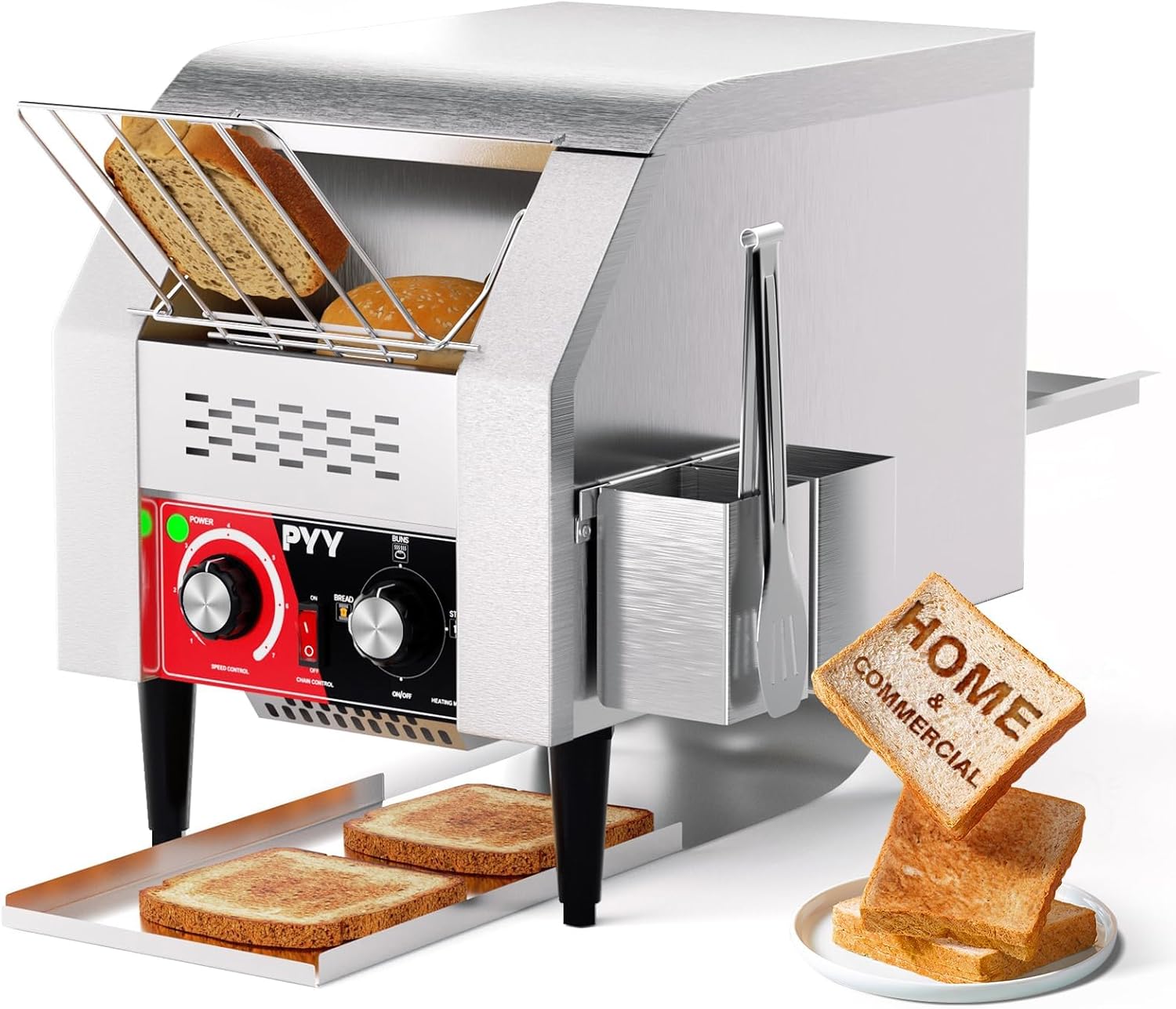
Image 1.1: The PYY Commercial Conveyor Toaster, showcasing its design and toasted bread output.
Key features include:
- High efficiency: Capable of toasting up to 150 slices per hour.
- Durable construction: Made from heavy-duty stainless steel for longevity.
- Adjustable controls: Features 7-speed options and multiple heating modes for precise toasting.
- Versatile output: Allows for front or rear dispensing of toasted items.
- Easy maintenance: Equipped with a removable crumb tray for simple cleaning.
2. Important Safety Instructions
WARNING: To reduce the risk of fire, electric shock, or injury, always follow these basic safety precautions.
- Read all instructions before operating the appliance.
- Do not touch hot surfaces. Use handles or knobs.
- To protect against electrical hazards, do not immerse the cord, plugs, or appliance in water or other liquid.
- Close supervision is necessary when any appliance is used by or near children.
- Unplug from outlet when not in use and before cleaning. Allow to cool before putting on or taking off parts.
- Do not operate any appliance with a damaged cord or plug, or after the appliance malfunctions or has been damaged in any manner. Contact customer service for examination, repair, or adjustment.
- The use of accessory attachments not recommended by the appliance manufacturer may cause injuries.
- Do not use outdoors.
- Do not let the cord hang over the edge of a table or counter, or touch hot surfaces.
- Do not place on or near a hot gas or electric burner, or in a heated oven.
- Extreme caution must be used when moving an appliance containing hot oil or other hot liquids.
- Always attach plug to appliance first, then plug cord into the wall outlet. To disconnect, turn any control to "off," then remove plug from wall outlet.
- Do not use appliance for other than intended use.
- Oversize foods, metal foil packages, or utensils must not be inserted in a toaster as they may create a risk of fire or electric shock.
- A fire may occur if toasters are covered or touching flammable material, including curtains, draperies, walls, and the like, when in operation.
- Do not attempt to dislodge food when the toaster is plugged in.
- Ensure the crumb tray is properly installed before use.
3. Package Contents
Verify that all components are present and undamaged upon unpacking. If any items are missing or damaged, contact PYY customer support.

Image 3.1: Included accessories: Tongs, Side Box, Back Catch Tray, Front Catch Tray, and Instruction Manual.
The package should contain:
- PYY Commercial Conveyor Toaster Unit
- Tongs
- Side Box (for tongs)
- Back Catch Tray
- Front Catch Tray
- Instruction Manual (this document)
4. Setup
4.1 Unpacking
- Carefully remove all packaging materials from the toaster and its accessories.
- Inspect the appliance for any signs of damage. Do not use if damaged.
- Retain packaging for future transport or storage if necessary.
4.2 Placement
- Place the toaster on a stable, flat, and heat-resistant surface.
- Ensure adequate clearance (at least 6 inches) around all sides of the toaster for proper ventilation. Do not place near walls or under cabinets.
- Keep the toaster away from water sources and flammable materials.
- Attach the front and back catch trays to their designated slots. The toaster offers flexible output, allowing you to choose between front or rear dispensing.
- Install the side box for tongs if desired.
4.3 Power Connection
- Ensure the power switch is in the 'OFF' position before plugging in.
- Connect the power cord to a grounded 110V AC electrical outlet.
5. Operating Instructions
The PYY Commercial Conveyor Toaster features intuitive controls for efficient operation.
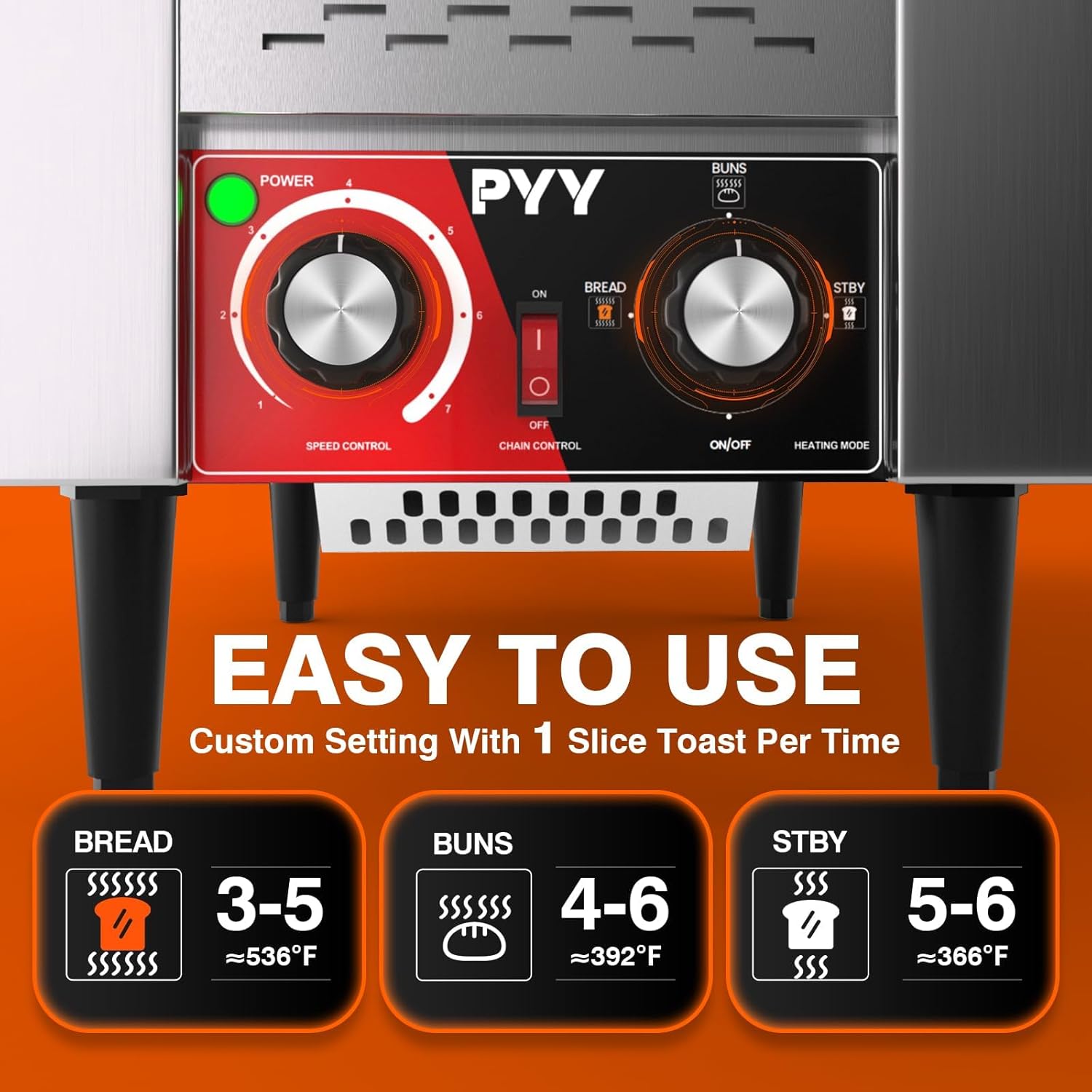
Image 5.1: Control panel detailing the Speed Control, Chain Control, and Heating Mode knobs.
5.1 Controls Overview
- Power Switch: Turns the unit ON/OFF.
- Speed Control Knob (1-7): Adjusts the conveyor belt speed. Higher numbers indicate faster speeds and lighter toast; lower numbers indicate slower speeds and darker toast. There are 7 distinct speed settings.
- Chain Control Switch (ON/OFF): Activates or deactivates the conveyor belt movement.
- Heating Mode Knob: Selects the heating element configuration.
- BREAD: Activates both upper and lower heating elements for standard bread toasting.
- BUNS: Activates only the upper heating elements, ideal for toasting the cut side of bagels or buns.
- STBY (Standby): Maintains a low heat, conserving energy while keeping the toaster ready for use.
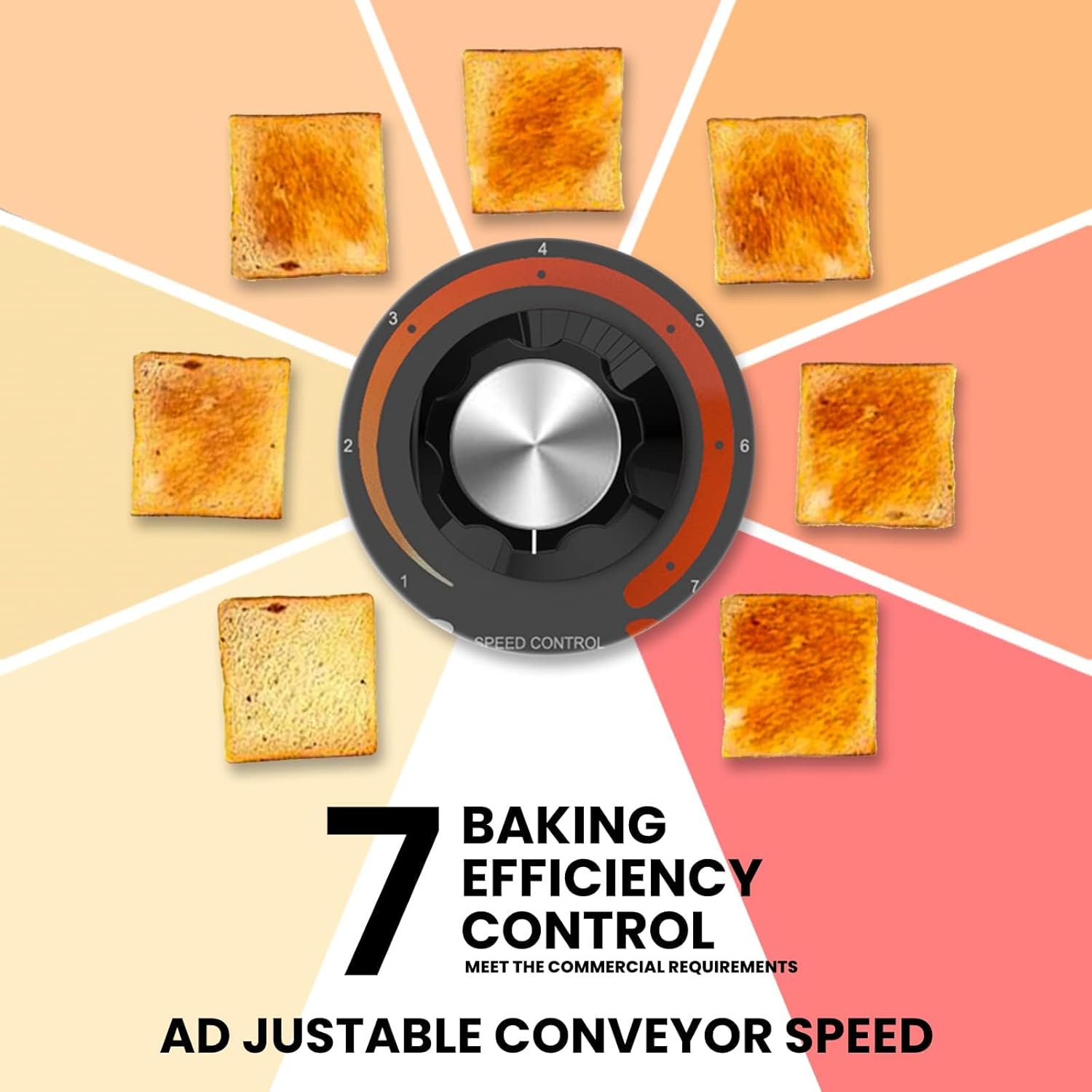
Image 5.2: Visual representation of the 7 adjustable conveyor speed settings and their effect on toast level.
5.2 Toasting Process

Image 5.3: Step-by-step guide for operating the toaster.
- Power On: Turn the main power switch to 'ON'.
- Preheat: Allow the toaster to preheat for approximately 10 minutes. This ensures consistent toasting results.
- Select Heating Mode: Rotate the Heating Mode knob to select 'BREAD' for standard toast, 'BUNS' for single-sided toasting, or 'STBY' for standby.
- Adjust Speed: Set the Speed Control knob to your desired browning level (1 for darkest, 7 for lightest).
- Activate Conveyor: Turn the Chain Control switch to 'ON'.
- Load Items: Place bread, bagels, or other items onto the conveyor belt at the input slot. Ensure items are not oversized or obstructing the belt.
- Collect Toasted Items: Toasted items will exit onto the selected catch tray (front or back).
- Switch Output: The toaster allows for dispensing from either the front or rear chute. Adjust the chute position as needed to direct toasted items to the desired tray.
6. Maintenance and Cleaning
WARNING: Always unplug the toaster from the power outlet and allow it to cool completely before cleaning or performing any maintenance.
6.1 Daily Cleaning
- Empty Crumb Tray: The toaster is equipped with a removable crumb tray. Slide out the crumb tray from the bottom of the unit and discard accumulated crumbs. Wash the tray with warm, soapy water, rinse, and dry thoroughly before reinserting.
- Wipe Exterior: Use a damp cloth with mild detergent to wipe down the stainless steel exterior. Do not use abrasive cleaners or scouring pads, as these can scratch the surface. Dry with a soft cloth.
6.2 Periodic Cleaning
- Conveyor Belt: Periodically inspect the food-grade chain conveyor belt for any food residue buildup. If necessary, gently brush off any debris. Do not use excessive force or sharp objects that could damage the chain.

Image 6.1: The food-grade chain conveyor belt, designed for high temperature resistance and easy cleaning.
6.3 General Care
- Never immerse the toaster unit in water or any other liquid.
- Do not use harsh chemicals or solvents for cleaning.
- Ensure all parts are completely dry before reassembling and operating the toaster.
7. Troubleshooting
If you encounter issues with your PYY Commercial Conveyor Toaster, refer to the following table for common problems and solutions.
| Problem | Possible Cause | Solution |
|---|---|---|
| Toaster does not power on. | No power supply. | Check if the power cord is securely plugged into a working outlet. Ensure the main power switch is ON. |
| Conveyor belt is not moving. | Chain Control switch is OFF. | Turn the Chain Control switch to 'ON'. |
| Bread is not toasting or toasting unevenly. | Incorrect speed setting or heating mode. Insufficient preheating. | Adjust the Speed Control knob to a lower number for darker toast. Ensure the correct Heating Mode (BREAD/BUNS) is selected. Allow the toaster to preheat for 10 minutes before use. |
| Smoke or burning smell. | Food residue or crumbs inside. | Immediately unplug the toaster. Allow to cool. Remove and clean the crumb tray. Inspect the interior for any lodged food particles and carefully remove them. |
| Toasted items are getting stuck. | Oversized items or obstruction. | Ensure items are appropriately sized for the toaster slot. Do not force items onto the conveyor. Unplug and carefully remove any obstructions. |
If the problem persists after attempting these solutions, please contact PYY customer support for further assistance.
8. Specifications
Technical details for the PYY Commercial Conveyor Toaster, Model PYYDSLTT150SSUS.

Image 8.1: Product dimensions of the PYY Commercial Conveyor Toaster.
| Feature | Detail |
|---|---|
| Brand | PYY |
| Model Number | PYYDSLTT150SSUS |
| Material | Stainless Steel |
| Color | Silver |
| Wattage | 1500 Watts |
| Voltage | 110V |
| Product Dimensions (D x W x H) | 20.67" x 14.76" x 15.55" |
| Item Weight | 36.6 pounds |
| Slices per Hour (Max) | 150 |
| Speed Settings | 7 |
| Special Features | Adjustable Rack, Built-In Timer, Large Capacity (referring to conveyor system) |
9. Warranty and Support
PYY products are manufactured to high-quality standards. Specific warranty terms and conditions are typically provided with your purchase documentation. Please refer to the warranty card or contact your retailer for detailed information regarding your product's warranty period and coverage.
For technical support, service, or replacement parts, please contact PYY customer service. Contact information can usually be found on the product packaging or the official PYY website.
