Introduction
Thank you for choosing the Pawfly Automatic Aquarium Fish Feeder. This device is designed to provide convenient and reliable feeding for your aquatic pets, especially when you are away. Please read this manual carefully before use to ensure proper operation and maintenance.
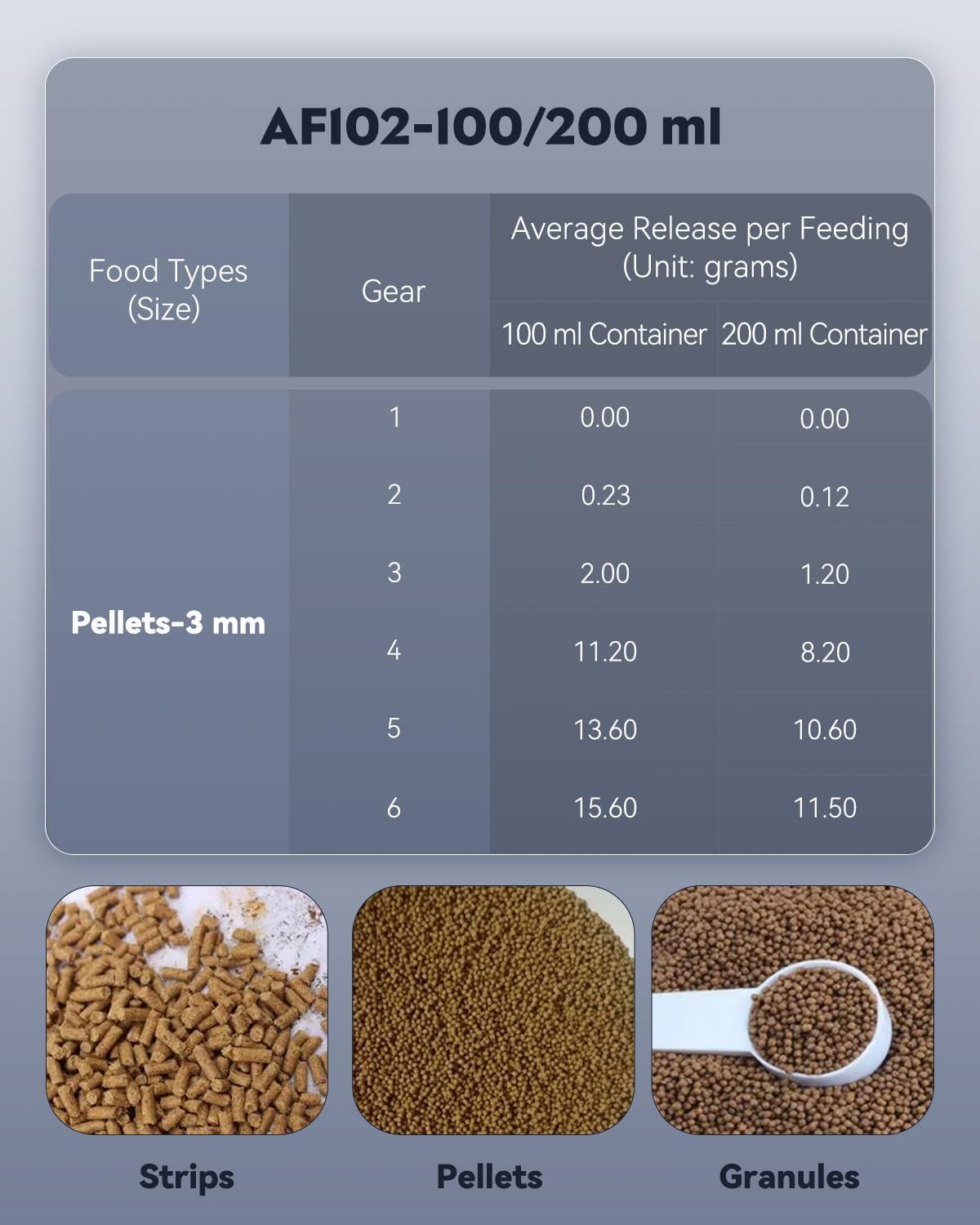
Figure 1: Pawfly Automatic Aquarium Fish Feeder
Product Overview
The Pawfly Automatic Aquarium Fish Feeder offers a range of features to simplify fish care:
- Timed Feeding: Program up to 3 feedings per day (every 8, 12, or 24 hours).
- Manual Feeding: Dispense food instantly with a dedicated button.
- Dual Food Containers: Includes 100ml and 200ml containers for varying needs.
- Adjustable Food Quantity: Six gear settings to control the food outlet size.
- Versatile Installation: Two methods available: clamp-on or stand-alone base.
- Battery Powered: Operates on 2 AA batteries (not included) for approximately 3-4 months.
- Suitable Food Types: Designed for dry fish food such as pellets, flakes, and strips.
Setup
1. Battery Installation
The feeder requires two 1.5V AA batteries (not included). Ensure correct polarity when inserting.
- Push the battery cover open.
- Install two AA batteries, observing the correct positive (+) and negative (-) terminals.
- Restore the battery cover securely.
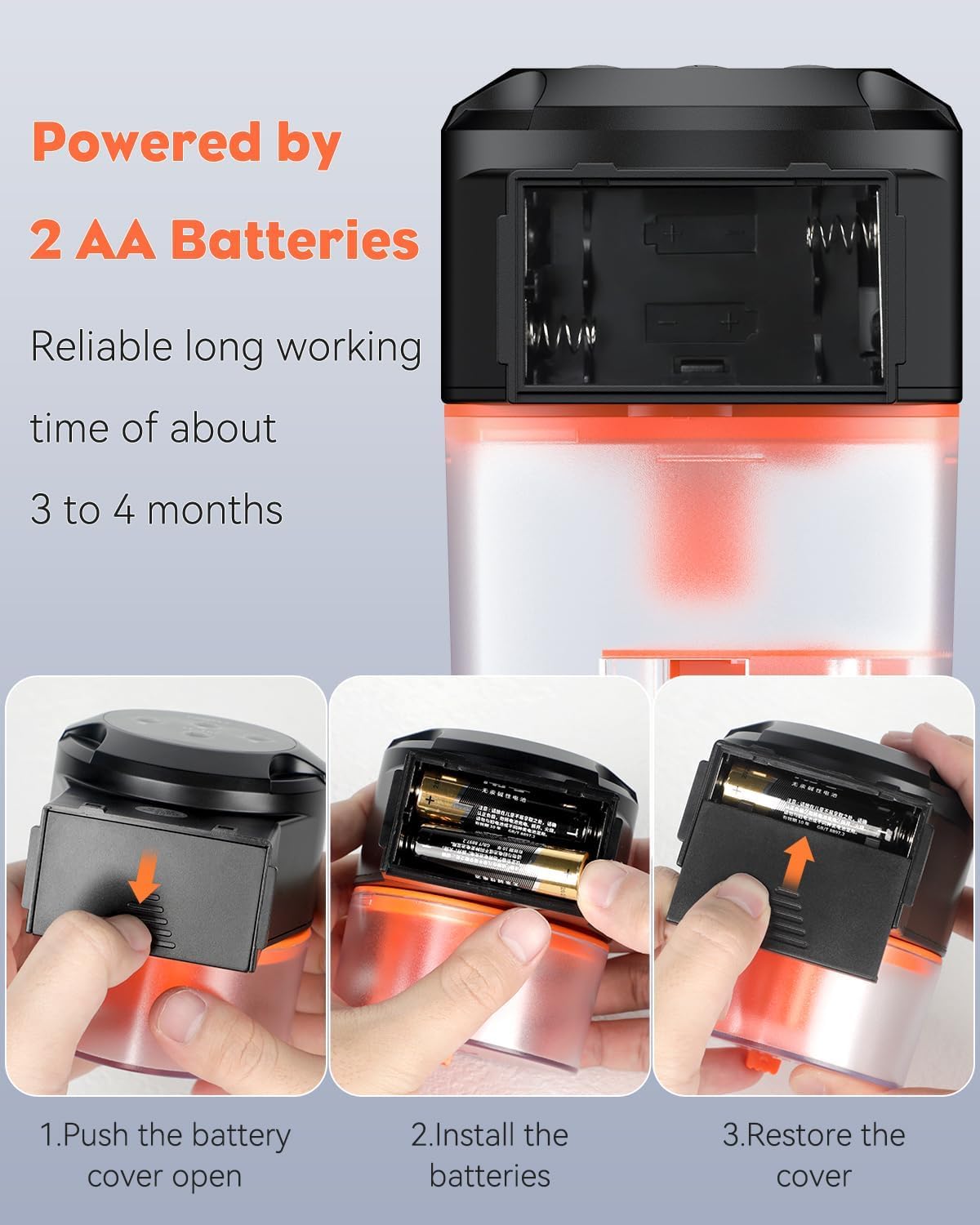
Figure 2: Battery Installation Steps
2. Feeder Installation
The feeder offers two installation methods:
- Clamp-on Method: Mount the feeder onto the aquarium wall using the adjustable clamp. Turn the long screw forcefully if necessary to secure it firmly.
- Stand-alone Method: Place the feeder on the tank lid using the provided base.
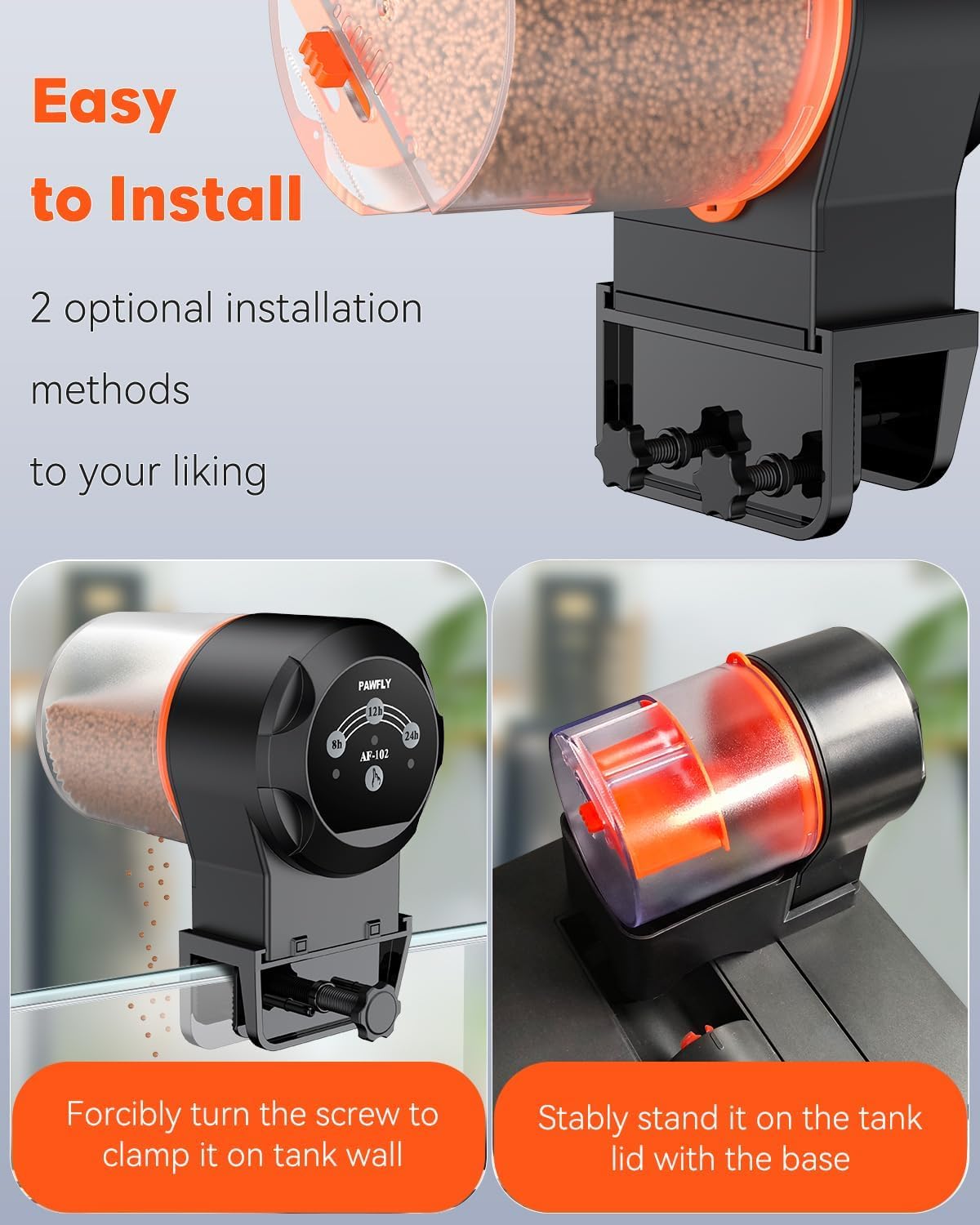
Figure 3: Installation Methods
Operating Instructions
1. Setting Automatic Feeding Times
The feeder can be programmed to dispense food automatically at regular intervals:
- Press the auto-feed button to cycle through the available settings: every 8 hours, every 12 hours, or every 24 hours.
- The selected interval will be indicated on the feeder's display or by an illuminated indicator.

Figure 4: Automatic and Manual Feeding Buttons
2. Adjusting Feeding Quantity
The feeder allows you to adjust the amount of food dispensed per feeding:
- Locate the slider on the feeder's food outlet.
- Move the slider left or right to select one of the 6 available gear settings, which controls the size of the food opening.
- Experiment with different settings to find the appropriate quantity for your fish and food type.

Figure 5: Feeding Quantity Adjustment Table and Food Types

Figure 6: Adjustable Food Outlet and Container Capacities
3. Manual Feeding
To dispense food immediately, press the manual feed button. This is useful for testing the feeding amount or providing an extra meal.
Maintenance
Regular cleaning ensures optimal performance and hygiene:
- Remove the food container and wash it with clean water. Ensure it is completely dry before refilling with food.
- Wipe the main unit with a dry cloth. Do not immerse the main unit in water.
- Check the food outlet regularly for any blockages and clear them carefully.
- Replace batteries when the feeder's performance declines or indicators suggest low power.
Troubleshooting
| Problem | Possible Cause | Solution |
|---|---|---|
| Feeder not dispensing food | Low batteries; Food outlet blocked; Food damp/clumped. | Replace batteries; Clear blockage; Ensure food is dry and free-flowing. |
| Feeder not turning on | Batteries incorrectly installed; Dead batteries. | Check battery polarity; Replace with new batteries. |
| Incorrect feeding amount | Food outlet slider setting is too high/low. | Adjust the food outlet slider to a different gear setting. |
Specifications
| Model Number | Pawfly-CW2851-BK |
| Dimensions (L x W x H) | 11 x 8 x 12 cm (4.3 x 3.1 x 4.7 inches) |
| Weight | 360 grams (0.79 lbs) |
| Material | Plastic |
| Food Container Capacity | 100 ml / 200 ml (interchangeable) |
| Power Source | 2 x AA 1.5V Batteries (not included) |
| Battery Life | Approx. 3-4 months |
| Feeding Frequency | Every 8h, 12h, or 24h (automatic); Manual feeding |
| Food Outlet Adjustment | 6 gear settings |
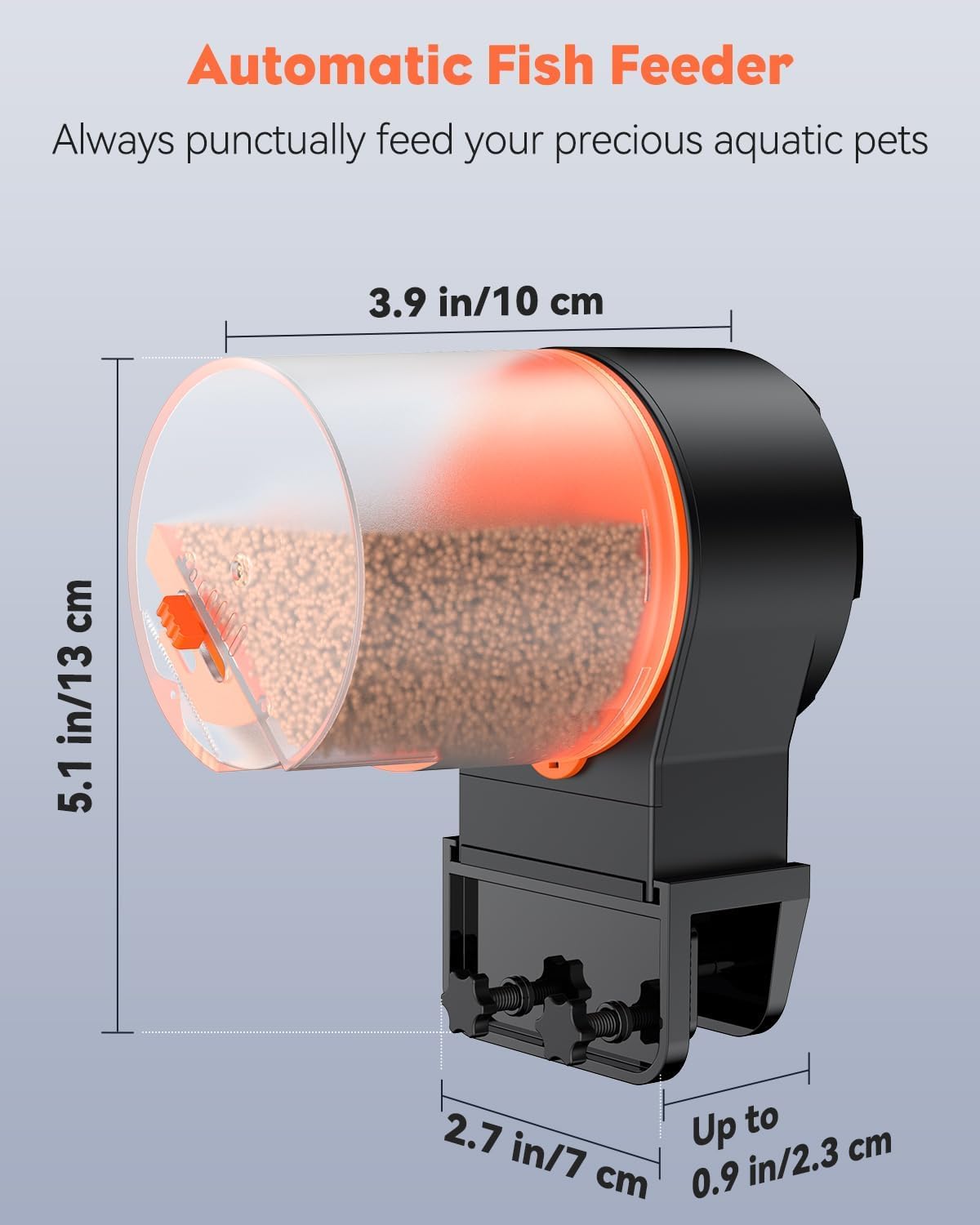
Figure 7: Product Dimensions
Warranty and Support
Specific warranty information is not provided in the product details. For any product inquiries, technical support, or warranty claims, please refer to the contact information provided with your purchase or visit the official Pawfly website.
Safety Information
- Keep the device out of reach of children and pets.
- Do not use the feeder with wet or sticky food, as this may cause blockages or damage.
- Ensure the feeder is securely installed to prevent it from falling into the aquarium.
- Do not attempt to disassemble or repair the device yourself. Contact customer support if issues arise.
- Dispose of used batteries responsibly according to local regulations.


