
Introduction
Thank you for choosing the MZK 20V 4Ah Lithium-Ion Battery Pack. This battery is designed to provide reliable power for all MZK 20V compatible tools. Please read this manual thoroughly before first use to ensure safe operation, optimal performance, and extended battery life. Keep this manual for future reference.

Image: The MZK 20V 4Ah Lithium-Ion Battery Pack, featuring a black and red design with the MZK logo and "4Ah 20V Lithium-Ion" labeling.
Important Safety Instructions
Always follow basic safety precautions when using battery-powered products to reduce the risk of fire, electric shock, and personal injury.
General Battery Safety
- Do not disassemble, open, or shred battery packs.
- Do not short-circuit a battery pack.
- Do not expose battery packs to heat or fire. Avoid storage in direct sunlight.
- Do not subject battery packs to mechanical shock.
- In the event of battery leakage, do not allow the liquid to come into contact with the skin or eyes. If contact has been made, wash the affected area with copious amounts of water and seek medical advice.
- Keep battery packs clean and dry.
- Do not use any charger other than that specifically provided for use with the equipment.
- Do not leave a battery pack on prolonged charge when not in use.
- Do not store battery packs where children can reach them.
Charging Safety
- Only use MZK 20V chargers designed for this battery pack. Using an incompatible charger may cause fire or injury.
- Charge the battery pack in a well-ventilated area.
- Do not charge the battery pack in damp or wet conditions.
- Unplug the charger from the power source when not in use.

Image: An internal view of a battery pack highlighting "1 HOUR QUICK CHARGE" and safety features such as Short-Circuit Protection, Overheating Protection, and Overcharge Protection.
Setup
Initial Charging
- Connect the MZK 20V charger (sold separately) to a standard power outlet.
- Slide the MZK 20V 4Ah battery pack onto the charger until it clicks into place.
- Allow the battery to charge fully. Refer to your charger's manual for specific charging indicators (e.g., LED lights).
- Once fully charged, remove the battery pack from the charger.
Inserting the Battery into a Tool
- Ensure the power tool is turned off and disconnected from any power source.
- Align the battery pack with the battery slot on your MZK 20V compatible tool.
- Slide the battery pack firmly into the tool until it locks securely in place. You should hear a click.
- To remove, press the battery release button (if present on the tool or battery) and slide the battery out.
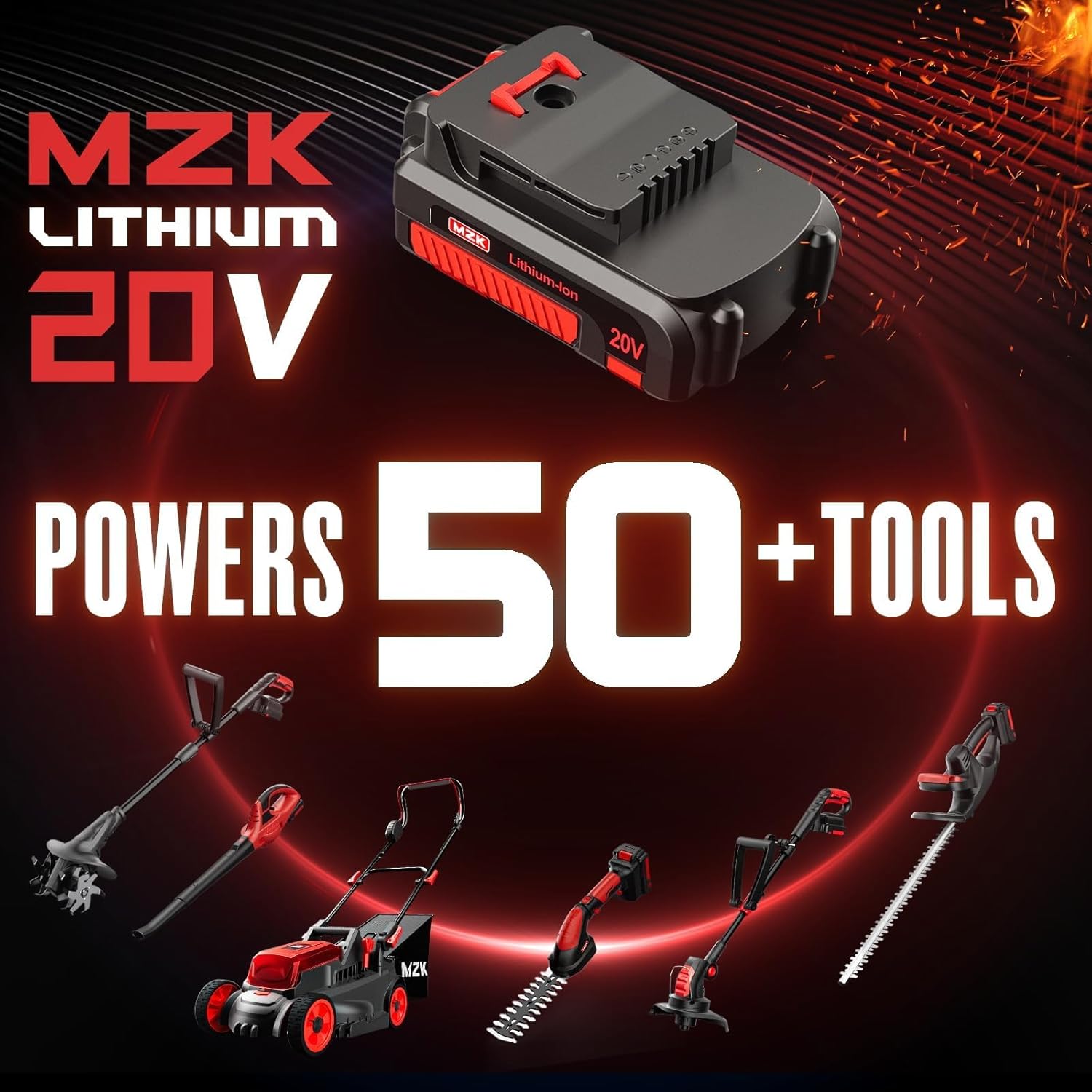
Image: The MZK 20V Lithium-Ion battery shown powering various MZK 20V tools, including a string trimmer, leaf blower, lawn mower, hedge trimmer, and pole saw.
Operating the Battery Pack
Battery Charge Indicator
The MZK 20V 4Ah battery pack features an integrated charge indicator. Press the button on the battery to illuminate the LED lights, indicating the remaining charge level.
- Four Lights: Full charge.
- Three Lights: Approximately 75% charge.
- Two Lights: Approximately 50% charge.
- One Light: Low charge, recharge soon.
- No Lights: Battery is depleted or requires charging.
Usage Tips
- For optimal performance, avoid completely draining the battery before recharging.
- Allow the battery to cool down before recharging if it has been used extensively.
- Do not force the battery into a tool or charger. If it does not slide in easily, ensure proper alignment.
Maintenance
Cleaning
- Keep the battery pack and its terminals clean and free of debris.
- Use a clean, dry cloth to wipe down the battery. Do not use solvents or harsh chemicals.
Storage
- Store the battery pack in a cool, dry place, away from direct sunlight and extreme temperatures.
- For long-term storage, charge the battery to approximately 50-70% capacity. Avoid storing fully charged or fully depleted batteries for extended periods.
- Recharge the battery pack once every month when not in use to maintain its health.
Disposal
Lithium-Ion batteries should not be disposed of with household waste. Please recycle the battery pack at an authorized recycling center or return it to your retailer for proper disposal. Contact your local waste management authority for information on available recycling options.
Troubleshooting
| Problem | Possible Cause | Solution |
|---|---|---|
| Battery not charging |
|
|
| Tool not operating with battery |
|
|
| Battery indicator lights not working |
|
|
Specifications
| Feature | Detail |
|---|---|
| Model Number | 20V4Ah-Battery |
| Brand | MZK |
| Voltage | 20V |
| Battery Capacity | 4 Amp Hours (4Ah) |
| Battery Cell Composition | Lithium-Ion |
| Product Dimensions | 3.19 x 2.95 x 5.12 inches |
| Item Weight | 1.59 pounds |
| Recommended Use | Power Tool |
Warranty Information
MZK products are manufactured to high-quality standards. For detailed warranty information, including terms, conditions, and duration, please refer to the official MZK website or contact MZK customer support. Keep your proof of purchase for warranty claims.
Customer Support
If you have any questions, require assistance, or need to report an issue with your MZK 20V 4Ah Battery Pack, please contact MZK customer support.
- Online Support: Visit the official MZK Store on Amazon for product information and support resources.
- Contact Information: Refer to the packaging or the MZK official website for the most current contact details.