1. Introduction
Thank you for choosing the SIRUI BG-40 Camera Tripod Ball Head. This manual provides essential information for the correct setup, operation, and maintenance of your new ball head. Please read this manual thoroughly before use to ensure optimal performance and longevity of the product.
2. Safety Information
- Ensure all knobs are securely tightened before leaving your camera unattended.
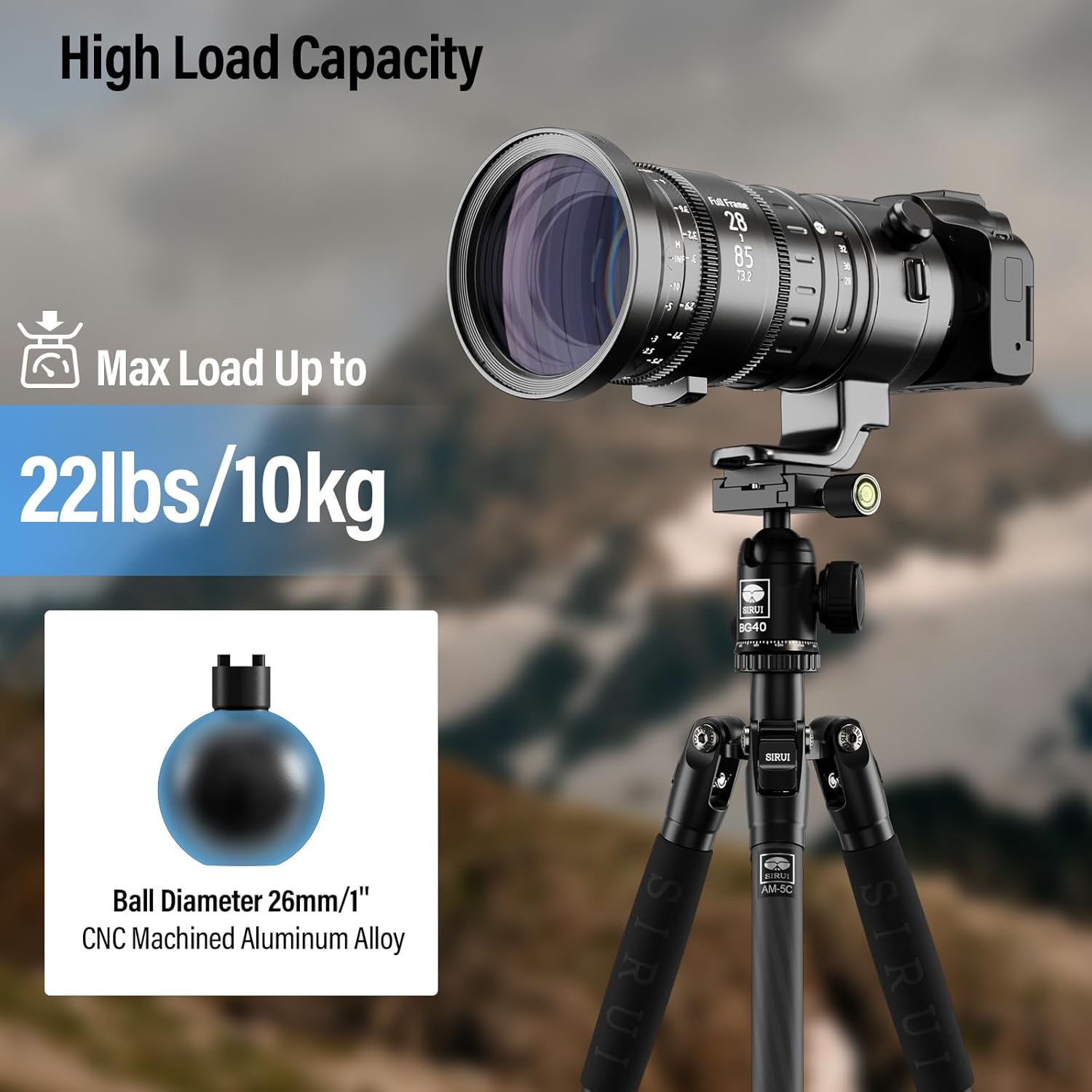
- Do not exceed the maximum load capacity of 10KG (22.05lbs) to prevent damage to the ball head or attached equipment.
- Avoid exposing the ball head to extreme temperatures or harsh chemicals.
- Keep out of reach of children.
3. What's in the Box
The SIRUI BG-40 Camera Tripod Ball Head package includes the following items:
- BG-40 Ball Head (x1)
- Allen Wrench (x1)
- 3/8" to 1/4" Adapter (x1)

4. Product Features
- Low Gravity Ball Head: Constructed from strong CNC aluminum alloy with a 40mm diameter ball. The low gravity design enhances stability and supports equipment up to 10KG (22.05lbs).
- Damping Knob for Ball: Features a memory adjustment button to control ball friction based on load weight, allowing for precise composition and easy adjustment of heavy equipment.
- Vertical Notch: A U-shaped notch design facilitates quick transitions between horizontal and vertical shooting, improving efficiency for multi-angle photography.
- 360° Panning Base: Provides smooth 360° panning with engraved index marks for precise manual panorama photography.
- Wide Compatibility: Equipped with a quick release plate featuring a 1/4 inch screw and a 3/8 inch female thread at the bottom, making it compatible with most DSLR cameras, camcorders, and camera sliders.

5. Setup
5.1 Attaching the Ball Head to a Tripod
- Locate the 3/8 inch female thread at the bottom of the BG-40 ball head.
- If your tripod has a 1/4 inch screw, use the provided 3/8" to 1/4" adapter. Screw the adapter into the ball head's base.
- Screw the ball head onto your tripod's mounting screw until it is secure. Ensure it is firmly attached to prevent wobbling.
5.2 Attaching Your Camera to the Ball Head
- Unscrew the QR Plate Knob on the ball head to release the quick release plate.
- Attach the quick release plate to the bottom of your camera by screwing the 1/4 inch screw into your camera's tripod socket. Use the Allen wrench if needed to tighten it securely.
- Slide the camera with the attached quick release plate into the clamp on the ball head.
- Tighten the QR Plate Knob firmly to secure your camera in place. The safety screws on the plate help prevent accidental detachment.


6. Operating Instructions
6.1 Adjusting Ball Head Position
- To adjust the angle of your camera, loosen the Ball Locking Knob.
- Position your camera to the desired angle. The integrated bubble level can assist in achieving a level horizon.
- For vertical shooting, utilize the U-shaped notch by tilting the ball head into it.
- Once the desired position is achieved, tighten the Ball Locking Knob firmly to secure the camera.

6.2 Using the Panning Base
- To rotate the camera horizontally for panoramic shots, loosen the Panning Locking Knob located at the base of the ball head.
- Rotate the camera to the desired position. The 360° scale with engraved index marks allows for precise adjustments and repeatable movements for panoramic photography.
- Once positioned, tighten the Panning Locking Knob to lock the base.

6.3 Damping Adjustment
The damping knob allows you to control the friction of the ball. Adjust this knob to match the weight of your camera and lens combination. A proper damping setting ensures smooth movement and prevents sudden drops when the ball locking knob is loosened.
7. Maintenance
- Clean the ball head regularly with a soft, dry cloth.
- Avoid using abrasive cleaners or solvents that could damage the finish or internal components.
- Periodically check all screws and knobs for tightness and re-tighten if necessary.
- Store the ball head in a dry, dust-free environment when not in use.
8. Troubleshooting
8.1 Ball Head Not Holding Position Securely
- Check Load Capacity: Ensure the total weight of your camera and lens does not exceed the maximum load capacity of 10KG (22.05lbs).
- Tighten Knobs: Verify that the Ball Locking Knob and Panning Locking Knob are fully tightened.
- Damping Adjustment: Adjust the damping knob to increase friction for heavier loads.
- Heavy Telephoto Lenses: For extremely long or heavy telephoto lenses, especially when pointed at steep angles, a gimbal or geared head might be more suitable than a ball head.
8.2 Quick Release Plate Feels Loose
- Tighten Camera Screw: Ensure the 1/4 inch screw attaching the quick release plate to your camera is securely tightened.
- Tighten QR Plate Knob: Make sure the QR Plate Knob on the ball head is fully tightened after sliding the plate in.
9. Specifications
| Feature | Detail |
|---|---|
| Product Model | BG-40 Ball Head |
| Material | Aluminum Alloy |
| Max Load Capacity | 10KG / 22.05lbs |
| Product Weight | 0.28kg / 0.6lbs |
| Base Diameter | 40mm / 1.6 inches |
| Ball Diameter | 26mm / 1 inch |
| Height | 86mm / 3.4 inches |
| Mounting Screw (Top) | 1/4 inch |
| Mounting Thread (Bottom) | 3/8 inch female thread |
10. Warranty and Support
SIRUI products are manufactured to high-quality standards. For warranty information, technical support, or service inquiries, please refer to the official SIRUI website or contact your local distributor. Keep your purchase receipt as proof of purchase for warranty claims.


