
Introduction
Welcome to the user manual for your new bvate B5 14-inch laptop. This guide provides essential information on setting up, operating, maintaining, and troubleshooting your device. Please read this manual thoroughly to ensure optimal performance and longevity of your laptop.
What's in the Box
Upon unboxing your bvate B5 laptop, please verify that all the following items are included:
- 14-inch Laptop
- Wireless Mouse
- 12V DC Power Adapter
- User Manual (this document)
Product Overview
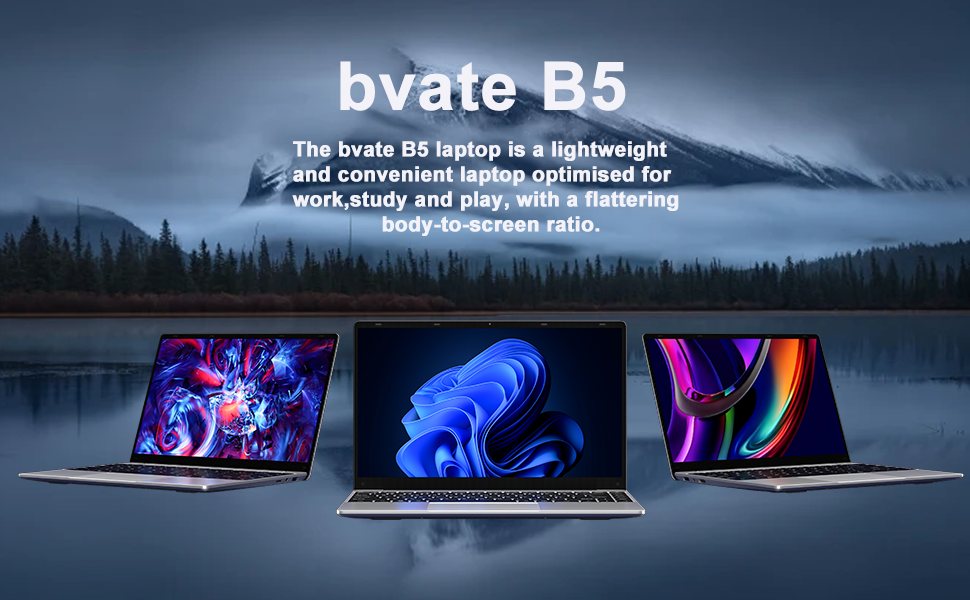
The bvate B5 is a versatile 14-inch laptop designed for productivity, learning, and entertainment. It combines a lightweight design with robust features to support your daily computing needs.
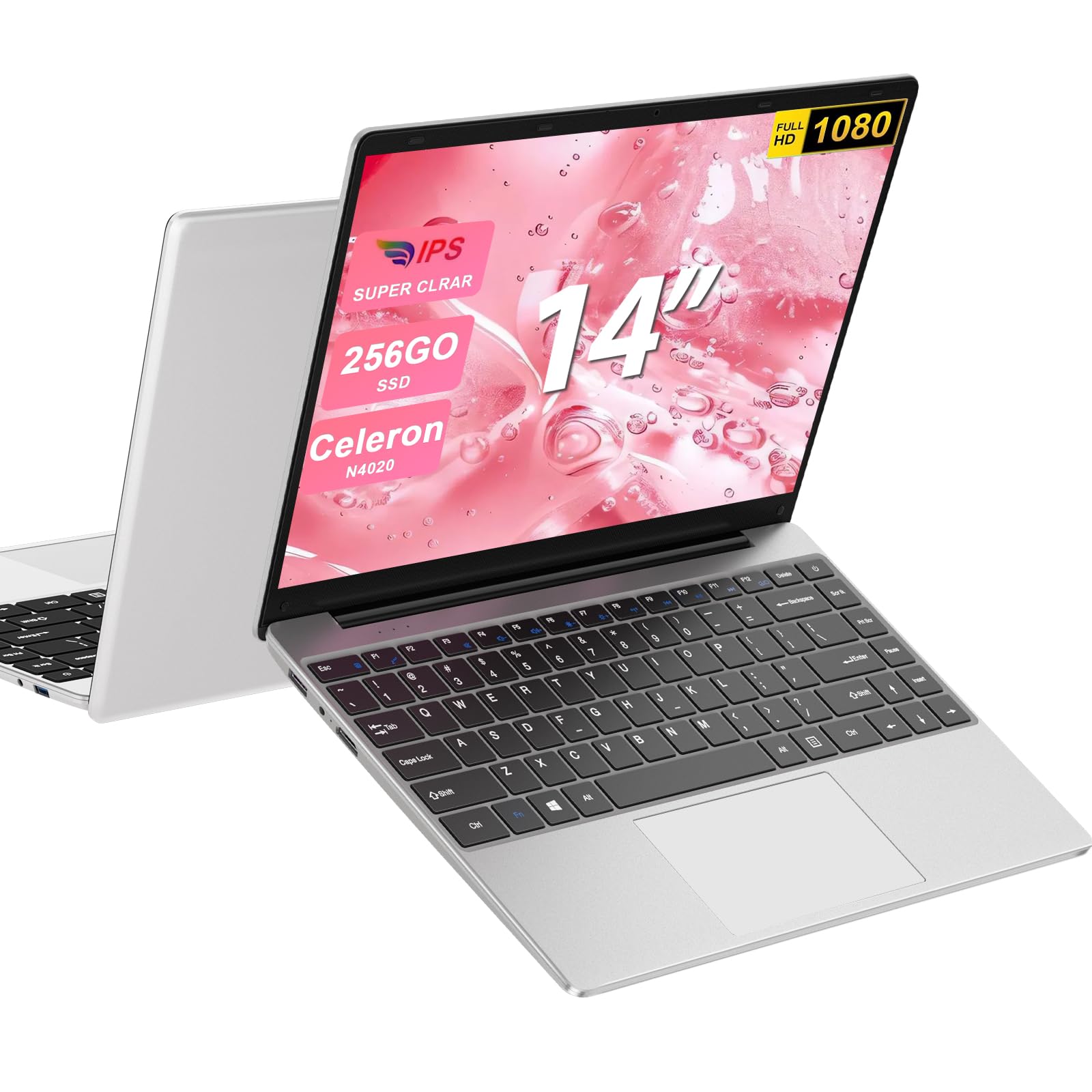
A silver bvate B5 14-inch laptop, showcasing its sleek design.
Key Features
- Processor: Intel Celeron N4020 for efficient performance.
- Memory: 6GB RAM for smooth multitasking.
- Storage: 256GB EMMC with M.2 SATA expansion slot supporting up to 1TB SSD.
- Display: 14-inch Full HD (1920x1080) IPS display with 180-degree rotation.
- Operating System: Pre-installed Windows 11.
- Connectivity: Dual-band 2.4G+5G WiFi and Bluetooth 4.2.
- Battery: 5000 mAh battery, offering up to 200 hours standby and 5-6 hours video playback.
- Portability: Lightweight at 1.3 kg and slim at 2.1 cm.
This image illustrates the laptop's capability to run multiple applications simultaneously, emphasizing its 6GB RAM, 256GB SSD, and Windows 11 operating system for efficient multitasking.
Ports and Connectors
Your bvate B5 laptop is equipped with various ports for connecting peripherals and external devices:
- 2 x USB 3.0 Ports
- 1 x Mini HDMI Port
- 1 x TF Card Slot (supports SD cards)
- 1 x Headphone Jack
- 1 x DC Power Input

A detailed view of the laptop's ports, including a TF Card slot, two USB 3.0 ports, a headphone jack, a Mini HDMI port, and a DC power input.
Setup
1. Initial Charging
Before first use, connect the laptop to the power adapter and charge it fully. The charging indicator light will typically show when charging and change once fully charged.
2. Powering On
Press and hold the power button located on the side or top right of the keyboard until the screen illuminates.
3. Windows 11 Setup
Follow the on-screen prompts to complete the initial Windows 11 setup. This includes selecting your language, region, connecting to a Wi-Fi network, and creating a user account.
4. Connecting Peripherals
Connect the included wireless mouse by inserting its USB receiver into an available USB port on the laptop. The mouse should be automatically recognized.
Operating Instructions
Basic Navigation
Use the integrated touchpad for cursor control and gestures. The keyboard features an AZERTY layout. For external display, connect a monitor via the Mini HDMI port.

The laptop features a 14-inch Full HD (1920x1080) IPS display, offering clear and vibrant visuals for an enhanced viewing experience.
Wireless Connectivity
- Wi-Fi: To connect to a Wi-Fi network, click the Wi-Fi icon in the taskbar, select your desired network, and enter the password if prompted. The laptop supports 2.4G and 5G networks.
- Bluetooth: To pair a Bluetooth device, go to Windows Settings > Bluetooth & devices, turn on Bluetooth, and select 'Add device'.

This image highlights the laptop's connectivity features, including 2.4G+5G WiFi and Bluetooth 4.2, alongside its long-lasting 5000 mAh battery, providing up to 200 hours of standby time and 5-6 hours of continuous video playback.
Storage Expansion
You can expand the laptop's storage by installing an M.2 SATA SSD (up to 1TB) in the dedicated expansion slot or by using a TF/SD card in the card reader slot.

The laptop offers flexible storage solutions with a 256GB EMMC drive, an M.2 SATA expansion slot supporting up to 1TB SSD, and a TF/SD card slot for additional storage.
Screen Rotation
The laptop screen can rotate up to 180 degrees, allowing for flexible viewing angles. Adjust the screen carefully to your desired position.
Maintenance
Cleaning the Laptop
- Use a soft, lint-free cloth slightly dampened with water or a screen cleaner to wipe the display.
- For the keyboard and chassis, use a soft, dry cloth. Avoid harsh chemicals or abrasive materials.
- Use compressed air to clear dust from ports and vents.
Battery Care
- Avoid completely draining the battery frequently.
- Store the laptop in a cool, dry place if not used for extended periods.
- Use only the original power adapter provided with the laptop.
Software Updates
Regularly check for and install Windows updates to ensure your system has the latest security patches and performance improvements. Go to Windows Settings > Windows Update.
Troubleshooting
Laptop Won't Turn On
- Ensure the laptop is charged or connected to the power adapter.
- Press and hold the power button for 10-15 seconds to perform a hard reset.
Wi-Fi Connection Issues
- Check if Wi-Fi is enabled in Windows Settings.
- Restart your router and the laptop.
- Ensure you are within range of the Wi-Fi network.
Slow Performance
- Close unnecessary applications running in the background.
- Check for and install any pending Windows updates.
- Ensure you have sufficient free storage space.
For further assistance, please refer to the Warranty and Support section.
Specifications
| Feature | Detail |
|---|---|
| Brand | bvate |
| Model Name | B5 |
| Screen Size | 14 Inches |
| Color | Silver |
| Hard Disk Size | 256 GB (EMMC) |
| CPU Model | Intel Celeron N4020 |
| RAM Size | 6 GB LPDDR4 |
| Operating System | Windows 11 |
| Graphics Description | Integrated |
| Weight | 1.3 Kilograms |
| Max Resolution | 1920 x 1080 Pixels |
| Refresh Rate | 60 Hz |
| Wireless Connectivity | Wi-Fi (802.11a/b/g/n/ac), Bluetooth 4.2 |
| Battery Type | Lithium Polymer (5000 Watt-hours) |
| Keyboard Layout | AZERTY |
| Webcam | Yes (2 MP Front) |
| Dimensions (LxWxH) | 32.2L x 20.8W x 2.1H cm |
Warranty and Support
Your bvate B5 laptop comes with comprehensive support and warranty coverage:
- Warranty: 24-Month Extended Warranty.
- Technical Assistance: Permanent technical assistance is available.
- Response Time: Rapid response to inquiries within 24 hours.
- Returns: 30-day no-reason return policy.
For any issues or support needs, please contact bvate customer service through the platform where you purchased the product or refer to the contact information provided in your purchase documentation.

This image indicates the product comes with a 24-month warranty, permanent technical assistance, rapid response within 24 hours, and a 30-day return policy.

