
Lacuffy BA06
Lacuffy Walking Pad Treadmill Model BA06 User Manual
Your Guide to Setup, Operation, and Maintenance
1. Introduction
The Lacuffy Walking Pad Treadmill Model BA06 is a compact and portable fitness device designed for both home and office use. It offers a convenient way to integrate physical activity into your daily routine, whether you are walking while working at a standing desk or engaging in light cardio at home. This manual provides essential information for the safe and effective use of your walking pad.

Image: The Lacuffy Walking Pad Treadmill in use, demonstrating its versatility for both active walking and integration with a standing desk environment.

Image: Illustration of the 2-in-1 functionality of the Lacuffy Walking Pad, suitable for both walking and light jogging.
2. Safety Information
Please read all safety instructions carefully before operating the Lacuffy Walking Pad Treadmill. Failure to follow these instructions may result in injury or damage to the product.
- Ensure the walking pad is placed on a flat, stable surface.
- Maintain a clear space of at least 20 inches (50 cm) behind and on both sides of the treadmill.
- Do not allow children or pets near the treadmill while it is in operation.
- Wear appropriate athletic footwear during use.
- Do not step on or off the treadmill while the belt is moving.
- If you experience dizziness, pain, or shortness of breath, stop exercising immediately.
- Unplug the treadmill from the power outlet when not in use or before cleaning/maintenance.
- The maximum user weight for this device is 250 pounds (113 kg).
3. Package Contents
Verify that all components are present in the package:
- Lacuffy Walking Pad Treadmill
- Remote Control
- User Manual (this document)
- Power Cord
- Lubricant
- Tool Kit (e.g., 5# wrench for adjustments)

Image: Contents included in the Lacuffy Walking Pad package.
4. Setup
The Lacuffy Walking Pad Treadmill requires minimal setup. No complex assembly is needed.
- Placement: Place the walking pad on a firm, level surface. Ensure adequate space around the unit for safe operation.
- Power Connection: Connect the power cord to the treadmill and then to a standard electrical outlet.
- Initial Power On: Turn on the main power switch, usually located near the power cord inlet.
- App Activation: The walking pad requires activation via the PitPat app before first use.
- Download the PitPat app from the Google Play Store or Apple App Store.
- Follow the in-app instructions to connect and activate your Lacuffy Walking Pad.
5. Operating Instructions
Operate your Lacuffy Walking Pad using the included remote control or the PitPat app.
5.1 Basic Operation
- Start/Stop: Use the remote control or app to start and stop the treadmill belt.
- Speed Adjustment: Adjust the walking speed using the remote control or the PitPat app. The speed range is from 0.6 MPH to 2.5 MPH (approximately 1 KM/H to 4 KM/H).
- LED Display: The integrated LED display shows key metrics such as time, calories burned, current speed, and distance covered.
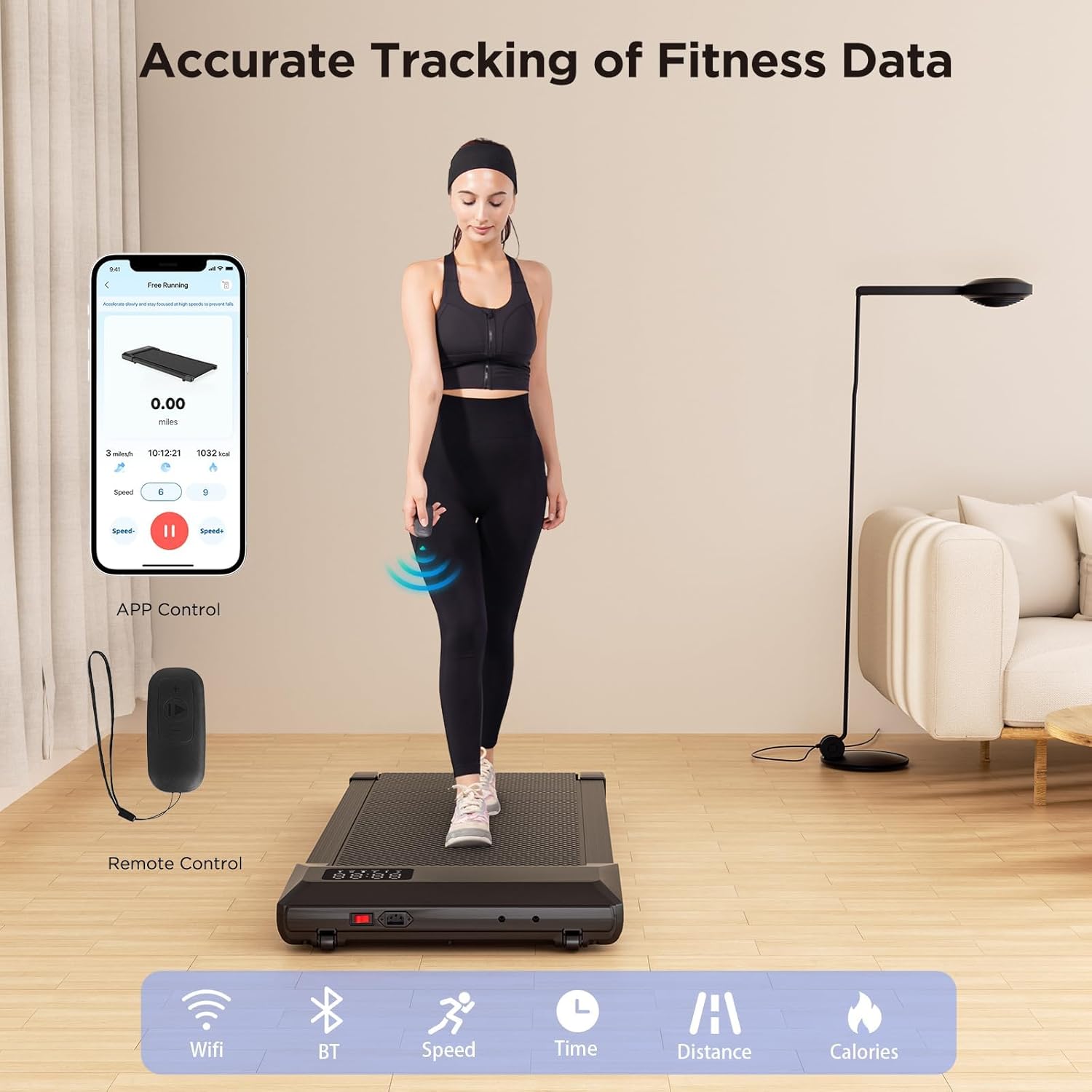
Image: Remote control and PitPat app for accurate tracking of fitness data.
5.2 PitPat App Features
The PitPat app enhances your exercise experience with various features:
- Fitness Tracking: Monitor your progress with detailed statistics on speed, distance, time, and calories burned.
- Virtual Scenarios: Engage with outdoor AI scenarios and virtual walking courses.
- Training Programs: Access various training sessions and professional coach guides.
- Community Features: Compete with friends, share progress, and join a global sports community.

Image: Discovering interactive features and virtual scenarios with the PitPat app.

Image: The PitPat app displaying training sessions and AI coach guidance.

Image: Social features of the PitPat app, allowing users to connect and share their fitness journey.
6. Features
- Compact Design: Measures 38.5"D x 20.24"W x 4.13"H, making it suitable for small spaces.
- Lightweight and Portable: Weighs approximately 38 lbs (17.2 kg) and features built-in transportation wheels for easy mobility.
- Quiet Operation: Operates at a noise level below 45dB, ensuring a smooth and undisturbed exercise experience.
- 5-Layer Running Belt: Constructed with a wear-resistant, non-slip, and shock-absorbing running mat to reduce impact on joints.
- Remote Control: Provides convenient control over speed and functions.
- Multi-functional LED Display: Clearly shows time, calories burned, speed, and distance.

Image: The Lacuffy Walking Pad as a convenient partner for home and office fitness, showing ease of use and storage.

Image: The compact design and portability of the Lacuffy Walking Pad, with a thickness of 4.13 inches, allowing for easy movement and storage.

Image: Detailed view of the 5-layer running belt construction for enhanced comfort and protection.
7. Maintenance
Regular maintenance ensures the longevity and optimal performance of your walking pad.
- Cleaning: Wipe down the treadmill with a damp cloth after each use. Do not use abrasive cleaners.
- Lubrication: Periodically apply the provided lubricant under the running belt as instructed in the separate lubrication guide (if included) or as recommended by the manufacturer. Proper lubrication reduces friction and extends belt life.
- Belt Alignment: The running belt may shift slightly over time. If the belt is not centered, use the included tool kit (e.g., 5# wrench) to adjust the rear rollers until the belt runs smoothly in the center. Refer to the specific instructions for belt adjustment in the detailed user guide.
8. Troubleshooting
If you encounter issues with your Lacuffy Walking Pad, refer to the following common solutions:
- Treadmill Not Starting:
- Ensure the power cord is securely plugged into both the treadmill and the wall outlet.
- Check that the main power switch is in the 'ON' position.
- Verify that the PitPat app has successfully activated the device.
- Belt Slipping or Shifting:
- This often indicates the belt needs alignment. Follow the belt alignment instructions in the Maintenance section.
- Insufficient lubrication can also cause slipping. Apply lubricant if due.
- Unusual Noises:
- Check for any foreign objects under the belt.
- Ensure all visible screws are tightened.
- If the noise persists, contact customer support.
- App Connectivity Issues:
- Ensure Bluetooth is enabled on your device.
- Restart the PitPat app and the walking pad.
- Check for app updates.
9. Specifications
| Feature | Specification |
|---|---|
| Brand | Lacuffy |
| Model Name | BA06 |
| Color | Gold |
| Product Dimensions (LxWxH) | 38.5"D x 20.24"W x 4.13"H (97.8 cm x 51.4 cm x 10.5 cm) |
| Item Weight | 37.94 Pounds (17.2 kg) |
| Material | Alloy Steel |
| Maximum Speed | 2.5 Miles per Hour (4 KM/H) |
| Minimum Speed | 0.6 Miles per Hour (1 KM/H) |
| Maximum Horsepower | 2.2 Horsepower |
| Maximum Weight Recommendation | 250 Pounds (113 kg) |
| Deck Length | 31.5 Inches (80 cm) |
| Deck Width | 16.14 Inches (41 cm) |
| Metrics Measured | Calories Burned, Distance, Speed, Time |
| Assembly Required | No |
| UPC | 717352499795 |
10. Warranty and Support
Warranty: The Lacuffy Walking Pad Treadmill Model BA06 comes with a 1-year manufacturer's warranty. Please retain your proof of purchase for warranty claims.
Customer Support: For any questions, technical assistance, or warranty claims, please contact Lacuffy customer service. A dedicated customer service team is available to troubleshoot issues within 24 hours.
Visit the Lacuffy Store on Amazon for more information or to contact support.
Ask a question about this manual
Ask about setup, troubleshooting, compatibility, parts, safety, or missing instructions. Manuals+ will review the question and use this page’s manual context to help answer it.