
1. Introduction and Overview
The akimart 10.1 Inch WiFi Digital Picture Frame is designed to display your cherished photos and videos with ease. Featuring a 1280x800 HD IPS touch screen, it offers clear visuals from various angles. The frame includes 32GB of built-in memory and supports extended storage via USB drives or SD cards. It also offers multiple functions such as slide show, video playback, calendar, weather, alarm, clock, and music playback.
This device allows you to share photos and videos privately and securely via a dedicated app or email, making it simple for friends and family to enjoy your moments instantly.
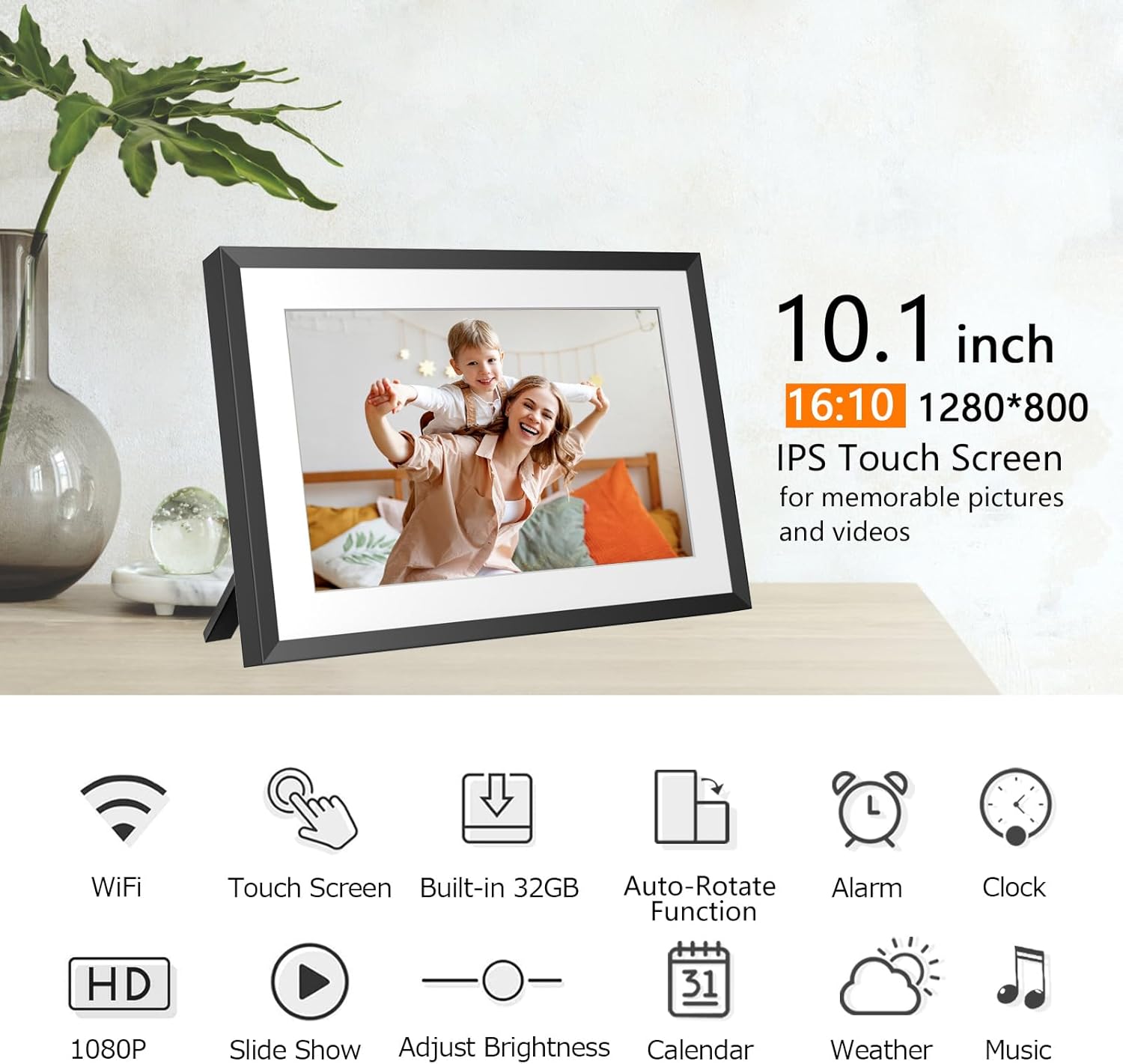
Image: The akimart 10.1 Inch WiFi Digital Picture Frame, showcasing its sleek design and a vibrant family photo on its screen.
2. Setup Guide
- Power On: Connect the power adapter to the frame and a power outlet. The frame will automatically power on.
- Initial Configuration: Follow the on-screen prompts to select your language, time zone, and connect to your Wi-Fi network.
- App Download: Download the SSA WiFi Frame APP from Google Play Store (for Android) or Apple App Store (for iOS). Search for "SSA WiFi Frame".
- Account Registration: Register for an SSA WiFi Frame account and log in.
- Connect Frame: On the frame, navigate to 'Settings' > 'Device Info' > 'Connection Code'. Use the app to scan the QR code displayed on the frame or manually enter the Frame ID to bind the frame with your app. The connection code is valid for 12 hours.

Image: A smartphone displaying the SSA WiFi Frame app, indicating where to download it from app stores.
Video: An official product video demonstrating the setup process for the akimart WiFi Digital Picture Frame, including app connection and initial configuration.
3. Operating Instructions
3.1 Touch Screen Navigation
The frame features an intuitive touch screen interface. Swipe left or right to navigate through photos and menus. Tap icons to select functions or adjust settings.
3.2 Photo and Video Playback
- Slide Show: Photos will automatically cycle through in a slide show. You can customize the display order and transition effects in the settings.
- Video Playback: The frame supports MOV / MP4 / AVI / MKV video formats. Videos will play automatically within the slide show or can be selected individually.
3.3 Multifunctional Features
- Calendar: Access the built-in calendar to view dates and arrangements.
- Weather: Display daily and upcoming weather reports based on your location.
- Alarm: Set multiple alarms for reminders.
- Clock: Choose from various clock display styles.
- Music: Play WAV/MP3 audio files from internal storage, USB drive, or SD card.

Image: The digital frame showing its calendar feature, with a small photo slideshow window.

Image: The digital frame showing its weather feature, providing current and forecast weather conditions.
4. Media Integration and Sharing
4.1 Sharing Photos and Videos via App/Email
You can send up to 50 pictures at once and videos up to 200MB via the SSA WiFi Frame app or email. This allows for instant sharing of memories with connected frames globally.
4.2 Extending Storage
The frame has 32GB of internal storage. You can extend this by inserting a USB drive or SD card. Photos and videos can be imported from or exported to these external storage devices.

Image: A visual representation of various methods to upload and export photos and videos, including app, email, USB, and SD card.
Video: An official product video demonstrating how to share moments, photos, and videos to the digital picture frame via the app.
5. Key Features
- 10.1" HD IPS Touch Screen: Enjoy a 1280x800 resolution display with a 178° wide viewing angle, ensuring clear and vibrant images from any perspective.
- Auto-Rotate: The frame automatically adjusts photo orientation for both portrait and landscape modes.
- Wall Mountable: Equipped with back mounting holes for easy wall installation, offering flexible placement options.
- Sleep Mode: Activate sleep mode to conserve energy and extend the device's lifespan by automatically turning off the screen during scheduled times or inactivity.
- Secure Storage: Your content is safely stored on secure, encrypted servers.

Image: The digital frame demonstrating its auto-rotate functionality and showing how it can be wall-mounted or used freestanding.
6. Specifications
| Feature | Detail |
|---|---|
| Product Dimensions | 7.87 x 7.09 x 0.99 inches |
| Item Weight | 1.76 pounds |
| Item Model Number | ZN-DP1012 |
| Brand | akimart |
| Color | Black |
| Resolution | 1280x800 |
| Compatible Devices | Smartphone |
| Screen Size | 10.1 Inches |
| Internal Storage | 32GB |
| Supported Image Formats | JPG/JPEG/BMP/PNG/GIF |
| Supported Audio Formats | WAV/MP3 |
| Supported Video Formats | MOV/MP4/AVI/MKV (Max 1920x1080, 30FPS) |
7. Troubleshooting
- Frame Not Connecting to Wi-Fi: Ensure your Wi-Fi password is correct and the frame is within range of your router. Try restarting both the frame and your router.
- Photos Not Uploading: Check your internet connection. Verify that the connection code is still valid (it expires after 12 hours). Ensure photos are in a supported format (JPG/JPEG/BMP/PNG/GIF) and videos are within the 200MB limit and supported formats (MOV/MP4/AVI/MKV).
- Screen Unresponsive: If the touch screen is unresponsive, try restarting the device by holding down the power button.
- Auto-Rotate Not Working: Ensure the frame is placed on a stable surface or mounted correctly. Check settings to confirm auto-rotate is enabled.
- External Storage Not Recognized: Ensure the USB drive or SD card is inserted correctly and is formatted to a compatible file system (e.g., FAT32).
8. Warranty and Support
For warranty information and customer support, please refer to the documentation included in your product packaging or visit the official akimart website. You may also contact akimart customer service directly for assistance with your device.
Protection plans are available for purchase:
- 2-Year Protection Plan
- 3-Year Protection Plan
- Complete Protect (monthly billing)