
XINDADA Z01
User Manual
XINDADA Z01 Mini Smart Watch
Model: Z01
Introduction
This manual provides comprehensive instructions for the operation, maintenance, and troubleshooting of your XINDADA Z01 Mini Smart Watch. Please read this manual thoroughly before using the device to ensure proper functionality and to maximize your user experience.

The XINDADA Z01 Mini Smart Watch features a 1.27-inch AMOLED display, Bluetooth calling, NFC, and comprehensive health monitoring capabilities. This image shows the green variant of the watch with its display active.
What's in the Box:
- XINDADA Z01 Mini Smart Watch
- Charging Cable
- User Manual (this document)
Setup Guide
1. Initial Charging
Before first use, fully charge your Z01 Mini Smart Watch. Connect the provided charging cable to the charging port on the back of the watch and plug the USB end into a compatible power adapter (not included) or a computer USB port. The watch display will indicate charging status.
2. Powering On/Off
- Power On: Press and hold the side button until the screen lights up.
- Power Off: Press and hold the side button, then select "Power Off" on the screen.
3. App Installation and Pairing
To unlock the full features of your Z01 Mini Smart Watch, download the companion application on your smartphone. Search for the app name (usually mentioned in the quick start guide or on the watch screen during initial setup) in your device's app store (Google Play Store for Android, Apple App Store for iOS).
- Download and install the app.
- Open the app and follow the on-screen instructions to create an account or log in.
- Enable Bluetooth on your smartphone.
- In the app, navigate to "Add Device" or "Pair Device" and select "Z01 Mini" from the list of available devices.
- Confirm the pairing request on both your watch and smartphone.

The Z01 Mini Smart Watch is designed for vitality and health on the go, featuring a 1.27-inch HD screen, Bluetooth calling, health monitoring, multi-sport modes, and long-lasting battery life. This image showcases the watch in three different colors.
Operating Instructions
Basic Navigation
- Touch Screen: Swipe left/right, up/down to navigate through menus and features. Tap to select.
- Side Button: Press to return to the home screen or wake the display. Long press for power options.
Key Features
The Z01 Mini Smart Watch offers a range of functionalities to support your daily life and fitness goals.
- Bluetooth Calling: Make and receive calls directly from your watch when connected to your smartphone.
- NFC: Utilize NFC for convenient payments or other compatible functions (check regional availability and setup within the app).
- Health Monitoring:
- Heart Rate: Monitor your heart rate throughout the day.
- Sleep Tracking: Analyze your sleep patterns (deep sleep, light sleep, awake time).
- Women's Health: Track menstrual cycles and related health data.
- Sports Modes: Access over 150 sports modes including walking, running, cycling, badminton, basketball, and more. The watch records exercise data such as steps, distance, calories burned, and duration.
- Compass: Use the built-in compass for navigation.
- Notifications: Receive notifications for calls, messages, and app alerts from your paired smartphone.
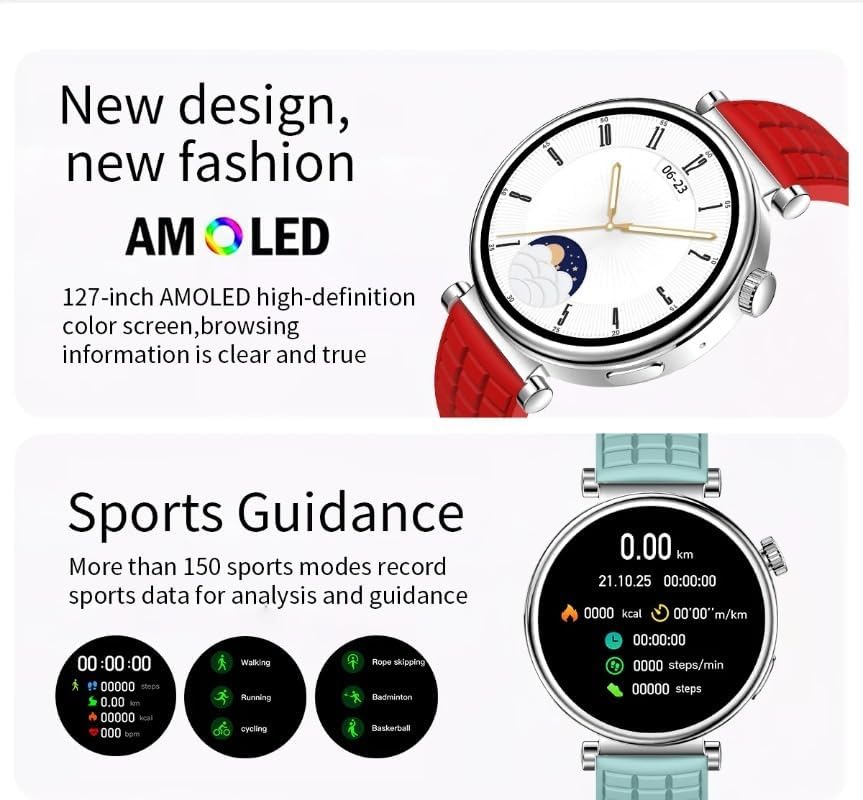
The Z01 Mini Smart Watch features a 1.27-inch AMOLED high-definition color screen for clear information display and offers comprehensive sports guidance with over 150 modes.

The Z01 Mini Smart Watch supports over 100 sport modes, tracking key metrics like steps, calories, and distance to help users monitor their fitness activities.

The Z01 Mini Smart Watch provides real-time recording of various exercise data, including activity time, duration, and energy consumption, for comprehensive sports tracking.
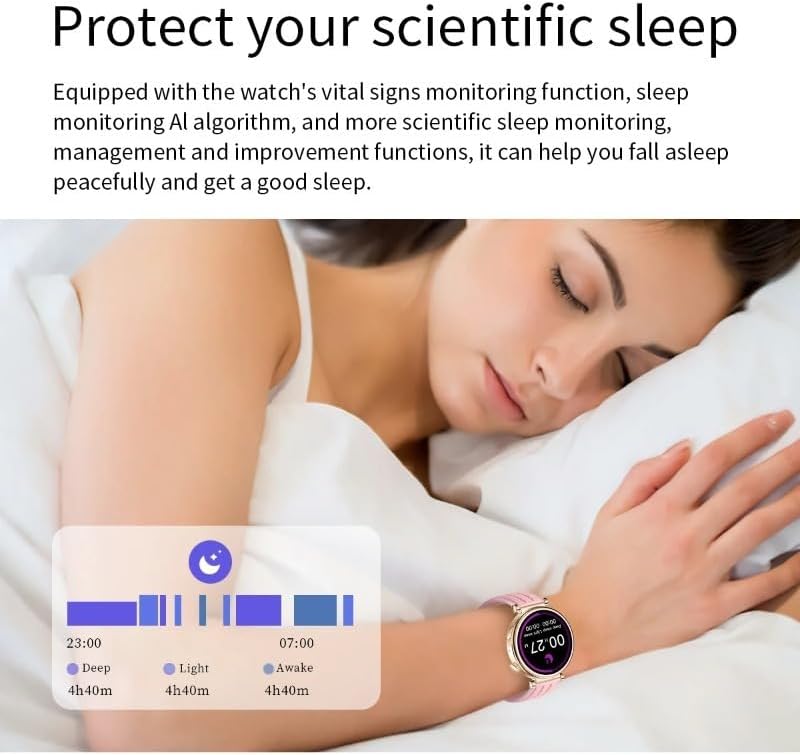
The Z01 Mini Smart Watch is equipped with vital signs monitoring and an AI algorithm for scientific sleep tracking, helping users understand and improve their sleep quality.
Maintenance
Cleaning Your Watch
Regularly clean your Z01 Mini Smart Watch to ensure optimal performance and hygiene. Use a soft, lint-free cloth to wipe the screen and watch body. For stubborn spots, slightly dampen the cloth with water. Avoid using harsh chemicals, abrasive materials, or strong detergents.
Water Resistance
The Z01 Mini Smart Watch is waterproof. While it is designed to withstand splashes, rain, and brief immersion, it is not recommended for hot showers, saunas, or diving. Always ensure the charging port is dry before charging.
Storage
When not in use for extended periods, store the watch in a cool, dry place away from direct sunlight and extreme temperatures. It is advisable to charge the watch periodically to maintain battery health.
Troubleshooting
| Problem | Possible Solution |
|---|---|
| Watch does not power on. | Ensure the watch is fully charged. Connect it to the charging cable and a power source for at least 30 minutes. Try pressing and holding the side button for 10-15 seconds. |
| Cannot pair with smartphone. |
|
| Notifications are not received. |
|
| Inaccurate health data. |
|
Technical Specifications
| Model Number | Z01 |
| Display | 1.27-inch AMOLED, 466*466 resolution |
| Touch Method | Full touch screen |
| Main Chip | JL7012F |
| RAM | 672KB |
| Extended FLASH ROM | 128Mb |
| Bluetooth | Support 3.0 and 5.1BLE |
| Battery Capacity | 460mAh |
| Waterproof Level | IP67 |
| Operating System Compatibility | Android 5.0 or above, Apple iOS 8.0 or above |
| Connectivity Technology | Bluetooth, NFC |
| GPS | No GPS |
| Shape | Round |
| Supported Languages | Chinese, English (default), Russian, Spanish, German, Italian, French, Portuguese, Polish, Greek, Turkish, Hebrew, Arabic, Indonesian, Vietnamese, Thai, Persian |

This image provides a visual representation of the Z01 Mini Smart Watch's dimensions and a summary of its key product parameters, including display type, chip, Bluetooth version, waterproof rating, and battery capacity.
Warranty and Support
Your XINDADA Z01 Mini Smart Watch is covered by a standard manufacturer's warranty. Please refer to the warranty card included with your purchase or contact the manufacturer's customer support for detailed information regarding warranty terms and conditions.
Customer Support:
For technical assistance, troubleshooting, or warranty claims, please contact XINDADA customer support. Contact details can typically be found on the manufacturer's official website or on the product packaging.
Please have your product model number (Z01) and purchase information ready when contacting support.
Ask a question about this manual
Ask about setup, troubleshooting, compatibility, parts, safety, or missing instructions. Manuals+ will review the question and use this page’s manual context to help answer it.