
1. Safety Information
Please read and understand all safety instructions before assembling and using this VECELO TV Stand. Failure to follow these instructions may result in injury or product damage.
- Do not overload shelves: Ensure that the weight placed on each shelf does not exceed its maximum capacity. The top surface supports up to 200 lbs, and open shelves have a weight capacity of 65 lbs.
- Secure all parts: Verify that all screws and parts are firmly attached before use to ensure stability.
- Caution with small objects: Be mindful of small objects near open shelves to prevent accidents, especially if children or pets are present.
- Electrical safety: When using the integrated power outlets, ensure that connected devices do not exceed the power strip's capacity. Avoid liquid spills near electrical components.
- Placement: Place the TV stand on a level, stable surface. Use the adjustable foot pads to compensate for uneven floors.
2. Product Overview
The VECELO TV Stand is designed to accommodate televisions up to 75 inches, offering a blend of chic vintage style and practical functionality. Constructed from quality particleboard shelves and industrial mesh, it provides a sturdy and durable solution for your media entertainment needs. This 62-inch media entertainment center features a spacious tabletop and two tiers of open storage shelves, ideal for organizing various media components and decorative items.
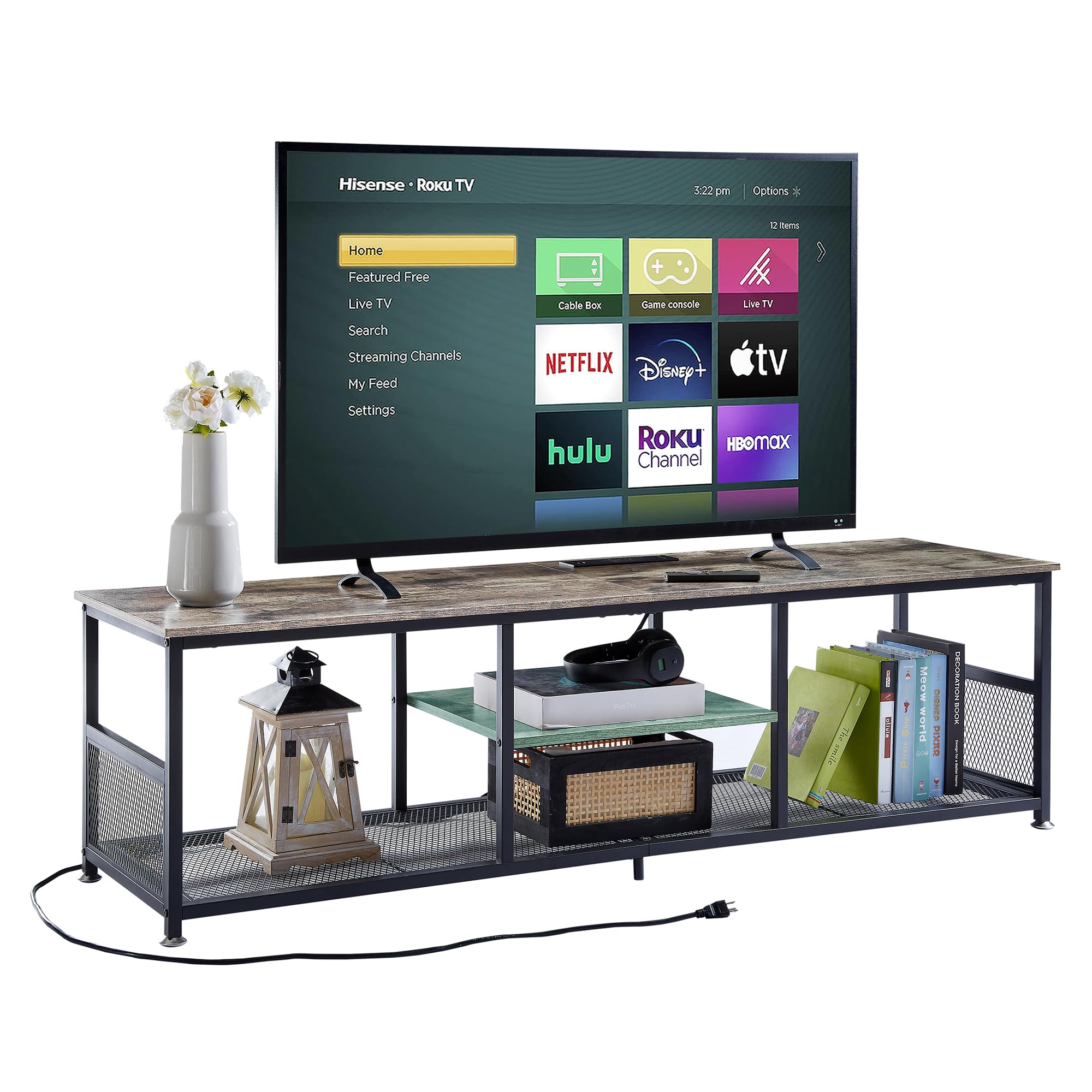
Figure 2.1: The VECELO 62-inch TV Stand in Grey, showcasing its design and storage capabilities.
Key Features:
- Integrated Power Outlets: Equipped with a power strip featuring 4 AC outlets (125V/12A) and 2 USB charging ports (5V/2A) for convenient power access for your TV, game consoles, sound systems, and other electronic devices. The power cord length is 6.5 feet.
- Open Space Design: The open shelving promotes optimal heat dissipation for electronics, preventing overheating and providing easy access for cable management.
- Sturdy Construction: Made with quality particleboard shelves and industrial mesh, ensuring durability and stability. The tabletop supports up to 200 lbs, and each open shelf supports up to 65 lbs.
- Adjustable Foot Pads: Includes adjustable foot pads to enhance stability on uneven floor surfaces.
- Multi-functional Use: Suitable for various settings such as living rooms, bedrooms, or offices. Can also serve as a coffee table or general storage console.
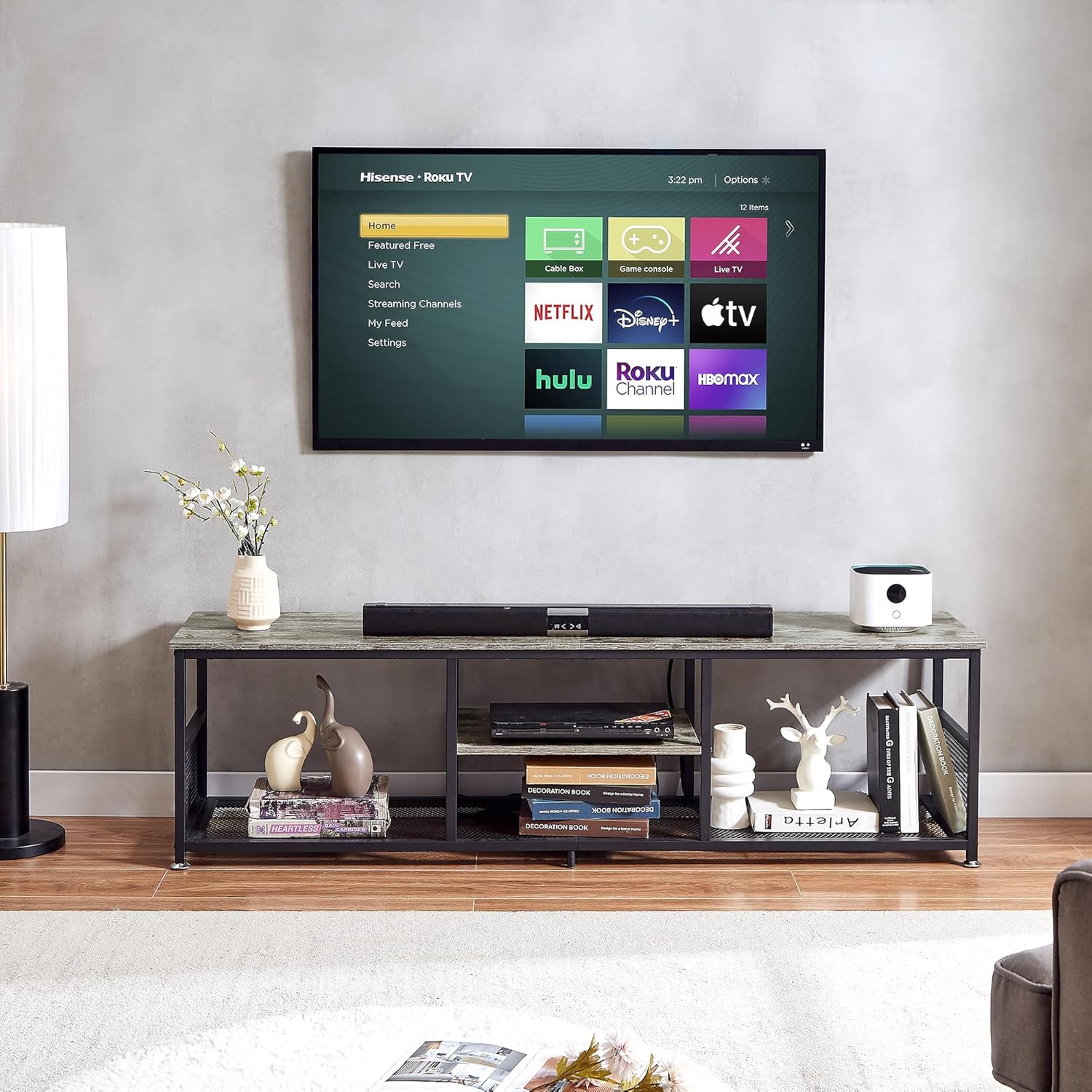
Figure 2.2: Detail of the integrated power strip with multiple outlets and USB ports.

Figure 2.3: The open storage shelves provide ample space for various media components.
3. Setup & Assembly
The VECELO TV Stand is designed for easy assembly. All necessary parts are clearly labeled, and a detailed instruction guide is included in the package. A screwdriver is also provided for your convenience.
Assembly Steps:
- Unpack Components: Carefully remove all parts from the packaging and lay them out on a clean, soft surface to prevent scratches. Verify that all components listed in the instruction guide are present.
- Follow the Instruction Guide: Refer to the step-by-step diagrams and instructions provided in the included manual. Each part and screw is labeled to correspond with the guide.
- Assemble Frame: Begin by assembling the metal frame components according to the instructions. Ensure all screws are tightened securely but do not overtighten until the entire frame is loosely assembled.
- Attach Shelves: Secure the particleboard and mesh shelves to the assembled frame.
- Install Power Strip: Integrate the power strip into its designated slot on the tabletop.
- Final Tightening: Once all parts are in place, go back and fully tighten all screws to ensure the stand is stable and secure.
- Adjust Foot Pads: Place the TV stand in its desired location and adjust the foot pads at the bottom to level the unit and prevent wobbling.
Estimated Assembly Time: Approximately 30 minutes.

Figure 3.1: Dimensional diagram of the TV stand, illustrating overall size and shelf spacing.
Assembly Video:
Video 3.1: An official VECELO video demonstrating the features and potential assembly process of the industrial TV stand.
4. Operation
The VECELO TV Stand is designed for straightforward operation, primarily serving as a stable platform for your television and a storage solution for media devices.
Using the Power Outlets and USB Ports:
- Locate the integrated power strip on the tabletop.
- Plug the TV stand's power cord into a standard wall outlet.
- Connect your television, gaming consoles, soundbars, or other electronic devices to the 4 AC outlets.
- Use the 2 USB ports to charge compatible devices such as smartphones or tablets.
- Ensure that the total power draw of all connected devices does not exceed the power strip's maximum capacity (125V/12A).
Optimizing Storage:
- Utilize the open shelves for media players, game consoles, books, or decorative items.
- The open design facilitates air circulation, which is beneficial for preventing electronic devices from overheating.
- Arrange cables neatly using cable ties or management clips (not included) to maintain a tidy appearance and prevent entanglement.
5. Maintenance
Proper care and maintenance will help prolong the life and appearance of your VECELO TV Stand.
- Cleaning: For general cleaning, wipe the surfaces with a damp cloth. For a more thorough cleaning, use a dry cloth immediately after to remove any moisture. Avoid harsh chemicals or abrasive cleaners that could damage the finish.
- Dusting: Regularly dust the stand with a soft, dry cloth to prevent buildup.
- Spills: In case of spills, wipe them immediately with a dry cloth to prevent staining or damage to the engineered wood.
- Inspection: Periodically check all screws and connections to ensure they remain tight. Retighten if necessary.
- Avoid Direct Sunlight: Prolonged exposure to direct sunlight can cause fading or discoloration of the finish.
6. Troubleshooting
This section addresses common issues you might encounter with your VECELO TV Stand.
Issue: Stand is wobbly or unstable.
- Solution 1: Ensure all assembly screws are fully tightened. Refer to the assembly instructions to confirm proper installation.
- Solution 2: Adjust the foot pads at the bottom of the stand. Rotate them clockwise or counter-clockwise to level the stand on uneven floors.
- Solution 3: Verify that the stand is placed on a flat, stable surface.

Figure 6.1: Adjustable foot pads for leveling the TV stand.
Issue: Power outlets or USB ports are not working.
- Solution 1: Check if the TV stand's main power cord is securely plugged into a functional wall outlet.
- Solution 2: Ensure that the devices connected to the power strip are properly plugged in and functioning correctly. Test them in a different outlet if possible.
- Solution 3: Avoid overloading the power strip. Disconnect some devices to see if the issue resolves. The power strip is rated for 125V/12A.
- Solution 4: Inspect the power strip for any visible damage. If damaged, discontinue use and contact customer support.
7. Specifications
| Feature | Detail |
|---|---|
| Brand | VECELO |
| Model Number | KHD-TV01-GRY-160-UP-BC07 |
| Color | Grey |
| Size | 62 Inches |
| Style | With Power Outlets |
| Item Dimensions (L x W x H) | 62.99 x 15.7 x 16.2 inches |
| Item Weight | 35.3 Pounds |
| Material Type | Engineered Wood, Metal |
| Tabletop Weight Capacity | 180 lbs |
| Open Shelves Weight Capacity | 65 lbs |
| Power Outlets | 4 AC Outlets (125V/12A) |
| USB Charging Ports | 2 USB Ports (5V/2A) |
| Power Cord Length | 6.5 Feet |
| Additional Features | Adjustable Feet, Heavy Duty, Removable Shelf |
| Required Assembly | Yes |
| Product Care Instructions | Wipe with Damp Cloth, Wipe with Dry Cloth |
8. Warranty & Support
VECELO is committed to delivering comfort and value to every home. While specific warranty details are not provided in this manual, VECELO stands by its products.
Should you have any questions regarding assembly, missing parts, product functionality, or any other concerns, please do not hesitate to contact VECELO customer service for further assistance. Our team is always here to help.
For customer service inquiries, please refer to the contact information provided on the product packaging or the official VECELO website.


