
1. Introduction
Welcome to the world of premium coffee with your new Zstar HS7E Fully Automatic Espresso Machine. This manual provides essential information for the safe and efficient operation, maintenance, and troubleshooting of your appliance. Please read it thoroughly before first use and keep it for future reference.
2. Safety Information
WARNING: Read all safety warnings and all instructions. Failure to follow the warnings and instructions may result in electric shock, fire, and/or serious injury.
- Always connect the appliance to a grounded power outlet.
- Do not immerse the appliance, power cord, or plug in water or other liquids.
- Keep the appliance out of reach of children.
- Do not operate the appliance if the power cord or plug is damaged.
- Use only original accessories and spare parts.
- Unplug the appliance before cleaning and when not in use for extended periods.
3. Product Overview
The Zstar HS7E is designed for convenience and versatility, offering a range of coffee beverages at the touch of a button.

Figure 3.1: Front View with Touch Display. This image shows the Zstar HS7E espresso machine from the front, highlighting its intuitive touch display and sleek design.

Figure 3.2: Key Features Diagram. This diagram illustrates the main components of the Zstar HS7E, including the grinding and extraction unit, 7 one-touch colored buttons, 1.5L removable water tank, height-adjustable coffee spout, and removable drip tray.
Key Features:
- Integrated Grinder: Built-in stainless steel conical burr grinder with 15 adjustable settings.
- Automatic Milk Frother: Quickly whips up perfect froth for lattes and cappuccinos.
- Touch Display: Intuitive touch panel for easy operation and selection of 7 coffee varieties.
- Double Boiler Heating System: Ensures high-efficiency heating for simultaneous extraction and milk frothing.
- Large Water Tank: 1.5-liter removable water reservoir for multiple servings.
- Easy Cleaning: Removable drip tray and grinder head for convenient maintenance.
4. Setup
Before first use, ensure all packaging materials are removed and the machine is placed on a stable, level surface.
4.1 Filling the Water Tank
- Locate the water tank at the back of the machine.
- Lift the lid and carefully remove the water tank.
- Fill the tank with fresh, cold water up to the MAX line.
- Place the water tank back into the machine, ensuring it is securely seated.
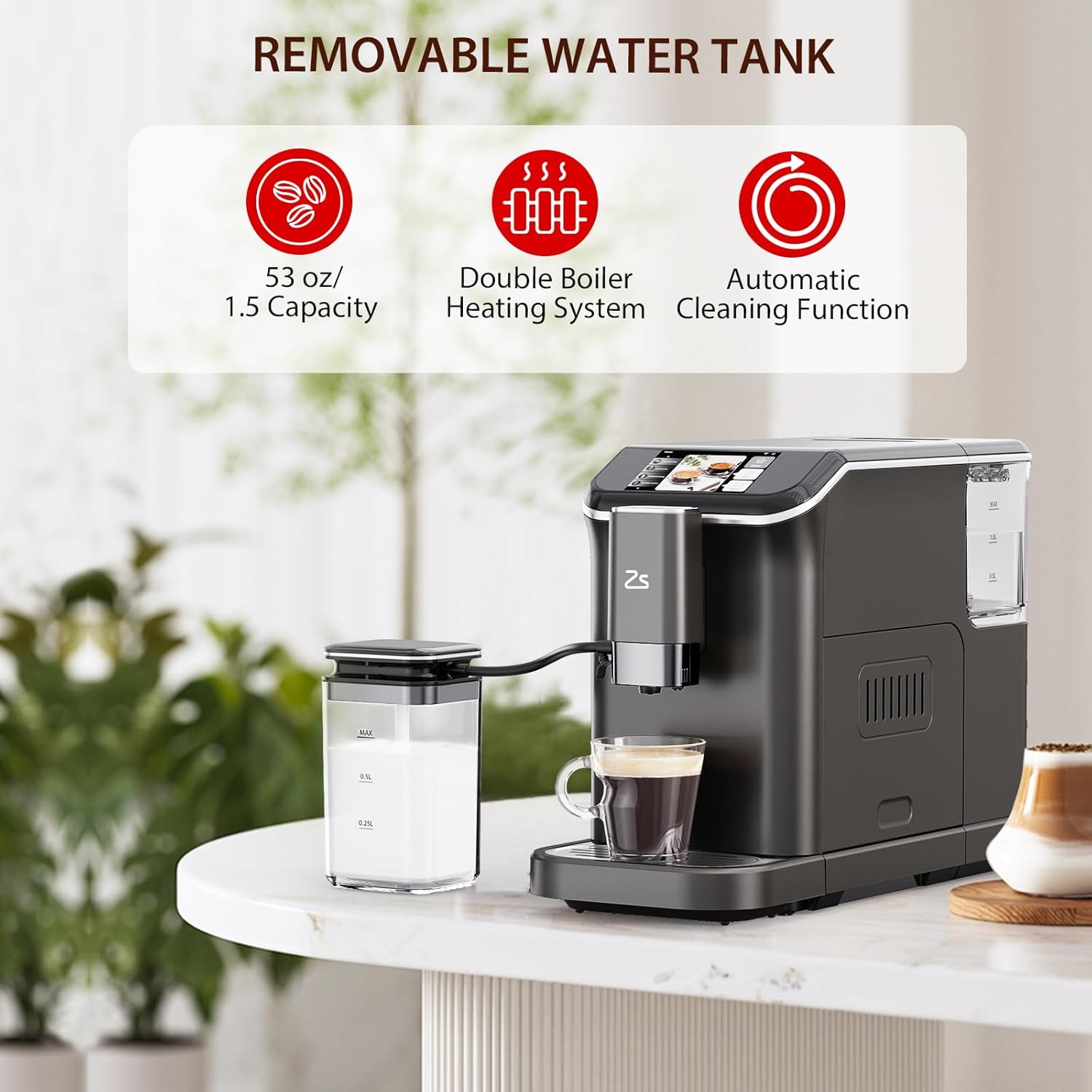
Figure 4.1: Removable Water Tank. This image highlights the 1.5L removable water tank, double boiler heating system, and automatic cleaning function.
4.2 Adding Coffee Beans
- Open the coffee bean hopper lid on top of the machine.
- Pour fresh whole coffee beans into the hopper.
- Close the lid securely.
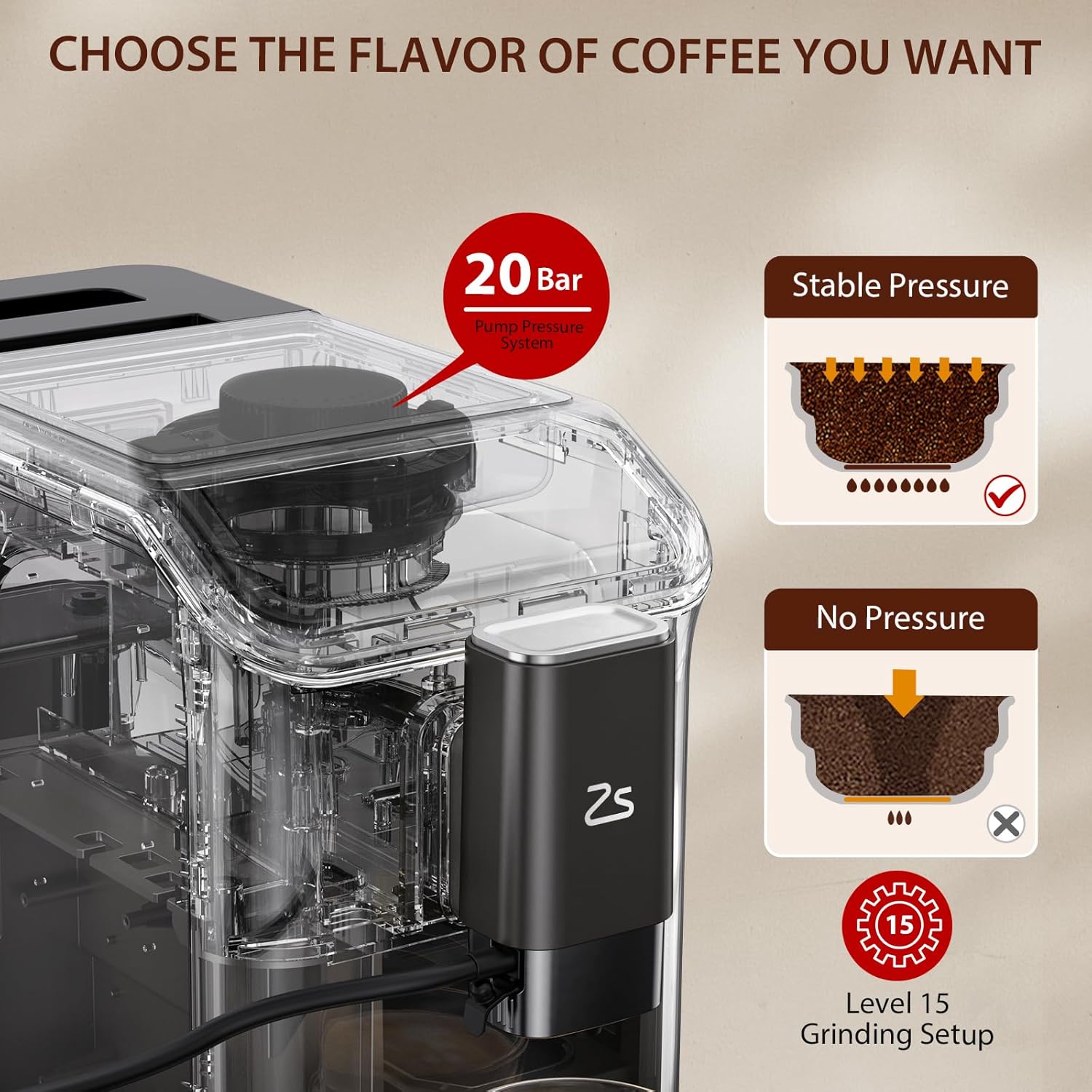
Figure 4.2: Grinding Settings. This image shows the 20-Bar pump pressure system and the 15-level grinding setup for optimal coffee extraction.
4.3 Initial Rinse Cycle
After filling the water tank and adding beans, perform an initial rinse cycle to prime the system and clean internal components. Refer to the touch display for prompts.
Video 4.1: Automatic Espresso & Coffee Machine Overview. This video provides a general overview of the Zstar HS7E espresso machine, demonstrating its features and initial setup.
5. Operation
Your Zstar HS7E machine offers a variety of coffee options and customizable settings.
5.1 Selecting a Beverage
Use the touch display to select your desired beverage. Options include:
- Espresso
- Double Espresso
- Latte
- Cappuccino
- Americano
- Milk Frothing
- Hot Water

Figure 5.1: Variety of Coffee Beverages. This image displays the different coffee types that can be prepared with the Zstar HS7E, including Espresso, Cafe Breve, Cappuccino, Latte, Americano, and Fancy.
5.2 Adjusting Grind Level
The machine features 15 grinding settings. Adjust the grind level from 1 (finest) to 15 (coarsest) to suit your preference for different coffee types.
5.3 Using the Milk Frother
- Fill the milk container with your desired milk.
- Connect the milk frother hose to the machine and the milk container.
- Select a milk-based beverage (Latte, Cappuccino) or 'Milk Frothing' from the display.
- Place your cup under the coffee spout and frother.
- Start the brewing process.
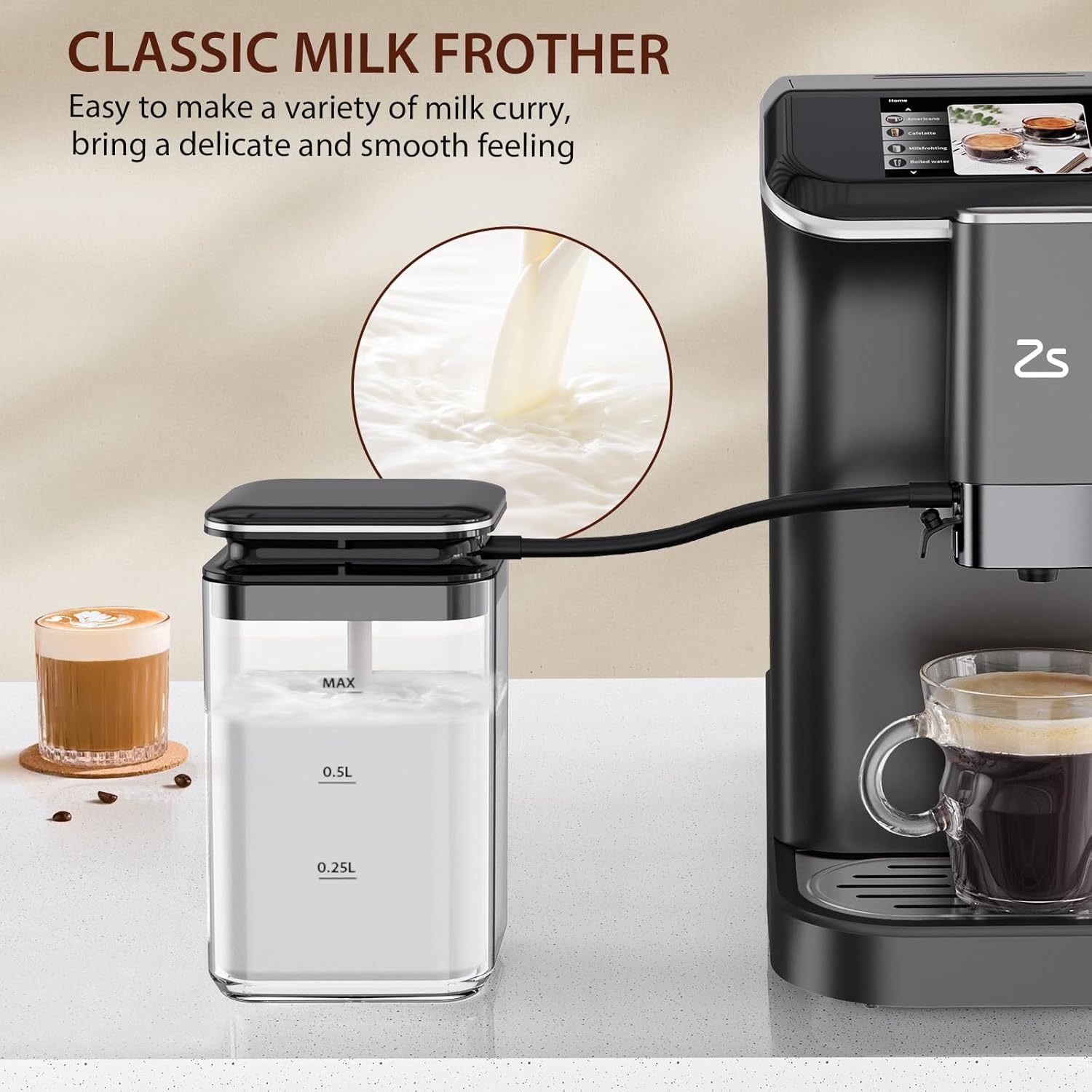
Figure 5.2: Automatic Milk Frother. This image shows the milk frother in action, emphasizing its ability to create delicate and smooth milk foam for various milk-based coffees.
Video 5.1: Fully Automatic Espresso Machine Demonstration. This video provides a comprehensive demonstration of the Zstar HS7E, including filling water, adding beans, selecting beverages, and using the milk frother.
6. Maintenance
Regular cleaning ensures optimal performance and longevity of your espresso machine.
6.1 Cleaning the Drip Tray
- The drip tray is magnetically attached. Gently pull it forward to remove.
- Remove the metal grate and empty any spilled coffee or water.
- Wash the drip tray and grate with warm, soapy water. Rinse thoroughly and dry before reattaching.
6.2 Cleaning the Grinder Head
- Open the side compartment of the machine.
- Press the release button to remove the grinder head.
- Use the provided brush to clean any coffee grounds from the grinder head and its housing.
- Reinsert the grinder head until it clicks into place and close the side compartment.
6.3 Cleaning the Milk Frother Hose
After each use of the milk frother, perform a quick rinse cycle by selecting 'Milk Frothing' with a cup of water to clear any milk residue. Regularly detach and clean the hose with warm, soapy water.
7. Troubleshooting
If you encounter issues, the touch display will often provide error messages and guidance.
- No Water: The display will indicate if the water tank is empty. Refill the water tank.
- Grinder Head Needs Cleaning: The machine will prompt you if the grinder head requires cleaning. Follow the steps in Section 6.2.
- Coffee Grounds Container Full: Empty the spent coffee grounds container located behind the side compartment.
- Milk Line Blocked: Perform a milk frother cleaning cycle or manually clean the hose.
8. Specifications
| Feature | Specification |
|---|---|
| Brand | Zstar |
| Model Name | HS7E |
| Product Dimensions | 17.22"D x 7.4"W x 12.44"H |
| Item Weight | 23.3 pounds |
| Water Tank Capacity | 1.5 Liters |
| Pressure | 20-Bar |
| Grinding Settings | 15 Levels |
| Human Interface Input | Touch Pad |
| Operation Mode | Fully Automatic |

Figure 8.1: Compact Design and Dimensions. This image provides a visual representation of the machine's dimensions (17.22"D x 7.4"W x 12.44"H), highlighting its space-saving design.
9. Warranty and Support
For warranty information or technical support, please refer to the documentation included with your product or contact Zstar customer service. Keep your purchase receipt as proof of purchase.