
ODK 2efa5fe4-f557-422f-a18a-7b32d24fcd0d
ODK 63 Inch Computer Desk Instruction Manual
Model: 2efa5fe4-f557-422f-a18a-7b32d24fcd0d
Brand: ODK
Product Overview
The ODK 63 Inch Computer Desk is a versatile and sturdy workstation designed for home office, gaming, or study environments. It features a spacious desktop, integrated storage solutions, and a robust metal frame, ensuring durability and stability. This manual provides detailed instructions for assembly, proper usage, maintenance, and troubleshooting to ensure optimal performance and longevity of your desk.

Figure 1: The ODK 63 Inch Computer Desk, showcasing its spacious design and integrated storage features.
Setup and Assembly
Your ODK Computer Desk is designed for easy assembly. All necessary tools and detailed instructions are included in the package. Please follow the steps carefully to ensure proper construction and stability.
Included Components
- Desktop Panels (3 sections)
- Metal Frame Components (legs, support bars)
- Headphone Hook
- Side Storage Bag
- Assembly Hardware (screws, bolts, Allen wrench)
- Adjustable Footpads
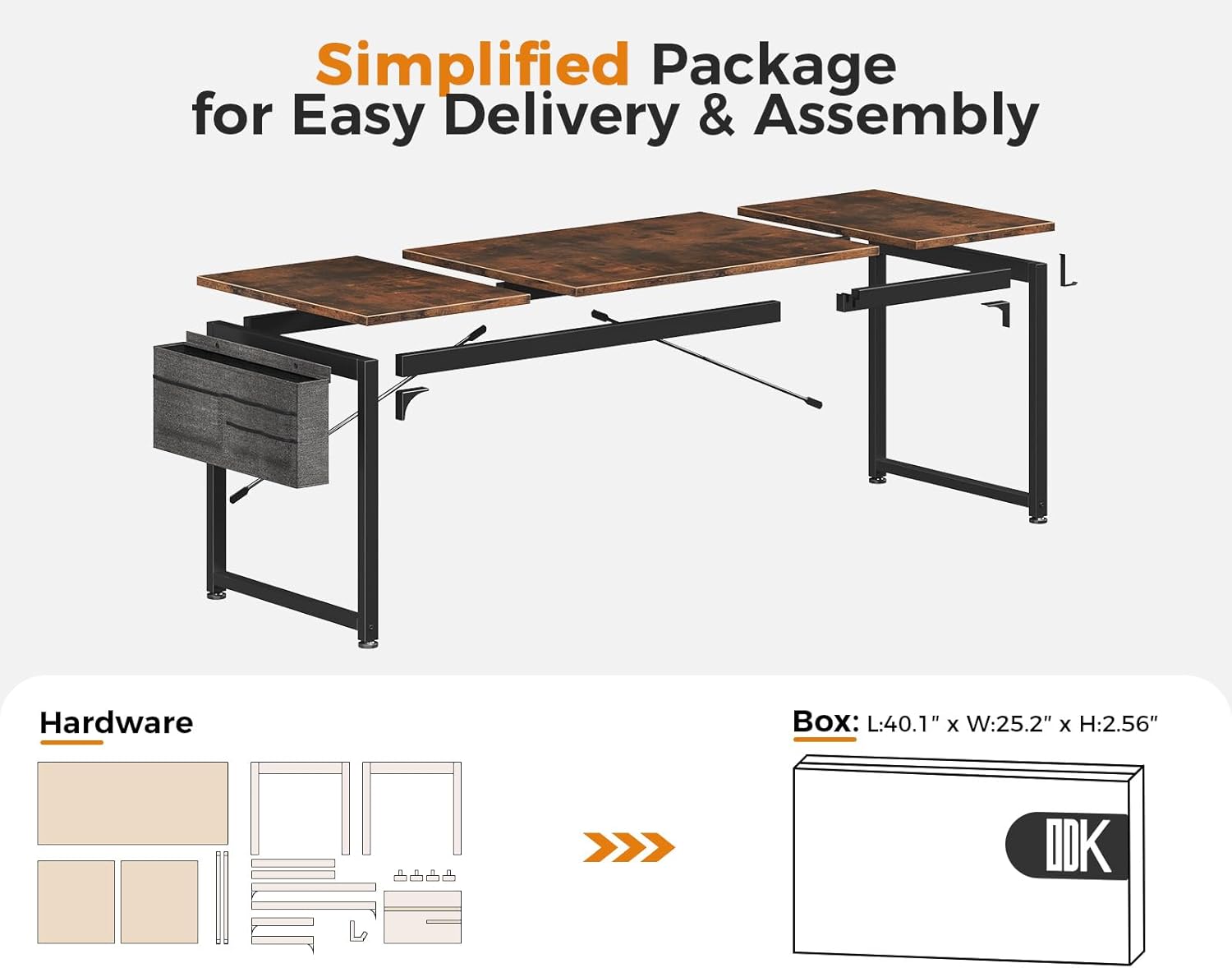
Figure 2: Simplified package contents for easy delivery and assembly. Ensure all parts are present before beginning.
Assembly Steps
- Unpack and Identify Parts: Lay out all components and hardware. Refer to the included instruction manual for a detailed parts list and diagrams.
- Assemble the Frame: Connect the metal frame components using the provided screws and Allen wrench. Ensure all connections are secure but do not fully tighten screws until the desk is fully assembled. The thick metal frame and two reinforcing bars contribute to the desk's stability.
- Attach Desktop Panels: Carefully place the desktop panels onto the assembled frame. Align the pre-drilled holes and secure the panels with the remaining screws.
- Install Accessories: Attach the headphone hook and side storage bag to the designated locations on the desk frame.
- Final Tightening and Leveling: Once all components are in place, fully tighten all screws. Adjust the footpads at the bottom of the legs to ensure the desk is level and stable on your floor surface.

Figure 3: Visual guide for the quick and easy assembly process, typically completed in about 25 minutes.
Safety Information
Always assemble the desk according to the provided instructions. Ensure the desk is properly anchored to the floor to prevent tipping, especially when using heavy equipment or during activities that may cause the desk to be pulled or pushed.
Operating Instructions
The ODK 63 Inch Computer Desk is designed for a variety of uses, offering ample space and convenient features for different activities.
Dimensions and Space
The desk measures 21.65 inches deep, 63 inches wide, and 28.9 inches high, providing generous legroom and surface area for multiple monitors, peripherals, and work materials. Its large size makes it suitable for both individual use and as a two-person workstation.

Figure 4: Detailed product dimensions of the ODK 63 Inch Computer Desk.
Multipurpose Use
This desk is suitable for various settings and users, including kids, teens, and adults. Its modern simple style and rustic brown finish ensure it blends seamlessly with any decor. It can be utilized for:
- Home Office: Ideal for remote work, studying, and general office tasks.
- Gaming: Provides ample space for gaming setups, including multiple monitors and accessories.
- Creative Work: Suitable for art projects, writing, and other hobbies requiring a large surface.

Figure 5: The ODK desk can be configured to create a two-person work desk, maximizing shared workspace.

Figure 6: The desk provides ample space for a comprehensive gaming setup.
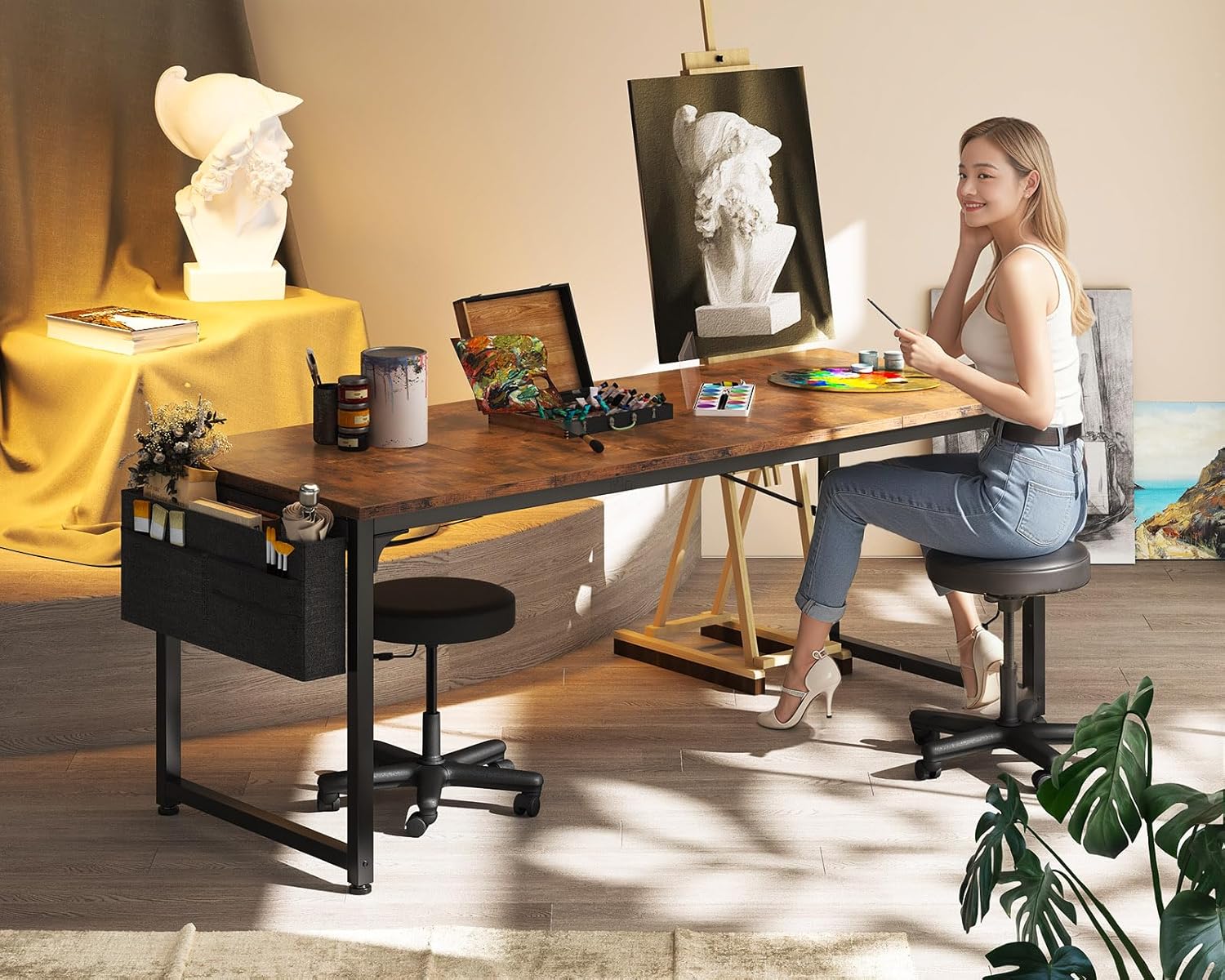
Figure 7: The large surface is also suitable for creative activities like painting and drawing.
Storage Features
The desk includes practical storage solutions to help keep your workspace organized:
- Side Fabric Bag: A side-mounted bag provides convenient extra storage space for books, magazines, office supplies, or other items, optimizing desktop organization.
- Detachable Headphone Hook: Located on the opposite side, this hook allows you to hang headphones, bags, or other accessories, keeping them easily accessible and off the desk surface.

Figure 8: Key product features including the side fabric bag and headphone hook for enhanced organization.
Maintenance
Proper care and maintenance will extend the life and appearance of your ODK Computer Desk.
Desktop Care
The tabletop is made of high-quality particleboard with a laminated finish, designed to be scratch-resistant, anti-collision, and waterproof. To maintain its condition:
- Cleaning: Wipe the surface regularly with a soft, damp cloth. For spills, wipe immediately to prevent staining. Avoid harsh chemicals or abrasive cleaners.
- Protection: While the surface is scratch-resistant, it is recommended to use a desk mat or coasters for sharp objects, hot beverages, or heavy equipment to prevent potential damage over time.
- Avoid Impact: Prevent heavy impacts or dropping sharp objects directly onto the desktop to maintain its anti-collision properties.
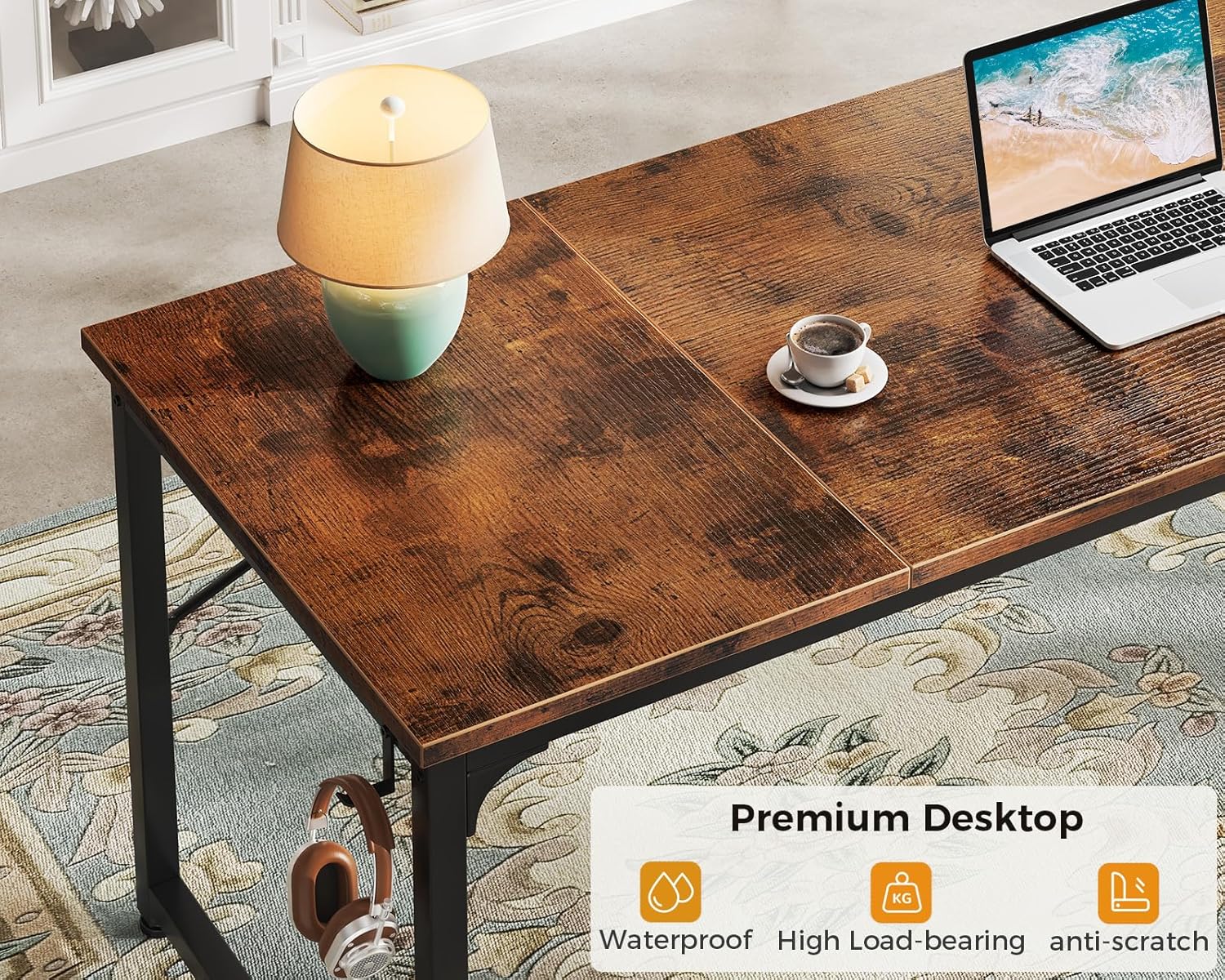
Figure 9: The premium desktop features waterproof, high load-bearing, and anti-scratch properties for long-lasting use.
Frame Care
The metal frame provides excellent sturdiness and durability. Periodically check all screws and connections to ensure they remain tight. If any looseness is detected, re-tighten them with the provided Allen wrench.
Troubleshooting
This section addresses common issues you might encounter with your ODK Computer Desk.
Desk Wobbles
- Check Connections: Ensure all screws and bolts connecting the frame components and desktop panels are fully tightened.
- Adjust Footpads: Use the adjustable footpads at the bottom of each leg to level the desk on uneven floor surfaces. Rotate them clockwise or counter-clockwise until the desk is stable.
- Even Weight Distribution: Ensure weight on the desk is distributed evenly.
Difficulty Fitting Screws During Assembly
- Align Components: Double-check that all parts are correctly aligned according to the assembly diagrams before attempting to insert screws. Sometimes a slight adjustment in position can resolve the issue.
- Do Not Overtighten: When starting, only hand-tighten screws. Fully tighten them only after all components are loosely assembled and aligned.
- Inspect Holes: Ensure there are no obstructions in the screw holes.
Surface Scratches Easily
- Use a Desk Mat: To provide additional protection against scratches from keyboards, mice, or other items, consider using a desk mat or large mouse pad.
- Careful Placement: Avoid dragging sharp or abrasive objects across the desk surface. Lift items rather than sliding them.
Specifications
| Feature | Detail |
|---|---|
| Brand | ODK |
| Product Dimensions | 21.65"D x 63"W x 28.9"H |
| Color | Rustic Brown |
| Style | Modern |
| Base Material | Metal |
| Top Material Type | Engineered Wood |
| Finish Type | Laminated |
| Special Feature | Headphone Hook, Storage Bag |
| Room Type | Office, Bedroom, Living Room |
| Recommended Uses | Working, Writing, Gaming |
| Item Weight | 30 Pounds |
| Required Assembly | Yes |
| Includes All Assembly Tools | Yes |
Support
For any product problems regarding assembly, damaged parts, or other issues, please do not hesitate to contact ODK customer service. We are committed to resolving any concerns you may have.
You can visit the official ODK store for more information and support resources: ODK Store on Amazon
Ask a question about this manual
Ask about setup, troubleshooting, compatibility, parts, safety, or missing instructions. Manuals+ will review the question and use this page’s manual context to help answer it.