
Introduction
Welcome to the user manual for your new OnePlus Nord Buds 3 Pro. These earbuds are designed to deliver a superior audio experience with advanced features for daily use. This manual will guide you through the setup, operation, maintenance, and troubleshooting of your device.
Key features include a 12.4mm Titanium Membrane for rich bass, up to 49dB hybrid active noise reduction, crystal clear 3-microphone call noise reduction, and an impressive battery life of up to 44 hours with fast charging capabilities. They also support Bluetooth 5.4 and dual connection with Google Fast Pairing.
Setup
1. Unboxing and Initial Charge
Upon opening the package, you will find the OnePlus Nord Buds 3 Pro earbuds and their charging case. Before first use, it is recommended to fully charge the earbuds and the charging case.
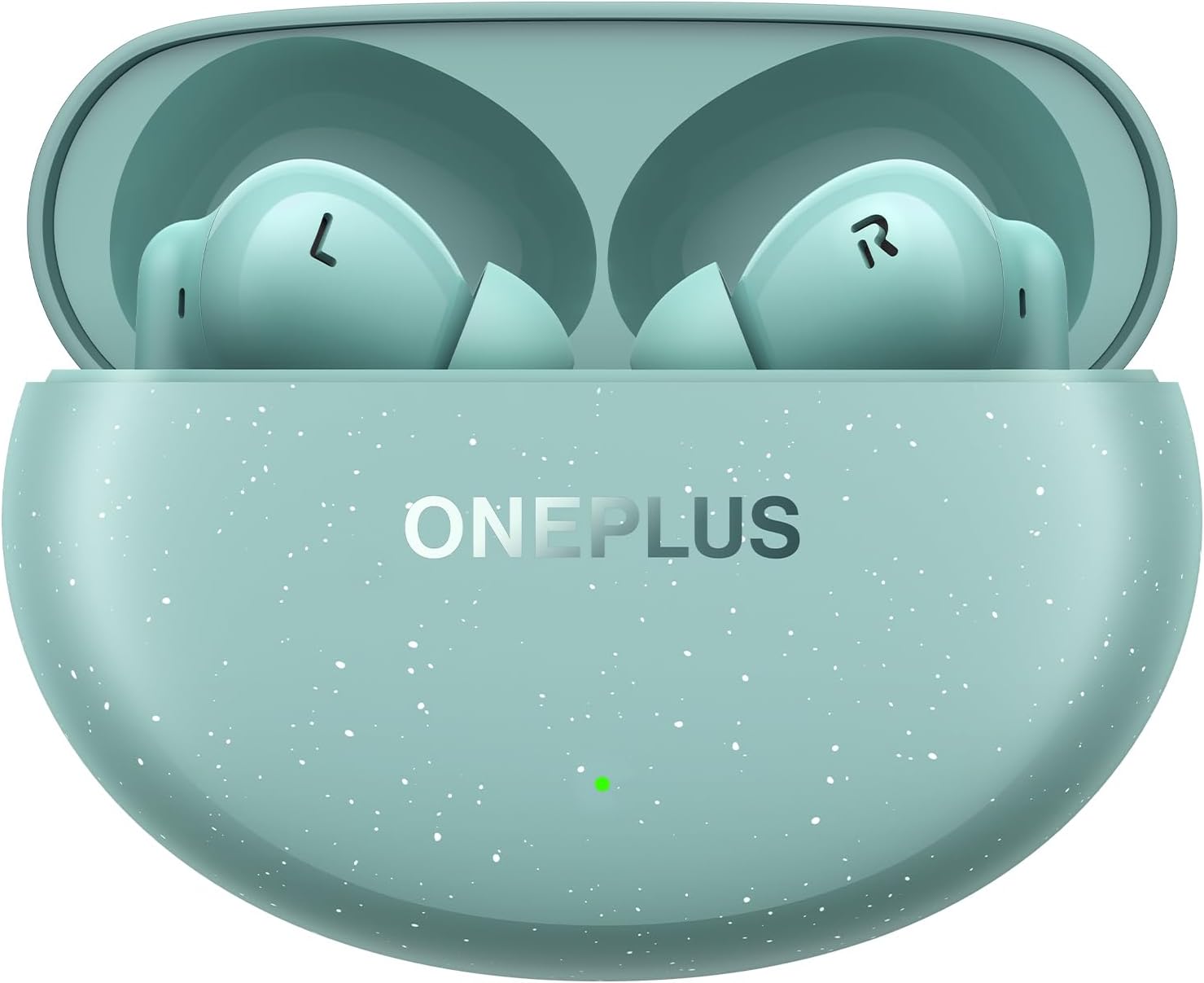
Figure 1: OnePlus Nord Buds 3 Pro in Charging Case (Soft Jade)
To charge, place the earbuds into the charging case and connect the case to a power source using a compatible USB-C cable (not always included, check packaging). A 10-minute charge can provide up to 11 hours of listening time, and a full charge offers up to 44 hours of total listening time with the charging case.
2. Pairing with Your Device
The OnePlus Nord Buds 3 Pro supports Bluetooth 5.4 and Google Fast Pairing for quick and seamless connection with compatible Android devices. For other devices, follow standard Bluetooth pairing procedures.
- Ensure the earbuds are in the charging case and the case lid is open.
- On your smartphone, tablet, or computer, enable Bluetooth.
- For Google Fast Pair, a pop-up notification should appear on your Android device. Tap to connect.
- If not using Google Fast Pair, or if the pop-up doesn't appear, go to your device's Bluetooth settings and select "OnePlus Nord Buds 3 Pro" from the list of available devices.
- Once connected, the earbuds are ready for use. They support dual connection, allowing you to switch between two paired devices seamlessly.
Operating Instructions
1. Touch Controls
The earbuds feature intuitive touch controls for managing playback, calls, and noise cancellation modes. The specific functions can often be customized via the OnePlus HeyMelody app (download separately).
- Single Tap: Play/Pause music, Answer/End call.
- Double Tap: Next track, Decline call.
- Triple Tap: Previous track.
- Press and Hold: Switch Noise Control modes (Active Noise Cancellation, Transparency, Off).

Figure 2: Individual OnePlus Nord Buds 3 Pro Earbuds
2. Noise Control and Call Clarity
Experience immersive audio with up to 49dB hybrid active noise reduction, effectively minimizing ambient sounds. For calls, the crystal clear 3-microphone system, combined with the Clear Call algorithm, ensures your voice is accurately picked up while counteracting wind noise, providing maximum clarity even in noisy environments.
Video 1: Overview of OnePlus Nord Buds 3 Pro features, including noise cancellation and sound quality. This video demonstrates the product's capabilities in various scenarios.
3. Audio Performance
The 12.4mm Titanium Membrane drivers deliver rich bass with Basewave 2.0 technology, providing a powerful and detailed audio experience across a frequency range of 20 Hz - 20,000 Hz.
Maintenance
1. Cleaning Your Earbuds
Regular cleaning helps maintain sound quality and hygiene. Use a soft, dry, lint-free cloth to wipe the earbuds and charging case. For ear tips, remove them and clean with a damp cloth, ensuring they are completely dry before reattaching.
2. Water and Sweat Resistance
The OnePlus Nord Buds 3 Pro has an IP55 sweat and water resistance rating. This means they are protected against dust and low-pressure water jets from any direction. While suitable for workouts and light rain, they are not designed for submersion in water. Ensure the earbuds and charging case are dry before charging to prevent damage.
Troubleshooting
If you encounter issues with your OnePlus Nord Buds 3 Pro, try the following common solutions:
- Earbuds not pairing: Ensure Bluetooth is enabled on your device and the earbuds are in pairing mode (case open). Try forgetting the device in your Bluetooth settings and re-pairing.
- No sound from one earbud: Place both earbuds back into the charging case, close the lid for a few seconds, then open it again. Check battery levels.
- Charging issues: Ensure the charging cable and power adapter are working correctly. Clean the charging contacts on both the earbuds and the case.
- Poor sound quality: Ensure the ear tips are properly seated in your ears for a good seal. Clean any debris from the earbud grilles.
- Resetting the earbuds: Refer to the OnePlus support website or the HeyMelody app for specific instructions on how to perform a factory reset, if necessary.
For further assistance, please visit the official OnePlus support website.
Specifications
| Feature | Detail |
|---|---|
| Model Name | OnePlus Nord Buds 3 Pro |
| Item Model Number | 5481158586 |
| Connectivity Technology | Wireless (Bluetooth 5.4) |
| Audio Driver Size | 12.4 mm Titanium Membrane |
| Noise Control | Active Noise Cancellation (up to 49dB Hybrid ANC) |
| Battery Life | Up to 44 hours (with charging case) |
| Fast Charging | 10 minutes for 11 hours |
| Water Resistance Level | IP55 (Sweat and Water Resistant) |
| Item Weight | 42.6 Grams (total) |
| Color | Soft Jade |
Warranty and Support
Your OnePlus Nord Buds 3 Pro comes with a standard manufacturer's warranty. For detailed warranty information, terms, and conditions, please refer to the warranty card included in your product packaging or visit the official OnePlus website.
For technical support, frequently asked questions, and software updates, please visit the OnePlus Support Page. You may also find helpful resources and community forums there.


