
wsndyy Creative Super Sized Giant Enter Key
wsndyy Creative Super Sized Giant Enter Key User Manual
Model: Creative Super Sized Giant Enter Key
1. Introduction
This manual provides essential information for the proper use and care of your wsndyy Creative Super Sized Giant Enter Key. This unique device serves as both an oversized USB-A "Enter" key for your computer and a comfortable pillow for relaxation. It is designed for ease of use and offers a tactile experience for stress relief.

Figure 1.1: The wsndyy Creative Super Sized Giant Enter Key connected to a laptop. This image illustrates the product's primary function as an oversized USB-A "Enter" key.
2. Package Contents
Please verify that all items listed below are included in your package. If any items are missing or damaged, please contact customer support.
- 1 x wsndyy Creative Super Sized Giant Enter Key (Black)
- 1 x Integrated USB-A Cable
3. Setup
The wsndyy Creative Super Sized Giant Enter Key features a plug-and-play design, requiring no complex software installation.
- Connect to Computer: Locate an available USB-A port on your laptop or desktop computer.
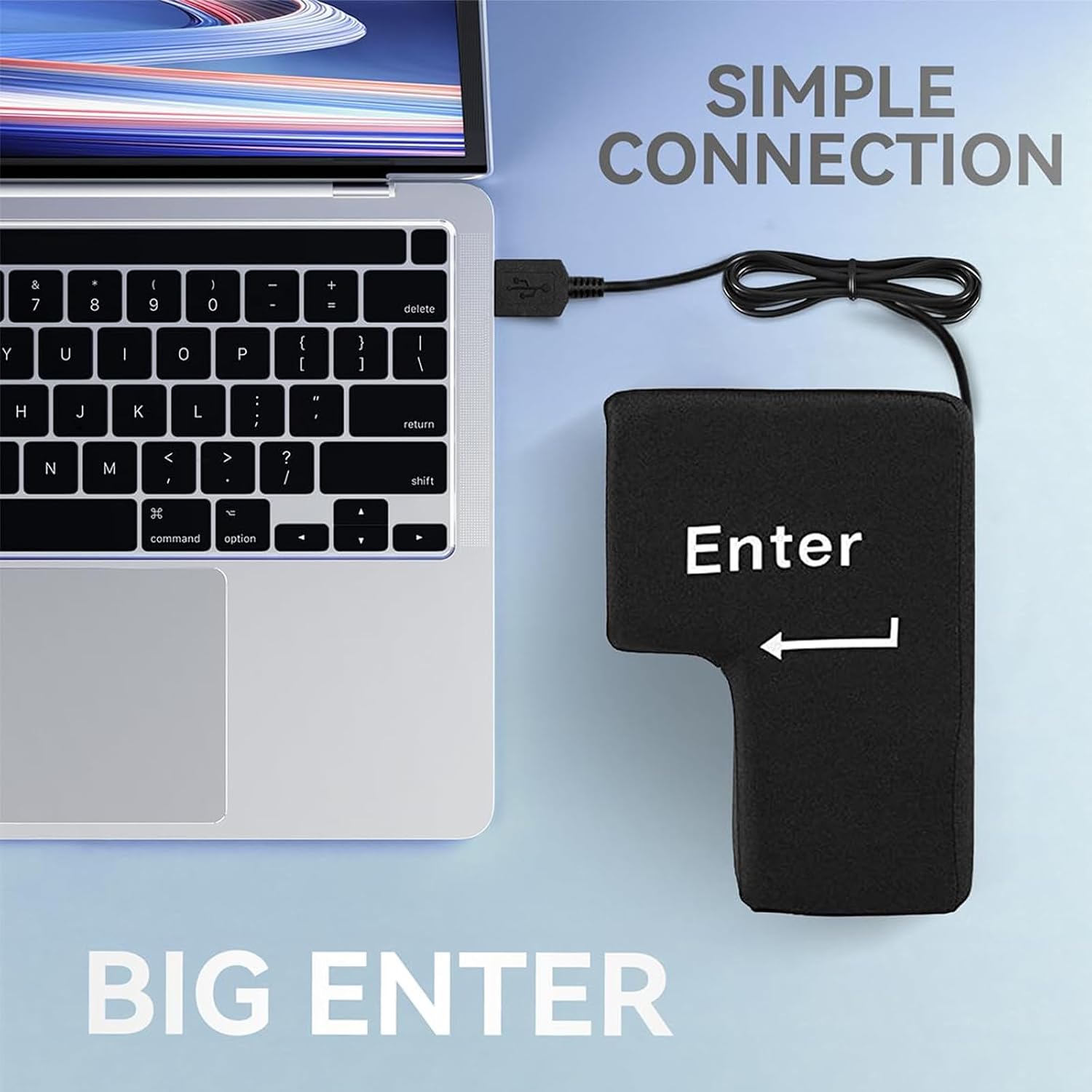
Figure 3.1: Simple connection of the Giant Enter Key to a laptop's USB port. The integrated USB-A cable ensures straightforward setup.
- Automatic Recognition: Insert the USB-A cable from the Giant Enter Key into the USB-A port. Your operating system will automatically recognize the device as an "Enter" key. No drivers are typically required.
4. Operating Instructions
The Giant Enter Key offers dual functionality: as a computer input device and as a comfort item.
4.1. As an "Enter" Key
Once connected, the device functions identically to the "Enter" key on a standard keyboard.
- Activation: Press down firmly on the top surface of the Giant Enter Key to activate the "Enter" command.
- Tactile Feedback: The soft, plush material and sponge filling provide a satisfying tactile response upon pressing.
- Stress Relief: The oversized design and soft construction make it suitable for use as a stress-relief tool by pressing or hitting it.

Figure 4.1: Demonstrating the use of the Giant Enter Key for stress relief. Its soft construction allows for a satisfying impact.
4.2. As a Comfort Pillow
The soft and comfortable construction allows the device to be used as a pillow for short rests.
- Nap Pillow: Place the Giant Enter Key on your desk and rest your head on it for a quick nap or to relieve neck strain.

Figure 4.2: The Giant Enter Key used as a comfortable nap pillow. Its soft filling provides support for resting.
- Arm Rest: Use it as a soft arm rest to improve comfort during extended computer use.
5. Maintenance and Care
To ensure the longevity and cleanliness of your Giant Enter Key, follow these care instructions:
- Cleaning: Spot clean with a damp cloth and mild soap if necessary. Do not immerse the device in water.
- Drying: Allow the device to air dry completely before re-using or storing. Do not use heat to dry.
- Storage: Store in a cool, dry place away from direct sunlight and extreme temperatures.
- Avoid Sharp Objects: Keep away from sharp objects to prevent damage to the fabric.
6. Troubleshooting
If you encounter issues with your wsndyy Creative Super Sized Giant Enter Key, please refer to the following common problems and solutions:
| Problem | Possible Cause | Solution |
|---|---|---|
| Device not recognized by computer. | Loose USB connection or faulty USB port. |
|
| "Enter" key function is intermittent or unresponsive. | Internal connection issue or software conflict. |
|
| Device appears physically damaged. | Physical impact or misuse. |
|
7. Specifications
| Feature | Detail |
|---|---|
| Model Name | Creative Super Sized Giant Enter Key |
| Brand | wsndyy |
| Product Dimensions | 7.86 x 5.5 x 3.94 inches (20cm x 14cm x 10cm) |
| Connectivity Technology | USB-A |
| Number of Keys | 1 (Enter Key) |
| Compatible Devices | Laptop, Desktop Computers |
| Recommended Uses | Everyday Use, Gaming, Stress Relief, Nap Pillow |
| Material | Super soft plush exterior, comfortable sponge filling |
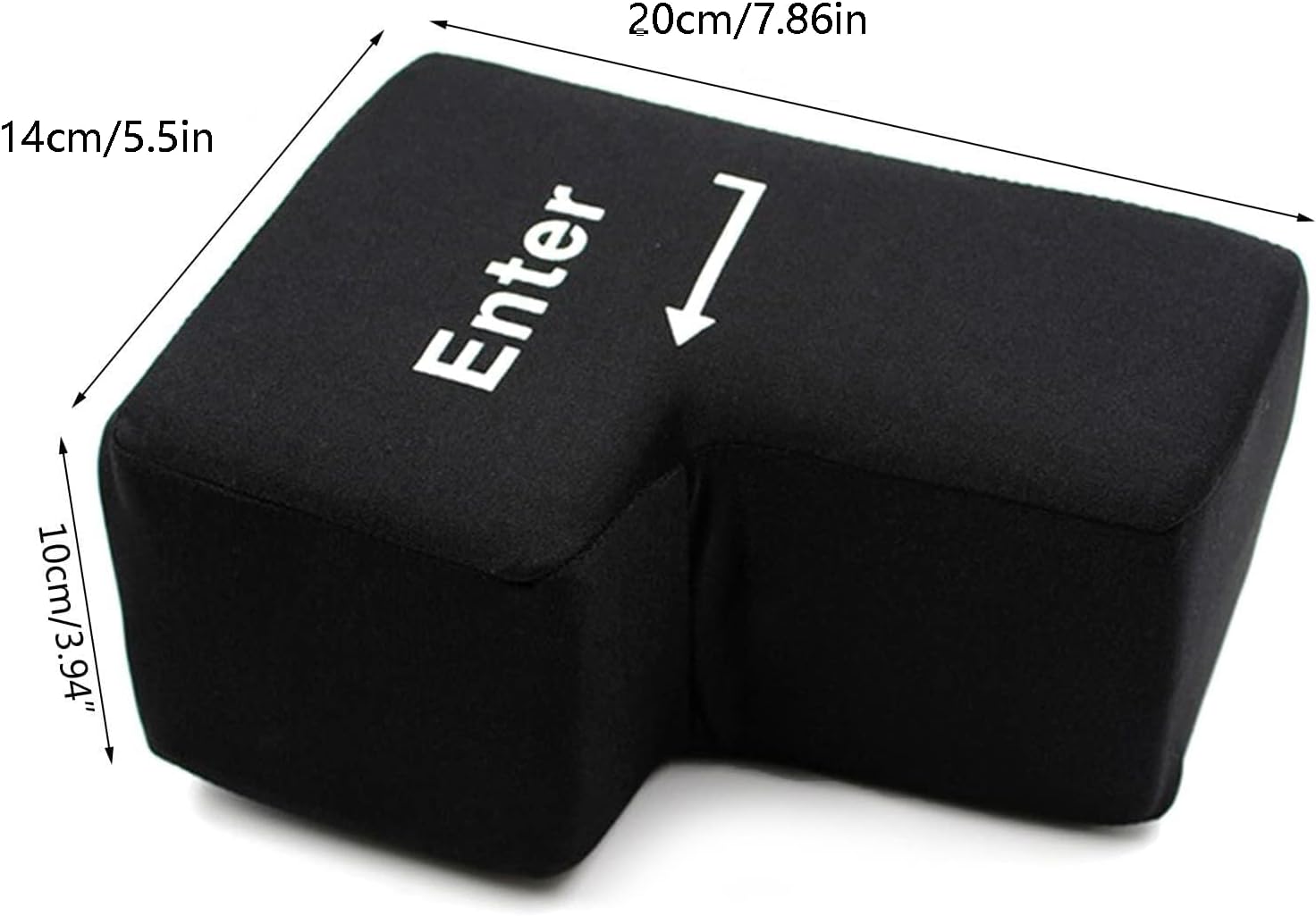
Figure 7.1: Detailed dimensions of the wsndyy Creative Super Sized Giant Enter Key.
8. Warranty and Support
The wsndyy Creative Super Sized Giant Enter Key comes with a standard manufacturer's warranty. For specific warranty terms and conditions, please refer to the product packaging or contact your retailer.
For technical support, troubleshooting assistance, or warranty claims, please contact wsndyy customer service through the retailer where the product was purchased.
Online Support: Visit the official wsndyy store on Amazon for additional product information and support resources: wsndyy Store
Ask a question about this manual
Ask about setup, troubleshooting, compatibility, parts, safety, or missing instructions. Manuals+ will review the question and use this page’s manual context to help answer it.