
1. Introduction
Thank you for purchasing the Zerodis Bedside Alarm Clock with Speaker. This manual provides essential information for the safe and efficient operation of your device. Please read these instructions carefully before use and retain them for future reference.
2. Product Overview
2.1 Features
- Multifunctional Design: Combines a digital alarm clock, speaker, and mirror digital display.
- Immersive Sound Experience: Enjoy stereo music with stable signal technology.
- Easy Connectivity: Connects to smartphones, tablets, and laptops via wireless technology.
- Mini and Portable: Compact and lightweight design for easy carrying.
- Stylish Home Decor: Modern aesthetic suitable for bedside tables or desks.
2.2 Package Contents
- 1 x Zerodis Speaker Alarm Clock
- 1 x Data Cable
2.3 Product Diagram
Familiarize yourself with the components of your alarm clock:
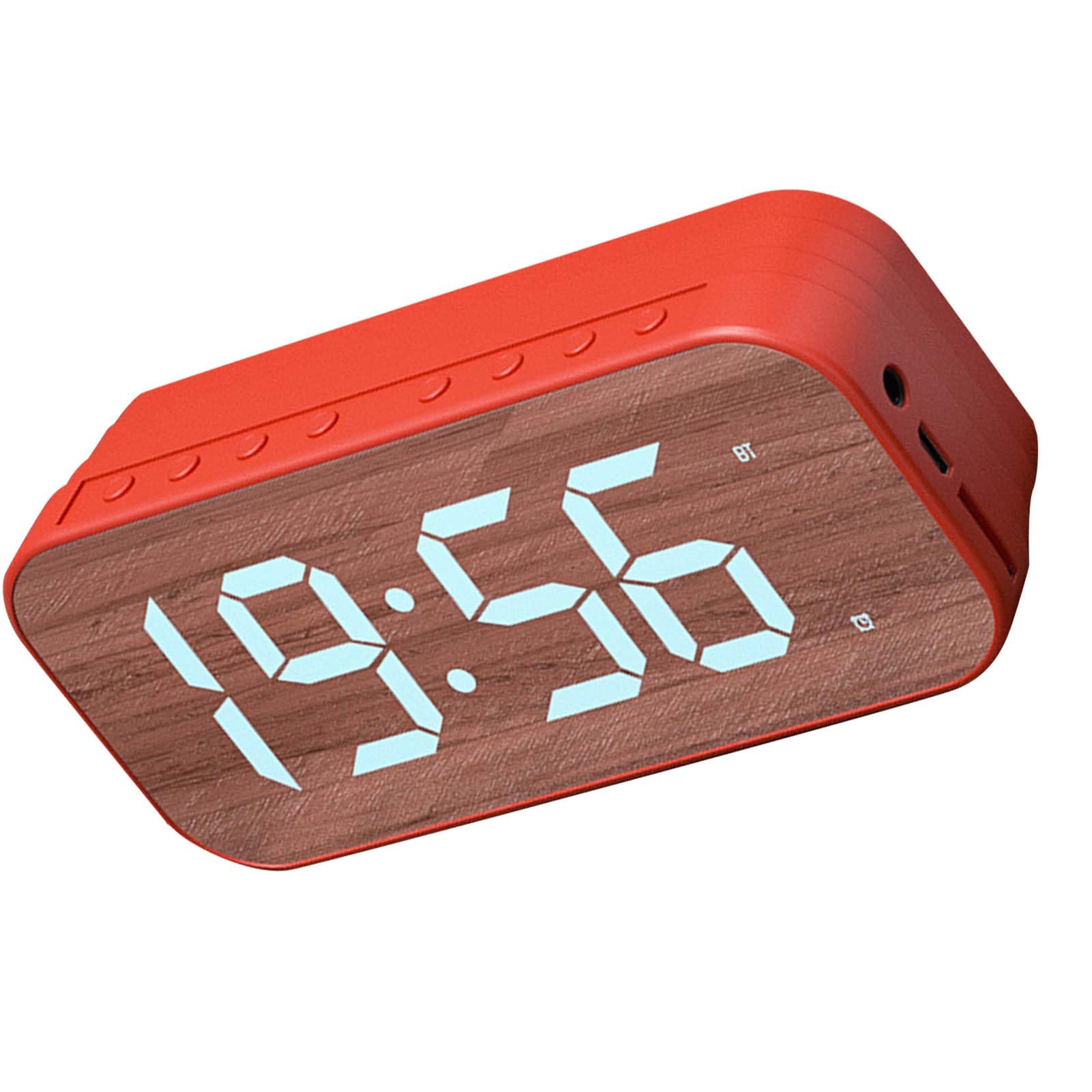
Figure 1: Front view of the Zerodis Bedside Alarm Clock, displaying the digital time and a Bluetooth indicator. The surface has a wood grain texture.

Figure 2: Top view of the alarm clock, highlighting the row of control buttons for various functions.

Figure 3: Side view of the alarm clock, illustrating the charging port and other potential input/output ports.
3. Setup
3.1 Powering On
- Connect the provided data cable to the charging port on the side of the alarm clock.
- Plug the other end of the data cable into a suitable USB power adapter (not included) or a powered USB port.
- The display will light up, indicating the device is powered on.
3.2 Initial Time Setting
To set the current time:
- Press the MODE button (usually indicated by 'M' or a clock icon) once to enter time setting mode. The hour digits will flash.
- Use the UP and DOWN buttons (often '+' and '-' or arrow icons) to adjust the hour.
- Press the MODE button again to switch to minute setting. The minute digits will flash.
- Use the UP and DOWN buttons to adjust the minutes.
- Press the MODE button a third time to confirm the time and exit time setting mode.
4. Operating Instructions
4.1 Setting the Alarm
To set an alarm:
- Press the ALARM button (usually indicated by an alarm clock icon) once to enter alarm setting mode. The alarm hour digits will flash.
- Use the UP and DOWN buttons to adjust the alarm hour.
- Press the ALARM button again to switch to alarm minute setting. The alarm minute digits will flash.
- Use the UP and DOWN buttons to adjust the alarm minutes.
- Press the ALARM button a third time to confirm the alarm time.
- To activate or deactivate the alarm, press the ALARM button briefly outside of setting mode. An alarm icon will appear on the display when active.
4.2 Using the Speaker (Wireless Connectivity)
Your alarm clock features wireless connectivity for audio playback.
- Ensure the alarm clock is powered on.
- Press the MODE button repeatedly until the display shows 'BT' or a Bluetooth icon, indicating Bluetooth mode.
- On your smartphone, tablet, or other audio device, enable Bluetooth and search for available devices.
- Select 'Zerodis Clock' (or similar name) from the list of devices to pair.
- Once paired, you can play audio from your device through the alarm clock's speaker.
- Use the volume controls on your connected device or the alarm clock's UP and DOWN buttons (if applicable in speaker mode) to adjust the volume.
4.3 Display Brightness Adjustment
The display brightness is adjustable:
- In normal time display mode, press the UP or DOWN button to cycle through different brightness levels.
4.4 Snooze Function
When the alarm sounds:
- Press any button on the top of the clock (except the alarm off button, if present) to activate the snooze function. The alarm will temporarily stop and sound again after a few minutes (typically 5-10 minutes).
- To turn off the alarm completely, press and hold the ALARM button or the designated alarm off button.
5. Maintenance
5.1 Cleaning
- Wipe the surface of the alarm clock with a soft, dry cloth.
- Do not use abrasive cleaners, solvents, or chemical sprays, as these may damage the finish.
- Avoid getting moisture into any openings.
5.2 Storage
- When not in use for extended periods, store the alarm clock in a cool, dry place.
- Keep it away from direct sunlight and extreme temperatures.
6. Troubleshooting
6.1 Common Issues and Solutions
| Problem | Possible Cause | Solution |
|---|---|---|
| Clock not turning on / Display is blank. | No power connection or faulty cable. | Ensure the data cable is securely connected to both the clock and a working power source. Try a different USB adapter or cable. |
| Alarm not sounding. | Alarm is not activated or volume is too low. | Check if the alarm icon is displayed. If not, activate the alarm (refer to Section 4.1). Ensure the volume is set to an audible level. |
| Speaker not connecting via Bluetooth. | Clock is not in Bluetooth mode or device is not discoverable. | Ensure the clock is in 'BT' mode. On your audio device, turn Bluetooth off and on again, then re-scan for devices. Make sure no other device is currently paired with the clock. |
| Display is too dim or too bright. | Brightness setting needs adjustment. | In normal time display mode, press the UP or DOWN buttons to adjust the brightness level. |
7. Specifications
7.1 Technical Specifications
- Brand: Zerodis
- Model Number: Zerodise1fnpsgv87-13
- Display Type: Digital (Number)
- Style: Modern
- Special Feature: Adjustable Display Brightness
- Product Dimensions: 2.75"W x 1.57"H
- Power Source: AC/DC (via USB data cable)
- Shape: Square
- Item Weight: 6.9 ounces
8. Warranty and Support
For any questions, technical support, or warranty inquiries, please contact Zerodis customer service through the retailer where the product was purchased. Please have your model number (Zerodise1fnpsgv87-13) and purchase details ready.