
KUFUNG BY01
KUFUNG BY01 Wireless Bluetooth Earbuds User Manual
Model: BY01 (BLACK-01)
1. Introduction
Thank you for choosing the KUFUNG BY01 Wireless Bluetooth Earbuds. These earbuds are designed to provide a superior audio experience with features like IPX5 waterproofing, ergonomic comfort, and advanced Bluetooth 5.4 connectivity. This manual will guide you through the setup, operation, and maintenance of your new earbuds to ensure optimal performance and longevity.
2. Safety Information
- Do not expose the earbuds or charging case to extreme temperatures, direct sunlight, or fire.
- Avoid dropping, disassembling, or modifying the device. This may cause damage and void the warranty.
- Keep the earbuds and charging case away from water and liquids, except for the IPX5 rated water resistance for the earbuds. Do not submerge the charging case.
- Clean the earbuds with a soft, dry cloth. Do not use harsh chemicals or abrasive materials.
- Prolonged exposure to loud volume may cause hearing damage. Adjust volume to a safe level.
- Dispose of the product and batteries responsibly according to local regulations.
3. Package Contents
Please check the package contents to ensure all items are present:
- KUFUNG BY01 Wireless Bluetooth Earbuds (Left and Right)
- Charging Case
- Type-C Charging Cable
- User Manual

Image 3.1: Contents of the KUFUNG BY01 package, including the earbuds, charging case, and a small purple pouch.
4. Product Overview
Familiarize yourself with the components of your KUFUNG BY01 earbuds and charging case.

Image 4.1: Top-down view of the KUFUNG BY01 earbuds and their charging case, highlighting the ergonomic design and speaker placement.
Earbuds
- Speaker: 16mm dynamic speaker for audio output.
- Touch Control Area: For managing playback, calls, and voice assistant.
- Microphone: For calls and voice commands.
- Charging Contacts: Connects with the charging case.
- Ear Hook: Provides a secure and comfortable fit.
Charging Case
- Earbud Charging Slots: Holds and charges the earbuds.
- Type-C Charging Port: For charging the case.
- LED Indicator: Shows charging status and battery level.
5. Setup
5.1 Charging the Earbuds and Case
Before first use, fully charge both the earbuds and the charging case.
- Place the earbuds into their respective slots in the charging case. Ensure the charging contacts align.
- Connect the Type-C charging cable to the charging port on the case and the other end to a USB power source (e.g., wall adapter, computer USB port).
- The LED indicator on the charging case will show the charging status. A full charge for the case takes approximately 1 hour. The charging compartment can charge the earphones 2 times+.
- Once fully charged, disconnect the charging cable.
Note: The earbuds have a 40 mAh battery capacity, and the charging box has a 300 mAh capacity. Working time is approximately 5 hours on a single charge for the earbuds.
5.2 Pairing with a Device (Bluetooth)
The BY01 earbuds use Bluetooth V5.4 for a stable connection up to 10-15 meters without barriers.
- First-time Pairing:
- Open the charging case. The earbuds will automatically enter pairing mode.
- On your device (smartphone, tablet, laptop), enable Bluetooth.
- Search for available Bluetooth devices. You should see "BY01" in the list.
- Select "BY01" to connect. Once connected, you will hear a confirmation tone.
- Reconnecting:
- Once paired, the earbuds will automatically reconnect to the last paired device when taken out of the charging case and Bluetooth is enabled on the device.
6. Operating Instructions
6.1 Wearing the Earbuds
The BY01 earbuds feature an ergonomic hanging ear design for a secure and comfortable fit, especially during sports activities.
- Identify the Left (L) and Right (R) earbuds.
- Gently place the earbud over your ear, ensuring the ear hook wraps around the back of your ear.
- Adjust the earbud until it sits comfortably and securely in your ear canal, with the speaker facing inwards.
6.2 Touch Controls
The BY01 earbuds feature intuitive touch controls on each earbud. The specific functions may vary slightly depending on your device and application.
| Action | Function |
|---|---|
| Single Tap (Left or Right Earbud) | Play/Pause Music, Answer/End Call |
| Double Tap (Right Earbud) | Next Track |
| Double Tap (Left Earbud) | Previous Track |
| Triple Tap (Left or Right Earbud) | Activate Voice Assistant (Siri, Google Assistant, etc.) |
| Long Press (2 seconds) | Reject Incoming Call |
| Long Press (5 seconds) | Power On/Off Earbuds (when not in case) |
7. Maintenance
7.1 Cleaning
- Use a soft, dry, lint-free cloth to clean the earbuds and charging case.
- For stubborn dirt, slightly dampen the cloth with water. Do not use alcohol, solvents, or abrasive cleaners.
- Ensure the charging contacts on both the earbuds and the case are clean and dry to ensure proper charging.
7.2 Water Resistance (IPX5)
The BY01 earbuds are rated IPX5 waterproof, meaning they can withstand sweat, splashes, and light rain. This makes them suitable for sports and outdoor activities.
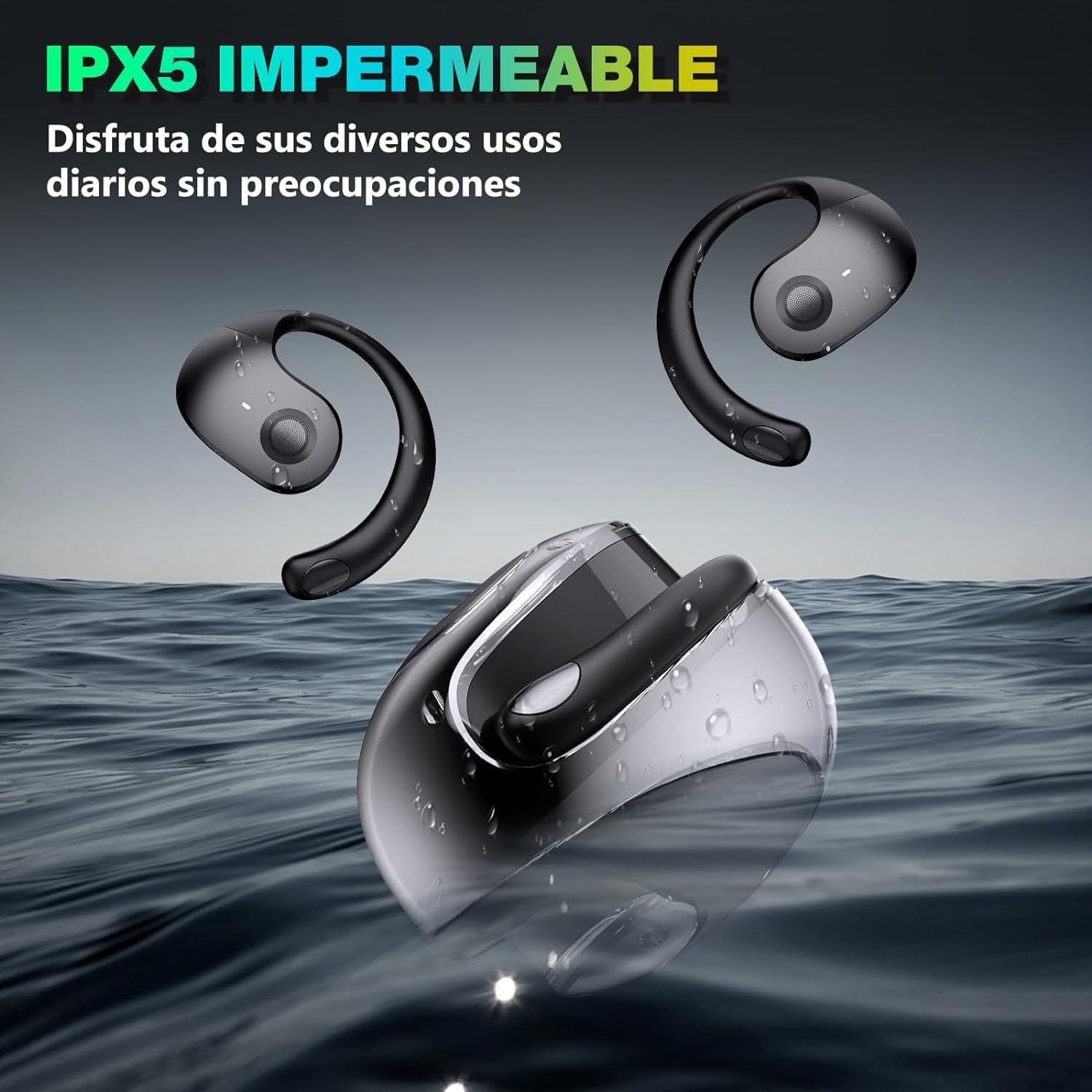
Image 7.1: The KUFUNG BY01 earbuds shown with water splashes, illustrating their IPX5 waterproof rating.
- Do not submerge the earbuds in water.
- The charging case is NOT waterproof. Keep it dry.
- After exposure to sweat or water, wipe the earbuds dry before placing them back into the charging case to prevent damage to the charging contacts.
7.3 Storage
- When not in use, store the earbuds in their charging case to protect them and keep them charged.
- Store the device in a cool, dry place, away from direct sunlight and extreme temperatures.
8. Troubleshooting
If you encounter any issues with your BY01 earbuds, please refer to the following common problems and solutions:
| Problem | Possible Solution |
|---|---|
| Earbuds not charging |
|
| Earbuds not pairing with device |
|
| Only one earbud working |
|
| Low volume or poor sound quality |
|
9. Specifications
| Feature | Detail |
|---|---|
| Model Name | BY01 |
| Model Number | BLACK-01 |
| Bluetooth Version | V5.4 |
| Speaker Size | 16mm |
| Earbud Battery Capacity | 40 mAh |
| Charging Case Battery Capacity | 300 mAh |
| Working Time (Earbuds) | Approx. 5 hours |
| Charging Time (Case) | Approx. 1 hour |
| Charging Port | Type-C |
| Communication Distance | 10-15 meters (barrier-free) |
| Waterproof Rating | IPX5 (Earbuds only) |
| Weight | 50 Grams |
| Dimensions | 5 x 2 x 2 cm |
| Material | Plastic |
| Compatible Devices | Laptops, Telephones, Tablets, Smart Speaker, Desktops, Cellphones |
10. Warranty and Support
KUFUNG products are designed and manufactured to the highest quality standards. For warranty information and customer support, please refer to the purchase platform or contact KUFUNG customer service directly.
Please retain your proof of purchase for warranty claims.
Ask a question about this manual
Ask about setup, troubleshooting, compatibility, parts, safety, or missing instructions. Manuals+ will review the question and use this page’s manual context to help answer it.