
1. Introduction
This manual provides detailed instructions for the ZWP RG63F/EF-ELD Replacement Remote Control, designed for use with specific Frigidaire Window Room Air Conditioner models. Please read this manual thoroughly before use to ensure proper operation and longevity of your remote control.
2. Compatibility
This remote control is specifically designed to be compatible with the following Frigidaire Window Room Air Conditioner models:
- FFTH082WA1
- FFTA142WA2
- FFTH102WA2
- FFTA103WA1
- FFTA123WA1
- FFTA103WA2
- FFTA123WA2
- FHWC063TC1
It is important to verify that your original remote control has a similar button layout to ensure full compatibility. This remote is not a universal remote.
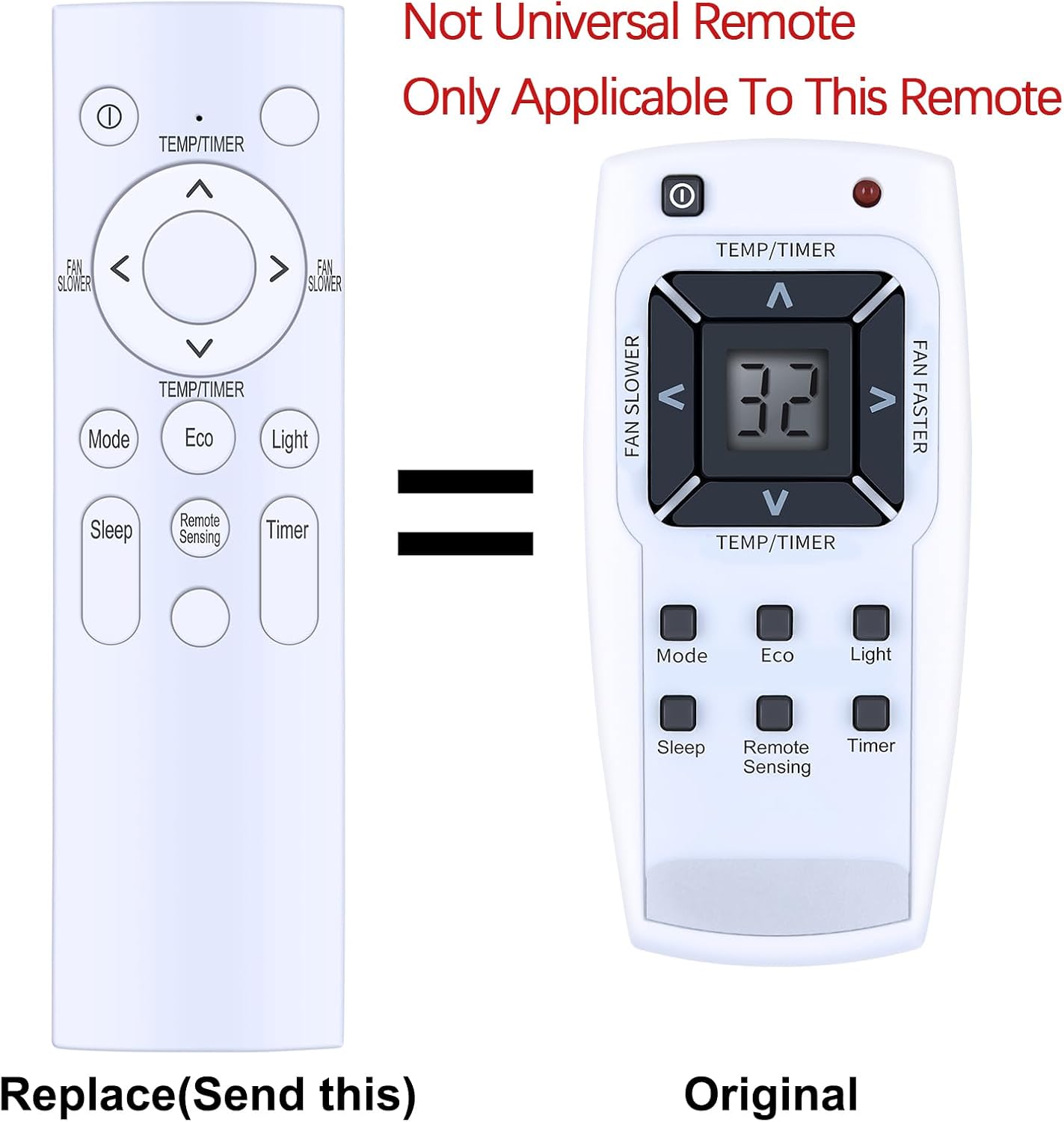
Image: Comparison of the replacement remote control (left) and the original remote control (right) it replaces. This image highlights that the product is a specific replacement, not a universal remote, and compatibility relies on matching button layouts.
3. Product Features
- High-Quality Construction: Made from durable and wear-resistant ABS material, providing a comfortable hand feeling.
- Soft Silicon Buttons: Ensures responsive and reliable button presses, designed for longevity and user comfort.
- No Programming Required: Ready to use immediately after battery installation.

Image: A detailed view emphasizing the remote control's construction from ABS environmental protection material and its soft silicon buttons, indicating quality and user comfort.
4. Setup
4.1 Battery Installation
The remote control requires two (2) 1.5V AAA batteries (not included).
- Locate the battery compartment on the back of the remote control.
- Slide open the battery compartment cover.
- Insert two AAA batteries, ensuring the positive (+) and negative (-) terminals align correctly with the markings inside the compartment.
- Close the battery compartment cover securely.

Image: A clear diagram illustrating the open battery compartment of the remote control, showing the correct orientation for inserting two 1.5V AAA batteries.
5. Operating Instructions
5.1 Button Functions
Familiarize yourself with the buttons on your remote control and their corresponding functions:
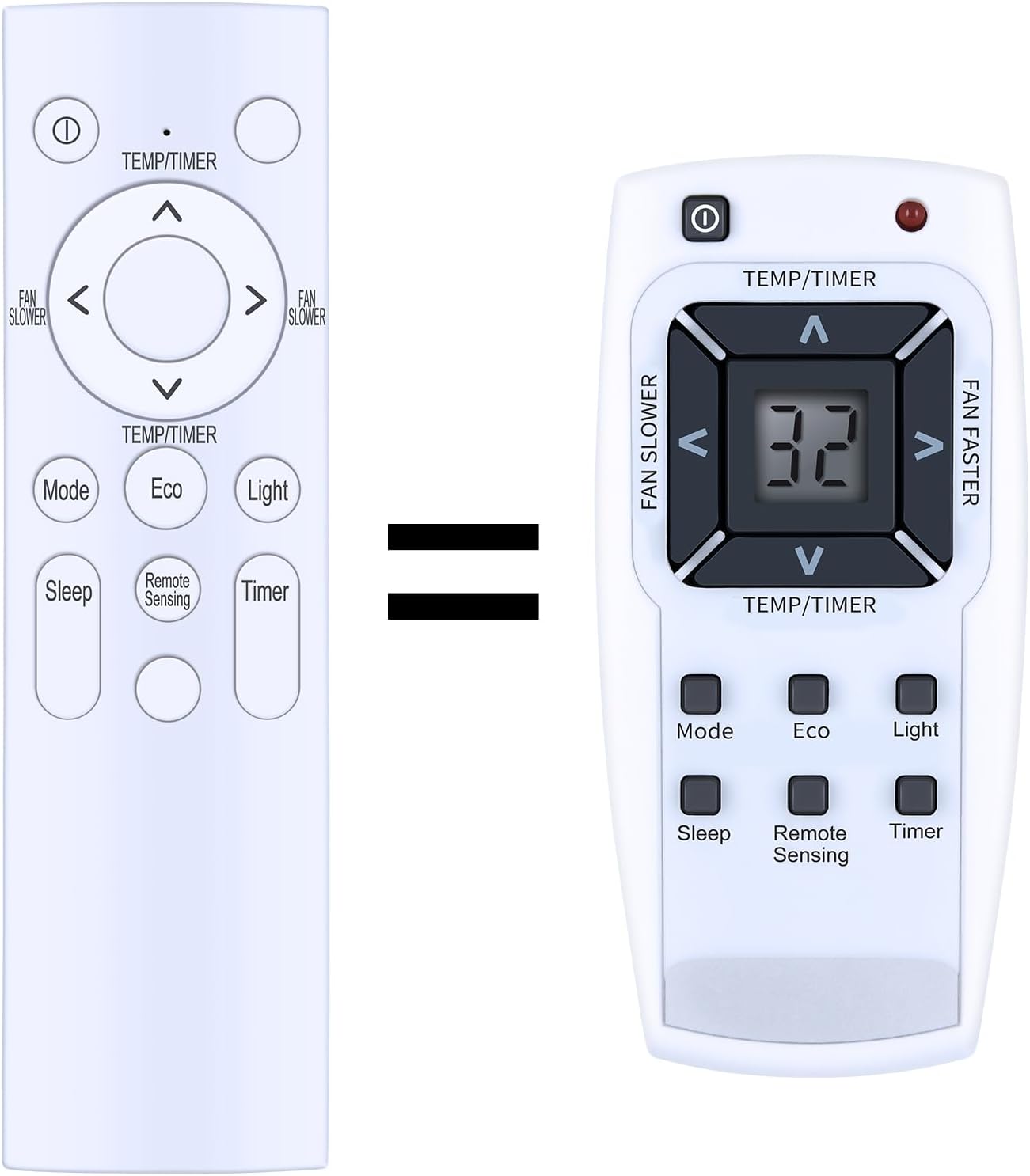
Image: A full front view of the remote control, displaying the layout and labels of all operational buttons.
| Button | Function |
|---|---|
| Power (①) | Turns the air conditioner ON or OFF. |
| TEMP/TIMER (▲ / ▼) | Adjusts temperature settings or timer settings (up/down). |
| FAN SLOWER (◀) | Decreases the fan speed. |
| FAN FASTER (►) | Increases the fan speed. |
| Mode | Cycles through operating modes (e.g., Cool, Fan, Dry, Heat). |
| Eco | Activates or deactivates energy-saving mode. |
| Light | Controls the display light on the air conditioner unit. |
| Sleep | Activates or deactivates sleep mode for quiet operation and energy saving during sleep. |
| Remote Sensing | Activates the remote's built-in temperature sensor for more accurate room temperature control. |
| Timer | Sets or cancels the auto ON/OFF timer function. |

Image: A visual guide pointing out the main button clusters on the remote control, such as temperature/timer adjustments, fan speed controls, and various function buttons like Sleep, Remote Sensing, and Timer.
6. Maintenance
- Clean the remote control regularly with a soft, dry cloth. Do not use liquid cleaners or abrasive materials.
- If the remote control will not be used for an extended period, remove the batteries to prevent leakage and corrosion.
- Avoid exposing the remote control to direct sunlight, high temperatures, or high humidity.
7. Troubleshooting
- Remote not responding: Ensure batteries are inserted correctly with correct polarity. Replace old batteries with new ones. Check for any obstructions between the remote and the air conditioner's receiver.
- Limited range: Replace batteries. Ensure there are no strong light sources or electronic devices interfering with the signal.
- Buttons not working: Check for physical damage to the buttons. Ensure the remote is pointed directly at the air conditioner's receiver.
8. Specifications
| Feature | Detail |
|---|---|
| Model Number | RG63F/EF-ELD |
| Manufacturer | ZWP |
| Dimensions | 10 x 3 x 1 inches |
| Item Weight | 2.4 ounces |
| Power Source | 2 x 1.5V AAA Batteries (not included) |
| Material | High-quality ABS, Soft Silicon |
| Color | White (as shown in product images) |
| Special Feature | Ergonomic design |
| Max Supported Devices | 1 (Air Conditioner) |
9. Support
For any questions or assistance regarding your ZWP RG63F/EF-ELD Replacement Remote Control, please contact the manufacturer's customer support. Refer to your product packaging or the seller's information for specific contact details.