
1. Product Overview
The Tornado CK LW 13/1 Roam is a 13-inch single motor battery-operated upright vacuum designed for commercial use. It offers cordless operation, providing flexibility and safety by eliminating power cords. This lightweight unit is suitable for various environments including commercial buildings, hotels, schools, casinos, retail shops, and hospitals.
Key features include:
- Cordless Operation: Powered by a Lithium-Ion battery for up to 50 minutes of runtime.
- Lightweight Design: Weighs 12.3 lbs for easy transport and increased productivity.
- HEPA Filtration: Features a 2-stage filtration system with a HEPA media bag for improved air quality.
- Quiet Operation: Operates at less than 70 dB(A).
- LED Headlight: Provides illumination for cleaning under objects and in dark spaces.
- Lay-Flat Design: Allows for easy cleaning under furniture.
- CRI Certified Bronze and LEED Qualifying: Meets industry standards for effective cleaning and environmental considerations.
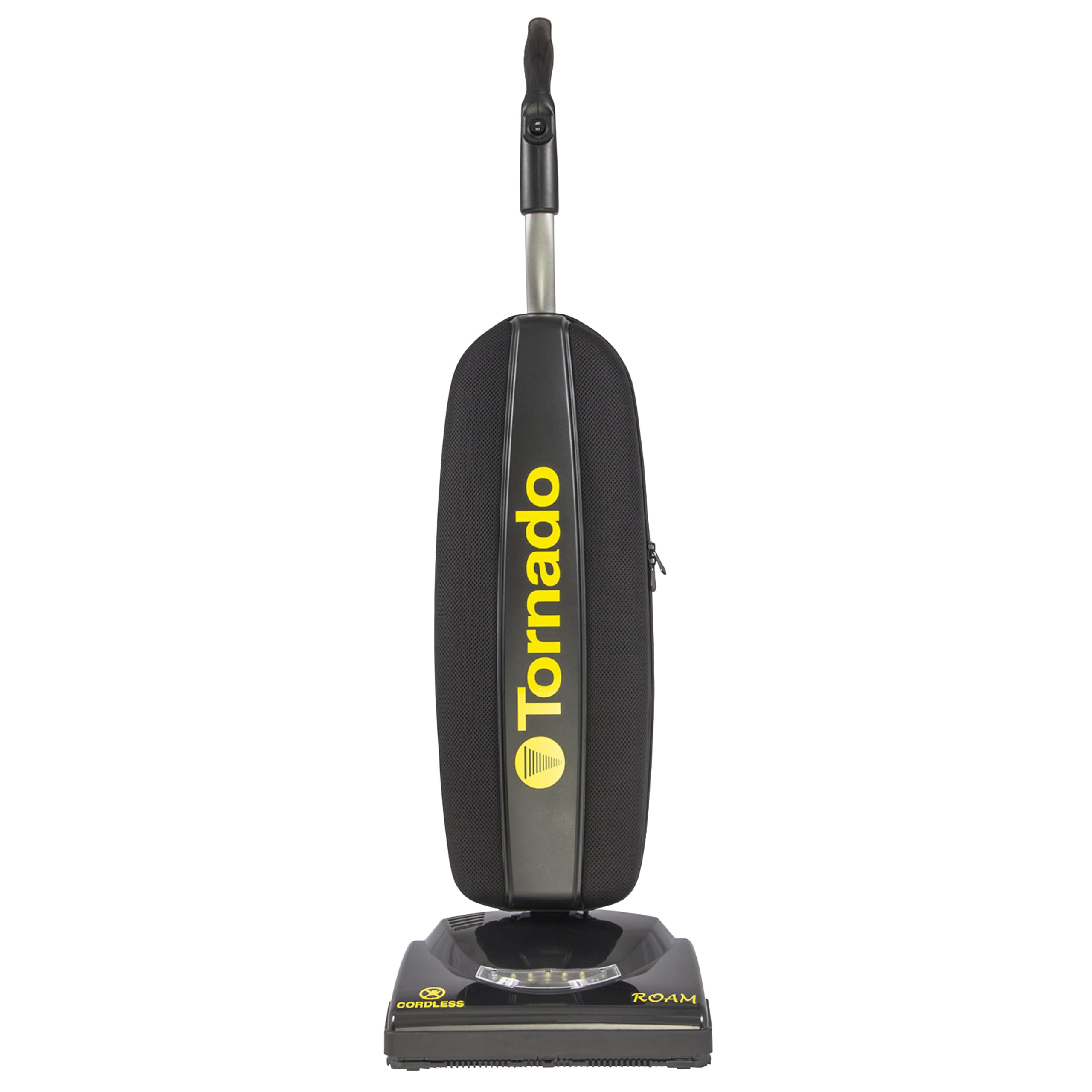
Image 1.1: The Tornado CK LW 13/1 Roam Cordless Upright Vacuum. This image shows the overall design of the vacuum cleaner, highlighting its compact and upright form factor.
2. Safety Information
Read all instructions before using this appliance. Failure to follow these instructions may result in electric shock, fire, or serious injury.
- Always ensure the vacuum is turned off and the battery is removed before performing any maintenance or cleaning.
- Do not use the vacuum on wet surfaces or to pick up liquids.
- Keep hair, loose clothing, fingers, and all parts of the body away from openings and moving parts.
- Do not pick up anything that is burning or smoking, such as cigarettes, matches, or hot ashes.
- Use only as described in this manual. Use only manufacturer's recommended attachments.
- Do not use with a damaged battery or charger. If the appliance is not working as it should, has been dropped, damaged, left outdoors, or dropped into water, return it to a service center.
- Store the vacuum indoors in a dry area.
3. Package Contents
Verify that all items are present in the package:
- Vacuum Machine
- User Manual (this document)
- Lithium-Ion Battery
- Battery Charger
- Handle Assembly
- One CleanBreeze Disposable Filter Bag
4. Setup
- Attach the Handle: Insert the handle assembly into the main body of the vacuum until it clicks securely into place. Ensure it is firmly seated.
- Install the Battery: Locate the battery compartment. Insert the fully charged Lithium-Ion battery into the compartment until it locks. Refer to Section 6 for battery charging instructions.
- Install Filter Bag: Open the filter bag compartment. Insert a new CleanBreeze disposable filter bag, ensuring it is properly seated and sealed. Close the compartment securely.
5. Operating Instructions
- Power On/Off: Press the simple on/off switch located on the ergonomic handle to start or stop the vacuum.
- LED Headlight: The integrated LED headlight automatically illuminates when the vacuum is in operation, providing visibility in dimly lit areas and under furniture.
- Cleaning Under Furniture: Utilize the vacuum's lay-flat design to easily reach and clean under low-clearance furniture and objects. Gently push the handle down to lower the vacuum body.
- Maneuvering: The lightweight design and multiple wheels allow for easy maneuverability across various floor types.

Image 5.1: Close-up of the vacuum's base showing the illuminated LED headlight. This feature enhances visibility during operation, especially in darker areas.

Image 5.2: The Tornado Roam vacuum in use on a carpeted surface, demonstrating the effectiveness of the LED headlight in illuminating the cleaning path.

Image 5.3: A user operating the Tornado Roam vacuum in a commercial hallway, illustrating its ease of use and maneuverability in larger spaces.
6. Battery Charging and Swapping
The Lithium-Ion battery provides up to 50 minutes of runtime on a single charge.
- Charging the Battery:
- Remove the battery from the vacuum by pressing the release button and sliding it out.
- Connect the battery to the provided charger.
- Plug the charger into a standard electrical outlet.
- The battery indicator lights on the battery will show the charging status. A full charge is indicated when all lights are solid green.
- Checking Battery Level: Press the battery indicator button on the battery pack to view the current charge level.
- Swapping Batteries: For continuous operation, a drained battery can be easily swapped with a fully charged spare battery (sold separately). Ensure the vacuum is turned off before swapping.

Image 6.1: A hand demonstrating the removal of the Lithium-Ion battery from its compartment on the vacuum. This shows the ease of battery swapping.

Image 6.2: A close-up of a hand pressing the battery indicator button, showing the illuminated charge level lights on the battery pack.
7. Maintenance
Regular maintenance ensures optimal performance and extends the life of your vacuum.
- Filter Bag Replacement:
- Monitor the filter bag indicator (if present) or check the bag regularly.
- When the bag is full or suction decreases, turn off the vacuum and remove the battery.
- Open the filter bag compartment, carefully remove the full disposable HEPA media bag, and dispose of it.
- Install a new CleanBreeze disposable filter bag, ensuring it is correctly seated and sealed.
- Close the compartment securely.
- Brush Roll Cleaning:
- Periodically inspect the brush roll for tangled hair, strings, or debris.
- Turn off the vacuum and remove the battery.
- Carefully remove any obstructions from the brush roll using scissors or a brush.
- Ensure the brush roll spins freely after cleaning.
- Exterior Cleaning: Wipe the exterior of the vacuum with a damp cloth. Do not use harsh chemicals or abrasive cleaners.
8. Troubleshooting
| Problem | Possible Cause | Solution |
|---|---|---|
| Vacuum does not turn on. | Battery not charged or not properly installed. | Ensure battery is fully charged and correctly inserted. |
| Reduced suction. | Full filter bag, clogged brush roll, or obstruction in hose/nozzle. | Replace filter bag. Clean brush roll. Check for and remove obstructions. |
| Vacuum stops during operation. | Battery low or motor overload protection activated. | Recharge or swap battery. Check for blockages that may be overloading the motor. |
| Unusual noise. | Obstruction in brush roll or fan. | Turn off and remove battery. Inspect brush roll and fan for debris and remove. |
9. Specifications
| Brand | Tornado |
| Model Name | Roam |
| Model Number | 97300C |
| Power Source | Battery Powered (Lithium-Ion) |
| Battery Life / Runtime | Up to 50 minutes |
| Filter Type | HEPA Filter (2-stage filtration with HEPA media bag) |
| Cleaning Width | 13 inches |
| Item Weight | 12.3 Pounds |
| Noise Level | Less than 70 dB(A) |
| Dimensions (L x W x H) | 13"L x 10"W x 44.5"H |
| Voltage | 42V |
| Capacity | 7.4 Quarts |
| Recommended Surfaces | All floors (Bare Floor, Carpet, Furniture, Hard Floor, Hardwood, Home, Office, Rug, Tile Floor) |
10. Warranty and Support
For warranty information and customer support, please refer to the documentation included with your purchase or contact Tornado customer service directly. Keep your purchase receipt as proof of purchase.
Manufacturer: Tornado
UPC: 098612097747


