
Manta Sleep MSMASK-SOUND
Manta Sound Sleep Mask with Bluetooth Headphones User Manual
Model: MSMASK-SOUND
Introduction
This manual provides detailed instructions for the setup, operation, maintenance, and troubleshooting of your Manta Sound Sleep Mask with Bluetooth Headphones. Please read this manual thoroughly before using the product to ensure optimal performance and longevity.
Setup
1. Unboxing and Initial Inspection
Carefully remove all components from the packaging. Inspect the sleep mask and accessories for any signs of damage. The package should include the Manta Sound Sleep Mask, a mesh bag, and a USB charging cable.

Image: Manta Sound Sleep Mask components, including the mask, mesh bag, and USB charging cable.
2. Charging the Device
Before first use, fully charge your Manta Sound Sleep Mask. Connect the provided USB charging cable to the charging port on the mask and to a compatible USB power source. A full charge provides approximately 20 hours of battery life.

Image: Manta Sound Sleep Mask highlighting its 20-hour battery life and USB charging capability.
3. Adjusting for Fit and Comfort
The Manta Sound Sleep Mask is designed for adjustable fit. Follow these steps to customize it:
- Head Strap: Adjust the hook and loop straps at the back of the mask to achieve a snug yet comfortable fit around your head. Ensure it is not too tight to avoid discomfort, especially for side sleepers.
- Eye Cups: Position the C-shaped eye cups directly over your eyes. These are designed to block 100% of light and provide zero eye pressure. Adjust their placement to ensure complete darkness without pressing on your eyelids.
- Headphone Placement: The razor-thin Bluetooth headphones are integrated into the mask. Adjust their position within the mask to align with your ears for optimal sound experience.

Image: Close-up of the Manta Sound Sleep Mask demonstrating the adjustable Bluetooth headphones and eye cups.

Image: Illustration of the Manta Sound Sleep Mask's C-shaped eye cups designed for zero eye pressure.
4. Bluetooth Pairing
To connect your Manta Sound Sleep Mask to a Bluetooth-enabled device:
- Ensure the sleep mask is charged and powered on.
- Activate Bluetooth on your audio source (e.g., smartphone, tablet).
- Search for available devices and select "Manta Mask SOUND" from the list.
- Once paired, the mask will connect automatically in the future when in range.
Video: Official Manta Sleep video demonstrating the Manta Sound Sleep Mask with Bluetooth Headphones, including pairing and usage.
Operating Instructions
1. Power On/Off
Locate the control panel on the front of the mask. Press and hold the power button (usually the center button) to turn the mask on or off. An indicator light may confirm the status.
2. Audio Playback and Volume Control
Once paired with your device, you can control audio directly from the mask:
- Play/Pause: Press the center button once to play or pause audio.
- Volume Up: Press the '+' button to increase volume.
- Volume Down: Press the '-' button to decrease volume.
- Skip Track: Depending on the model, long-press the '+' or '-' button to skip tracks. Refer to the quick start guide for specific button functions.
The razor-thin headphones are designed for comfort, especially for side sleepers, and deliver clear audio for music, meditation, or white noise.

Image: Manta Sound Sleep Mask showing the control buttons for power, volume, and playback.
3. Achieving 100% Blackout
The Manta Sound Sleep Mask is engineered to provide complete darkness. Ensure the eye cups are properly adjusted and positioned to block all ambient light. The adjustable design allows for a personalized fit to prevent light leakage around the nose or edges.
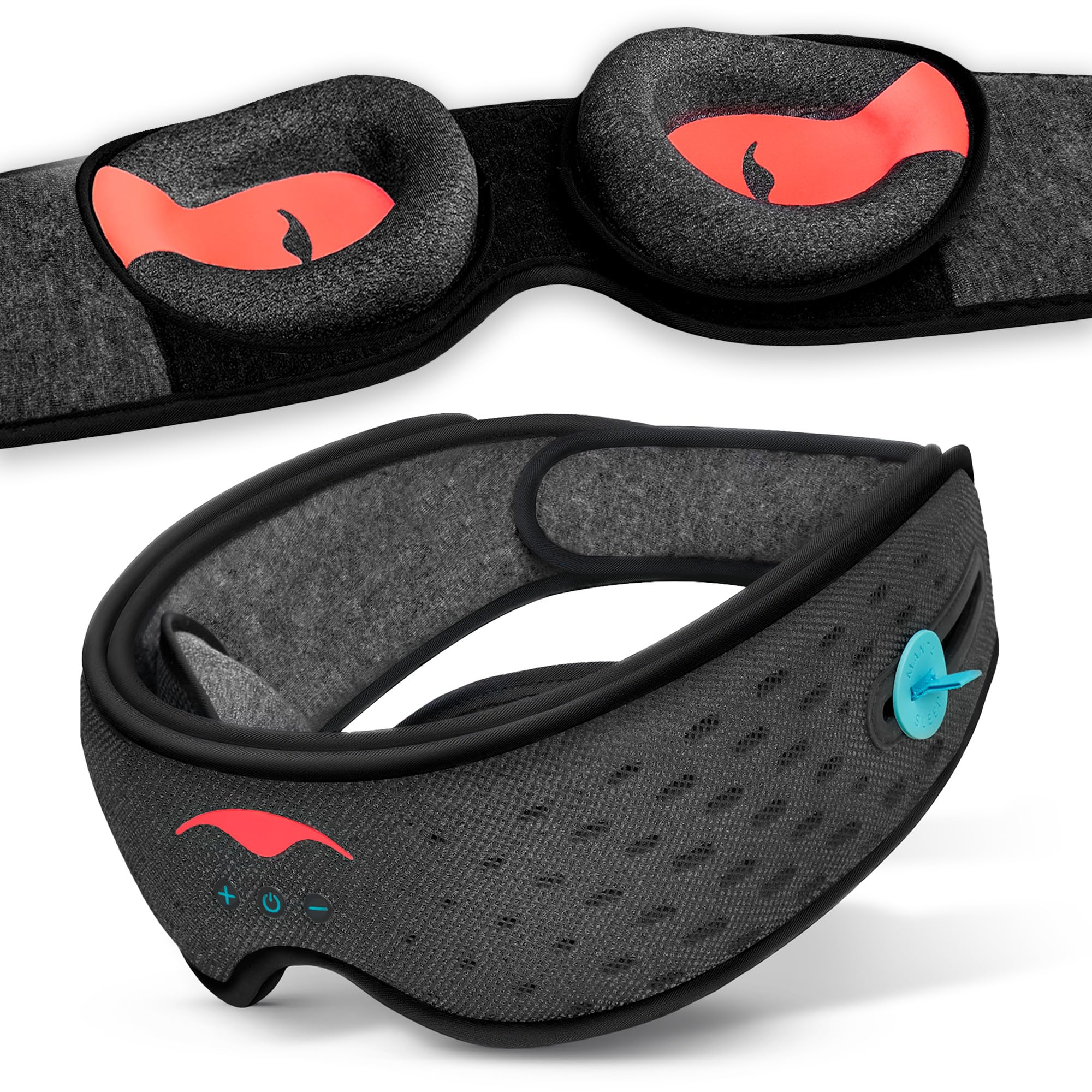
Image: A person wearing the Manta Sound Sleep Mask, illustrating its 100% blackout capability.
Maintenance
Proper care ensures the longevity and hygiene of your Manta Sound Sleep Mask.
- Cleaning: The manufacturer recommends Dry Clean Only for this product. Do not machine wash or tumble dry.
- Storage: When not in use, store the sleep mask in the provided mesh bag to protect it from dust and damage.
- Battery Care: To preserve battery life, avoid fully discharging the mask frequently. Charge it regularly, especially if storing for extended periods.
Troubleshooting
1. Mask Does Not Fit Comfortably or Stays On
- Adjust Straps: Ensure the head strap is adjusted snugly. The hook and loop fasteners should provide a secure fit.
- Eye Cup Positioning: Re-position the eye cups. They are designed to be adjustable to avoid pressure on the eyes and nose.
- Material Stretch: Over time, materials may stretch. Re-adjust the straps as needed.
2. Light Leakage
- Re-adjust Eye Cups: Ensure the eye cups are fully covering your eyes and are positioned to block light around the nose bridge.
- Tighten Strap: A loose strap can cause the mask to shift, leading to light leakage. Adjust for a firmer fit.
3. No Sound or Poor Sound Quality
- Check Bluetooth Connection: Verify that the mask is successfully paired and connected to your audio device.
- Adjust Headphone Position: Ensure the integrated headphones are directly over your ears. Their thin design allows for easy adjustment.
- Volume Levels: Check both the mask's volume and your audio device's volume.
- Re-pair Device: If issues persist, unpair and re-pair the mask with your audio device.
4. Battery Not Holding Charge or Device Shuts Off Randomly
- Verify Charging Cable: Ensure the USB charging cable is securely connected and not damaged.
- Power Source: Try a different USB power source.
- Full Charge Cycle: Allow the mask to fully charge. If the issue persists, the battery may require service.
Specifications
| Model Name | MSMASK-SOUND |
| Product Dimensions | 9.95 x 3.51 x 3.12 inches |
| Weight | 11.36 ounces |
| Battery Type | 1 Product Specific battery (included) |
| Battery Life | Approximately 20 hours |
| Material Type | Foam |
| Material Features | Lightweight |
| Closure Type | Pull On (Adjustable Hook and Loop) |
| Color | Grey |
| UPC | 860009135406 |
Warranty Information
For detailed warranty information regarding your Manta Sound Sleep Mask, please refer to the official Manta Sleep website or contact their customer support directly. Keep your proof of purchase for any warranty claims.
Customer Support
If you require further assistance, have questions not covered in this manual, or need technical support, please visit the official Manta Sleep website for their customer service contact information and support resources.
Official Manta Sleep Store: Manta Sleep Store on Amazon
Related documentsMSMASK-SOUND


Ask a question about this manual
Ask about setup, troubleshooting, compatibility, parts, safety, or missing instructions. Manuals+ will review the question and use this page’s manual context to help answer it.