
1. Introduction
Thank you for choosing the TORRAS MiniMag Power Bank. This ultra-slim, 10,000mAh magnetic wireless portable charger is designed to provide convenient and fast charging for your devices, especially compatible with Mag-safe technology for iPhone 16 Pro Max/16 Pro/16/15/14/13/12 series. This manual will guide you through the setup, operation, maintenance, and troubleshooting of your new power bank.
2. What's in the Box
- 10,000mAh Magnetic Power Bank
- USB-C Charging Cable
- User Manual
- 18-Month Warranty + Lifetime Support Information
3. Product Features
- Ultra-Thin & High Capacity: Despite its slim profile, the power bank features a 10,000mAh capacity, providing ample power for daily use.
- Magnetic Wireless Charging: Equipped with powerful magnetic attraction for easy, cable-free attachment and charging, compatible with Mag-safe technology.
- Super Fast Charging: Supports 22.5W wired fast charging via USB-C and 15W wireless fast charging (7.5W for iPhone).
- Long-Lasting Durability: Utilizes Tesla's lithium-polymer battery, designed for over 500 charge cycles and a battery life of over 3 years.
- Full Protection: Incorporates advanced safety features including NTC temperature control and overcharge protection for safe charging.
4. Setup
4.1 Initial Charging of the Power Bank
Before first use, fully charge your TORRAS MiniMag Power Bank using the provided USB-C cable and a certified USB-C charging block (minimum 5V=1A/5W). The battery indicator lights will show the charging progress.
4.2 Attaching to Your Device
Ensure the clear plastic shipping protection film is removed from both sides of the power bank for optimal magnetic strength and charging efficiency.
For magnetic wireless charging, simply align the power bank with the Mag-safe area on the back of your compatible iPhone. The strong magnets will securely attach the power bank to your phone.

Figure 1: Magnetic attachment of the power bank to an iPhone.
5. Operating Instructions
5.1 Wireless Charging
Once magnetically attached to a compatible iPhone, the power bank will automatically begin wireless charging. The charging status will be indicated on your phone's screen.

Figure 2: Effortless magnetic charging on the go.
5.2 Wired Charging
To charge devices via cable, connect your device to the power bank's USB-C port using a compatible USB-C cable. The power bank supports 22.5W fast wired charging.
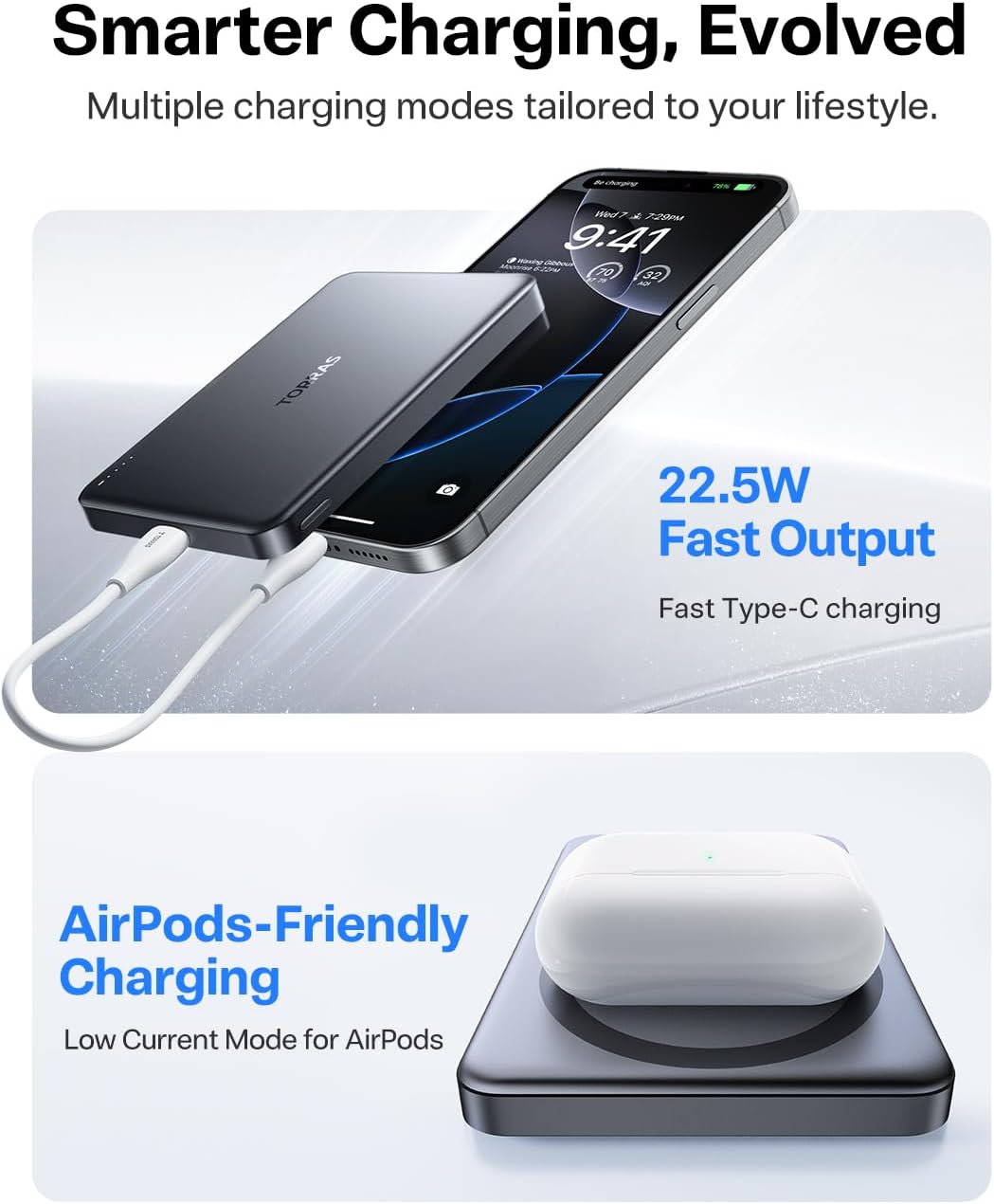
Figure 3: Dual device charging with wired and wireless options.
5.3 Checking Battery Level
Press the power button on the side of the power bank once to view the current battery level indicated by the LED lights.
5.4 Low-Current Mode
For charging low-power devices like AirPods, the power bank features a low-current mode. Hold the side button down for 2 seconds to activate this mode. Hold it down for another 2 seconds to disable it.
6. Maintenance
6.1 Cleaning
Wipe the power bank with a soft, dry cloth. Do not use harsh chemicals or abrasive materials.
6.2 Storage
Store the power bank in a cool, dry place away from direct sunlight and extreme temperatures. For long-term storage, it is recommended to charge the power bank to about 50% capacity every three months to preserve battery health.
6.3 Battery Care
The power bank uses a durable lithium-polymer battery designed to maintain optimal performance for over 500 charge cycles and a lifespan of over 3 years. Avoid fully discharging the battery frequently to prolong its overall life.

Figure 4: Internal battery technology ensuring long-lasting durability.
7. Troubleshooting
- Power Bank Not Charging: Ensure you are using a certified USB-C charging block with at least 5V=1A (5W) output. Check the USB-C cable for damage and ensure it is securely connected.
- Device Not Charging Wirelessly:
- Ensure the power bank is sufficiently charged.
- Verify that your device is Mag-safe compatible or has a Mag-safe compatible case.
- Remove any foreign objects or thick cases that might interfere with the magnetic connection.
- If the blue light flashes 2 times per second, it indicates a foreign object between the charger and your phone. Remove any obstructions.
- Ensure the clear plastic shipping protection has been removed from the power bank.
- Slow Charging: Wired charging (22.5W) is faster than wireless charging (7.5W for iPhone). Ensure your device supports fast charging and that you are using a compatible cable. If using an energy-intensive app, charging speed may be reduced.
- Power Bank Overheating: While the power bank features NTC temperature control, some warmth during charging is normal. If it becomes excessively hot, disconnect it immediately and contact customer support.
- Power Button Functionality: For wired charging of other devices, press the side button once to turn it on. Double-click the button to turn it off. Wireless charging for iPhones typically starts automatically upon magnetic attachment.
8. Specifications
| Feature | Detail |
|---|---|
| Brand | TORRAS |
| Model Number | PB4A |
| Battery Capacity | 10,000 mAh |
| Rated Capacity | 6,000 mAh |
| Item Weight | 6.4 ounces |
| Product Dimensions | 4.01 x 2.5 x 0.5 inches |
| Magnetic Force | 15 Newtons |
| Max Input | 18W (5V/3A) |
| Max Output (Wireless) | 15W (7.5W for iPhone) |
| Max Output (Wired) | 22.5W |
| Material | Magnesium Aluminum Alloy |
| Color | Glacier Gray |
| Connector Type | USB Type C |
| Special Features | Fast Charging, Heat Dissipation System, Pocket Size, Slim, Wireless Charging |
9. Warranty and Support
The TORRAS MiniMag Power Bank comes with an 18-month warranty. TORRAS is committed to providing 7x24 lifetime professional support, including free return or replacement for eligible issues. If you encounter any problems or have questions, please contact TORRAS customer support directly. We are dedicated to ensuring your satisfaction.
For support, please refer to the contact information provided with your product packaging or visit the official TORRAS website.


