
1. Introduction
Thank you for choosing the SHARE SUNSHINE Foldable Wireless Bluetooth Keyboard. This ultra-slim, compact, and portable keyboard is designed to enhance your productivity and typing experience across various devices, whether you are at home, in the office, or traveling. Its innovative foldable design allows for easy storage and transport, while responsive and quiet keys ensure comfortable and efficient typing.

Image: The keyboard unfolded, demonstrating its full-size layout for comfortable typing, positioned next to a laptop.
2. What's in the Box
- 1 x SHARE SUNSHINE Foldable Wireless Bluetooth Keyboard
- 1 x Welcome Guide
- 1 x USB Charging Cable
3. Product Overview
The keyboard features a durable Acrylonitrile Butadiene Styrene (ABS) construction, ensuring longevity. Its foldable design allows it to collapse into a compact form, making it highly portable. The keys are designed for responsive and quiet typing, minimizing disturbance.
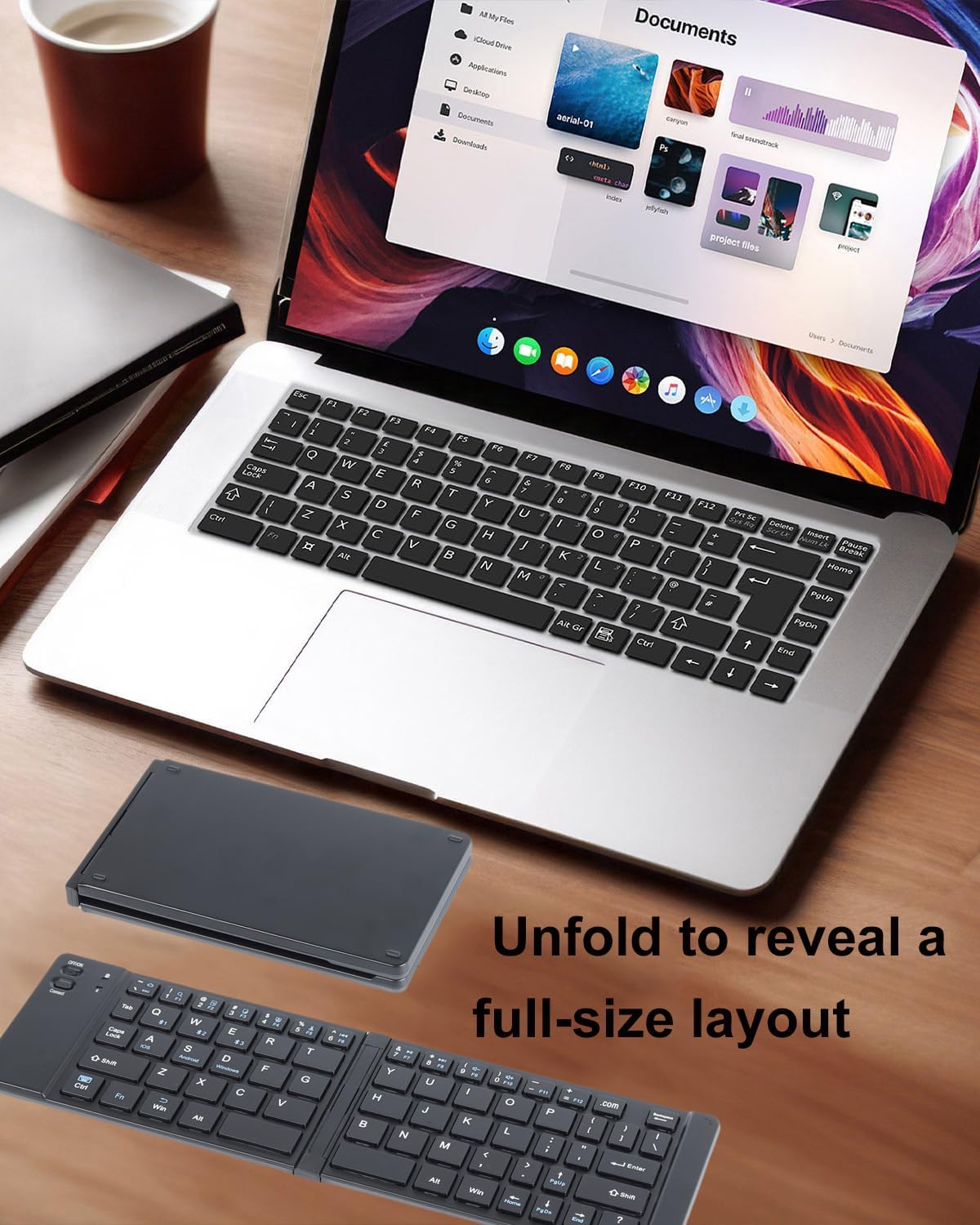
Image: The keyboard in its folded state, easily held in one hand, highlighting its portability.
Key Features:
- Portable & Foldable Design: Easily fits into bags or pockets.
- Responsive & Quiet Typing: Comfortable for extended use without noise.
- Ultra-Slim Profile: Sleek and lightweight for enhanced portability.
- Full-Size Layout: Ergonomically spaced keys for a familiar typing experience.
- Anti-Slip Feet: Provides stability during use.
4. Setup: Bluetooth Pairing
Follow these steps to connect your keyboard via Bluetooth:
- Power On: Locate the ON/OFF switch on the keyboard and slide it to the 'ON' position. The status indicator light will illuminate briefly.
- Activate Pairing Mode: Press the 'Connect' button. The Bluetooth indicator light will start flashing, indicating the keyboard is in pairing mode.
- Enable Bluetooth on Your Device: On your smartphone, tablet, or laptop, go to the Bluetooth settings and turn Bluetooth on.
- Select Keyboard: In the list of available Bluetooth devices, look for 'BT5.2 Keyboard' or 'BT3.0 Keyboard' (depending on your model) and select it.
- Confirm Connection: Your device may prompt you to enter a code displayed on the screen. Type this code on the SHARE SUNSHINE keyboard and press 'Enter'. Once paired, the Bluetooth indicator light on the keyboard will stop flashing and remain solid or turn off, indicating a successful connection.
- Select Operating System Mode: To optimize key functions for your device, press the Fn key simultaneously with the corresponding OS key:
- Fn + Q for iOS (Apple devices)
- Fn + W for Android devices
- Fn + E for Windows devices

Image: The keyboard in use with a smartphone, illustrating its universal compatibility and ease of connection.
5. Operating Instructions
Once connected, your SHARE SUNSHINE keyboard functions like a standard full-size keyboard. Utilize the function keys for quick access to various commands:
- Function Keys (F1-F12): These keys perform different actions depending on the selected operating system mode. For example, F1-F6 often control media playback, volume, and screen brightness.
- Special Keys: Keys like 'Home', 'End', 'PgUp', 'PgDn' provide navigation shortcuts.
- Typing: The ergonomically spaced keys provide a comfortable and quiet typing experience.

Image: A user's hands actively typing on the unfolded keyboard, which is paired with a tablet, demonstrating its practical use.
6. Charging
The keyboard is equipped with a rechargeable battery. To charge:
- Connect the provided USB charging cable to the Type-C charging port on the keyboard.
- Plug the other end of the USB cable into a power source (e.g., computer USB port, USB wall adapter).
- The charging indicator light will show the charging status.
A full charge typically takes approximately 2 hours, providing up to 90 hours of continuous usage or 100 days of standby time.

Image: A detailed view of the keyboard's charging port, showing the USB cable connected for recharging.
7. Compatibility
This portable Bluetooth keyboard offers universal compatibility with a wide range of devices and operating systems, including:
- iOS Devices: iPad Pro/Air/Mini, iPhone 15/14/13/12/11, etc.
- Android Devices: Galaxy Tab, Galaxy Note, Samsung Galaxy Tab S9 11", Samsung Galaxy Tab S9 FE 10.9", and other Android smartphones and tablets.
- Windows Devices: Surface Pro, laptops, and PCs running Windows.
- Other Bluetooth Devices: Compatible with various other Bluetooth-enabled devices.
8. Maintenance
- Keep the keyboard clean by wiping it with a soft, dry cloth.
- Avoid exposing the keyboard to extreme temperatures, direct sunlight, or moisture.
- Do not disassemble the keyboard, as this will void the warranty.
- Store the keyboard in its folded position when not in use to protect the keys and hinges.
9. Troubleshooting
- Keyboard not pairing: Ensure the keyboard is charged, powered on, and in pairing mode (Bluetooth indicator flashing). Make sure Bluetooth is enabled on your device and try re-scanning for devices.
- Keys not responding: Check the battery level. If the battery is low, charge the keyboard. Ensure the keyboard is correctly paired and the correct OS mode (Fn+Q/W/E) is selected.
- Intermittent connection: Move the keyboard closer to your device to ensure it's within Bluetooth range. Avoid interference from other wireless devices.
- Incorrect characters typed: Verify that the correct operating system mode (iOS, Android, Windows) is selected using the Fn key combinations.
10. Specifications
| Feature | Detail |
|---|---|
| Brand | SHARE SUNSHINE |
| Model Name | Foldable Wireless Keyboard |
| Connectivity Technology | Bluetooth |
| Keyboard Description | Portable / Flexible, Multi Functional, Standalone, Foldable |
| Special Feature | Ergonomic Split, Silent Click, Foldable, Portable, Multi-device, Ultra Slim Travel Keyboard |
| Material | Acrylonitrile Butadiene Styrene |
| Number of Keys | 66 |
| Keyboard Layout | QWERTY |
| Power Source | Battery Powered |
| Charging Time | Approx. 2 hours |
| Continuous Usage | Up to 90 hours |
| Standby Time | Up to 100 days |
11. Warranty & Support
The SHARE SUNSHINE Foldable Wireless Bluetooth Keyboard comes with a one-year worry-free warranty. For any support needs, please refer to the contact information provided in your welcome guide or visit the official SHARE SUNSHINE website.

Image: A gold seal prominently displaying '1 Year Warranty', assuring product quality and support.