
Introduction
This manual provides detailed instructions for the installation, operation, and maintenance of your AINAVI QLED Touch Screen Car Stereo. Designed specifically for Toyota Tacoma models from 2005 to 2015, this head unit offers advanced features including Android 12, Wireless CarPlay, Android Auto, GPS Navigation, 5G WiFi, and a 48-band Equalizer. Please read this manual thoroughly before installation and use to ensure proper function and safety.
Product Overview
The AINAVI QLED Touch Screen Car Stereo is an advanced multimedia system designed to enhance your driving experience. Key features include:
- 9-inch QLED Touch Screen: High-resolution 1280x720 display for clear visuals and responsive touch control.
- Android 12 Operating System: Provides a modern and customizable user interface with access to a wide range of applications.
- Wireless CarPlay & Android Auto: Seamless integration with your smartphone for navigation, music, calls, and messages.
- GPS Navigation: Supports various satellite services and mapping applications with 5G WiFi for accurate real-time navigation.
- 5G WiFi & 4-Core CPU: Ensures fast network speeds and smooth operation for applications and multimedia.
- 2GB RAM + 64GB ROM: Ample memory for multitasking and storage for applications and media.
- Split Screen Functionality: Run two applications simultaneously on the screen.
- 48-Band EQ with Professional DSP: Advanced audio processing for customizable sound profiles and precise sound staging.
- 1080P Rear View Camera Support: Provides clear reversing scenes with trajectory lines (if supported by vehicle).
- Colorful Panel Lights: Customizable 7-color button lights for personalized aesthetics.
- USB to RCA Output: Allows independent video playback on multiple screens for rear-seat entertainment (adapter not included).
What's in the Box
Verify that all components are present before beginning installation:
- Car Head Unit with Frame for Toyota Tacoma (1 unit)
- Power Cable (1 unit)
- AHD 1080P Rear View Camera (1 unit)
- GPS Antenna (1 unit)
- USB 4Pin Cable (1 unit)
- USB 6Pin Cable (1 unit)
- Microphone (1 unit)
- Blue Frame Removal Tool (1 unit)
- User Manual (1 unit)

Image: All components included in the product package.
Installation Guide
Professional installation is recommended. If performing a DIY installation, ensure you have the necessary tools and knowledge. The head unit comes with a trim perfectly fitted for the 2005-2015 Toyota Tacoma. Connections are generally plug-and-play, but some wiring may be required, especially for the backup camera. Refer to the included wiring diagrams and consult technical support if needed.
Pre-Installation Steps:
- Disconnect the vehicle's battery to prevent electrical shorts.
- Carefully remove the existing factory radio and trim using the provided frame removal tool.
- Identify the OEM unit type (e.g., JBL, SiriusXM component) as this may affect wiring.
Wiring and Connections:
- Connect the main power harness to the vehicle's wiring.
- Connect the GPS antenna and external microphone.
- For the AHD 1080P Rear View Camera, a specific wire may need to be spliced. Ensure proper insulation after connection.
- Route the auxiliary USB ports to a convenient location, such as the glovebox or front console.
- Connect any additional accessories like external amplifiers or headrest monitors using the RCA output cables (adapter not included for headrest monitors).
Post-Installation:
- Secure the new head unit into the dashboard opening.
- Reinstall the trim pieces.
- Reconnect the vehicle's battery.
- Power on the unit and perform initial setup and testing of all functions.

Image: Comparison of the dashboard before and after installing the AINAVI car stereo.
Operating Instructions
1. Wireless CarPlay and Android Auto
Connect your iPhone or Android smartphone wirelessly to access navigation, music, calls, and messages directly on the car stereo screen. Ensure Bluetooth is enabled on your phone and pair it with the head unit.
Video: Demonstrates how to connect wireless CarPlay to the Toyota Tacoma car radio.

Image: Wireless CarPlay and Android Auto functionality on the head unit.
2. Split Screen Function
The split screen feature allows you to run two applications simultaneously, such as navigation on one side and music or video on the other. This enhances multitasking capabilities while driving.
Video: Demonstrates how to use the split screen function on the Toyota Tacoma car stereo, displaying two applications simultaneously.

Image: Split screen mode displaying multiple applications for enhanced multitasking.
3. GPS Navigation
Utilize the built-in GPS module and 5G WiFi for accurate navigation. The system supports various map applications, offering 2D and 3D perspectives, multiple route options, and voice guidance.
Video: Demonstrates Google Earth Maps GPS Navigation on the Toyota Tacoma Stereo.

Image: GPS Navigation display with map and route details.
4. Professional DSP and 48-Band EQ
Customize your audio experience with the professional Digital Sound Processor (DSP) and 48-band equalizer. Adjust sound settings, including bass boost, surround sound patterns, and individual speaker volume control, to achieve optimal sound quality tailored to your preferences and seating position.
Video: Illustrates the Pro DSP and Split Screen features on the Toyota Tacoma Carplay Radio, allowing use of two apps simultaneously.

Image: Detailed DSP and 48-band EQ settings for audio customization.
5. Mobile Phone Mirroring (Tlink)
The Tlink function allows you to mirror your smartphone's screen (both iPhone Airplay and Android) onto the head unit display. This enables viewing phone content directly on the larger screen.
Video: Demonstrates Android Mirror Projection and USB network connection on the Tacoma Radio.

Image: Mobile phone mirroring (Tlink) for both iPhone and Android devices.
6. Color Key Panel Light and Steering Wheel Control
Personalize the aesthetic of your car stereo with customizable 7-color button lights. The unit also supports steering wheel controls (SWC), allowing you to manage media playback, volume, and other functions directly from your steering wheel for convenience and safety.
Video: Shows color key panel light, video player, and steering wheel control functions.

Image: Steering wheel control setup and split screen functionality.
7. Rear View Camera
The included AHD 1080P rear view camera provides a clear, wide-angle view behind your vehicle, enhancing safety during reversing maneuvers. The display includes astern ruler lines and can show trajectory if your car supports it.
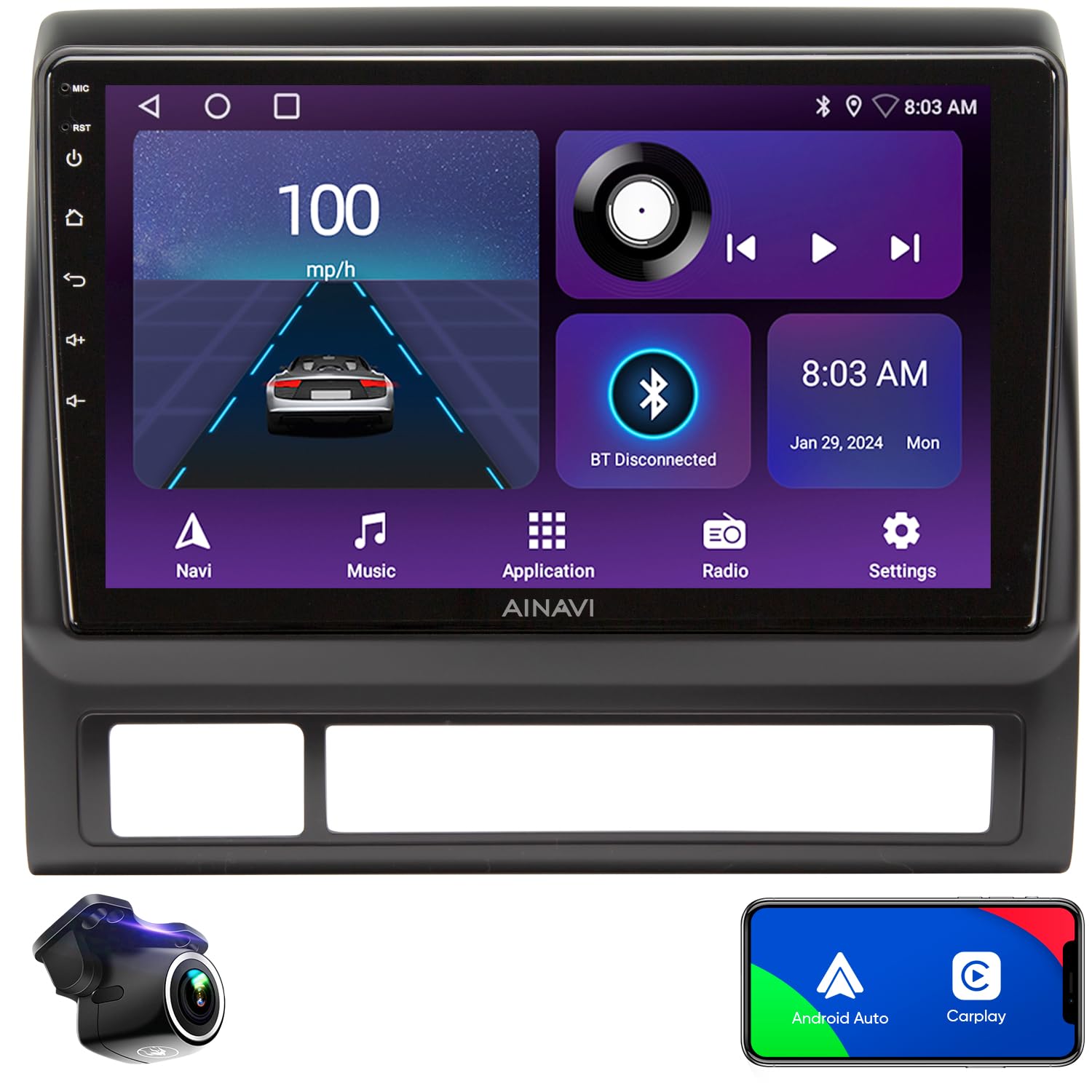
Image: Rearview camera view with parking assistance lines.
Maintenance
To ensure the longevity and optimal performance of your AINAVI car stereo, follow these maintenance guidelines:
- Screen Cleaning: Use a soft, lint-free cloth to gently wipe the QLED touch screen. Avoid abrasive cleaners or harsh chemicals that could damage the display.
- Software Updates: Periodically check for and install software updates to ensure the system runs efficiently and has the latest features and security patches.
- Cable Connections: Ensure all cables are securely connected and free from damage. Loose connections can lead to intermittent functionality.
- Environmental Conditions: Avoid exposing the unit to extreme temperatures or direct sunlight for prolonged periods, as this can affect performance and lifespan.
Troubleshooting
If you encounter issues with your AINAVI car stereo, refer to the following common troubleshooting steps:
- No Power: Check all power connections and ensure the vehicle's battery is properly connected. Verify fuses are intact.
- No Sound: Check speaker connections, volume settings, and equalizer settings. Ensure the audio output mode is correctly configured.
- Touch Screen Unresponsive: Try restarting the unit. If the issue persists, a factory reset might be necessary (note: this will erase personal data).
- GPS Not Accurate: Ensure the GPS antenna is properly installed and has a clear view of the sky. Check 5G WiFi connection for enhanced accuracy.
- CarPlay/Android Auto Connection Issues: Verify Bluetooth is on and paired. For wired connections, ensure the USB cable is functional and securely connected.
- Unit Shuts Down Occasionally: This could indicate a power supply issue or overheating. Ensure proper ventilation around the unit. If persistent, contact technical support.
For further assistance, please contact our professional technical support team.
Specifications
| Feature | Detail |
|---|---|
| Item Weight | 4.4 pounds |
| Package Dimensions | 13.03 x 12.76 x 5.63 inches |
| Display Size | 9 Inches |
| Model Name | RM |
| Vehicle Service Type | Car (Toyota Tacoma 2005-2015) |
| Connectivity Technology | Bluetooth, USB, Wi-Fi, Wireless |
| Map Type | Europe, North America, South America, Worldwide |
| Audio Output Mode | Surround Stereo |
| Mounting Type | Dashboard Mount |
| Special Features | Android Auto, Built-In Bluetooth, Mirroring, Touchscreen, RDS, Split Screen Function, Panel light and Four Themes, USB(4Pin+6Pin), 48EQ (Sound Point Control) + Premium DSP, Highest Level QLED, Equalizer, Wireless CarPlay |
Warranty and Support
Your AINAVI QLED Touch Screen Car Stereo comes with a 12 Months Manufacturer Guarantee. For any installation assistance, technical issues, or warranty claims, please contact our professional technical support team. We are committed to providing prompt assistance.
You can typically find contact information for support on the product packaging, included documentation, or the seller's store page.

Image: Customer Installation Support details, including phone number.