
1. Introduction
Thank you for choosing the LUFTRUM AC400 True HEPA Air Purifier. This manual provides essential information for the safe and efficient operation, maintenance, and troubleshooting of your device. The AC400 is designed to improve indoor air quality in large spaces, effectively removing airborne particles such as dust, pet dander, mold, odors, and pollen.
2. Important Safety Instructions
Please read all instructions carefully before using this appliance to prevent injury or damage. Keep this manual for future reference.
- Always unplug the air purifier before moving, cleaning, or performing any maintenance.
- Do not operate the appliance with a damaged cord or plug. If the cord or plug is damaged, contact customer support.
- Do not use the air purifier in wet or damp environments, such as bathrooms or laundry rooms.
- Keep the air inlet and outlet clear of obstructions. Do not insert fingers or foreign objects into any openings.
- Ensure the filter is properly installed before operation.
- This appliance is for indoor use only.
- Do not use near heat sources, open flames, or flammable gases.
- Supervise children to ensure they do not play with the appliance.
3. Product Overview
The LUFTRUM AC400 is a high-performance air purifier featuring a robust design and advanced filtration technology.
Key Features:
- High CADR: 470 CFM CADR with Turbo Spiral Fan, purifying up to 3,522 sq ft in one hour.
- Triple Filtration System: Captures 99.99% of airborne particles as small as 0.1μm using a pre-filter, H13 HEPA filter, and activated carbon filter.
- Quiet Operation: Operates as low as 28dB for an undisturbed environment.
- Durable Construction: Features an all-metal shell and anti-corrosion metal fan for longevity.
- Certifications: CARB compliant and ETL certified.
Components:
The AC400 includes a main unit, a multi-layer filter, and a power cord. The control knob is located on the top of the unit.

Image: LUFTRUM AC400 Air Purifier in a living room, demonstrating its capacity to purify large spaces (1761 sq ft in 30 min, 3522 sq ft in 60 min) with a CADR of 470 CFM.

Image: LUFTRUM AC400 Air Purifier in a kitchen, illustrating its ability to remove cooking odors and smoke. An inset shows the three-layer filtration system: pre-filter, HEPA filter, and activated carbon filter.
4. Setup
- Unpack the Air Purifier: Carefully remove the unit from its packaging.
- Remove Filter Packaging: Open the filter compartment (typically located on the side or back, secured by a magnetic door). Remove the air filter and unwrap any plastic packaging or cellophane from the filter. Failure to remove the plastic wrap will prevent the unit from functioning correctly and may cause excessive noise.
- Reinstall Filter: Place the unwrapped filter back into the compartment, ensuring it is seated correctly. Close the filter compartment door.
- Position the Unit: Place the air purifier on a firm, level surface. Ensure there is at least 12 inches (30 cm) of space around all sides for optimal airflow.
- Plug In: Connect the power cord to the air purifier and then plug it into a standard electrical outlet.
5. Operating Instructions
The LUFTRUM AC400 features a simple control knob for operation.
- Power On/Off: Rotate the control knob to turn the unit on or off.
- Adjust Fan Speed: The control knob allows you to select one of three fan speeds:
- Low Speed (1): For quiet operation and continuous air purification, ideal for sleeping or quiet environments. Noise level is approximately 28dB.
- Medium Speed (2): For moderate air purification and general daily use.
- High Speed (3): For rapid air purification, such as after cooking or when air quality is poor.
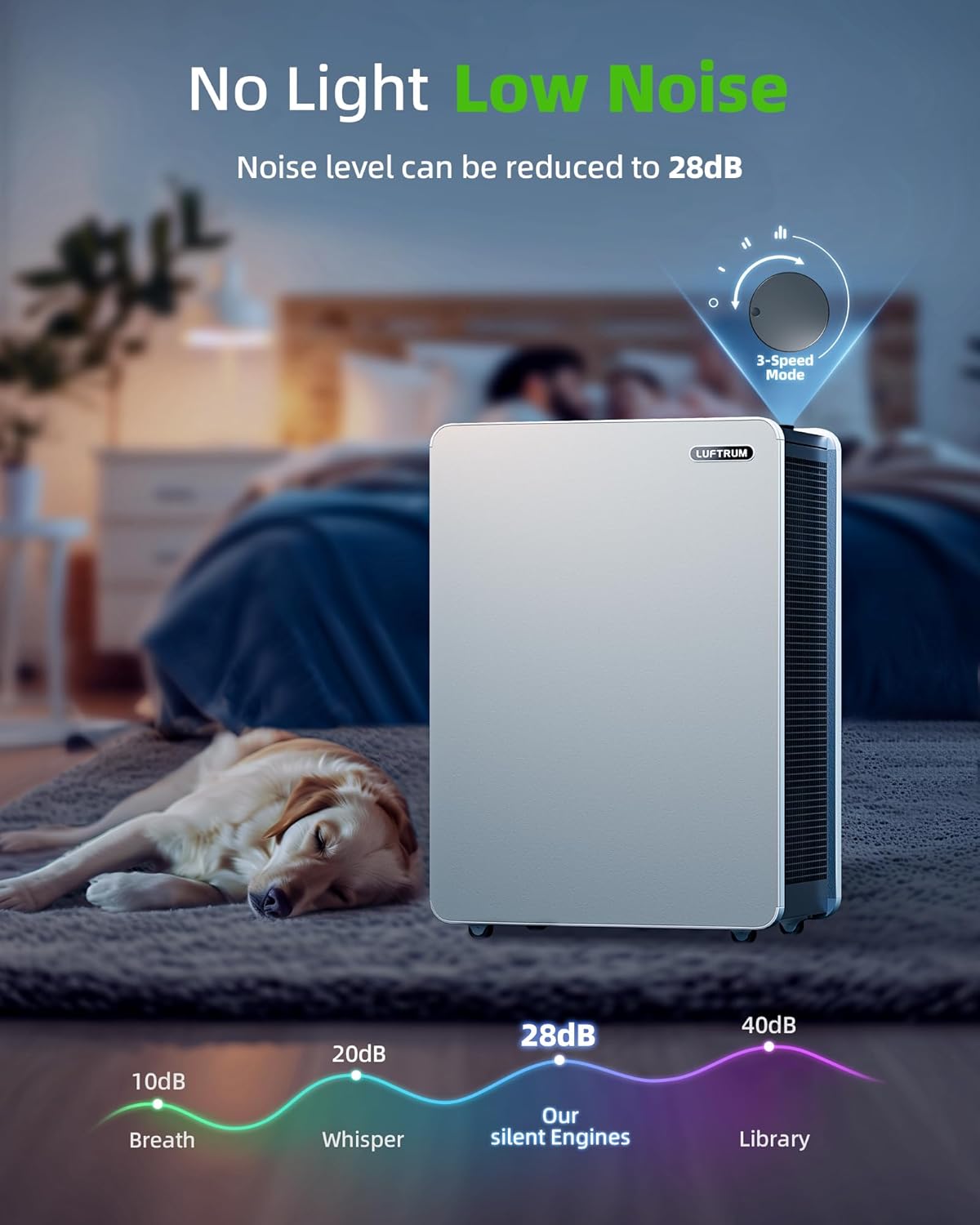
Image: LUFTRUM AC400 Air Purifier operating quietly in a bedroom, highlighting its 3-speed mode and low noise level of 28dB for peaceful sleep.
6. Maintenance
Regular maintenance ensures optimal performance and extends the lifespan of your air purifier.
Filter Replacement:
The multi-layer filter (ASIN: B0BNQ6JGFX) should be replaced every 6-9 months, depending on usage and air quality. For optimal performance, use official LUFTRUM replacement filters. Using non-official filters may reduce performance or damage the purifier, and such damage is not covered under warranty.
- Power Off: Unplug the air purifier from the power outlet.
- Open Filter Compartment: Locate and open the filter compartment door.
- Remove Old Filter: Grasp the pull handle on the old filter and carefully pull it out.
- Install New Filter: Insert the new LUFTRUM AC400 replacement filter (ASIN: B0BNQ6JGFX) into the compartment, ensuring it fits securely.
- Close Compartment: Close the filter compartment door.
- Reset Filter Indicator (if applicable): If your model has a filter reset indicator, follow the instructions in the quick start guide or contact support.
Cleaning:
- Exterior: Wipe the exterior of the air purifier with a soft, dry cloth. Do not use abrasive cleaners or solvents.
- Pre-filter: The pre-filter layer of the multi-layer filter can be gently vacuumed to remove larger dust particles between replacements. Do not wash the HEPA or activated carbon layers.
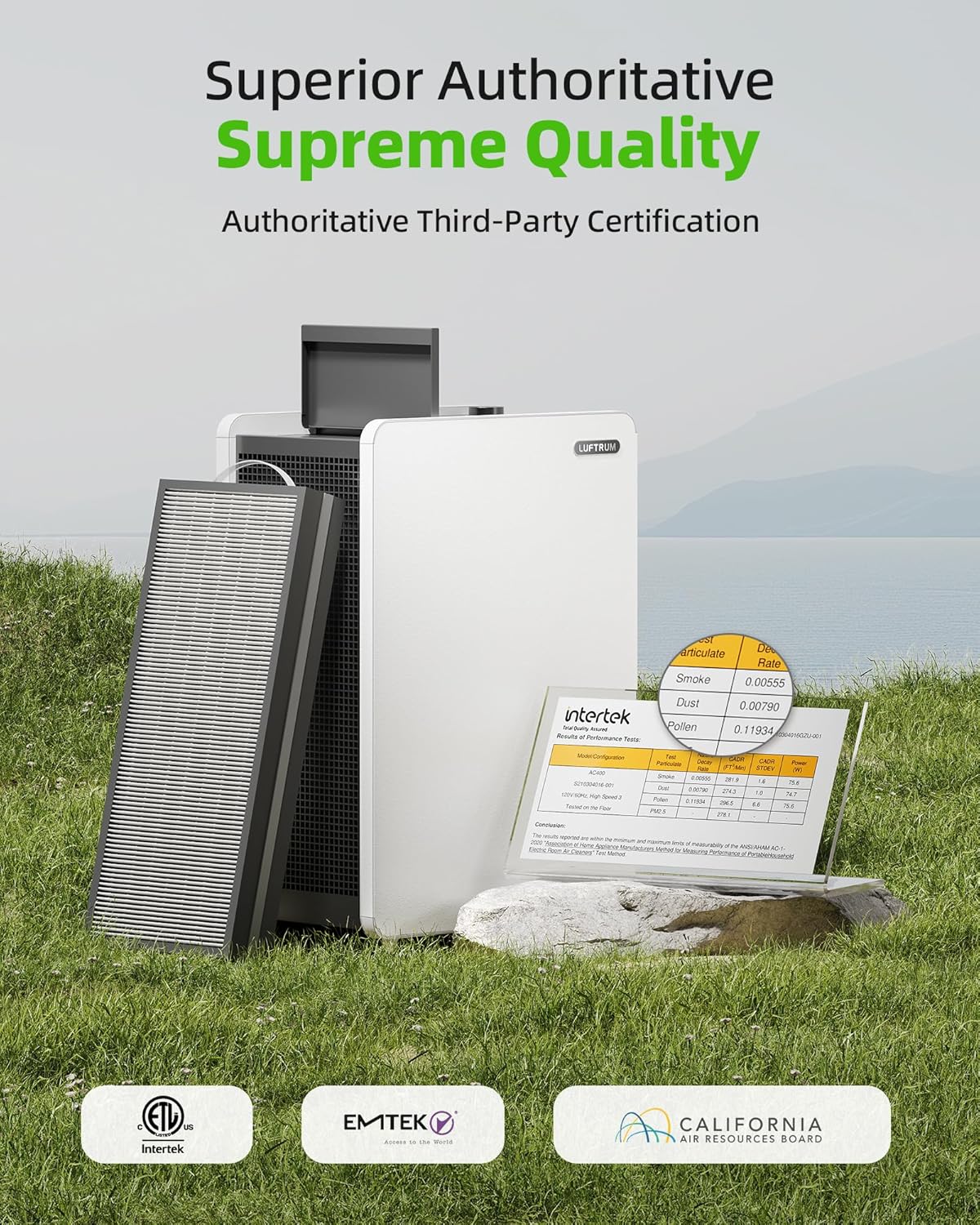
Image: LUFTRUM AC400 Air Purifier with its internal filters displayed, emphasizing the importance of filter maintenance and the product's ETL, EMTEK, and California Air Resources Board (CARB) certifications.
7. Troubleshooting
If you encounter issues with your LUFTRUM AC400, refer to the following common problems and solutions:
| Problem | Possible Cause | Solution |
|---|---|---|
| Unit does not turn on | No power; Power cord not connected | Ensure the power cord is securely plugged into both the unit and a working electrical outlet. |
| Low airflow | Blocked air inlet/outlet; Clogged filter | Check for obstructions around the air inlet and outlet. Replace the filter if it is dirty or past its lifespan. |
| Excessive noise | Filter plastic wrap not removed; Unit not on a level surface; Foreign object inside | Unplug the unit, open the filter compartment, and ensure all plastic packaging has been removed from the filter. Place the unit on a stable, level surface. Check for any foreign objects. |
| Unpleasant odor from unit | New filter odor; Filter needs replacement | A new filter may have a slight odor initially, which should dissipate. If the odor persists or is strong, replace the filter. |
If the problem persists after trying these solutions, please contact LUFTRUM customer support.
8. Specifications
| Specification | Detail |
|---|---|
| Model Number | AC400 |
| Product Dimensions | 22.24"D x 9.87"W x 15.75"H |
| Item Weight | 13 Pounds |
| Power Source | AC |
| Manufacturer | LUFTRUM |
| Color | White |
| Filter Type | True HEPA (H13) with Activated Carbon and Pre-filter |
| CADR | 470 CFM |
| Coverage Area | Up to 3,522 sq ft (1 air change per hour) |

Image: LUFTRUM AC400 Air Purifier highlighting its dimensions (22.24 in x 9.87 in x 15.75 in) and practical design features including rubber casters, an anti-corrosion metal fan, metal round corners, and a metal protection mesh.
9. Warranty and Support
Warranty Information:
The LUFTRUM AC400 Air Purifier comes with a 2-year machine service warranty. Please note that damage resulting from the use of non-official replacement filters is not covered under this warranty.
Return Policy:
A 30-day free return policy is available from the date of purchase.
Customer Support:
For any questions or support needs, please contact LUFTRUM customer service through your Amazon account:
- Login to your Amazon Account.
- Navigate to 'Your Orders'.
- Find the relevant order ID for your LUFTRUM AC400.
- Click on 'Contact Seller'.

