
Introduction
This instruction manual provides comprehensive guidance for installing and operating your LocoLee LED Light Kit, specifically designed to enhance the Lego Minions' Music Party Bus model 75581. Please read all instructions carefully before beginning installation to ensure proper setup and safe use. Note: The Lego model 75581 is not included with this light kit and must be purchased separately.
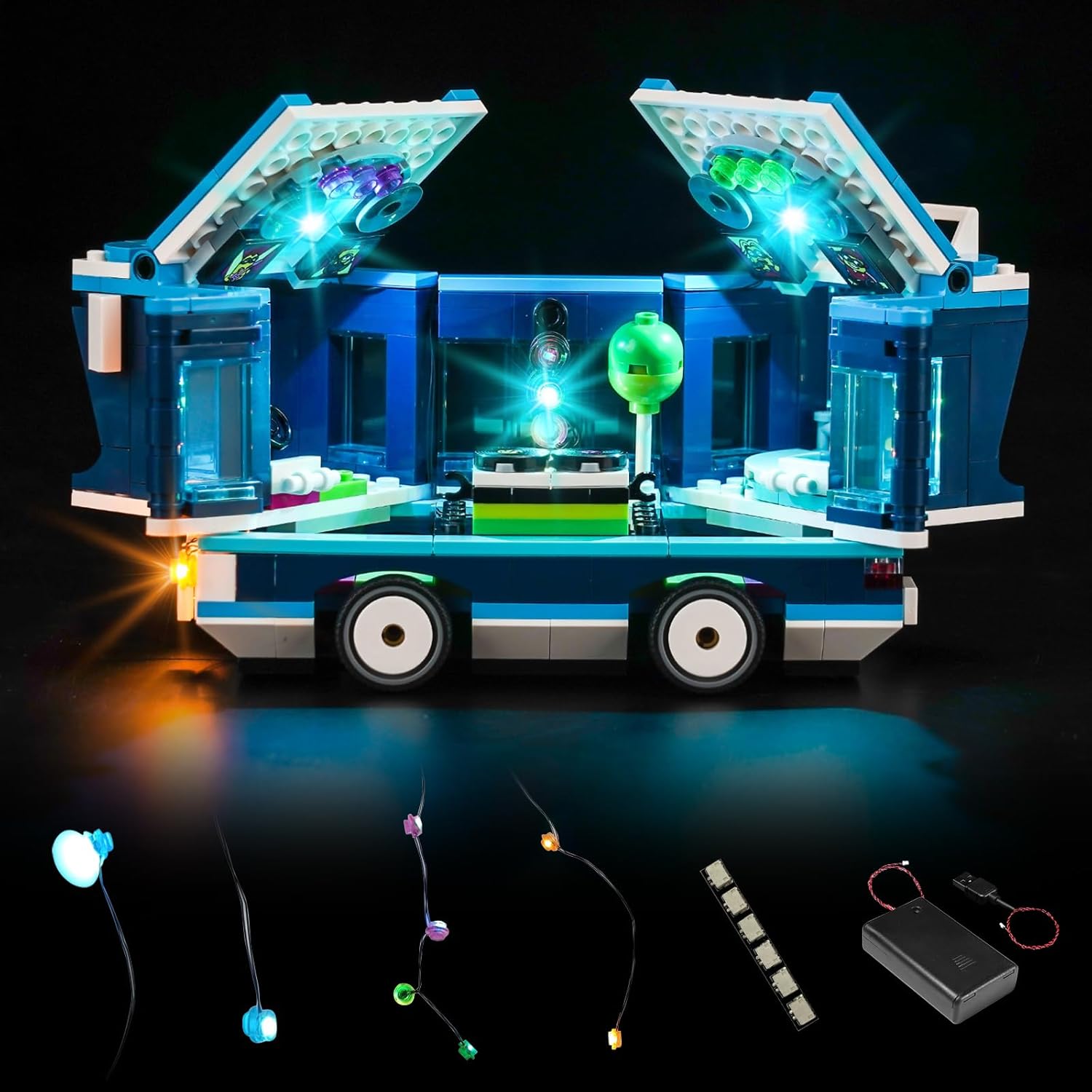
Image: The LocoLee LED Light Kit components displayed alongside the illuminated Lego Minions' Music Party Bus 75581 model, showcasing the lighting effect.

Image: A visual clarification indicating that only the light kit is included, and the Lego model must be purchased separately.
Safety Information
- Keep all small parts and wires out of reach of young children to prevent accidental ingestion or choking hazards.
- Ensure the power source voltage is lower than 1A 5V to prevent damage to the LED components.
- Do not pull or bend the wires excessively during installation, as this may cause damage to the delicate components.
- Always test the light kit components before full installation to confirm they are working correctly.
- This product is intended for indoor use only.
Package Contents
Your LocoLee LED Light Kit package includes the following items:
- LED Light Kit components (various lights and connecting wires)
- Instruction Manual (this document)
- 1 x 6-Port Expansion Board
- 1 x Power Supply (Battery Box or USB Power Cable)
- Additional accessories as required for specific lighting points.

Image: A visual representation of all components included in the light kit package.
Setup and Installation
Follow these steps to install your LED light kit. Patience is key, as the components are small and delicate.
- Prepare the Lego Model: Ensure your Lego Minions' Music Party Bus 75581 model is fully assembled and ready for lighting integration.
- Test Components: Before integrating into the model, connect each light component to the power supply (battery box or USB) and the expansion board to ensure all lights function correctly. If any component does not light up, contact customer support for a replacement.
- Access Online Instructions: For detailed, step-by-step photo and video tutorials, please refer to the website printed in the booklet included in your package. You will need to enter the model number (75581) or the code behind the packing box to access the specific guide for your kit.
- Integrate Lights: Carefully follow the online instructions to integrate the LED lights into your Lego model. The instructions will guide you on where to place each light and how to route the wires discreetly. Avoid excessive pulling or bending of wires.
- Connect to Expansion Board: Connect the individual light wires to the 6-port expansion board. Ensure connections are secure.
- Connect Power Supply: Connect the expansion board to your chosen power source.
- Battery Box: Insert the required batteries (not included) into the battery box.
- USB Power: Connect the USB cable to a USB power adapter (not included). For optimal brightness, USB power is recommended. Ensure the voltage is below 1A 5V.
- Final Test: Once all components are installed and connected, power on the kit to verify all lights are working as intended.

Image: Guide on how to access the detailed online installation instructions.
Video: An official product video demonstrating the illuminated Lego Minions' Music Party Bus 75581 with the LocoLee LED Light Kit installed, showcasing the dynamic lighting effects.
Operating Instructions
Once installed, operating your LocoLee LED Light Kit is straightforward:
- Power On: If using the battery box, ensure batteries are correctly inserted and switch the power button to the "ON" position. If using USB, connect the USB cable to a powered USB port.
- Power Off: To turn off the lights, switch the battery box power button to "OFF" or disconnect the USB power cable.
Maintenance
- Cleaning: Use a soft, dry cloth to gently wipe dust from the LED lights and wires. Avoid using liquids or abrasive cleaners.
- Storage: If storing the model for an extended period, remove batteries from the battery box to prevent leakage.
- Handling: Always handle the illuminated model with care to avoid dislodging wires or damaging LED components.
Troubleshooting
| Problem | Possible Cause | Solution |
|---|---|---|
| Lights do not turn on. |
|
|
| Lights are dim or flickering. |
|
|
| Individual lights not working. |
|
|
Specifications
- Brand: LocoLee
- Model Compatibility: Lego Minions' Music Party Bus 75581
- Light Source Type: LED
- Power Source: Battery Powered (batteries not included) or USB (cable included, adapter not included)
- Recommended Voltage: Less than 1A 5V
- Material: Plastic, Electronic Components
- Indoor/Outdoor Usage: Indoor
- Special Feature: Glow in the Dark (effect)
Warranty and Support
LocoLee is committed to providing high-quality products and excellent customer service. If you encounter any issues with your LED Light Kit, including missing or damaged parts, or require assistance with installation, please do not hesitate to contact our customer support team. We will arrange for parts replacement or provide further guidance to ensure your satisfaction.
Please refer to the contact information provided in your product packaging or on the official LocoLee website for support.