
ANCEL AD310 Pro
ANCEL AD310 Pro User Manual
Comprehensive Guide for Your OBD2 Scanner and Battery Tester
Introduction
The ANCEL AD310 Pro is a versatile 3-in-1 diagnostic tool designed for automotive enthusiasts and professionals. It combines the functionalities of an OBD2 scanner, a car battery tester, and a Bluetooth OBD2 reader. This device provides lightning-fast solutions for vehicle diagnostics, including checking engine fault codes, performing comprehensive battery tests, and offering advanced features through its dedicated mobile application. It is compatible with a wide range of 12V and 24V vehicle systems, ensuring accurate and efficient troubleshooting.
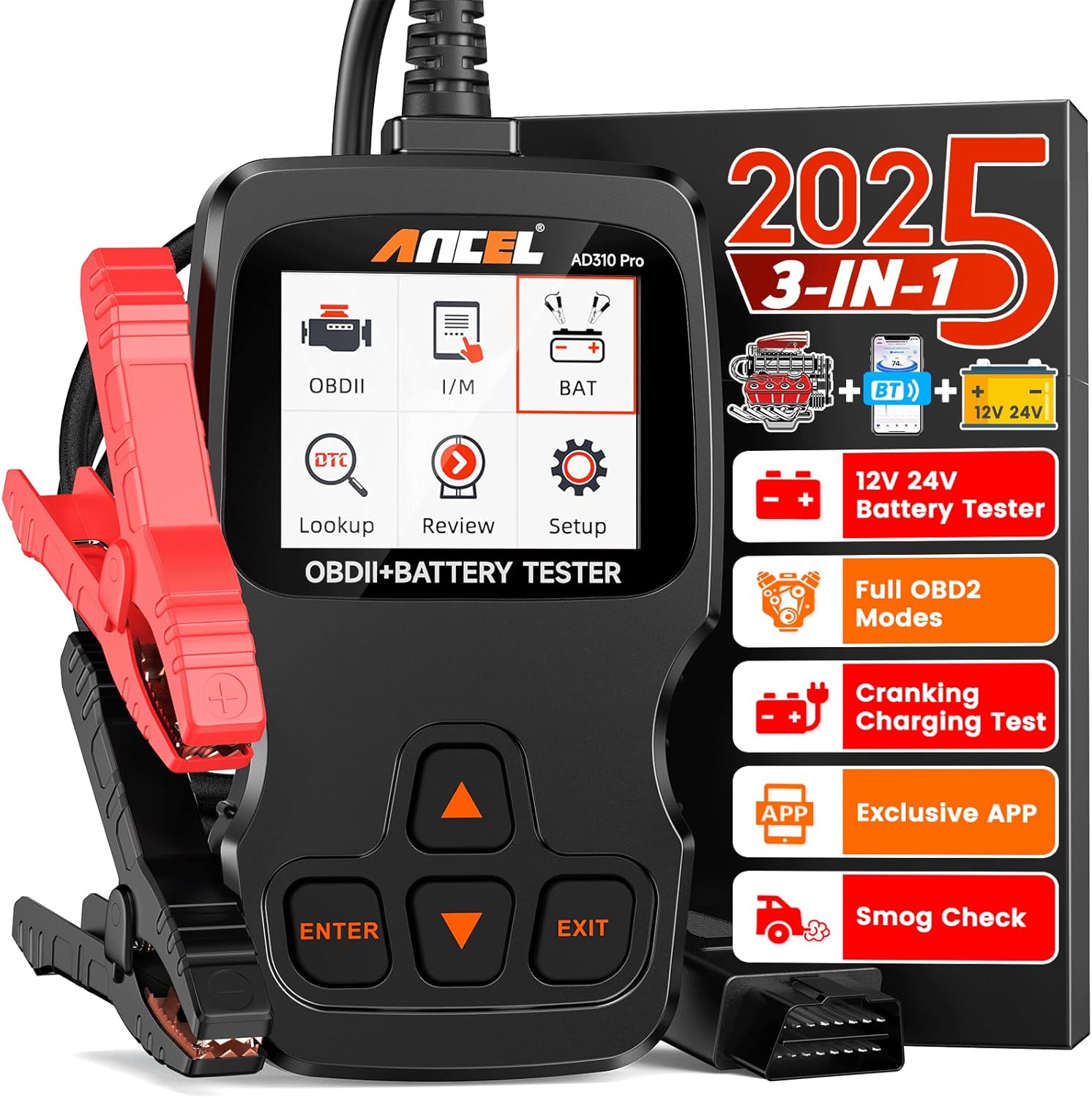
Figure 1: ANCEL AD310 Pro Diagnostic Tool with included accessories.
Setup
What's in the Box
Upon unboxing your ANCEL AD310 Pro, verify that all components are present:
- 1 x AD310 PRO OBD2 Scanner
- 1 x Battery Clamp Cable
- 1 x USB - Type C Cable
- 1 x User Manual
- 1 x Dustproof Bag

Figure 2: All items included in the ANCEL AD310 Pro package.
Connecting to Vehicle (OBD2 Mode)
To use the AD310 Pro as an OBD2 scanner, locate your vehicle's Diagnostic Link Connector (DLC) port. This port is typically found under the dashboard on the driver's side. Plug the scanner's OBD2 connector firmly into the vehicle's DLC port. The device will power on automatically once connected.
Video 1: Demonstration of connecting the ANCEL AD310 Pro to a vehicle's OBD2 port.
Connecting for Battery Test
For battery testing, attach the provided Battery Clamp Cable to the AD310 Pro. Connect the red clamp to the positive (+) terminal of the 12V/24V battery and the black clamp to the negative (-) terminal. Ensure a secure connection for accurate readings. The device will draw power directly from the battery for testing.
Video 2: Guide on connecting the ANCEL AD310 Pro for a battery health test.
Bluetooth Setup (App Control)
The AD310 Pro supports Bluetooth connectivity for enhanced features via the ANCEL app. Download the free ANCEL app from your smartphone's app store. Once installed, enable Bluetooth on your phone. The app will automatically detect and pair with the AD310 Pro when it's connected to a power source (either via OBD2 port or battery clamps). For Android, ensure Location services are also enabled. For iOS 13+, enable Bluetooth in Privacy Settings.
Operating the ANCEL AD310 Pro
Basic Navigation
The AD310 Pro features intuitive buttons for navigation:
- ENTER: Confirms selection or enters a menu.
- EXIT: Returns to the previous screen or exits a function.
- UP/DOWN Arrows: Navigate through menu options.
OBD2 Diagnostic Functions
After connecting the scanner to your vehicle's DLC port and turning on the ignition (engine off or running, depending on the test), select "OBDII" from the main menu to access diagnostic functions:
- Read Codes: Displays Diagnostic Trouble Codes (DTCs) stored in the vehicle's computer.
- Clear Codes: Erases DTCs from the vehicle's computer. This will turn off the Check Engine Light (MIL).
- Live Data Stream: Shows real-time data parameters from the vehicle's sensors in text or graphical format. This is useful for monitoring engine performance.
- I/M Readiness: Checks the status of emission-related monitoring systems to ensure the vehicle is ready for a smog check.
- Freeze Frame: Captures a snapshot of vehicle operating conditions at the moment a fault code is set.
- O2 Sensor Test: Retrieves O2 sensor monitoring test results.
- EVAP System Test: Initiates a test of the evaporative emission control system.
- DTC Lookup: Provides definitions and possible causes for specific DTCs.
Video 3: Demonstration of the Live Data Stream function, showing real-time vehicle parameters.
Battery Test Functions
Select "BAT" from the main menu to perform battery-related tests:
- Battery Test: Analyzes the overall health of the battery, including voltage, internal resistance, and Cold Cranking Amps (CCA).
- Cranking Test: Evaluates the battery's ability to start the engine by measuring voltage drop during cranking.
- Charging Test: Checks the vehicle's charging system (alternator) to ensure it is properly charging the battery.
Video 4: Demonstration of the Cranking Test to assess battery performance during engine start.
Video 5: Demonstration of the Charging Test to verify the vehicle's charging system.
App-Controlled Features (Bluetooth Mode)
When connected via Bluetooth to the ANCEL app, additional features become available:
- Performance Test: Measures vehicle acceleration, braking, and distance.
- Trip Analysis: Provides detailed information about your driving trips, including start/end times, idle time, and temperature.
- Customizable Dashboard: Allows you to create a personalized display of real-time vehicle data.
Maintenance
To ensure the longevity and optimal performance of your ANCEL AD310 Pro:
- Cleaning: Wipe the device with a soft, dry cloth. Avoid using abrasive cleaners or solvents.
- Storage: Store the scanner in its provided dustproof bag when not in use to protect it from dust and damage. Keep it in a cool, dry place.
- Software Updates: The ANCEL app offers permanent free cloud database updates. Regularly check for and install updates to ensure compatibility with new vehicle models and improved diagnostic capabilities. Connect the device to a computer via the USB-C cable for firmware updates if prompted by the app or manual.
Troubleshooting
If you encounter issues with your ANCEL AD310 Pro, consider the following:
- No Power/Display: Ensure the OBD2 connector or battery clamps are securely connected. The device draws power directly from the vehicle/battery.
- Connection Errors: Verify that the vehicle's ignition is on (or engine running for certain tests). Check the integrity of the cables and connectors.
- Inaccurate Readings: Double-check that Bluetooth is enabled on your smartphone and that the ANCEL app has necessary permissions (Location for Android, Bluetooth in Privacy Settings for iOS 13+).
- Unfamiliar Codes: Use the "DTC Lookup" function on the device or within the app for detailed explanations of diagnostic trouble codes.
For persistent issues, refer to the detailed user manual or contact ANCEL customer support.
Specifications
- Model: AD310 Pro
- Dimensions: 3.04 x 1.02 x 5.36 inches
- Item Weight: 8.3 ounces
- Operating System: Linux
- Display: 2.4-inch HD screen
- Supported Languages: English, Spanish, French, German, etc. (Multi-language support)
- Battery Compatibility: 12V/24V systems
- Connectivity: Wired (OBD2), Bluetooth
Warranty
Specific warranty details for the ANCEL AD310 Pro should be obtained directly from the manufacturer or the point of purchase. Please refer to the official ANCEL website or contact their customer service for comprehensive warranty information and terms.
Support
For any questions, technical assistance, or support regarding your ANCEL AD310 Pro, ANCEL provides 24/7 expert support. You can typically find contact information (email, phone, or online chat) on the official ANCEL website or within the user manual provided with your device.
Related documentsAD310 Pro


Ask a question about this manual
Ask about setup, troubleshooting, compatibility, parts, safety, or missing instructions. Manuals+ will review the question and use this page’s manual context to help answer it.