
1. Introduction
Thank you for choosing the YONHAN 10/25Amp LiFePO4 Car Battery Charger. This intelligent charger is designed to provide efficient and safe charging for a wide range of 12V and 24V batteries, including lead-acid (AGM, GEL, SLA, Deep Cycle) and LiFePO4 types. It features advanced charging stages, a dedicated repair mode, and a booster function to ensure optimal battery performance and longevity. Please read this manual thoroughly before use to ensure proper operation and safety.
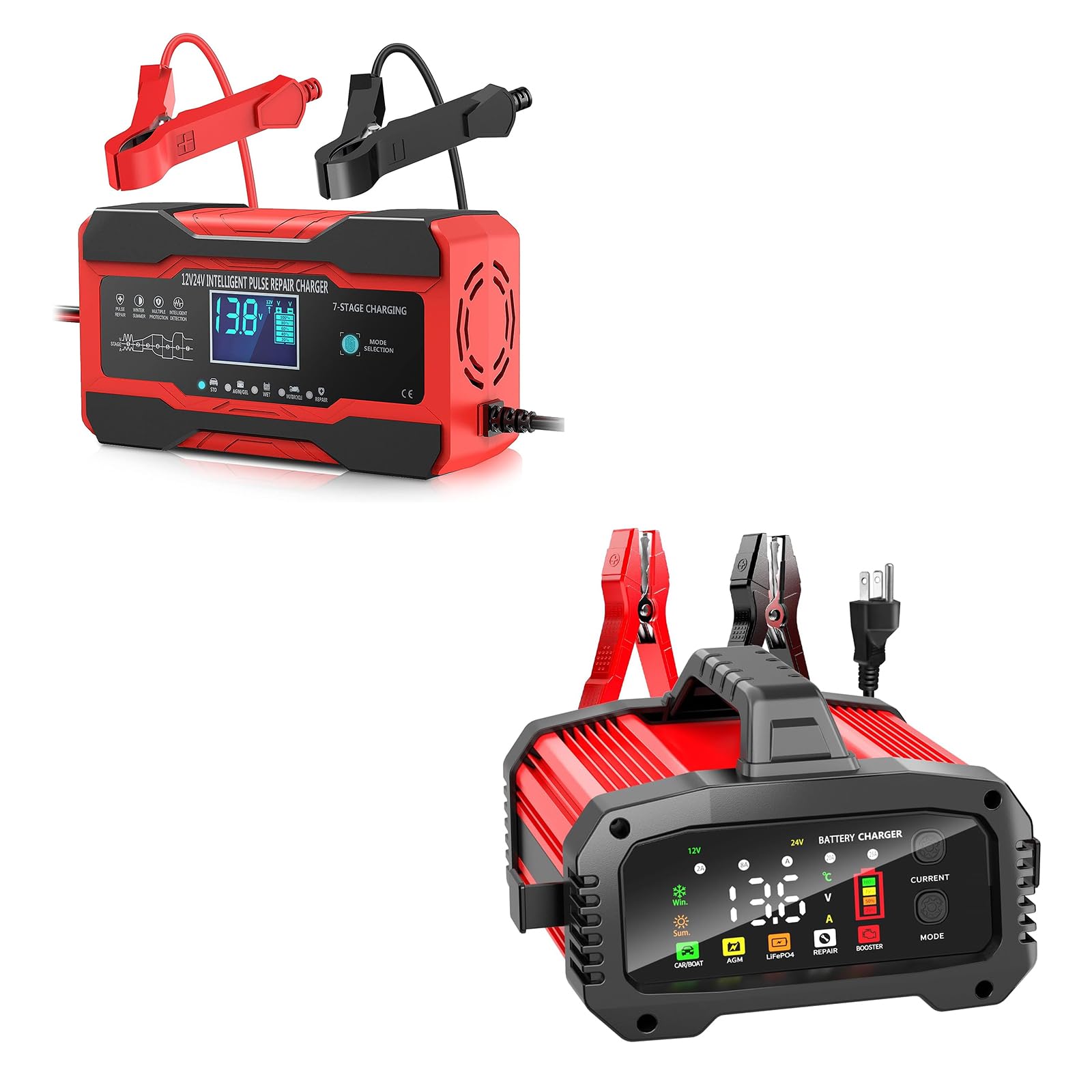
Image 1.1: The YONHAN 10/25Amp LiFePO4 Car Battery Charger in use, connected to a vehicle battery.
2. Safety Information
Always prioritize safety when working with batteries and electrical equipment. Failure to follow these instructions may result in electric shock, fire, or serious injury.
- Read all instructions before using the charger.
- Ensure the charger is connected to a grounded power outlet.
- Do not charge frozen or damaged batteries.
- Wear eye protection and gloves when working with batteries.
- Ensure adequate ventilation during charging to prevent gas buildup.
- Keep the charger away from flammable materials.
- Do not expose the charger to rain or excessive moisture.
- Disconnect the power supply before making or breaking connections to the battery.
- This charger is not suitable for charging batteries below 0.3V or severely damaged batteries.
3. Product Features
- Universal Compatibility: Automatically detects 12V/24V systems and is compatible with all lead-acid batteries (AGM, GEL, SLA, Deep Cycle) and LiFePO4 batteries.
- Advanced 8-Stage Charging Process: Optimizes charging for efficiency and battery health.
- Battery Repair & Activation: Features a dedicated Repair Mode (up to 16 hours) using low-frequency pulse repair technology to help recover old, idle, or sulfated batteries and extend their lifespan.
- Clear LCD Display: Provides real-time information on voltage, current, battery type, charging status, and temperature.
- Portable Design: Compact with foldable cable clips for organized storage and easy transport.
- Temperature Adaptive Charging: Includes Winter and Summer modes to adjust charging parameters based on ambient temperature, preventing overcharge or undercharge.
- Comprehensive Safety Features: Built-in protections against reverse polarity, overcharge, short circuit, over-current, over-voltage, and overheating.
- Booster Mode: Provides a temporary current boost for starting vehicles with low batteries (12V batteries only).
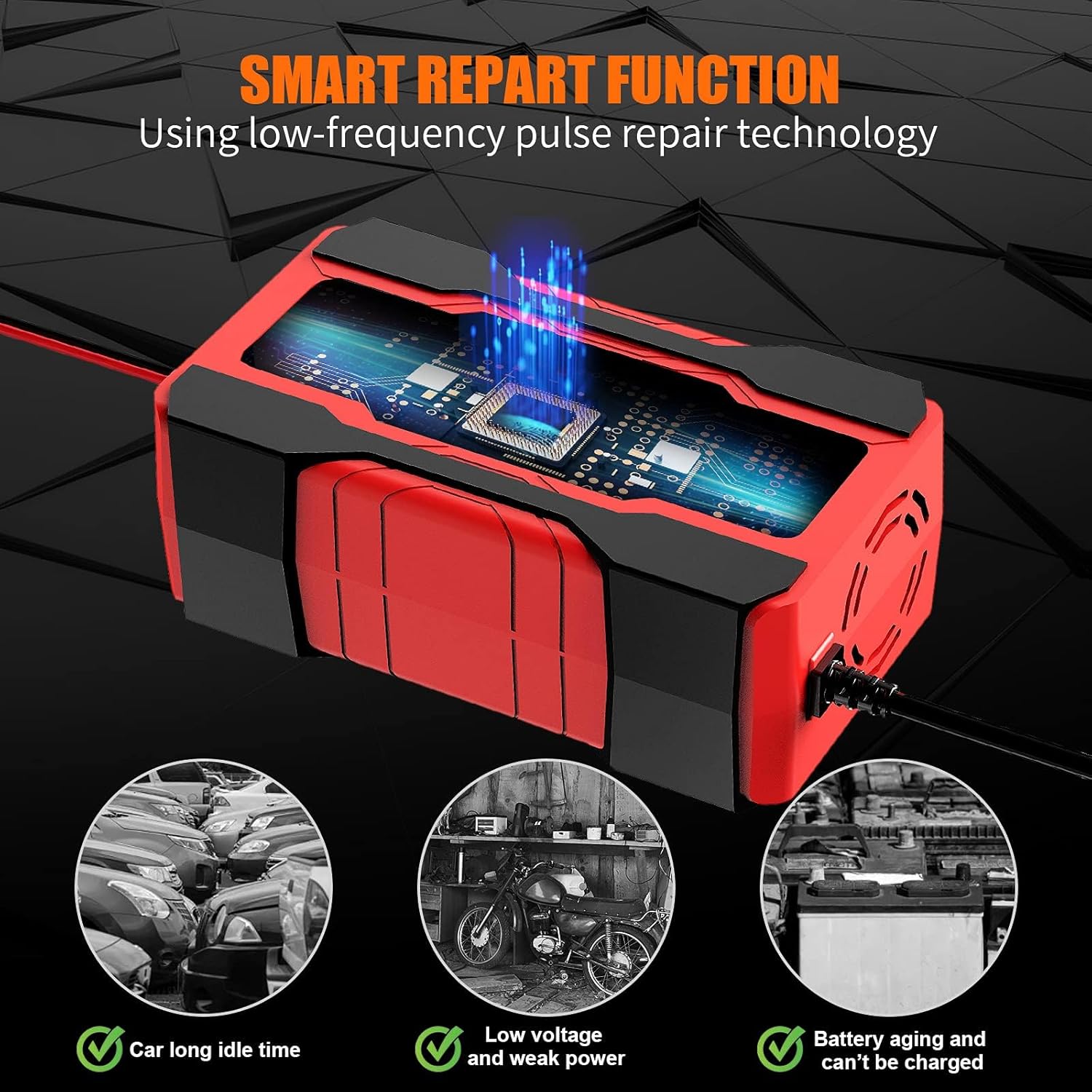
Image 3.1: Illustration of the Smart Repair Function, designed to address issues like long idle times, low voltage, and battery aging.
4. Setup
- Inspect the Charger: Before first use, check the charger and cables for any signs of damage. Do not use if damaged.
- Prepare the Battery: Ensure the battery terminals are clean and free of corrosion. If necessary, clean them with a wire brush.
- Connect the Clamps:
- Connect the RED (+) positive clamp to the positive battery terminal.
- Connect the BLACK (-) negative clamp to the negative battery terminal.
- For vehicle batteries, if connecting to the chassis, connect the negative clamp to a heavy gauge metal part of the chassis away from the battery and fuel line.
Ensure a firm and secure connection. Loose connections can lead to poor charging or sparking.
- Connect to Power: Plug the charger's AC power cord into a standard electrical outlet. The charger will power on and display the current battery status.

Image 4.1: The YONHAN charger demonstrating its ability to connect to both 12V and 24V battery systems.
5. Operating Instructions
5.1 Mode Selection
After connecting the charger to the battery and power, use the 'MODE' button to select the appropriate charging program. The charger automatically detects 12V or 24V systems. Available modes include:
- CAR/BOAT: Standard charging for automotive and marine lead-acid batteries.
- AGM: Optimized charging for AGM batteries.
- LiFePO4: Specific charging profile for Lithium Iron Phosphate batteries.
- REPAIR: Pulse repair mode for sulfated or idle batteries.
- BOOSTER: Quick start assistance for 12V batteries.

Image 5.1: The charger's interface highlighting the touch button for precise mode switching.
5.2 Charging Process
Once a mode is selected, the charger will begin its 8-stage charging process. The LCD display will show real-time charging information.

Image 5.2: Overview of charge current options and compatible battery sizes for various modes.
5.3 Booster Mode (12V Batteries Only)
When the 'Booster' mode is selected, the charging current will reach its maximum value for 200 seconds. After this period, the display will show "On", indicating that the vehicle can now be started. This function is exclusively for 12V batteries.
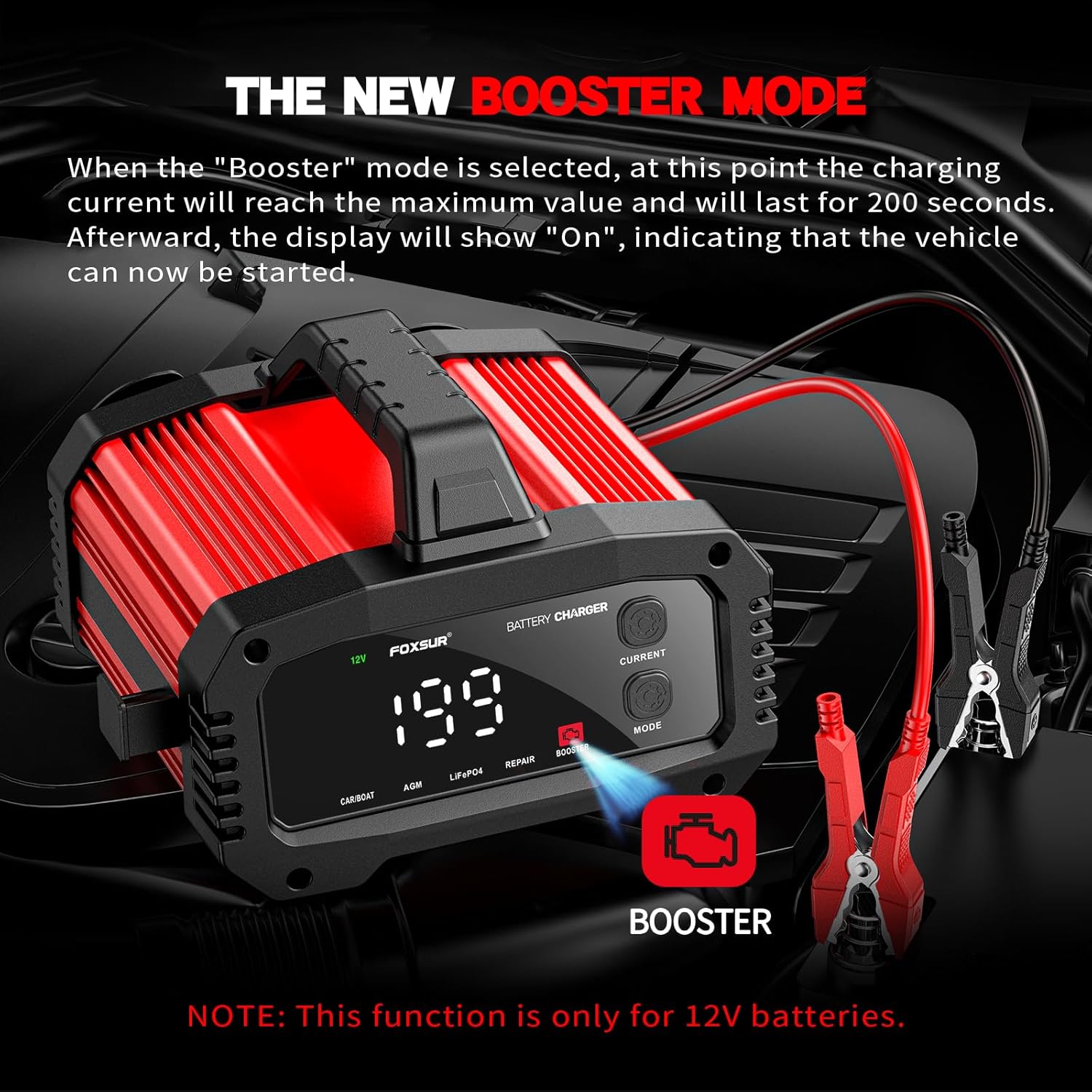
Image 5.3: The Booster Mode in action, providing a temporary power surge for vehicle starting.
5.4 Temperature Adaptive Charging
The charger features an integrated digital thermal sensor that detects ambient temperature and adjusts charging voltage accordingly. This ensures optimal charging performance in varying climates.
- Summer Mode: When the temperature is above +28°C, the charge voltage is reduced.
- Winter Mode: When the temperature is below +10°C, the charge voltage is raised.
Note: This feature is primarily for CAR mode.

Image 5.4: Visual representation of the charger's temperature adaptive function, adjusting for summer and winter conditions.
5.5 LCD Display Information
The LCD screen provides critical information during operation:
- Charge Voltage: Displays the current voltage.
- Charge Current: Shows the charging amperage.
- Temperature: Indicates the ambient temperature.
- Finish: Appears when charging is complete.
- Repair Mode: Indicates the repair process is active.
- Misconnection: Alerts to incorrect battery clamp connection.
- Battery Level Icon: Shows approximate battery charge (25%, 50%, 75%, 100%).
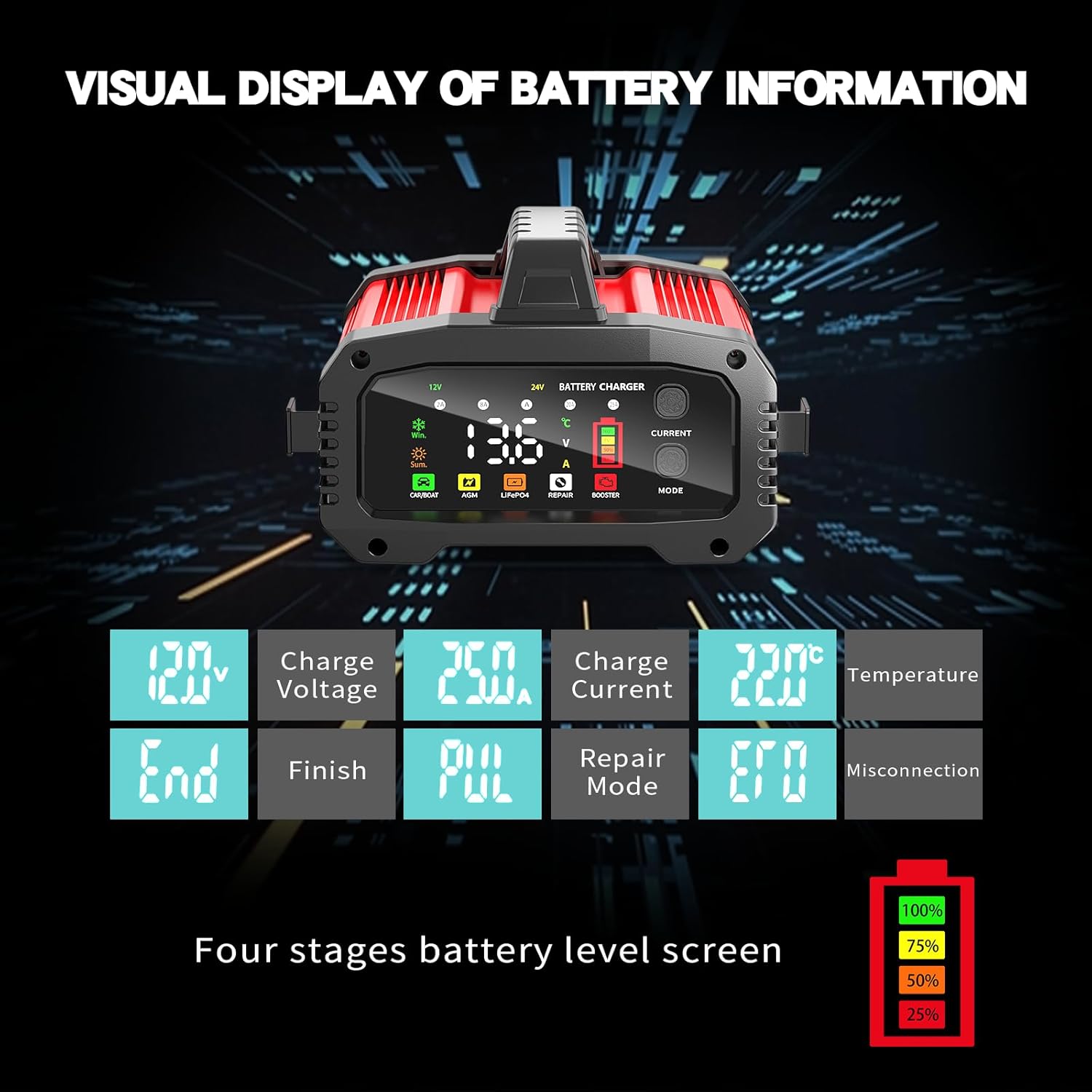
Image 5.5: Detailed view of the charger's visual display for battery information.
6. Maintenance
- Cleaning: Disconnect the charger from power and battery before cleaning. Wipe the exterior with a soft, dry cloth. Do not use harsh chemicals or abrasives.
- Cable Care: Regularly inspect charging cables and clamps for damage. Replace if frayed or broken. Use the foldable cable clips for neat storage.
- Storage: Store the charger in a cool, dry place when not in use. Avoid extreme temperatures and direct sunlight.
- Battery Terminals: Keep battery terminals clean to ensure efficient charging.
7. Troubleshooting
- Charger Not Powering On:
- Ensure the power cord is securely plugged into a working electrical outlet.
- Check for tripped circuit breakers or blown fuses in the power supply.
- Charger Not Charging / "Misconnection" Error:
- Verify that the battery clamps are correctly and firmly connected to the battery terminals (Red to +, Black to -).
- Clean dirty or corroded battery terminals.
- Ensure the battery voltage is above 0.3V. This charger cannot charge batteries below 0.3V or severely damaged batteries.
- Battery Not Holding Charge After Repair Mode:
- The Repair Mode is designed to help recover old or sulfated batteries, but it cannot restore fully dead or internally damaged batteries.
- If the battery still does not hold a charge, it may need replacement.
- Charger Overheating:
- Ensure the charger is in a well-ventilated area.
- Check for any obstructions to the charger's cooling vents.
8. Specifications
| Specification | Value |
|---|---|
| Brand | YONHAN |
| Output Voltage | 12V / 24V (DC) |
| Input Voltage | 24 Volts (AC, for charger operation) |
| Current Rating | 10 Amp / 25 Amp (selectable) |
| Battery Types | LiFePO4, Lead-Acid (AGM, GEL, SLA, Deep Cycle) |
| Charging Stages | 8-Stage Automatic |
| Repair Mode Duration | Up to 16 hours |
| Safety Certifications | CE, FCC |
| Color | Red |
9. Warranty and Support
YONHAN products are manufactured to high-quality standards. For warranty information or technical support, please refer to the warranty card included with your product or contact YONHAN customer service through the retailer where the product was purchased. Please have your product model number and purchase date available when contacting support.
For further assistance, you may visit the official YONHAN store online or contact their customer service department.