
1. Introduction and Overview
The Digitek DWM-111 is a versatile 4-in-1 wireless microphone system designed for high-quality audio capture. It includes four transmitters and one receiver, making it suitable for various recording scenarios. This system utilizes 2.4GHz wireless technology to provide reliable, interference-free transmission up to 50 meters. Its 360-degree ultra voice capture ensures comprehensive audio recording from all directions, delivering clear and immersive sound.
Key features include plug & play auto pairing for simplified setup, a built-in DSP chip for effective noise reduction, and universal compatibility with a wide range of devices such as DSLR cameras, camcorders, smartphones, laptops, tablets, and PCs. The DWM-111 is ideal for vlogging, video shoots, meetings, interviews, and other multimedia activities requiring professional-quality audio.
2. What's in the Box
Please verify that all components are present in your package:
- Transmitter (TX) x 4
- Receiver (RX) x 1
- Monitor Earphone x 1
- Type-C Cable x 1
- Wind Muff x 4
- Lightning Cable x 1
- DSLR Cable x 1
- One with Two Cable (likely a Y-splitter or dual charging cable) x 1

Image: The contents of the Digitek DWM-111 package, including four transmitters, one receiver, monitor earphone, Type-C cable, wind muffs, Lightning cable, DSLR cable, and a 'one with two' cable.
3. Setup Instructions
The Digitek DWM-111 system features plug & play auto pairing, simplifying the setup process. No additional software or complex configuration is required.
3.1 Device Compatibility
The system is universally compatible with a variety of devices:
- DSLR Cameras
- Camcorders
- Smartphones (iOS via Lightning cable, Android via Type-C cable)
- Laptops
- Tablets
- PCs

Image: The Digitek DWM-111 system, showing its compatibility with various devices such as DSLR cameras, smartphones, tablets, camcorders, amplifiers, and mixers.
3.2 Initial Pairing
- Charge Devices: Ensure both transmitters and the receiver are fully charged using the provided Type-C cable.
- Power On: Turn on all transmitters and the receiver. They should automatically attempt to pair.
- Connect Receiver: Connect the receiver to your recording device (DSLR, smartphone, laptop, etc.) using the appropriate cable (DSLR cable, Lightning cable, or Type-C cable).
- Verify Connection: A successful connection is typically indicated by a solid light on both the transmitter(s) and receiver.
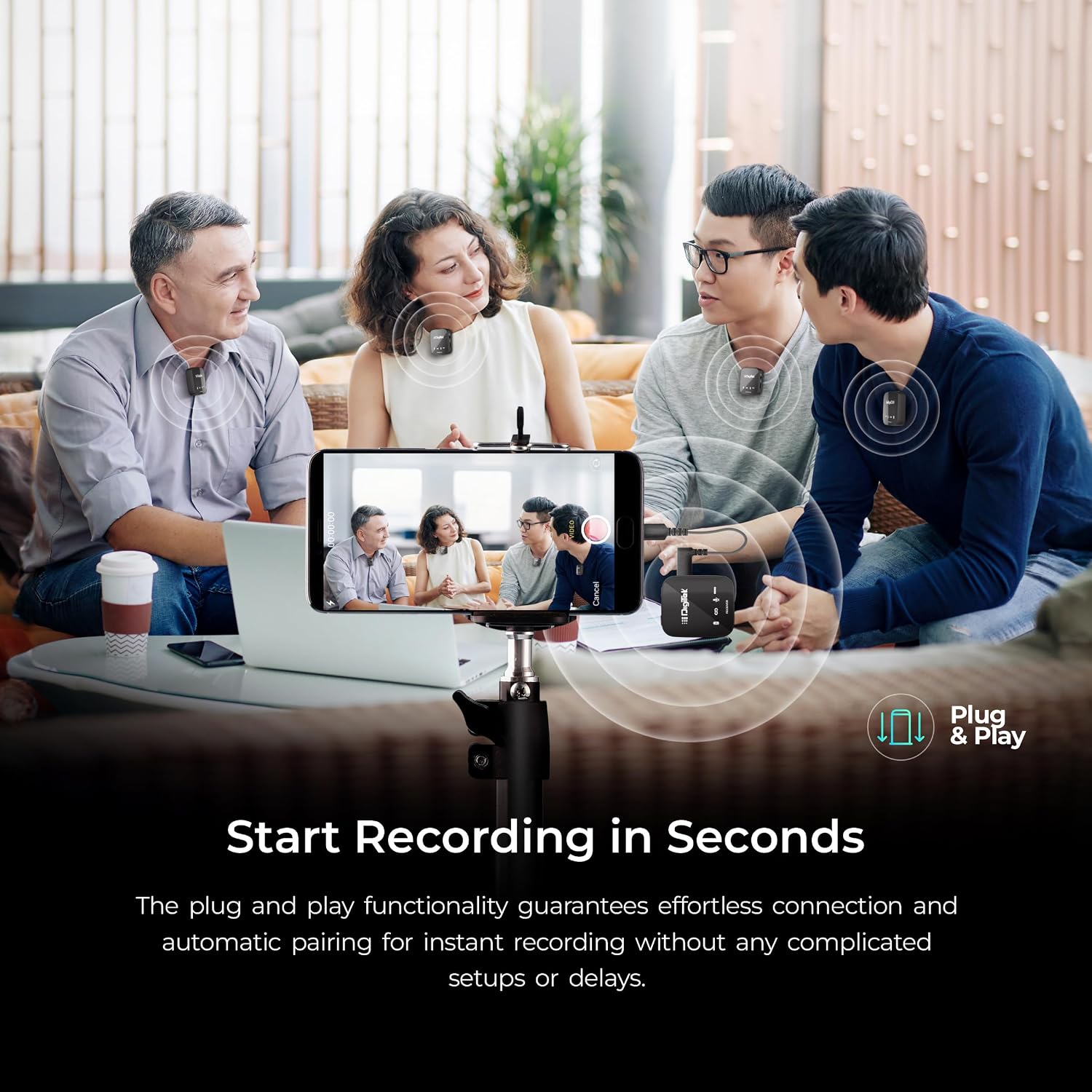
Image: Individuals wearing Digitek DWM-111 transmitters while recording, demonstrating the plug-and-play functionality with a smartphone setup.
4. Operating Instructions
4.1 Audio Capture
The DWM-111 features 360-degree ultra voice capture, ensuring that audio is recorded comprehensively from all directions. This provides clear and immersive sound for your recordings.

Image: A visual representation of the Digitek DWM-111's 360-degree audio capture capabilities, emphasizing noise filtering and full-frequency sound.
4.2 Wireless Transmission
The system operates on 2.4GHz wireless technology, providing a stable and interference-free connection. You can capture high-quality audio from up to 50 meters away, offering flexibility and freedom during recording.

Image: A visual representation highlighting the 50-meter wireless range of the Digitek DWM-111 microphone system.
4.3 Noise Reduction
A built-in DSP (Digital Signal Processing) chip actively filters out background noise, ensuring pristine audio quality and crystal-clear voice recordings.
4.4 Real-Time Monitoring
Connect the monitor earphone to the receiver to enable real-time audio monitoring during filming. This allows for immediate sound checks and adjustments, ensuring flawless recording. The Type-C interface on the receiver facilitates easy connectivity for accurate control.

Image: A setup showing a smartphone connected to the Digitek DWM-111 receiver, demonstrating real-time audio monitoring during a recording session.
4.5 Battery Life
The integrated Li-Polymer battery provides extended operation times:
- Transmitter (TX) Run Time: Over 11 hours
- Receiver (RX) Run Time: Over 5.5 hours

Image: An illustration detailing the battery life of the Digitek DWM-111, showing 5.5 hours for the receiver and 11 hours for the transmitter.
5. Maintenance
To ensure the longevity and optimal performance of your Digitek DWM-111 microphone system, follow these maintenance guidelines:
- Cleaning: Use a soft, dry cloth to clean the exterior of the transmitters and receiver. Avoid using liquid cleaners or solvents, as they may damage the device.
- Storage: Store the microphone system in a cool, dry place away from direct sunlight, extreme temperatures, and high humidity. When not in use for extended periods, store it in its original packaging or a protective case.
- Battery Care: For optimal battery health, avoid fully discharging the devices frequently. If storing for a long time, charge the batteries to about 50-70% every few months.
- Wind Muffs: Regularly clean or replace the wind muffs to maintain effective wind noise reduction.
6. Troubleshooting
If you encounter issues with your Digitek DWM-111 system, please refer to the following common troubleshooting steps:
- No Sound/Low Volume:
- Ensure both transmitters and the receiver are powered on and properly paired.
- Check all cable connections between the receiver and your recording device.
- Verify the audio input settings on your recording device (e.g., external microphone selected).
- Adjust the volume levels on your recording device.
- Interference/Poor Audio Quality:
- Ensure the operating distance is within the 50-meter range.
- Minimize obstacles between the transmitter and receiver.
- Avoid operating near other 2.4GHz wireless devices that might cause interference.
- Check if the wind muffs are properly installed to reduce environmental noise.
- Device Not Pairing:
- Turn off and then restart both the transmitters and receiver.
- Ensure all devices are sufficiently charged.
- Move the devices closer to each other during the pairing process.
- Short Battery Life:
- Ensure devices are fully charged before use.
- Battery performance can degrade over time with extensive use.
7. Specifications
| Feature | Specification |
|---|---|
| Model Name | DWM-111 |
| Connectivity Technology | 2.4GHz Wireless, USB |
| Connector Type | 3.5mm Jack, Lightning |
| Special Features | Wireless, Portable, Lightweight, Noise Reduction |
| Compatible Devices | Camera, Personal Computer (DSLR, Camcorders, Smartphones, Laptops, Tablets, PCs) |
| Color | Silver |
| Polar Pattern | Omnidirectional |
| Microphone Form Factor | Handheld (Clip-on) |
| Power Source | Corded Electric (via USB-C for charging) |
| Number of Batteries | 1 Lithium Polymer battery required (included per unit) |
| Signal-to-Noise Ratio | 80 dB |
| Number of Channels | 4 |
| Frequency Range | 20Hz - 20kHz |
| Audible Noise | 80 Decibels |
| Enclosure Material | Metal |
| Item Weight | 220 Grams (total package weight) |
| Item Dimensions | 3.94 x 3.94 x 2.36 inches (package dimensions) |
8. Warranty and Support
For warranty information and customer support, please refer to the documentation provided with your purchase or contact the retailer/manufacturer directly. Digitek typically provides warranty details on their official website or through their customer service channels.
Please retain your proof of purchase for any warranty claims.


