
Introduction
The Codnida 2.5K 4MP WiFi Indoor Surveillance Camera (Model: Mini12 Q) is designed to provide comprehensive home monitoring with advanced features for baby, pet, and general home security. This manual provides detailed instructions for setup, operation, and maintenance.
Key Features:
- 2.5K (4MP) Quad HD Video: Captures clear and detailed videos and images.
- Dual-Band Wi-Fi Support: Compatible with both 2.4GHz and 5GHz Wi-Fi networks for flexible connectivity.
- Enhanced IR Night Vision: Provides clear visibility up to 33 feet in low-light conditions.
- Motion Detection & Instant Alerts: Notifies you immediately upon detecting movement.
- Customizable Alarm Zones: Allows setting specific areas for motion detection to reduce false alarms.
- Two-Way Audio: Enables real-time communication through the camera's built-in microphone and speaker.
- Local & Cloud Storage: Supports Micro SD card (up to 128GB, not included) for local recording and encrypted cloud storage options.
- Device Sharing: Allows sharing camera access with up to 8 users.
Package Contents
Please verify that all items listed below are included in your package:
- Codnida 4MP WiFi Security Camera (Mini 12Q)
- USB Power Cable
- Power Adapter
- Quick Guide
- 3M Adhesive Pad
- Reset Pin
- 24 HOUR VIDEO SURVEILLANCE Sticker

Image: Contents of the Codnida camera package.
Setup
Step 1: Powering On
Connect the camera to a power source using the provided USB power cable and adapter. The camera will power on automatically.
Step 2: App Installation
Download the 'CloudEdge' app on your smartphone. You can find it on the Apple App Store or Google Play Store.

Image: QR codes for CloudEdge app download.
Download the CloudEdge app: Apple App Store / Google Play Store
Step 3: Wi-Fi Connection
Open the CloudEdge app and follow the on-screen instructions to add your camera. The camera supports both 2.4GHz and 5GHz Wi-Fi networks, utilizing Bluetooth for initial pairing to simplify the connection process.

Image: Dual-band Wi-Fi connectivity illustration.
Step 4: Mounting Options
The Codnida camera offers flexible installation. It can be placed on a desktop, mounted on a wall, or affixed to the ceiling using the included 3M adhesive pad.

Image: Various mounting options for the camera.
Operating the Camera
Live View and Recording
Access the live video feed and initiate recordings directly through the CloudEdge app. The camera provides 2.5K (4MP) Quad HD resolution, allowing for clear viewing and up to 4X digital zoom to capture fine details.

Image: Comparison of 1080p vs. 4MP video quality.
Night Vision
The camera is equipped with improved infrared (IR) night vision, automatically activating in low-light conditions to provide clear black-and-white images up to 33 feet away, ensuring 24/7 monitoring.

Image: Day and night vision capabilities.
Motion Detection and Alerts
Configure motion detection zones within the app to focus on specific areas. Upon detecting movement, the camera will send instant notifications to your smartphone, keeping you informed of any activity.

Image: Motion detection and instant message push.
Two-Way Audio
The built-in microphone and speaker enable two-way communication. You can listen to what's happening around the camera and speak through the camera to interact with family members or pets.

Image: Two-way audio functionality.
Storage Options
The camera supports local storage via a Micro SD card (up to 128GB, not included) for continuous 24/7 recording without Wi-Fi. Encrypted cloud storage options are also available through the CloudEdge app for secure data backup.
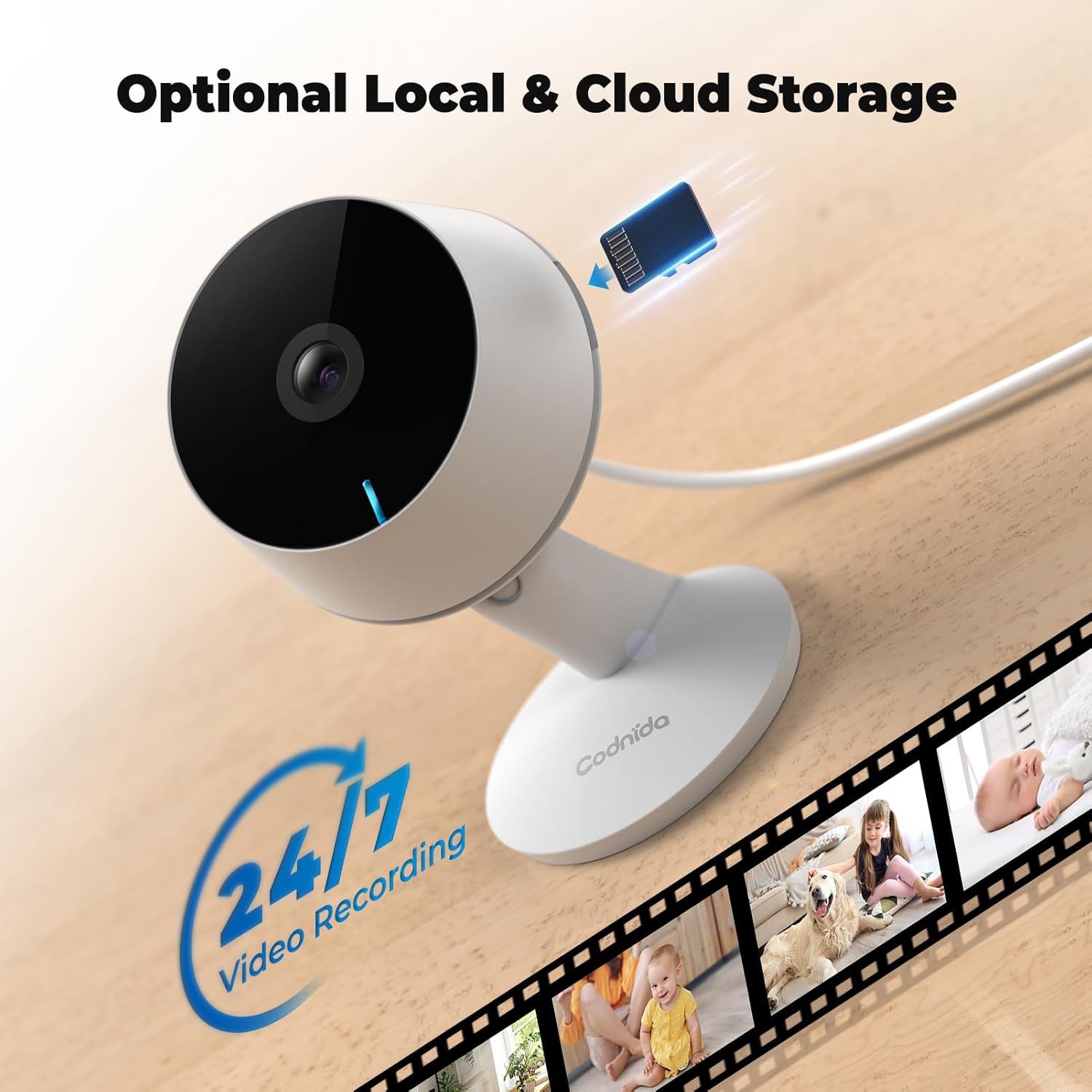
Image: Optional local and cloud storage.
Device Sharing
Share access to your camera's live feed and recordings with up to 8 other users through the CloudEdge app, allowing multiple family members to monitor your home simultaneously.
Maintenance
Cleaning
To maintain optimal image quality, gently wipe the camera lens and body with a soft, dry, lint-free cloth. Avoid using liquid cleaners, solvents, or abrasive materials, as they may damage the camera.
Firmware Updates
Regularly check the CloudEdge app for available firmware updates. Keeping your camera's firmware up-to-date ensures you have the latest features, performance enhancements, and security improvements.
Troubleshooting
| Issue | Possible Cause | Solution |
|---|---|---|
| Camera not powering on | Loose power connection; faulty adapter/cable. | Ensure power cable is securely connected to camera and adapter. Try a different power outlet. |
| Cannot connect to Wi-Fi | Incorrect Wi-Fi password; camera out of range; router issues. | Verify Wi-Fi password. Move camera closer to router. Restart router. Ensure your Wi-Fi network is 2.4GHz or 5GHz compatible. |
| Poor image quality | Dirty lens; insufficient lighting; weak Wi-Fi signal. | Clean the camera lens with a soft cloth. Ensure adequate lighting. Check Wi-Fi signal strength in the app. |
| No motion alerts | Motion detection disabled; incorrect sensitivity; app notification settings. | Enable motion detection in the CloudEdge app. Adjust sensitivity. Check phone's notification permissions for the app. |
| Two-way audio issues | Microphone/speaker disabled; network latency. | Ensure microphone and speaker are enabled in the app. Check network connection stability. |
Specifications
| Feature | Detail |
|---|---|
| Model Name | Mini12 Q |
| Video Capture Resolution | 4MP (2.5K Quad HD) |
| Effective Still Resolution | 4 MP |
| Wireless Communication | Wi-Fi (2.4GHz/5GHz) |
| Night Vision Range | Up to 33 feet (approx. 8 meters) |
| Form Factor | Dome |
| Mounting Type | Ceiling, Wall, Desktop |
| Material | Plastic |
| Power Source | Corded Electric (5 Volts, 6 Watts) |
| Item Dimensions (LxWxH) | 50 x 50 x 50 Millimeters |
| Item Weight | 200 g |
| Water Resistance Level | Not Water Resistant (Indoor Use Only) |
| Alert Type | Audio and Motion |
| Control Method | App (CloudEdge) |
| Special Features | 2-Way Audio, 4MP HD Resolution, Local Recording, Motion Sensor, Portable |
Warranty and Support
Codnida products are designed for reliability and performance. For detailed warranty information, technical support, or any inquiries regarding your camera, please visit our official website or contact our customer service team.
Official Website: www.codnidatech.com
Customer Support Email: support@codnidatech.com