
1. Introduction
Thank you for choosing the Lorell Sit-to-Stand Two-Tier Base. This electric adjustable desk base is designed to promote a healthier work environment by allowing you to easily switch between sitting and standing positions. This manual provides detailed instructions for assembly, operation, maintenance, and troubleshooting to ensure optimal performance and longevity of your product.
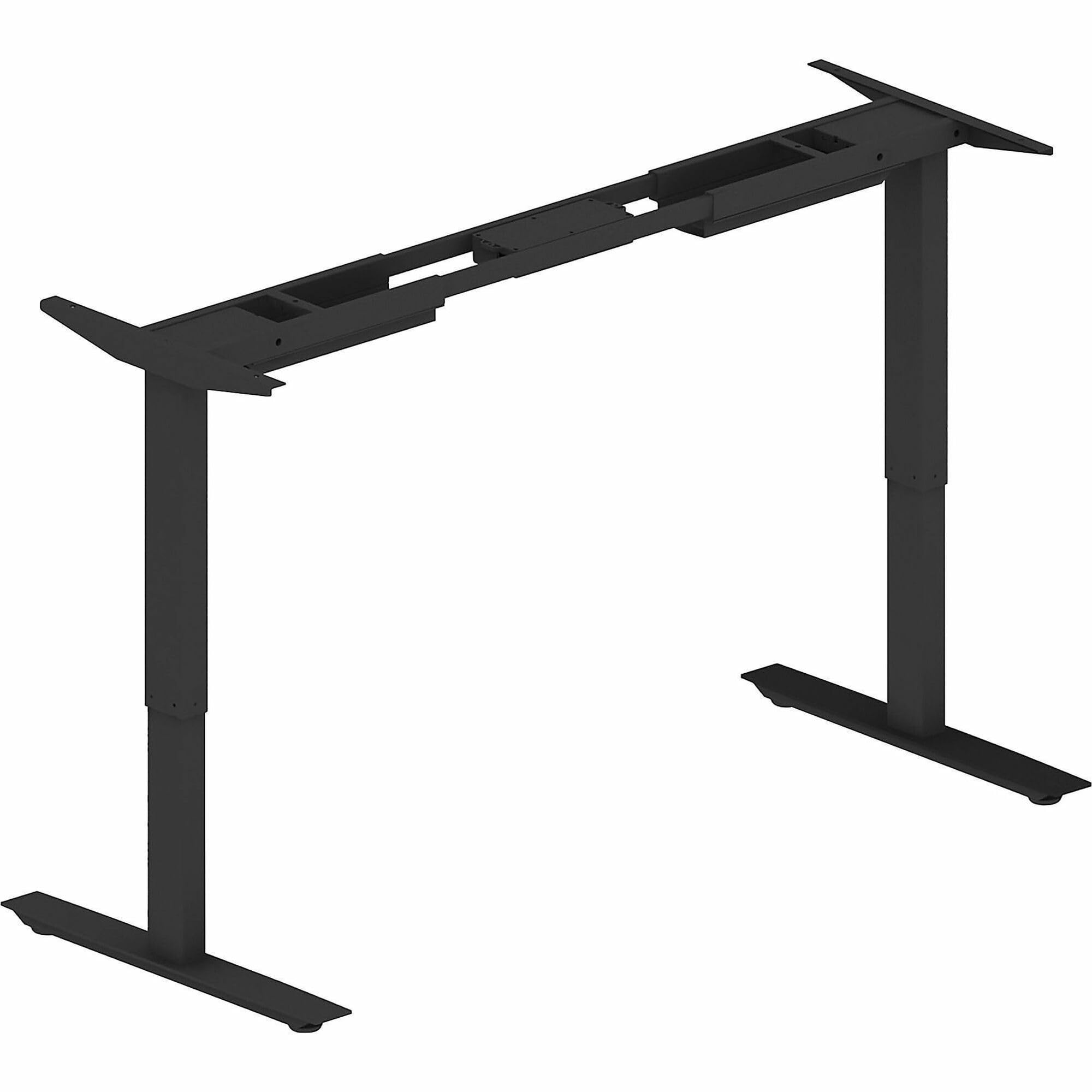
Image: The Lorell Sit-to-Stand Two-Tier Base, shown without a tabletop.
2. Safety Information
Please read all safety instructions carefully before assembly and use. Failure to follow these instructions may result in injury or damage to the product.
- Keep children and pets away: Do not allow children or pets near the desk base during operation.
- Pinch points: Be aware of potential pinch points when the desk is moving. Keep hands and other objects clear of moving parts.
- Power supply: Use only the provided power adapter. Ensure the power cord is not damaged or pinched.
- Weight capacity: Do not exceed the maximum weight capacity of 275 pounds (124.7 kg).
- Level surface: Always operate the desk base on a stable and level surface.
- Two-person assembly: Assembly requires two people for safety and ease of installation.
- Electrical safety: Do not disassemble or modify the electrical components. Contact qualified personnel for repairs.
3. Package Contents
Please check the package contents against the list below. If any items are missing or damaged, contact your retailer immediately.
- Lorell Sit-to-Stand Two-Tier Base Frame (Legs, Crossbars)
- Control Panel
- Control Box
- Power Adapter and Cable
- Mounting Hardware (Screws, Washers, Allen Wrenches)
- Instruction Manual
Note: A tabletop is not included with this two-tier base and must be purchased separately. This base is compatible with tabletops ranging from 48" to 72" in width and 24" to 30" in depth.
4. Setup and Assembly
Assembly requires two people and a screwdriver. Follow these steps carefully:
- Unpack Components: Carefully remove all components from the packaging and lay them out on a clean, soft surface to prevent scratches. Verify all parts are present according to the package contents list.
- Assemble Legs and Crossbars: Attach the leg columns to the crossbars using the provided screws and Allen wrenches. Ensure all connections are secure.
- Attach Feet: Secure the feet to the bottom of the leg columns using the appropriate hardware.
- Mount Control Box: Attach the control box to the underside of one of the crossbars using the provided screws.
- Connect Motors and Control Panel: Connect the motor cables from each leg to the control box. Connect the control panel cable to the designated port on the control box.
- Attach Tabletop (Sold Separately): Carefully place your chosen tabletop upside down on a soft surface. Position the assembled desk base frame onto the tabletop, ensuring it is centered and aligned. Use a screwdriver to secure the desk base to the tabletop with the appropriate screws (typically provided with the tabletop or base).
- Cable Management: Route all cables neatly using any included cable ties or clips to prevent tangling and damage.
- Connect Power: Plug the power adapter into the control box, then plug the power cable into a standard electrical outlet.
5. Operating Instructions
The Lorell Sit-to-Stand Two-Tier Base features a dual motor system for smooth and precise height adjustments.
5.1 Basic Height Adjustment
- To Raise: Press and hold the "Up" arrow button on the control panel. The desk will move upwards at approximately 1.3 inches per second. Release the button when the desired height is reached.
- To Lower: Press and hold the "Down" arrow button on the control panel. The desk will move downwards. Release the button when the desired height is reached.
The desk base can adjust its height from a minimum of 26.57 inches to a maximum of 45 inches.
5.2 Memory Presets (If applicable)
Some models may include memory preset buttons (e.g., M1, M2, M3). Refer to your control panel for specific instructions:
- To Set a Memory Position: Adjust the desk to your desired height. Press the "M" button (or similar) followed by a number button (e.g., "1"). The display may flash or beep to confirm the setting.
- To Use a Memory Position: Press the corresponding number button (e.g., "1"). The desk will automatically move to the saved height.
6. Maintenance
Proper maintenance ensures the longevity and smooth operation of your Lorell Sit-to-Stand Two-Tier Base.
- Cleaning: Wipe the desk base with a dry cloth to remove dust and debris. Avoid using abrasive cleaners or solvents, which can damage the finish.
- Cable Management: Periodically check all cables to ensure they are securely connected and not pinched or damaged.
- Fastener Check: Occasionally check all screws and fasteners to ensure they remain tight. Retighten if necessary.
- Weight Distribution: Ensure weight is evenly distributed on the tabletop to prevent uneven loads on the motors.
7. Troubleshooting
If you encounter issues with your Lorell Sit-to-Stand Two-Tier Base, refer to the following common problems and solutions:
| Problem | Possible Cause | Solution |
|---|---|---|
| Desk does not move | Power cable disconnected; Control box error; Overload | Check power connections. Unplug and replug the power for 10 seconds. Reduce weight on desk. |
| Uneven movement | Uneven load; Loose connections | Distribute weight evenly. Check all frame connections and tighten if loose. |
| Error code on display | Specific system fault | Refer to the control box manual (if separate) or contact customer support with the error code. Often, a power cycle (unplug, wait 10s, replug) can resolve temporary errors. |
| Noise during operation | Normal motor sound; Loose components | A slight motor hum is normal. If noise is excessive, check for loose screws or components and tighten. |
If the problem persists after attempting these solutions, please contact Lorell customer support.
8. Specifications
- Model Number: LLR 25970
- Brand: Lorell
- Type: Sit-to-Stand Two-Tier Base
- Color: Black
- Material: Alloy Steel
- Height Adjustment Range: 26.57" to 45" (67.5 cm to 114.3 cm)
- Adjustment Speed: 1.3" per second (3.3 cm/s)
- Motor Type: Dual Motor
- Maximum Weight Capacity: 275 lbs (124.7 kg)
- Recommended Tabletop Width: 48" to 72" (122 cm to 183 cm)
- Recommended Tabletop Depth: 24" to 30" (61 cm to 76 cm)
- Assembly Required: Yes (Recommended 2 people)
- Tools Recommended for Assembly: Screwdriver
- Item Weight: 56 lbs (25.4 kg)
- Lifting Mechanism: Electric
9. Warranty and Support
9.1 Limited Warranty
The Lorell Sit-to-Stand Two-Tier Base is covered by a limited warranty. This warranty typically covers defects in materials and workmanship under normal use. Specific terms and duration of the warranty may vary. Please retain your proof of purchase for warranty claims.
For detailed warranty information, including what is covered and for how long, please refer to the warranty card included with your product or visit the official Lorell website.
9.2 Customer Support
If you have any questions, require technical assistance, or need to make a warranty claim, please contact Lorell customer support:
- Website: Visit the official Lorell website for support resources, FAQs, and contact information.
- Phone: Refer to your product packaging or the Lorell website for customer service phone numbers.
- Email: Contact support via email for non-urgent inquiries.
When contacting support, please have your product model number (LLR 25970) and proof of purchase readily available.
