1. Introduction
This manual provides detailed instructions for the installation, operation, and maintenance of your PNI CT410 PRO Wireless Smart Thermostat. Please read this manual thoroughly before installation and use to ensure proper function and safety.
The PNI CT410 PRO is a wireless smart thermostat designed for controlling heating and cooling systems, including pumps and solenoid valves. It features Wi-Fi connectivity for remote control via the Tuya Smart / Smart Life smartphone application and offers dual-zone temperature management.
2. Key Features
- Dual-Zone Control: Manage two distinct heating zones independently.
- Wi-Fi Connectivity: Remote control and monitoring via Tuya Smart / Smart Life application.
- High Precision Hysteresis: Maintains stable temperatures with a 0.2 °C hysteresis.
- Programmable Schedules: Daily (4 time periods) and weekly programs (Monday-Sunday).
- Frost Protection: Automatic temperature regulation to prevent freezing.
- Open Window Detection: Automatically adjusts heating when an open window is detected.
- Universal Compatibility: Works with most boilers and pumps compatible with potential-free NO relays.
- Mobile Monitor Units: Two central units for flexible placement.
3. Package Contents
The PNI CT410 PRO package includes the following components:
- Two (2) Central Units (Monitor Units)
- One (1) Receiver Unit
- Wall Mounting Bracket
- Table Mounting Stand
- Mounting Screws
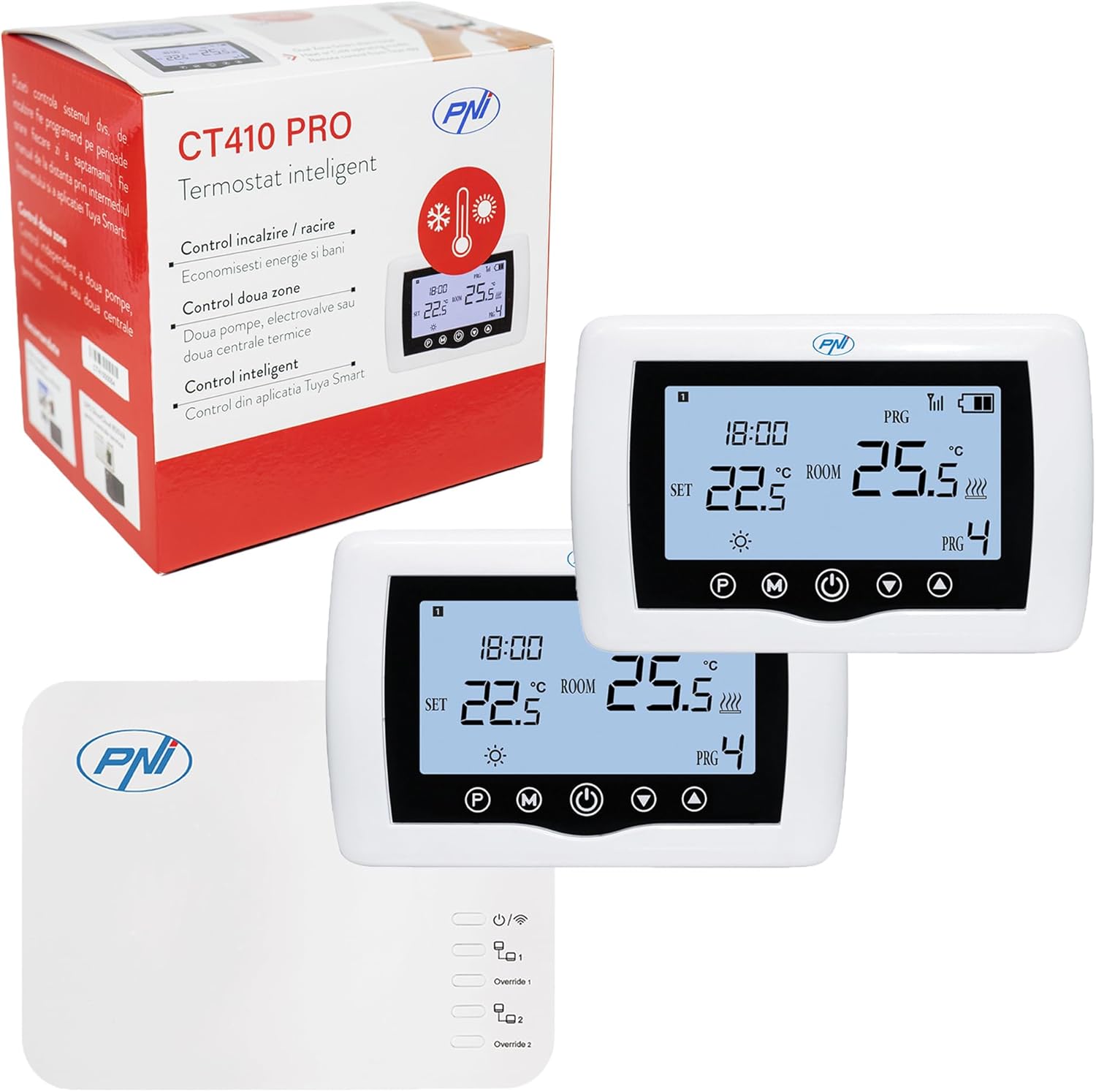
Image: PNI CT410 PRO Smart Thermostat package showing the main units, receiver, and box.
4. Components Overview
4.1. Central Unit (Monitor Unit)
The central unit displays temperature, time, and program settings. It is powered by 2 AAA batteries (not included) and can be placed on a table or mounted on a wall.

Image: Front view of the PNI CT410 PRO Central Unit display.
- Display: 3.7" backlit screen showing measured ambient temperature, desired temperature, current time, current program, wireless connection status, and operating mode (heating/cooling).
- Power: 2 x LR3/AAA batteries (not included).
- Communication: Wireless radio - 868 MHz with the receiver unit.
- Mounting: Wall or table.
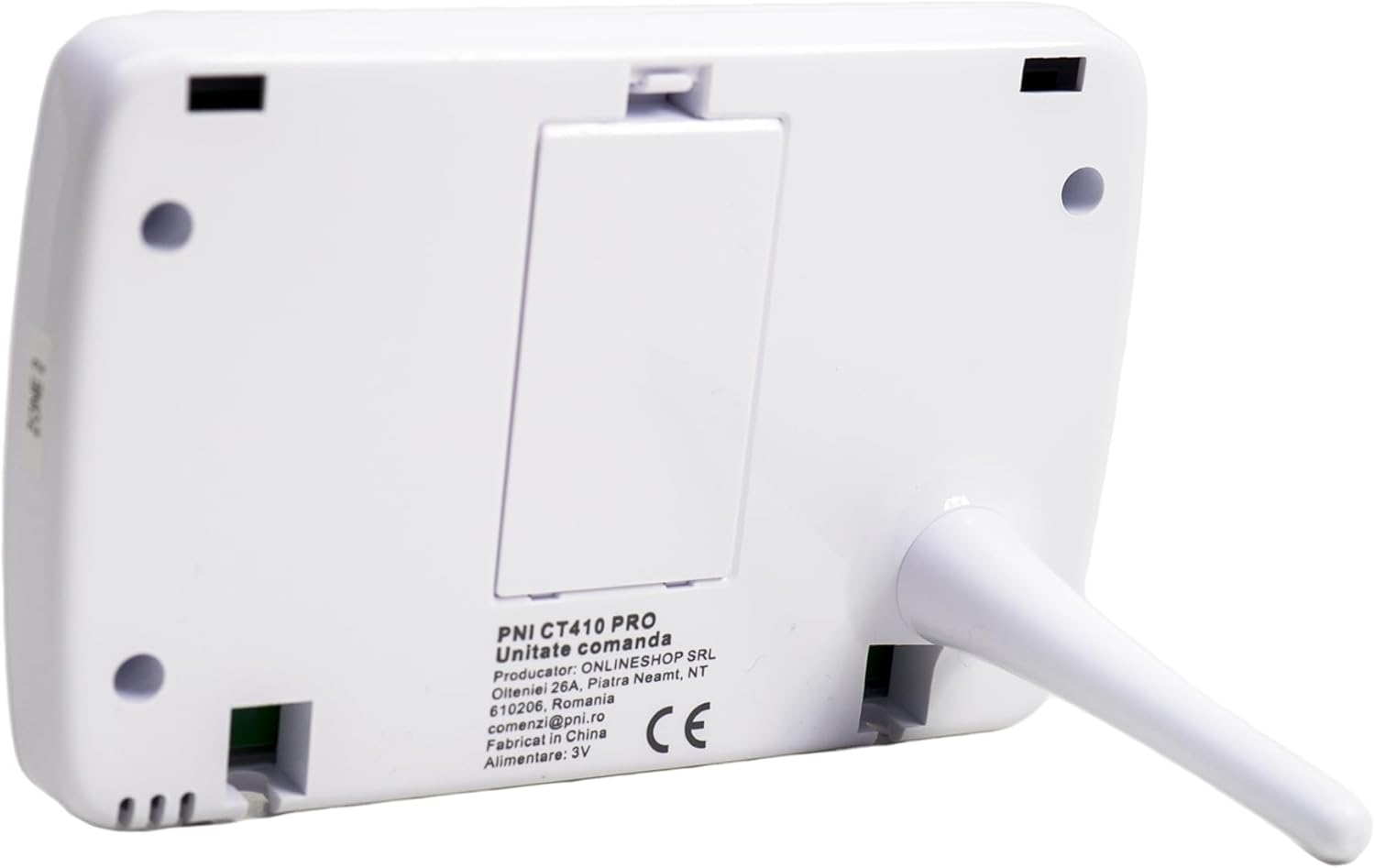
Image: Back view of the PNI CT410 PRO Central Unit with table stand.

Image: Back view of the PNI CT410 PRO Central Unit for wall mounting.
4.2. Receiver Unit
The receiver unit connects to your heating system and communicates wirelessly with the central units and your Wi-Fi router. It is powered by 230V AC.

Image: Front view of the PNI CT410 PRO Receiver Unit.
- Power: 230V AC 50/60 Hz.
- Communication:
- With Internet router: WiFi 802.11b/g/n (2.4 GHz).
- With central units: Radio 868 MHz.
- With heating system: Wired.
- Control Type: Potential-free NO/NC relay (not activated).
- Switchable Relay Circuit: Max 12-240V AC/DC, 10A.
- Zone Control: 230V AC (COM-NO), activated.
- Additional Function: Override function via the receiver unit.
- Mounting: Wall.
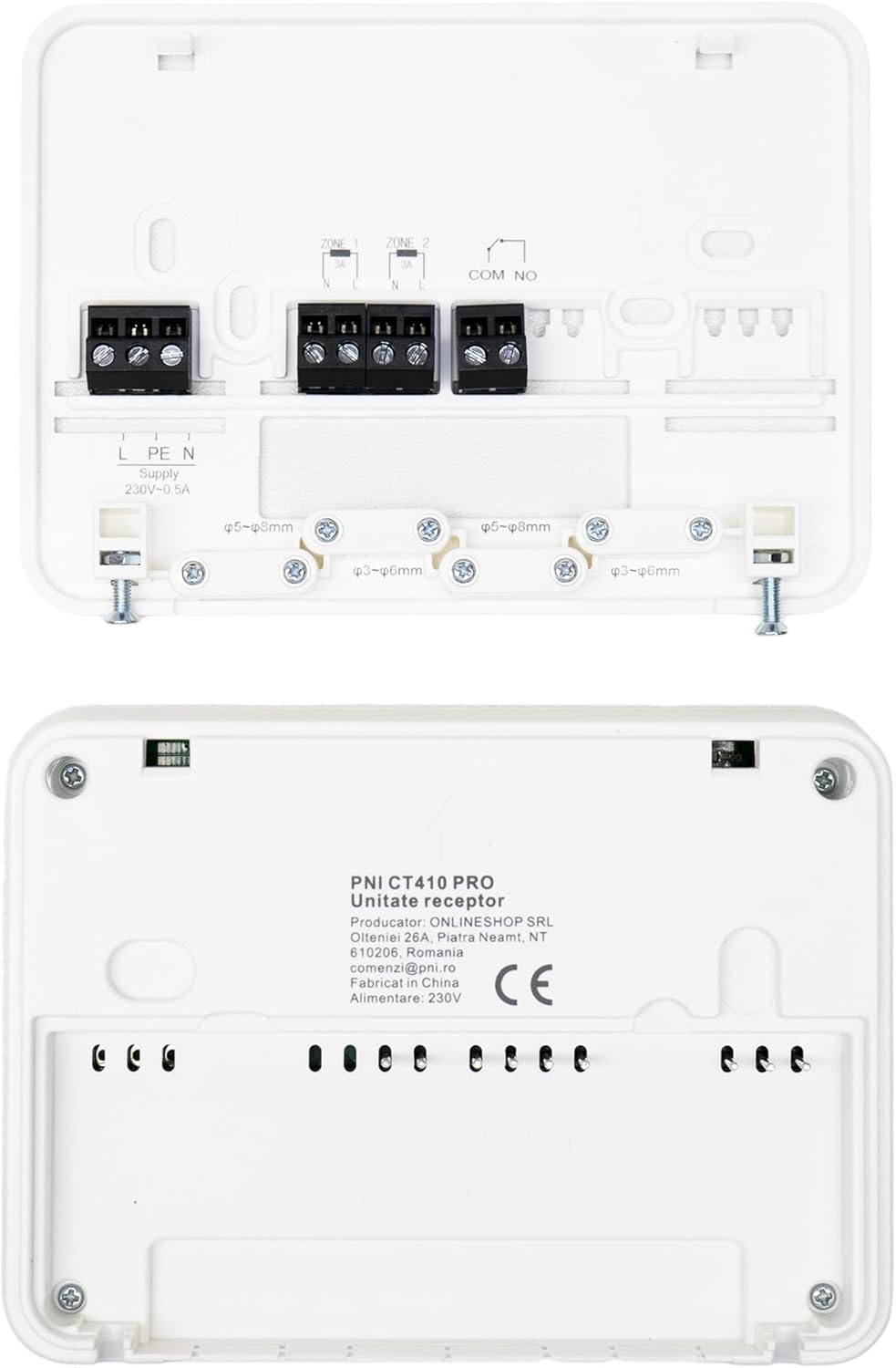
Image: Back view of the PNI CT410 PRO Receiver Unit with wiring terminals.
5. Setup and Installation
Proper installation is crucial for the optimal performance of your PNI CT410 PRO thermostat. It involves connecting the receiver unit to your heating system and pairing it with the central units and your Wi-Fi network.
5.1. Wiring the Receiver Unit
The receiver unit must be wired to your heating boiler. Ensure the power supply is disconnected before performing any wiring. Consult a qualified electrician if you are unsure about the wiring process.
- Connect the 230V AC power supply to the receiver unit (L and N terminals).
- Connect the heating boiler control wires to the COM and NO terminals on the receiver unit.
- For dual-zone control, connect the second zone's control wires to the dedicated 230V AC (COM-NO) terminals.
Image: Receiver Unit wiring terminals. Ensure correct connections for power and heating system.
5.2. Mounting the Units
- Receiver Unit: Mount the receiver unit on a wall near your heating system.
- Central Units: The central units can be mounted on a wall using the provided bracket or placed on a table using the table stand. Choose a location that accurately reflects the room temperature and is away from direct sunlight, drafts, or heat sources.
5.3. Connection Scheme

Image: Installation scheme for the PNI CT410 PRO thermostat system.
- Wired Connection: Between the receiver unit and the heating boiler.
- Wireless Connection (868 MHz): Between the receiver unit and the central control units.
- Wireless Connection (2.4 GHz Wi-Fi): Between the receiver unit and your Wi-Fi router for internet control via the Tuya Smart app.

Image: Connection details from product packaging.
6. Operating Instructions
The PNI CT410 PRO offers various modes and settings for precise temperature control.
6.1. Local Temperature Adjustment
You can adjust the desired temperature directly from the central unit. Use the arrow buttons to increase or decrease the set temperature. The adjustable temperature range is 5 to 35 °C, with a step range of 0.5 °C.
6.2. Programming Schedules
The thermostat supports both daily and weekly programming:
- Daily Program: Set up to 4 time periods per day with different temperature settings.
- Weekly Program: Configure schedules for Monday through Sunday, allowing for different settings on weekdays and weekends.
Refer to the central unit's display and buttons for navigating and setting these programs. Detailed instructions for programming are typically found in the full product manual or the app interface.
6.3. Special Functions
- Frost Protection: Activates heating if the temperature drops below a set frost protection threshold to prevent pipes from freezing.
- Open Window Detection: If a sudden drop in temperature is detected (indicating an open window), the thermostat may temporarily pause heating to save energy.
- Hysteresis Control: The thermostat maintains temperature within a narrow band (0.2 °C) around the set point, preventing frequent on/off cycling of the heating system.
7. Mobile Application Control
The PNI CT410 PRO can be controlled remotely using the Tuya Smart or Smart Life smartphone application. This allows you to adjust settings, monitor temperatures, and manage schedules from anywhere with an internet connection.
- Download the "Tuya Smart" or "Smart Life" app from the App Store (iOS) or Google Play Store (Android).
- Register for an account or log in.
- Add your PNI CT410 PRO thermostat by following the in-app instructions for adding a new device. Ensure your receiver unit is connected to your 2.4 GHz Wi-Fi network.
- Once connected, you can control all thermostat functions, including setting temperatures, creating schedules, and activating special modes.
Image: Smartphone with Tuya Smart app controlling the thermostat.
8. Troubleshooting
If you encounter issues with your PNI CT410 PRO thermostat, please refer to the following common solutions:
- No Display on Central Unit: Check if the AAA batteries are correctly inserted and have sufficient charge. Replace if necessary.
- No Communication between Central Unit and Receiver:
- Ensure both units are powered on.
- Verify they are within the effective 868 MHz wireless range. Obstacles like thick walls can reduce range.
- Re-pair the units if necessary (refer to the full product manual for pairing instructions).
- No Wi-Fi Connection:
- Ensure your Wi-Fi router is operational and broadcasting a 2.4 GHz network.
- Check the Wi-Fi indicator on the receiver unit.
- Restart your router and the receiver unit.
- Ensure correct Wi-Fi password entry in the Tuya Smart app.
- Heating System Not Responding:
- Verify the wired connection between the receiver unit and the heating boiler.
- Check the thermostat's operating mode (heating/cooling) and set temperature.
- Ensure the heating system itself is functional.
- Inaccurate Temperature Readings:
- Ensure the central unit is not placed near heat sources, direct sunlight, or drafts.
- The thermostat has a sensor calibration setting; refer to the full manual for adjustment.
For further assistance, please contact customer support.
9. Technical Specifications
| Product Type | Wireless Thermostat with Internet Control |
| Model Number | PNI-CT410 |
| Brand | PNI |
| Color | White |
| Material | ABS |
| Central Unit Power | 2 x AAA batteries (not included) |
| Receiver Unit Power | 230V AC 50/60 Hz |
| Adjustable Temperature Range | 5 - 35 °C |
| Temperature Step Range | 0.5 °C |
| Measured Temperature Range | 0 - 50 °C |
| Sensor Accuracy | ± 0.5 °C |
| Hysteresis (Dead Zone) | 0.2 °C |
| Wi-Fi Connectivity | 802.11b/g/n (2.4 GHz) |
| Wireless Communication (Units) | 868 MHz |
| Max Switchable Relay Circuit | 12-240V AC/DC, 10A |
| Dimensions (Central Unit) | 2.5 x 13.5 x 9 cm |
| Weight (Item) | 0.69 g |
| Smartphone Application | Tuya Smart / Smart Life |
10. Warranty and Support
For warranty information, technical support, or service inquiries, please contact the manufacturer or your retailer.
- Manufacturer: ONLLINESHOP SRL
- Email Support: comenzi@pni.ro
- Country of Origin: China
Please retain your proof of purchase for warranty claims.


