
1. Introduction
Thank you for purchasing the TAMPROAD Q55-1Mic Bluetooth Speaker. This portable wireless speaker is designed to deliver powerful audio with integrated LED lights, making it suitable for various indoor and outdoor environments. This manual provides essential information for safe operation, setup, usage, maintenance, and troubleshooting to ensure you get the best experience from your device.
2. Safety Information
- Do not expose the speaker to water, moisture, or extreme temperatures.
- Avoid dropping or subjecting the speaker to strong impacts.
- Do not attempt to disassemble, repair, or modify the speaker yourself. Contact qualified service personnel.
- Keep the speaker away from heat sources, direct sunlight, and flammable materials.
- Use only the provided charging cable or a certified equivalent.
- Do not operate the speaker at excessively high volumes for prolonged periods to prevent hearing damage.
3. Package Contents
Please check the package for the following items:
- TAMPROAD Q55-1Mic Bluetooth Speaker
- Wireless Microphone
- Remote Control
- USB Charging Cable
- User Manual

Figure 3.1: TAMPROAD Q55-1Mic Bluetooth Speaker, remote control, and microphone.
4. Product Overview
4.1 Control Panel and Ports
Familiarize yourself with the buttons and ports on the top panel of your speaker:

Figure 4.1: Detailed diagram of the TAMPROAD Q55-1Mic control panel.
- POWER Switch: Turns the speaker on/off.
- DC 5V Port: Type-C charging port.
- BATT/FULL Indicator: Charging indicator light.
- TF Card Slot: For TF/MicroSD card playback.
- USB Port: For USB drive playback.
- AUX IN: 3.5mm audio input socket.
- MIC IN: Wired microphone socket.
- LED Screen: Displays mode and track information.
- Speaker Volume Knob: Adjusts main speaker volume.
- REC/DEL Button: Record audio or delete recordings.
- EQ Button: Switches between Indoor/Outdoor sound modes.
- LED Button: Cycles through 6 LED light modes.
- Previous/Next Buttons: Navigate tracks.
- Pause/Play / Scan Button: Play/pause audio or scan radio stations.
- ECHO Knob: Adjusts microphone echo effect.
- TWS Mode Button: Activates True Wireless Stereo pairing.
- Microphone Volume Knob: Adjusts microphone volume.
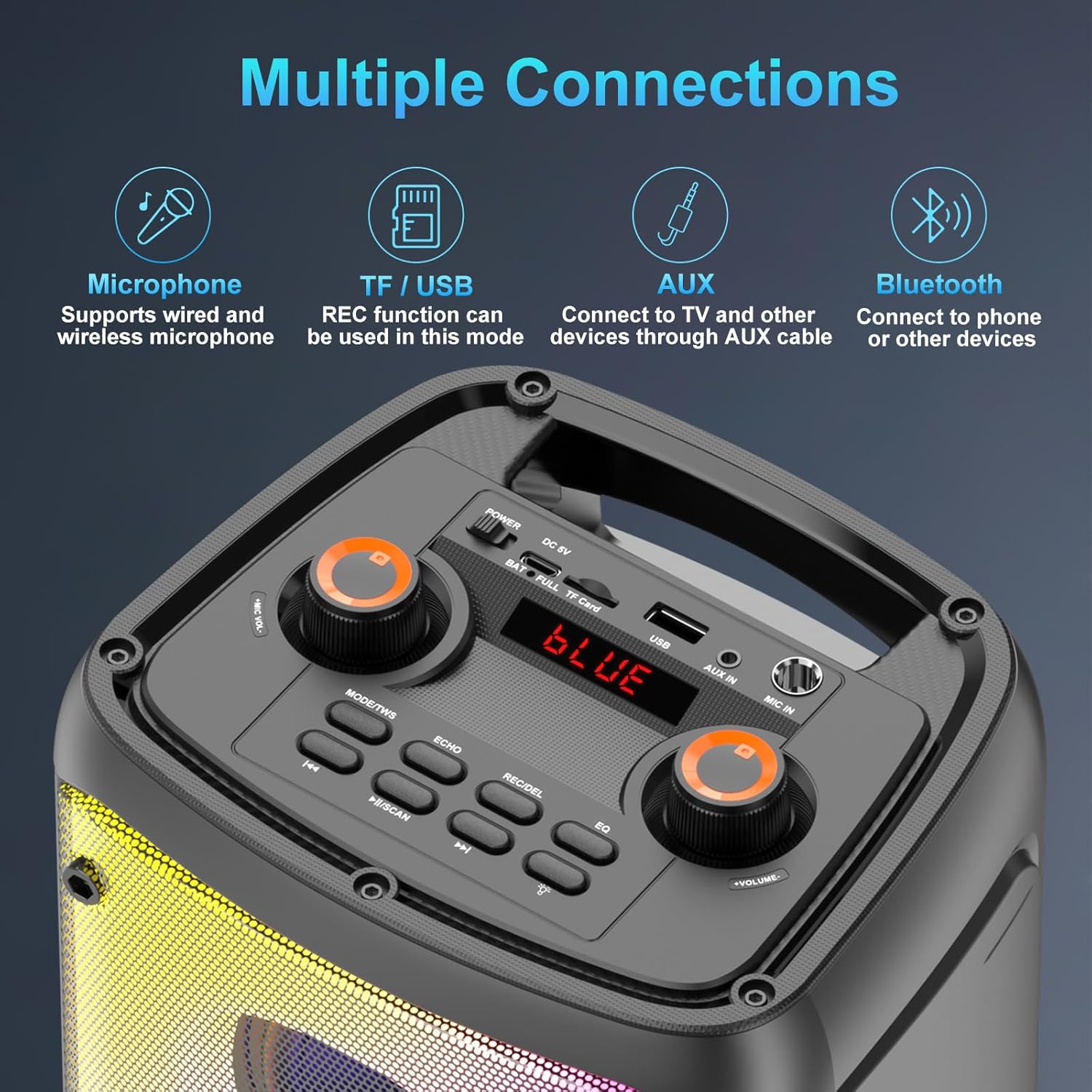
Figure 4.2: Multiple connection options on the control panel.
5. Setup
5.1 Initial Charging
- Before first use, fully charge the speaker for 3-6 hours.
- Connect the USB charging cable to the DC 5V port on the speaker and the other end to a USB power adapter (not included).
- The BATT/FULL indicator light will show charging status. It will typically turn off or change color when fully charged.
5.2 Powering On/Off
- To power on, slide the POWER switch to the 'ON' position. The LED screen will light up.
- To power off, slide the POWER switch to the 'OFF' position.
6. Operating Instructions
6.1 Bluetooth Pairing
- Turn on the speaker. It will automatically enter Bluetooth mode, indicated by "BLUE" on the LED screen and a flashing Bluetooth icon.
- Enable Bluetooth on your mobile device (smartphone, tablet, etc.).
- Search for "Q55" in the list of available devices and select it to pair.
- Once successfully paired, the speaker will emit a confirmation tone, and the Bluetooth icon will stop flashing.
- You can now play audio from your device through the speaker.
6.2 True Wireless Stereo (TWS) Function
The TWS function allows you to connect two Q55-1Mic speakers for a stereo sound experience.
- Ensure both Q55-1Mic speakers are powered on and in Bluetooth mode, but not yet paired with any device.
- On one of the speakers (this will be the primary speaker), press the TWS Mode button. The speaker will emit a pairing tone.
- The two speakers will automatically connect to each other. A confirmation tone will sound once connected.
- Now, on your mobile device, search for "Q55" and pair with the primary speaker. Both speakers will play audio in stereo.

Figure 6.1: TWS connection for stereo sound.
6.3 Microphone Usage
The speaker comes with a wireless microphone for karaoke or public speaking.
- Turn on the wireless microphone. It should automatically connect to the speaker.
- Adjust the microphone volume using the Microphone Volume Knob on the speaker's control panel.
- Use the ECHO Knob to add or reduce echo effect to your voice.
- For wired microphones, connect them to the MIC IN port.
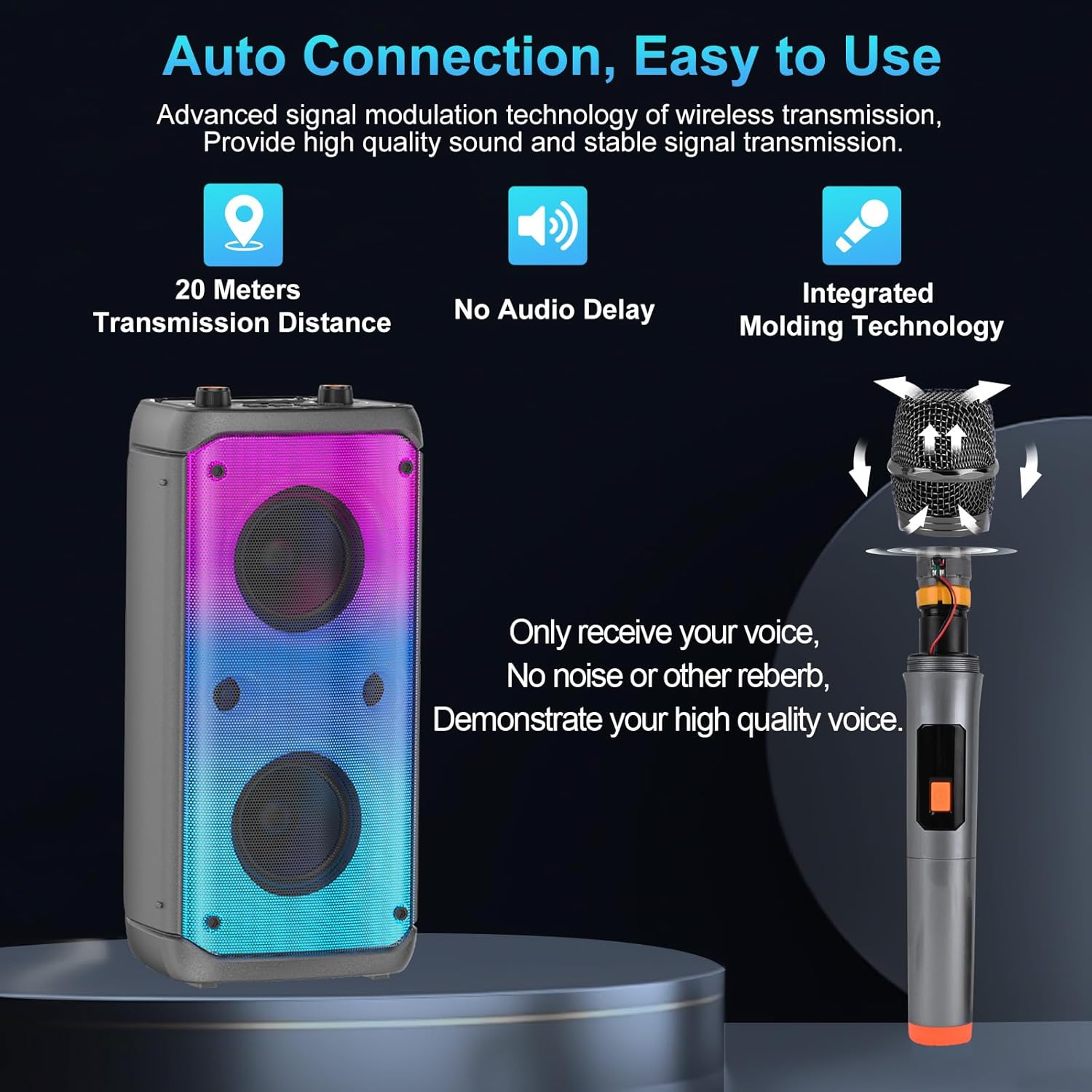
Figure 6.2: Wireless microphone connection and features.
6.4 EQ and Sound Modes
Press the EQ button on the control panel to switch between different sound modes:
- Outdoor Mode: Provides louder and clearer sound, optimized for open spaces.
- Indoor Mode: Delivers high-quality deep bass, suitable for enclosed environments.
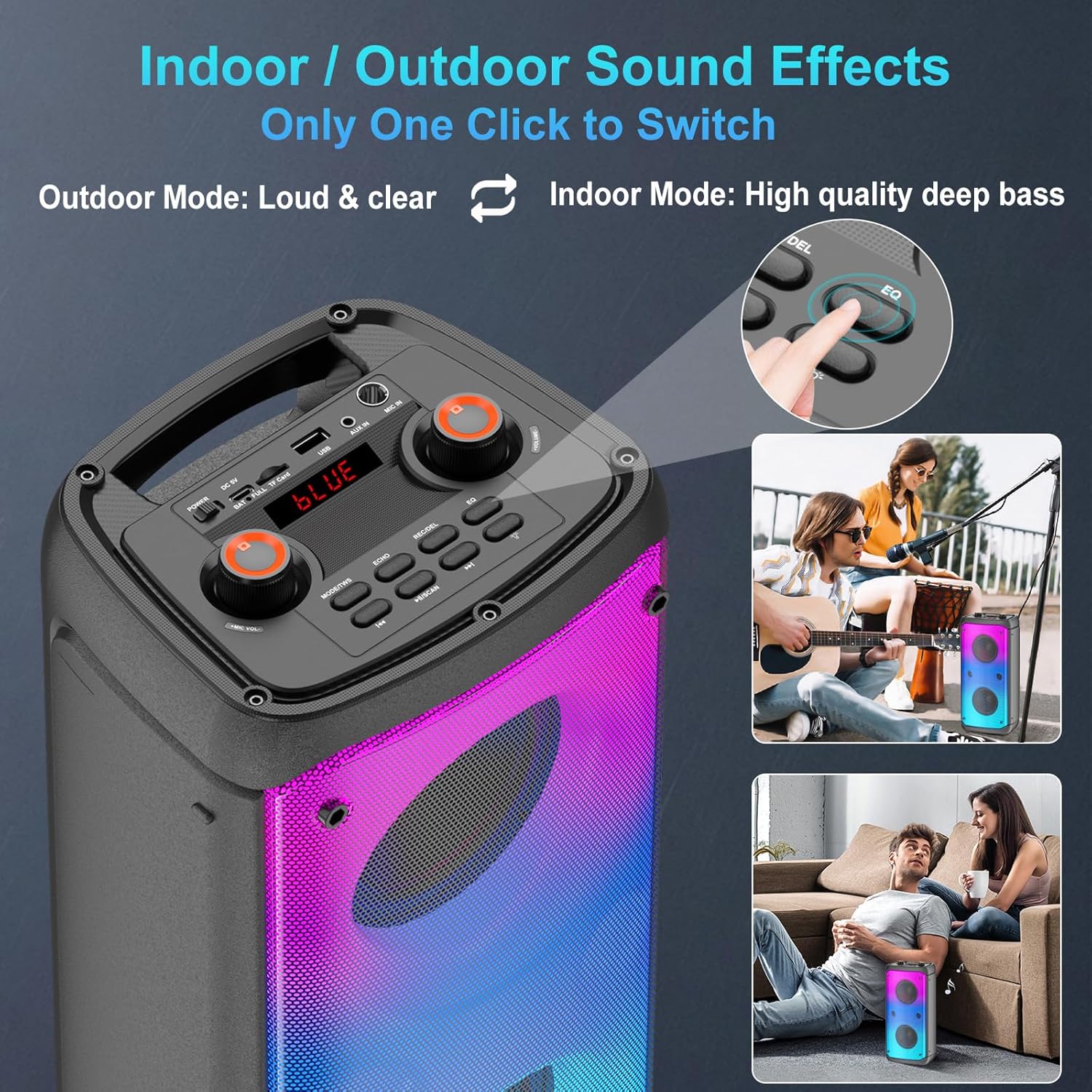
Figure 6.3: EQ button for switching between Indoor and Outdoor sound modes.
6.5 LED Light Modes
Press the LED button to cycle through 6 different LED light modes, enhancing your listening experience with visual effects.

Figure 6.4: Examples of the 6 available LED light modes.
6.6 USB/TF Card Playback
Insert a USB drive or TF (MicroSD) card into the respective port. The speaker will automatically switch to USB/TF mode and begin playing audio files.
- Use the Previous and Next buttons to navigate tracks.
- Press the Pause/Play button to pause or resume playback.
6.7 AUX Input
Connect an external audio device (e.g., MP3 player, computer) to the AUX IN port using a 3.5mm audio cable (not included). The speaker will automatically switch to AUX mode.
6.8 Remote Control
The included remote control allows for convenient operation of the speaker from a distance. Functions include power, mode selection, volume control, track navigation, EQ, and LED light control.
7. Charging
The speaker is equipped with a built-in 10800mAh rechargeable battery.
- Connect the speaker to a 5V USB power source using the provided Type-C charging cable.
- Charging time is approximately 3-6 hours.
- Playing time on a full charge ranges from 8-20 hours, depending on volume level and LED light usage.
- The BATT/FULL indicator light will show the charging status.

Figure 7.1: Battery capacity, charging, and playing times.
8. Maintenance
- Clean the speaker with a soft, dry cloth. Do not use abrasive cleaners or solvents.
- Store the speaker in a cool, dry place when not in use.
- Avoid prolonged exposure to direct sunlight or extreme temperatures.
- Charge the battery at least once every three months to maintain battery health if not used regularly.
9. Troubleshooting
| Problem | Possible Cause | Solution |
|---|---|---|
| Speaker does not power on. | Battery is depleted. | Charge the speaker for 3-6 hours. |
| No sound. | Volume is too low; incorrect input mode; device not connected. | Increase volume; ensure correct mode (Bluetooth, AUX, USB/TF); re-pair Bluetooth device. |
| Bluetooth pairing fails. | Speaker is already paired; device Bluetooth is off; speaker too far. | Ensure speaker is in pairing mode; turn on device Bluetooth; move speaker closer (within 20m). |
| Microphone not working. | Microphone off; volume too low; battery low. | Turn on microphone; increase microphone volume; check microphone battery. |
| Sound distortion at high volume. | Volume too high. | Reduce the speaker volume. |
10. Specifications
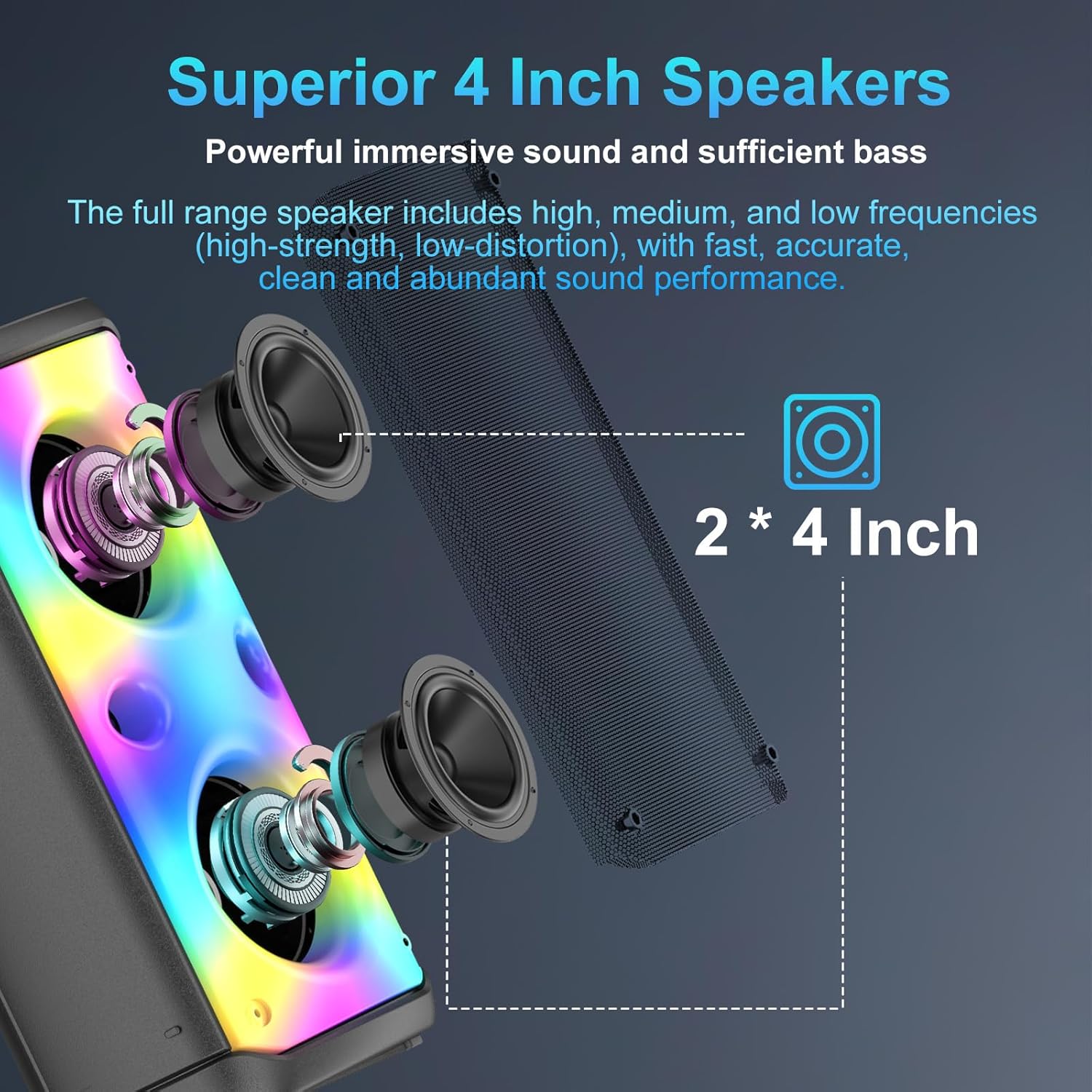
Figure 10.1: Internal view of the 4-inch speaker drivers.
| Feature | Specification |
|---|---|
| Brand | TAMPROAD |
| Model Number | Q55-1Mic |
| Speaker Type | Full-range (Subwoofer listed in source) |
| Power Output | 80 Watts (160W TWS Stereo) |
| Speaker Drivers | 2 x 4-inch high-performance drivers |
| Product Dimensions (L x W x H) | 19 x 21 x 42 cm |
| Item Weight | 3.51 Kilograms |
| Battery Type | 1 Lithium-ion (included) |
| Battery Capacity | 10800mAh |
| Charging Time | 3-6 hours |
| Playing Time | 8-20 hours |
| Power Source | Battery Powered |
| Bluetooth Version | 5.0 |
| Bluetooth Transmission Distance | Up to 20 meters |
| Number of Channels | 2 |
| LED Lights | 6 Color Modes |
11. Warranty and Support
TAMPROAD products are designed and manufactured to the highest quality standards. For warranty information or technical support, please refer to the contact details provided with your purchase or visit the official TAMPROAD website.
Please retain your proof of purchase for any warranty claims.