
1. Introduction
The LEESKY 2000W Pure Sine Wave Power Inverter converts 12V DC battery power into 110V/120V AC household power. It provides 2000 watts of continuous power and a 4100-watt surge capacity for 2 seconds, making it suitable for a wide range of applications including RVs, off-grid solar systems, vehicles, boats, and home backup during power outages. This manual provides essential information for safe installation, operation, and maintenance of your inverter.
2. Safety Information
Read all safety warnings and instructions carefully before installing or using the inverter. Failure to follow these instructions may result in electric shock, fire, or serious injury.
- Ensure proper ventilation around the inverter. Do not block ventilation openings.
- Do not expose the inverter to rain, moisture, or extreme temperatures.
- Connect the inverter only to a 12V DC power source.
- Always connect the inverter to the battery with correct polarity (red to positive, black to negative). Reverse polarity can cause damage.
- Ensure all connections are tight to prevent overheating.
- Do not open the inverter casing. There are no user-serviceable parts inside.
- Keep children away from the inverter.
- The inverter features multiple safety protections including short circuit, input over/under-voltage, overload, over-temperature, and output low voltage protection.
3. Package Contents
Verify that all items listed below are included in your package:
- 1 x LEESKY 2000W Pure Sine Wave Power Inverter
- 1 x 15ft Remote Controller with Cable
- 2 x Battery Cables (Red and Black)
- 1 x Ground Cable
- 4 x Shockproof Pads
- 1 x User Manual

Image: Included accessories for the LEESKY 2000W Pure Sine Wave Power Inverter, showing the inverter, remote control, battery cables, ground cable, and shockproof pads.
4. Product Features
- High Power Output: Provides 2000W continuous power and 4100W surge peak power for 2 seconds, suitable for demanding inductive loads.
- Lithium LiFePO4 Compatible: Features upgraded adjustable input voltage settings to optimize performance and extend the lifespan of lithium batteries. Refer to the manual for custom voltage settings.
- LCD Display with Auto Screen Off: Real-time monitoring of battery status, input/output voltage, load watts, and protection codes. The screen automatically turns off after one minute of inactivity to conserve energy.
- Remote Control & Fast USB Charger: Includes a 15ft 4P4C RJ10 remote controller for convenient power management from a distance. Integrated PD36W USB-C and 3.6A USB-A ports provide fast charging for mobile devices.
- Durable Construction: Robust aluminum alloy housing ensures excellent heat dissipation and impact resistance.
- Enhanced Safety Protections: Built-in protections against short circuit, input over/under-voltage, overload, over-temperature, reverse polarity, and low-output voltage for safe and stable operation. Features ETL-listed transformers, UL458-certified fuses, and FCC-approved anti-interference technology.
- Wide Application: Ideal for use in cars, RVs, boats, and for power outage emergencies, supporting high-power appliances through 2 AC outlets and a 40A hardwire terminal.

Image: The inverter's capability to handle high-power devices with 4100W surge peak power for 2 seconds.
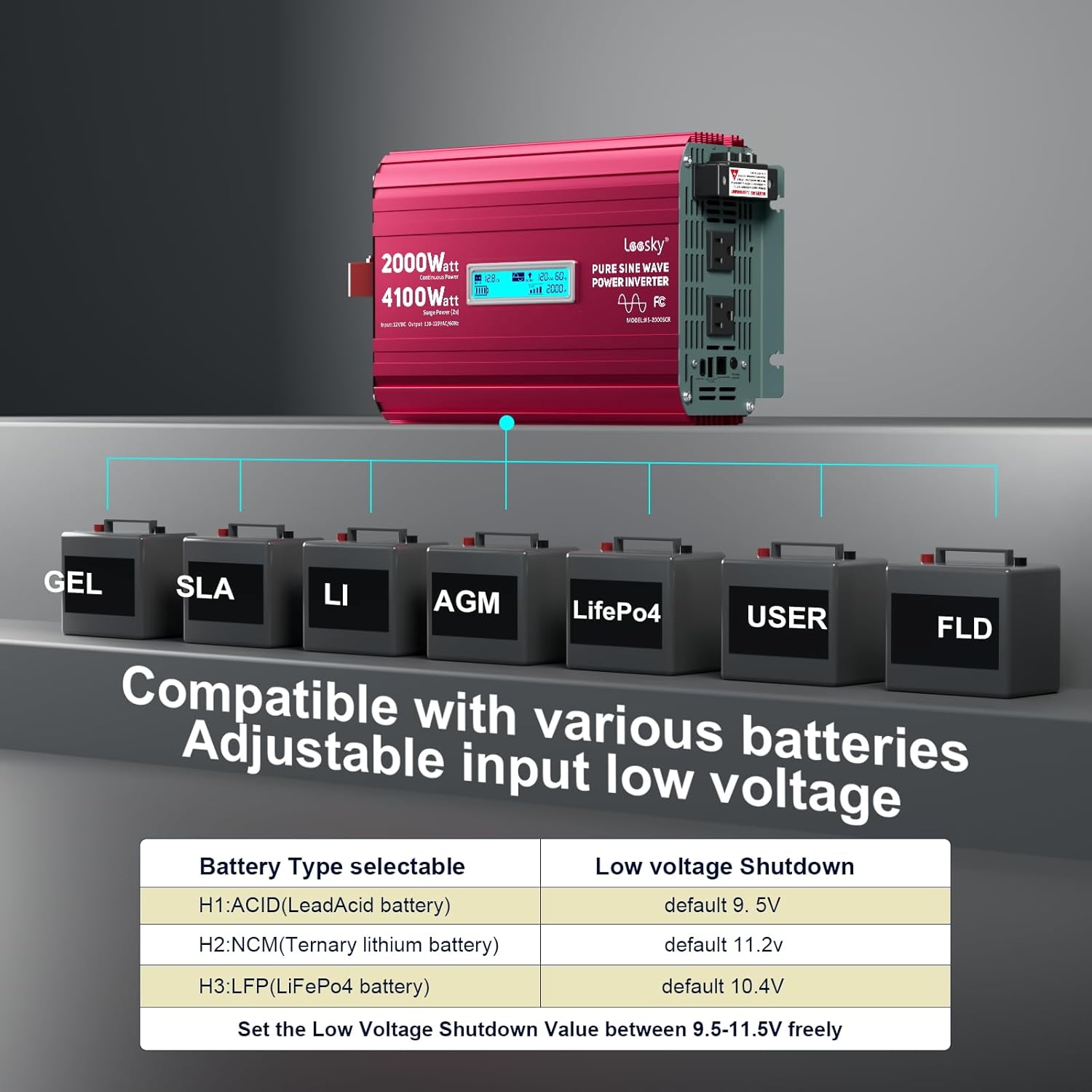
Image: Inverter compatibility with different battery types and adjustable low voltage shutdown settings.

Image: Overview of the 8-point safety system protections integrated into the inverter.
5. Product Overview
The LEESKY 2000W Pure Sine Wave Power Inverter features a compact design with essential ports and an LCD display for user interaction.

Image: Front view of the LEESKY 2000W Pure Sine Wave Power Inverter.
Components:
- DC Input Terminals: For connecting to a 12V battery (Red for positive, Black for negative).
- AC Outlets: Two 110V/120V AC outlets for connecting standard appliances.
- USB Ports: One PD36W USB-C port and one 3.6A USB-A port for charging mobile devices.
- LCD Display: Shows operational status and error codes.
- Remote Control Port: For connecting the wired remote controller.
- Cooling Fans: Integrated fans for heat dissipation.
- Ground Terminal: For safety grounding.
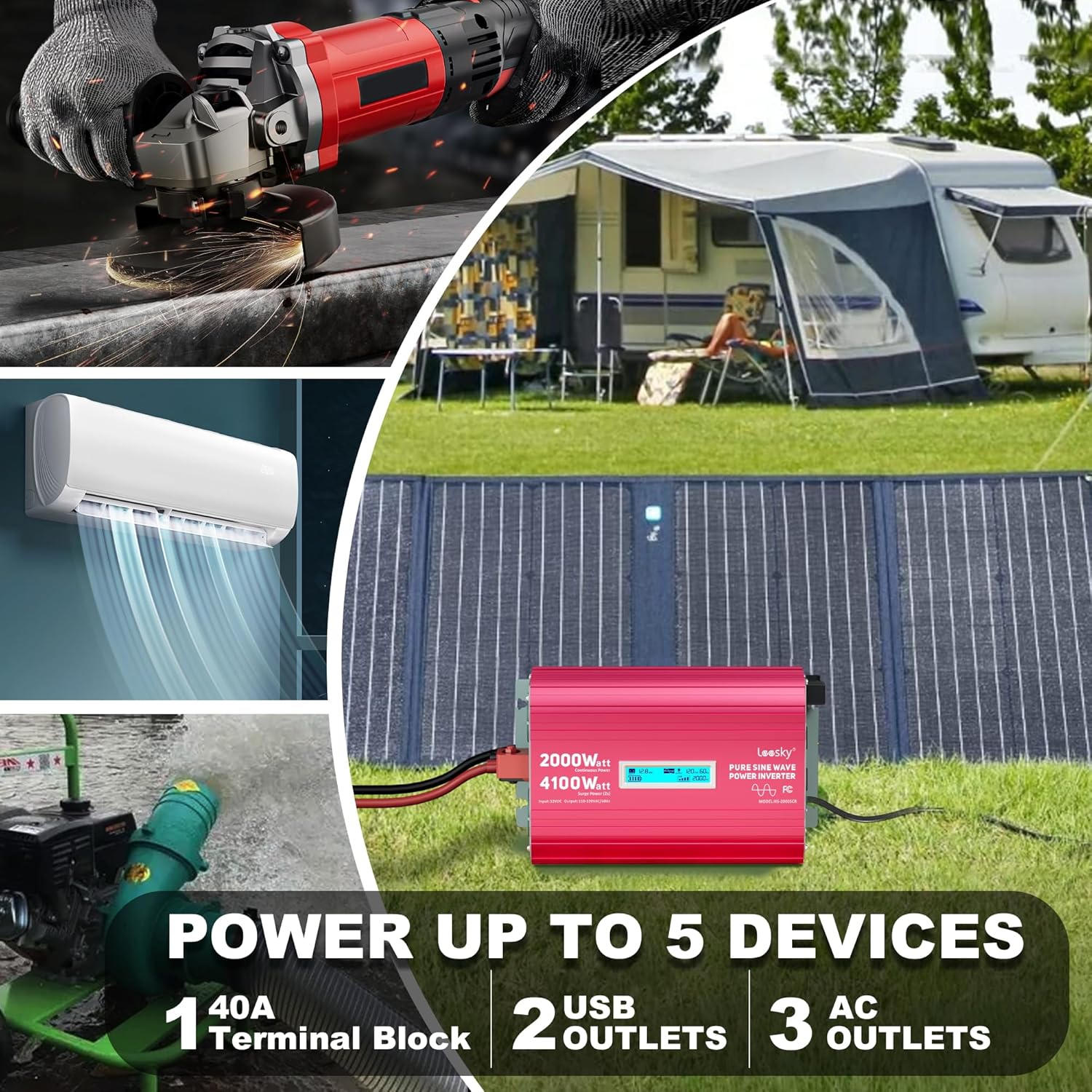
Image: The inverter's output capabilities, highlighting the AC outlets, USB ports, and terminal block.
6. Setup
6.1. Choosing a Location
Select a dry, well-ventilated area for the inverter. Ensure there is sufficient space around the unit for airflow and to prevent overheating. Avoid direct sunlight, heat sources, and areas with excessive dust or moisture.
6.2. Connecting to a 12V Battery
- Ensure the inverter is turned off before making any connections.
- Connect the red battery cable to the positive (+) terminal of your 12V battery.
- Connect the other end of the red cable to the positive (+) DC input terminal on the inverter.
- Connect the black battery cable to the negative (-) terminal of your 12V battery.
- Connect the other end of the black cable to the negative (-) DC input terminal on the inverter.
- Tighten all connections securely. Loose connections can cause excessive heat and damage.
- It is recommended to use appropriate gauge wiring for your application. For high power draw, 10-gauge wire or thicker is often necessary to prevent overheating and voltage drop.
6.3. Grounding the Inverter
For safety, the inverter must be properly grounded. Connect the provided ground cable from the inverter's ground terminal to a suitable earth ground point (e.g., vehicle chassis, ground rod).
6.4. Connecting the Remote Control
Plug the 15ft remote controller cable into the designated RJ10 port on the inverter. The remote allows you to power the inverter on/off and monitor battery status from a distance.
7. Operating Instructions
7.1. Powering On/Off
- After all connections are secure, press the power button on the inverter or the remote control to turn the unit on.
- The LCD display will illuminate, indicating the inverter is operational.
- To turn off, press the power button again.
7.2. Understanding the LCD Display
The LCD screen provides real-time operational data:
- Battery Status: Indicates the charge level of the connected 12V battery.
- Input Voltage: Displays the DC voltage from the battery.
- Output Voltage: Shows the AC output voltage (110V/120V).
- Load Watts: Indicates the current power consumption of connected AC devices.
- Protection Codes: Displays specific codes if a safety protection is activated. Refer to the troubleshooting section for code meanings.
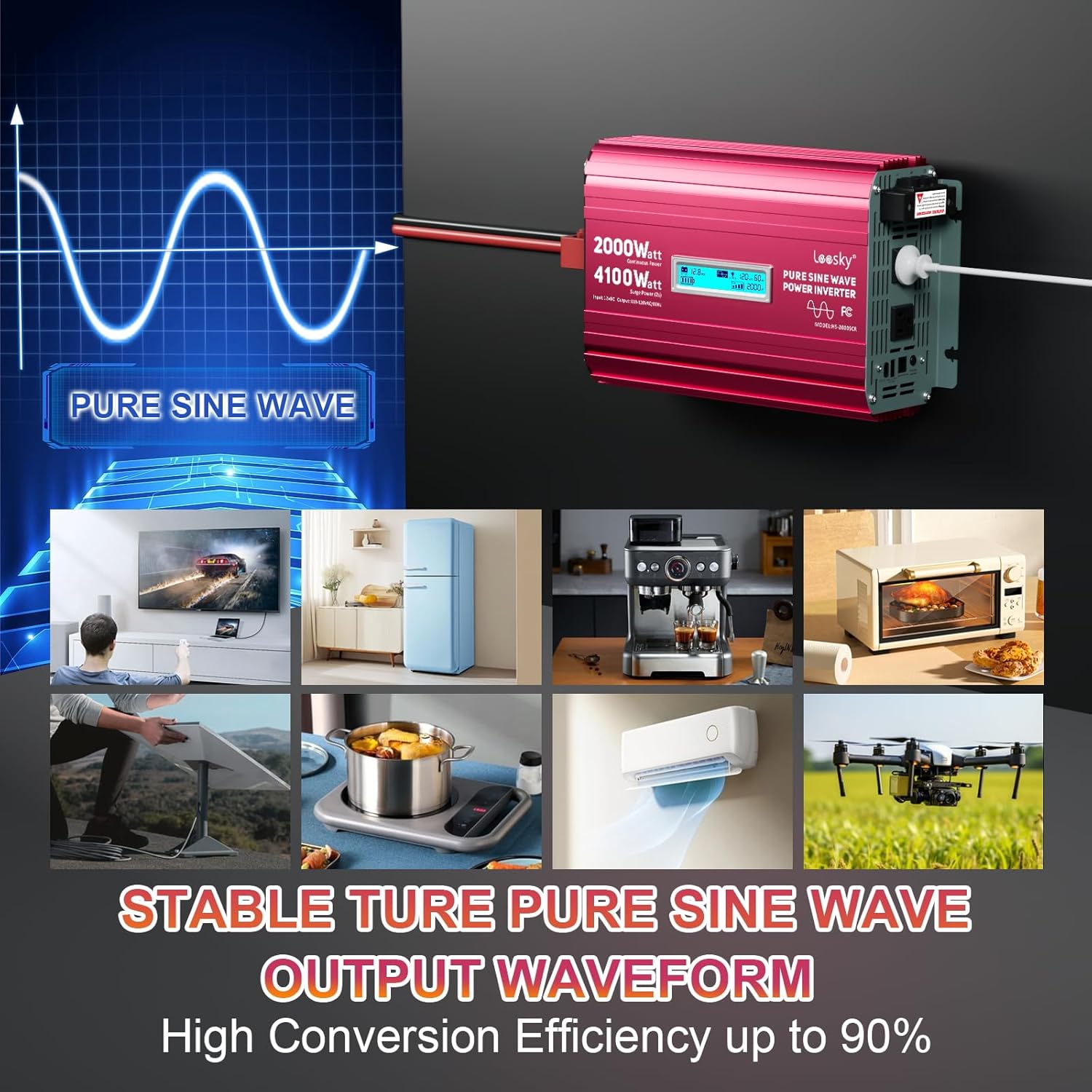
Image: The inverter's pure sine wave output and examples of compatible appliances.
7.3. Adjustable Input Voltage for Lithium Batteries
The inverter allows for custom low voltage shutdown settings to optimize performance with different battery types, especially lithium (LiFePO4) batteries. Consult the detailed instructions in the full manual for how to access and adjust these settings. This feature helps prevent over-discharge and prolongs battery life.
7.4. Connecting AC and USB Devices
- Plug your 110V/120V AC appliances into the AC outlets on the inverter. Ensure the total wattage of connected devices does not exceed 2000W.
- Connect your USB-powered devices to the PD36W USB-C or 3.6A USB-A ports for charging.
8. Maintenance
- Cleaning: Periodically clean the exterior of the inverter with a dry, soft cloth. Ensure ventilation openings are free from dust and debris.
- Connections: Regularly check all electrical connections to ensure they remain tight and free from corrosion.
- Fuse Replacement: The inverter contains internal fuses for protection. If a fuse blows, it typically indicates an internal fault or severe overload. Fuse replacement requires disassembling the unit and should only be performed by qualified personnel to avoid voiding the warranty or causing further damage.
- Storage: When not in use for extended periods, store the inverter in a cool, dry place, disconnected from the battery.
9. Troubleshooting
If you encounter issues with your inverter, refer to the following common problems and solutions:
| Problem | Possible Cause | Solution |
|---|---|---|
| Inverter does not turn on | Loose battery connections, low battery voltage, internal fuse blown, faulty power switch. | Check battery connections and voltage. Ensure battery is charged. If fuse is suspected, contact customer support. |
| No AC output | Overload, over-temperature, low input voltage, short circuit on output. | Reduce load. Allow inverter to cool. Check battery voltage. Disconnect all AC devices and restart. |
| LCD displays error code | Specific protection activated (e.g., over-voltage, under-voltage, overload, over-temperature). | Consult the full manual for a list of error codes and their corresponding solutions. Address the underlying cause (e.g., reduce load, check battery). |
| Inverter shuts down frequently | Overload, insufficient ventilation, low battery voltage, high ambient temperature. | Ensure total load is within inverter's continuous rating. Improve ventilation. Charge battery. Operate in cooler environment. |
| Fan runs constantly or loudly | High internal temperature due to heavy load or poor ventilation. | This is normal under heavy load. Ensure adequate ventilation. Reduce load if fan noise is excessive and persistent without heavy load. |
10. Specifications
| Feature | Specification |
|---|---|
| Brand | LEESKY |
| Model Name | LEESKY 2000W Pure Sine Wave Inverter |
| Model Number | HS-2000SCR |
| Output Power (Continuous) | 2000 watts |
| Surge Protection Rating (Peak) | 4100 watts (for 2 seconds) |
| Input Voltage | 12 volts DC |
| Output Voltage | 110V/120V AC |
| Electrical Output Waveform | Pure Sine Wave |
| Frequency | 60 hertz |
| Number of AC Outlets | 2 |
| USB Ports | 1 x PD36W USB-C, 1 x 3.6A USB-A |
| Display Type | LCD |
| Item Dimensions (L x W x H) | 14.3"L x 8"W x 3.9"H |
| Energy Specifications Met | ETL, UL, FCC |
| Recommended Uses | Home, Car, Power Outage, Vehicles, Truck, Outdoors, Boat, RV, Trip, Off-Grid Solar |
11. Warranty and Support
The LEESKY 2000W Pure Sine Wave Power Inverter comes with an 18-month warranty from the date of purchase. This warranty covers manufacturing defects and ensures reliable operation under normal use.
For technical assistance, warranty claims, or any questions regarding your product, please contact LEESKY customer support. 24/7 customer support is available to assist you.
For more information, visit the LEESKY Store on Amazon.


