
ONEVAN sku006166
ONEVAN Cordless Angle Grinder Instruction Manual
Model: sku006166
1. Introduction
Thank you for choosing the ONEVAN Cordless Angle Grinder. This powerful and versatile tool is designed for various tasks including grinding, cutting, and polishing. Featuring a brushless motor, digital display, and a portable cordless design, it offers enhanced efficiency and convenience for both professional and DIY users. Please read this manual carefully before operation to ensure safe and effective use of the product.
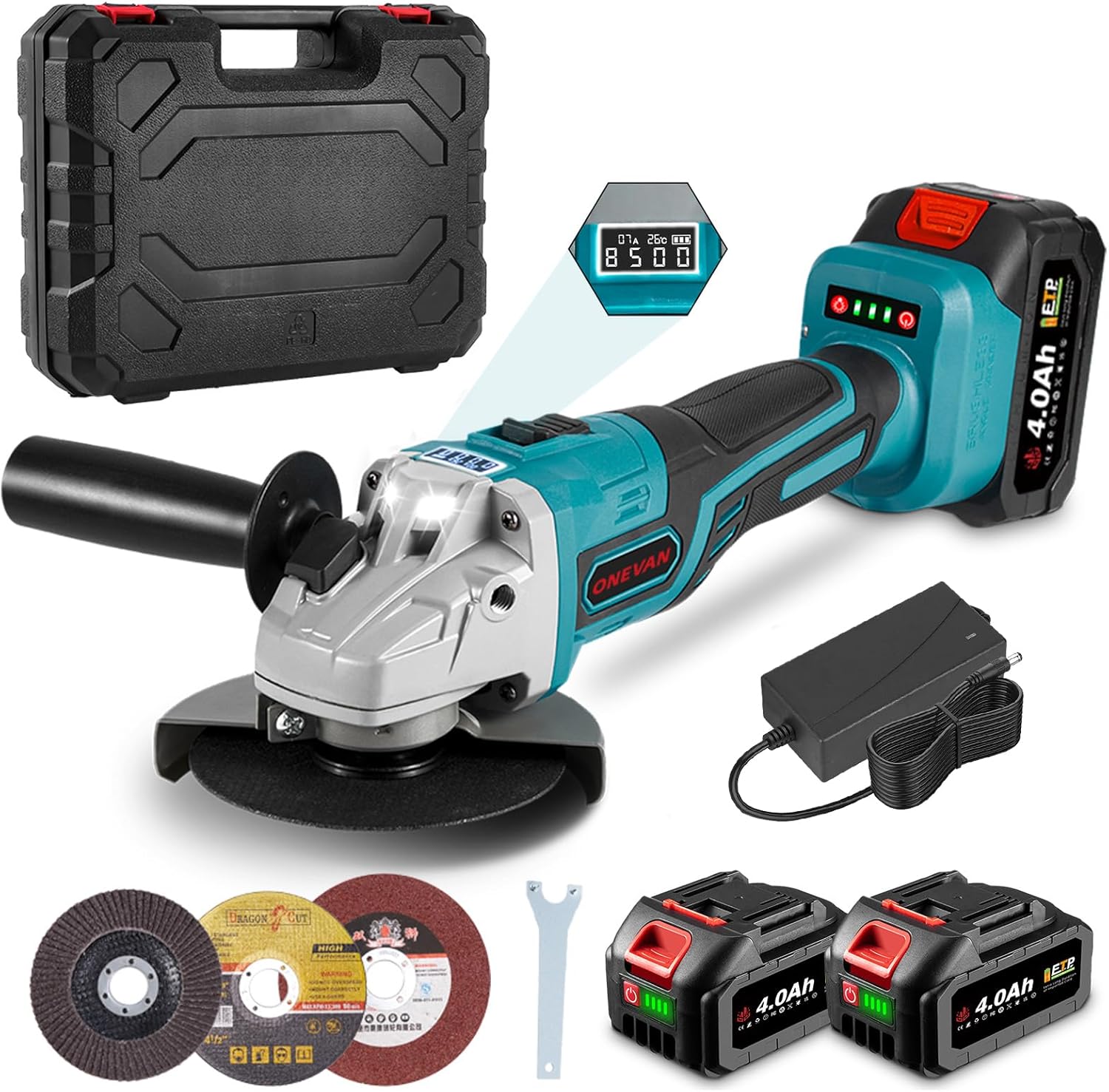
Image 1.1: ONEVAN Cordless Angle Grinder with two 4.0Ah batteries, charger, carrying case, and various grinding/cutting discs.
2. Safety Information
Always follow basic safety precautions when using electric tools to reduce the risk of fire, electric shock, and personal injury.
General Power Tool Safety Warnings:
- Work Area Safety: Keep work area clean and well lit. Do not operate power tools in explosive atmospheres, such as in the presence of flammable liquids, gases or dust.
- Electrical Safety: Avoid body contact with earthed or grounded surfaces. Do not expose power tools to rain or wet conditions.
- Personal Safety: Always wear eye protection. Use hearing protection when operating for extended periods. Dress properly; avoid loose clothing or jewelry.
- Tool Use and Care: Do not force the power tool. Use the correct power tool for your application. Disconnect the battery pack from the power tool before making any adjustments, changing accessories, or storing power tools.
- Battery Tool Use and Care: Recharge only with the charger specified by the manufacturer. Use power tools only with specifically designated battery packs.
Specific Angle Grinder Safety Warnings:
- This power tool is intended to function as a grinder, sander, wire brush or cut-off tool. Read all safety warnings, instructions, illustrations and specifications provided with this power tool.
- Do not use accessories which are not specifically designed and recommended by the tool manufacturer.
- Always ensure the guard is correctly positioned and secure before operation.
- Hold the tool firmly with both hands. A loss of control can result in personal injury.
- Keep hands away from the rotating accessory.
- Be aware of flying debris. Sparks and small metal particles can be ejected during operation.
3. Product Overview and Components
Familiarize yourself with the main components of your ONEVAN Cordless Angle Grinder.

Image 3.1: Key components of the ONEVAN Cordless Angle Grinder.
- Protection Cover: Shields the user from sparks and debris.
- Disc Diameter (125mm): Standard size for compatible discs.
- Spindle Lock: Used to lock the spindle for easy disc changes.
- Detachable Handle: Can be attached to either side for comfortable operation.
- Switch: Power on/off and speed control.
- Digital Display: Shows current, speed, temperature, and remaining power.
- Non-Slip Handle: Provides a secure grip.
- Lithium Battery: Provides cordless power.
The angle grinder is equipped with a powerful brushless motor for high efficiency and extended service life. It also features an LED work light for improved visibility.

Image 3.2: Illustration of the powerful brushless motor and its benefits.
4. Setup
4.1 Battery Installation and Charging
The angle grinder uses 18V Lithium-ion batteries. Ensure the battery is fully charged before first use.
- To Install Battery: Align the battery pack with the battery port on the tool and slide it in until it clicks into place.
- To Remove Battery: Press the battery release button and slide the battery pack out.
- Charging: Connect the charger to a power outlet and insert the battery. The charging indicator on the battery will show its status. A full charge typically takes 2-3 hours for a 4.0Ah battery.

Image 4.1: Details on battery capacity, working time, and charging time.
4.2 Attaching the Auxiliary Handle
The auxiliary handle can be attached to either the left or right side of the gear housing for optimal control and comfort, depending on your task and handedness.
- Screw the auxiliary handle clockwise into the threaded hole on either side of the grinder head until it is securely tightened.

Image 4.2: The angle grinder features a 2-position handle for user comfort and control.
4.3 Installing/Changing Grinding/Cutting Discs
Always ensure the tool is switched off and the battery is removed before changing discs.
- Press and hold the spindle lock button.
- Use the provided wrench to loosen the outer flange nut by turning it counter-clockwise.
- Remove the outer flange nut and the old disc.
- Place the new disc onto the inner flange, ensuring it is centered.
- Replace the outer flange nut and tighten it clockwise with the wrench while holding the spindle lock button. Do not overtighten.
5. Operating Instructions
5.1 Powering On and Speed Adjustment
The angle grinder features a digital display and 3 adjustable speeds.
- To Power On: Slide the switch forward to turn on the tool.
- Speed Adjustment: The tool has 3 speed settings, which can be cycled through by pressing the speed adjustment button (usually integrated with the power switch or a separate button near the display).
| Gear | Speed (RPM) | Recommended Use |
|---|---|---|
| 1 | 4000 | Polishing, light grinding |
| 2 | 6000 | General grinding, surface treatment |
| 3 | 8500 | Heavy-duty cutting, fast grinding |

Image 5.1: The digital display provides real-time information on current, speed, machine temperature, and remaining power.
5.2 Applications
The ONEVAN Angle Grinder is suitable for a wide range of applications:
- Metal Grinding: Use appropriate grinding discs for deburring, shaping, and smoothing metal surfaces.
- Metal Cutting: Use thin cut-off discs for cutting steel, pipes, and other metal materials.
- Wood Sanding/Polishing: With suitable sanding or flap discs, the tool can be used for wood surface preparation and finishing.
- Tile/Brick Cutting: Use diamond cutting discs for precise cuts in ceramic tiles and bricks.
- PVC Tube Cutting: Can be used for cutting various plastic pipes.

Image 5.2: Versatile applications including metal cutting, wood sanding, and stainless steel work.
6. Maintenance
Regular maintenance ensures the longevity and optimal performance of your angle grinder.
6.1 Cleaning
- Always disconnect the battery before cleaning.
- Clean the ventilation openings regularly to prevent overheating. Use a soft brush or compressed air to remove dust and debris.
- Wipe the tool housing with a damp cloth. Do not use harsh chemicals or abrasive cleaners.

Image 6.1: The design incorporates efficient ventilation for motor protection and heat dissipation.
6.2 Battery Care
- Store batteries in a cool, dry place away from direct sunlight and extreme temperatures.
- Do not store batteries in a discharged state for long periods. Recharge them periodically if not in use.
- Avoid dropping or physically damaging the battery packs.
6.3 Disc Replacement
Replace discs when they become worn, damaged, or when changing application types. Refer to Section 4.3 for detailed instructions on changing discs.
7. Troubleshooting
This section addresses common issues you might encounter with your angle grinder.
| Problem | Possible Cause | Solution |
|---|---|---|
| Tool does not start | Battery not charged or improperly installed. | Ensure battery is fully charged and correctly inserted. |
| Low power/performance | Battery charge is low. Incorrect speed setting for the task. | Recharge battery. Select a higher speed setting. |
| Tool overheats | Blocked ventilation openings. Prolonged heavy use. | Clean ventilation openings. Allow tool to cool down. Reduce load. |
| Excessive vibration | Disc is damaged or improperly installed. | Inspect disc for damage and replace if necessary. Reinstall disc correctly. |
| Spindle lock stuck | Disc nut overtightened. | Apply gentle pressure to the disc while attempting to loosen the nut. Do not force. |
If the problem persists after trying these solutions, please contact customer support.
8. Specifications
Detailed technical specifications for the ONEVAN Cordless Angle Grinder.
| Feature | Specification |
|---|---|
| Model Number | sku006166 |
| Brand | ONEVAN |
| Disc Diameter | 125 mm |
| Motor Type | Brushless |
| Voltage | 18 Volts (DC) |
| Wattage | 126 Watts |
| Max Rotational Speed | 8500 RPM |
| Speed Settings | 3 (4000, 6000, 8500 RPM) |
| Battery Type | Lithium-ion |
| Battery Capacity | 4.0 Ah (per battery) |
| Color | Turquoise |
| Material | Alloy Steel |
| Power Source | Battery Powered |
| Package Dimensions | 37 x 17 x 14 cm |
| Item Weight | 3 Kilograms |
9. Warranty and Support
For information regarding warranty coverage, returns, or technical support, please refer to the documentation provided with your purchase or contact the retailer/manufacturer directly. Keep your proof of purchase for any warranty claims.
Related documentssku006166

Ask a question about this manual
Ask about setup, troubleshooting, compatibility, parts, safety, or missing instructions. Manuals+ will review the question and use this page’s manual context to help answer it.