
Fender AMULIITLMNUBST
Fender American Ultra II Telecaster Electric Guitar - Ultraburst, Maple Fingerboard Instruction Manual
Brand: Fender | Model: AMULIITLMNUBST
1. Introduction
This manual provides essential information for the setup, operation, and maintenance of your new Fender American Ultra II Telecaster Electric Guitar. Designed for modern performers, this instrument combines classic Telecaster aesthetics with advanced features for enhanced playability and tonal versatility. Please read this manual thoroughly to ensure optimal performance and longevity of your guitar.
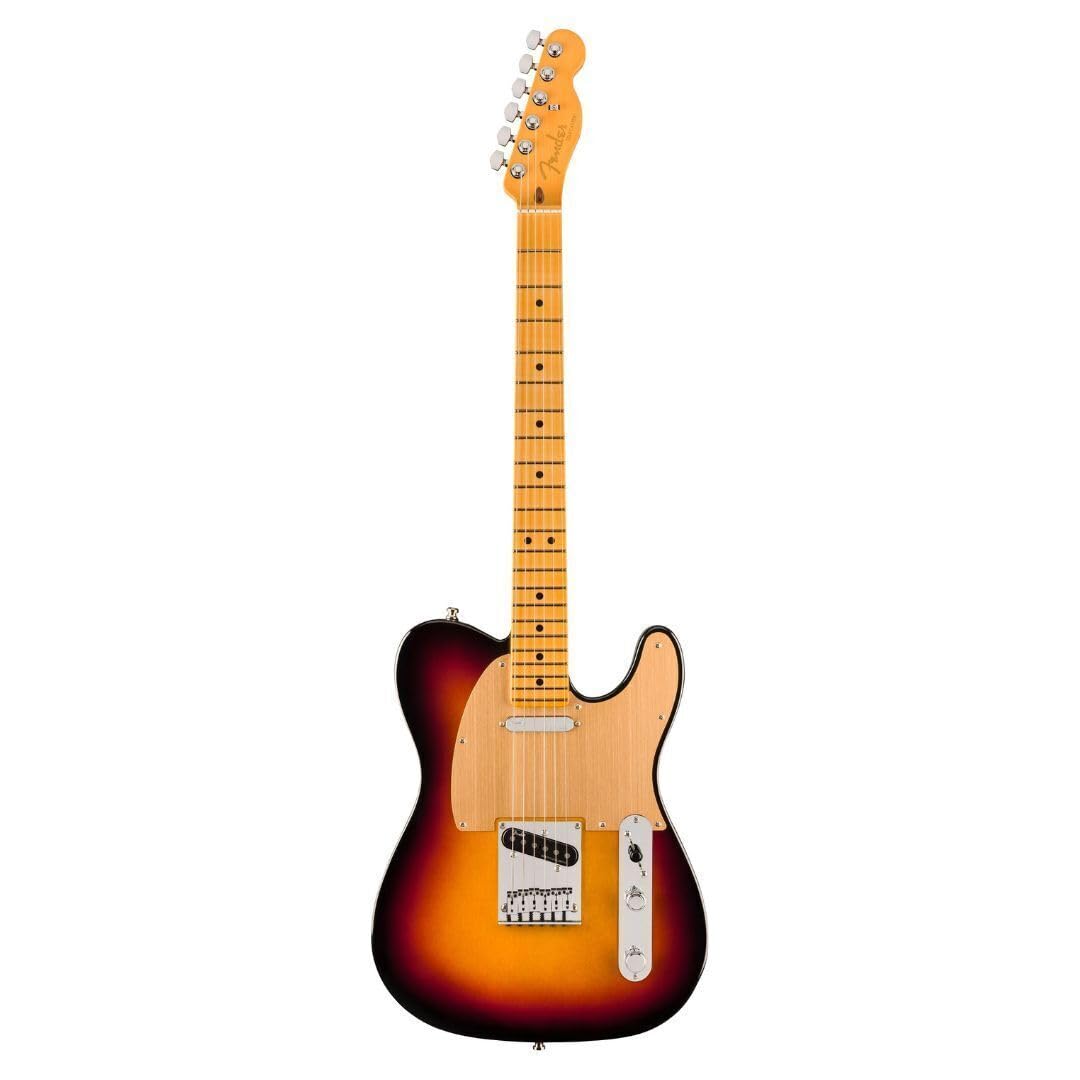
Image: Front view of the Fender American Ultra II Telecaster Electric Guitar in Ultraburst finish.
2. Key Features
- Solidbody Electric Guitar with Alder Body: Provides a balanced tone with excellent sustain.
- 2 Single-coil Pickups: Equipped with Ultra II Noiseless Vintage Tele single-coils for classic Telecaster shimmer without hum.
- Maple Fingerboard: Offers a bright attack and smooth playability.
- Maple Neck: Carved to a speedy Modern D profile for comfortable chording and lead playing.
- Updated Backside Contouring and Sculpted Neck Heel: Enhances comfort and provides easier access to higher frets.
- Sealed Locking Tuners: Ensures tuning stability during performance.
- 6-Saddle Hardtail Bridge: Contributes to excellent intonation and sustain.
Video: Official product overview of the Fender American Ultra II Telecaster, showcasing its features and sound.
3. Setup
3.1 Initial Inspection
Upon unboxing, inspect your guitar for any visible damage. Ensure all components are securely fastened. The guitar is factory-set, but minor adjustments may be needed due to shipping or environmental changes.
3.2 Tuning
Use a reliable electronic tuner to tune your guitar. The sealed locking tuners provide excellent stability. To string, insert the string through the bridge, pull it taut through the tuning post, and then lock the tuner. Wind the string a few times for added stability before bringing it to pitch.

Image: A close-up view of the Fender Telecaster headstock, showing the tuning machines and the Fender logo.

Image: The rear view of the Fender Telecaster headstock, displaying the serial number and "Made in Corona, California" text.
3.3 Action and Intonation
The guitar's action (string height) and intonation are factory-set. If you experience buzzing or incorrect pitch across the fretboard, consult a qualified guitar technician for adjustments. These settings are crucial for optimal playability and tone.
4. Operating
4.1 Controls
- Volume Knob: Controls the overall output level of the guitar.
- Tone Knob: Adjusts the treble response, from bright to mellow.
- 3-Way Pickup Selector Switch:
- Position 1 (Bridge): Activates the bridge pickup for a bright, cutting tone.
- Position 2 (Middle): Combines both bridge and neck pickups for a balanced, full sound.
- Position 3 (Neck): Activates the neck pickup for a warm, round tone.

Image: A detailed view of the Fender Telecaster's body, highlighting the bridge, single-coil pickups, volume and tone knobs, and the 3-way pickup selector switch.
5. Maintenance
5.1 Cleaning
Regularly wipe down your guitar with a soft, lint-free cloth after each use to remove sweat and fingerprints. For a deeper clean, use guitar-specific cleaning products. Avoid abrasive cleaners or solvents.
5.2 String Replacement
Strings should be replaced regularly, depending on usage. Old strings can sound dull and affect intonation. When replacing, change one string at a time to maintain neck tension. Use high-quality alloy steel strings for optimal performance.
5.3 Fretboard Care
The maple fingerboard may require occasional cleaning. Use a soft cloth and a small amount of fretboard cleaner if necessary. Avoid excessive moisture.

Image: A close-up view of the Fender Telecaster's maple fretboard, showing the frets and dot inlays.
5.4 Storage
Store your guitar in a climate-controlled environment, ideally in a hard case, to protect it from extreme temperature changes, humidity, and physical damage.
6. Troubleshooting
- No Sound:
- Check guitar cable connections to the guitar and amplifier.
- Ensure amplifier is powered on and volume is up.
- Verify guitar's volume knob is turned up.
- Test with a different cable or amplifier if possible.
- Buzzing Strings:
- Check if strings are properly seated in the bridge saddles and nut.
- Ensure proper string gauge for the guitar's setup.
- If buzzing persists, action or neck relief may need adjustment by a professional.
- Poor Intonation:
- Ensure the guitar is correctly tuned.
- Old or worn strings can cause intonation issues; replace them.
- If the problem continues, the bridge saddles may need adjustment by a technician.
7. Specifications
| Feature | Detail |
|---|---|
| Item Weight | 21.4 pounds |
| Product Dimensions | 44.2 x 19.8 x 5.8 inches |
| ASIN | B0D87R4JNH |
| Item Model Number | AMULIITLMNUBST |
| Date First Available | June 26, 2024 |
| Back Material | Alder Wood |
| Body Material | Alder |
| Color Name | Ultraburst |
| Connector Type | 1/4" (6.35mm) Audio Jack |
| Fretboard Material | Maple Wood |
| Guitar Pickup Configuration | S-S (Single-Single) |
| String Material | Alloy Steel |
| Top Material | Alder Wood |
| Neck Material Type | Maple |
| Guitar Bridge System | Hard Tail |
| Size | 44.2 inches |
8. Warranty and Support
Fender provides a limited warranty for its products. Please refer to the official Fender website or your purchase documentation for detailed warranty terms and conditions. For technical support, service, or parts, contact Fender customer service directly or visit an authorized Fender service center.
Online resources and FAQs are available on the Fender official website.
Related documentsAMULIITLMNUBST


Ask a question about this manual
Ask about setup, troubleshooting, compatibility, parts, safety, or missing instructions. Manuals+ will review the question and use this page’s manual context to help answer it.