
1. Introduction
Thank you for choosing the KitchenAid KMMF330PPS Over-the-Range Microwave. This appliance is designed to provide efficient and convenient cooking solutions for your kitchen. Please read this manual thoroughly before operating your microwave to ensure safe and optimal performance. Keep this manual for future reference.
Important Safety Information
Always follow basic safety precautions when using electrical appliances to reduce the risk of burns, electric shock, fire, injury to persons, or exposure to excessive microwave energy.
- Do not attempt to operate this oven with the door open as this can result in harmful exposure to microwave energy.
- Do not place any object between the oven front face and the door or allow soil or cleaner residue to accumulate on sealing surfaces.
- Do not operate the oven if it is damaged. It is particularly important that the oven door closes properly and that there is no damage to the door (e.g., bent), hinges and latches (e.g., broken or loosened), or door seals and sealing surfaces.
- The oven should not be adjusted or repaired by anyone except properly qualified service personnel.
2. Setup and Installation
The KitchenAid KMMF330PPS is an Over-the-Range microwave oven, designed for installation above a cooking range. Proper installation is crucial for safety and performance. It is highly recommended that installation be performed by a qualified installer.
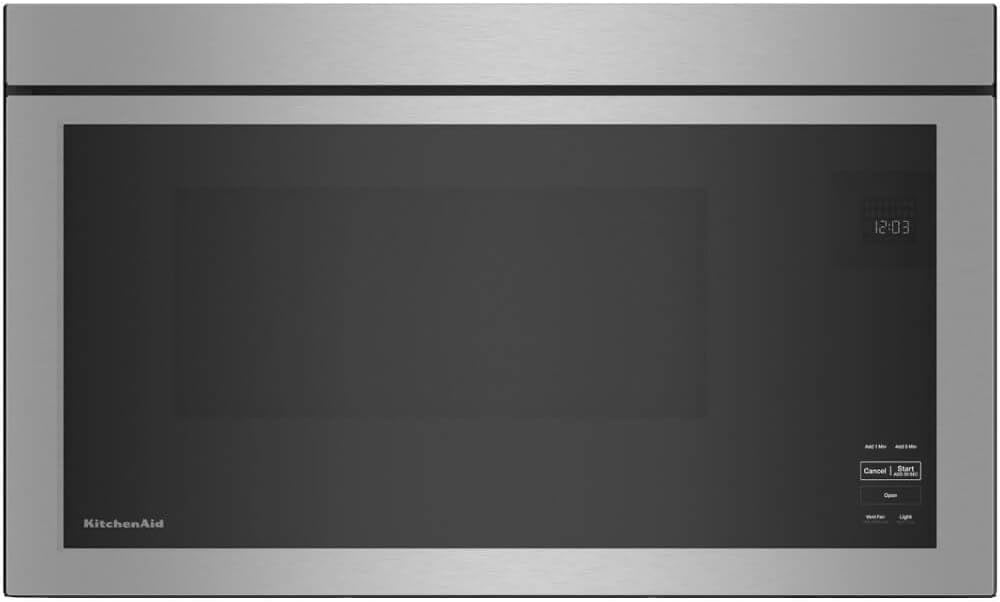
Figure 2.1: Front view of the KitchenAid KMMF330PPS microwave, showcasing its sleek design and integrated control panel.
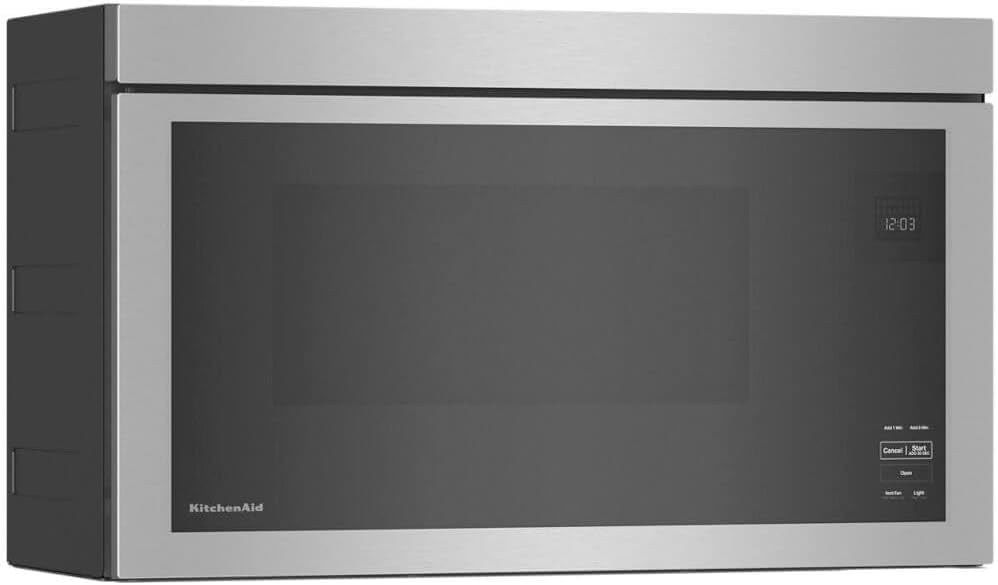
Figure 2.2: Angled view of the microwave, highlighting its compact profile suitable for over-the-range installation.

Figure 2.3: The microwave seamlessly integrated into a modern kitchen setting above a stovetop.
Key Installation Considerations:
- Ventilation: Ensure proper ventilation is established as per local building codes. This model includes grease filters for effective air purification.
- Electrical Requirements: Connect the microwave to a dedicated, grounded electrical outlet with the correct voltage and amperage as specified in the electrical diagram (not provided in this manual, refer to installation guide).
- Mounting: Securely mount the microwave to the wall studs and upper cabinet using the provided mounting bracket and hardware.
- Turntable-Free Design: This microwave features a turntable-free design, simplifying installation as there is no glass tray to position.
3. Operating Instructions
The KitchenAid KMMF330PPS microwave offers intuitive controls and various cooking functions. The control panel is integrated into the door for a sleek appearance.
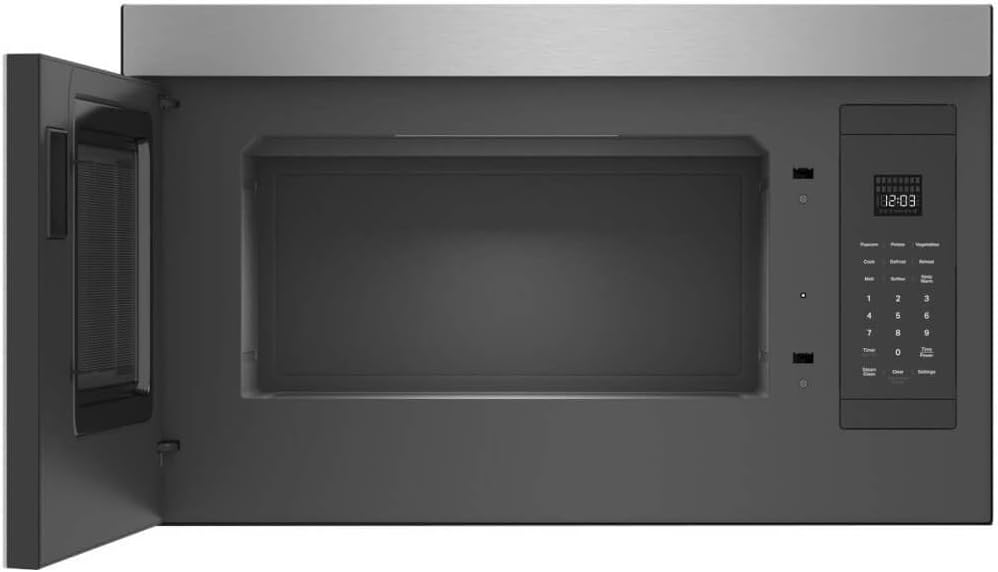
Figure 3.1: Interior view of the microwave with the door open, showing the spacious, turntable-free cavity and the control panel on the right.
Control Panel Overview:
- Display: Shows time of day, cooking time, and function indicators.
- Add 1 Min / Add 5 Min: Quickly add cooking time in one or five-minute increments.
- Cancel: Stops cooking or clears settings.
- Start / Add 30 Sec: Starts cooking or adds 30 seconds to the current cooking time.
- Open: Electronically opens the microwave door.
- Vent Fan (High-Med-Low): Controls the exhaust fan speed.
- Light (High-Low): Controls the cooktop light intensity.
- Numeric Keypad (0-9): Used to enter cooking times and other numerical inputs.
- Pre-set Functions: Dedicated buttons for common tasks like Popcorn, Potato, Vegetables, Cook, Defrost, Reheat, Melt, Soften, and Keep Warm.
- Timer (Set-Off): Sets or turns off the kitchen timer.
- Time Power: Adjusts the microwave power level.
- Steam Clean: Activates a steam cleaning cycle for easy interior maintenance.
- Clear (Hold to Mute Sounds): Clears current settings or mutes audible signals.
- Settings: Accesses various microwave settings and options.
Basic Operation:
- Place food in a microwave-safe container directly on the oven floor (due to turntable-free design).
- Close the door securely.
- Enter desired cooking time using the numeric keypad or select a pre-set function.
- Press Start / Add 30 Sec to begin cooking.
For detailed instructions on specific functions like Sensor Cooking, Defrost, or Reheat, please refer to the full digital manual available on the KitchenAid website.
4. Maintenance and Cleaning
Regular cleaning and maintenance will ensure the longevity and optimal performance of your KitchenAid microwave. The PrintShield Finish resists fingerprints and smudges, making exterior cleaning easier.

Figure 4.1: A hand wiping the interior surface of the microwave, demonstrating the ease of cleaning the turntable-free design.
Cleaning the Interior:
- Daily Cleaning: Wipe the interior surfaces, including the oven floor, with a soft cloth and mild detergent after each use to prevent food buildup.
- Steam Clean Function: Utilize the built-in Steam Clean function for stubborn stains. Follow the instructions on the control panel for this cycle.
- Avoid Abrasives: Do not use abrasive cleaners, steel wool, or harsh chemicals, as they can damage the interior finish.
Cleaning the Exterior:
- PrintShield Finish: For the stainless steel exterior with PrintShield Finish, use a soft cloth and warm, soapy water. Wipe dry with a clean, soft cloth.
- Control Panel: Wipe the control panel gently with a damp cloth. Do not spray cleaners directly onto the panel.
Grease Filters:
The microwave is equipped with grease filters to trap grease from the cooktop. These filters should be removed and cleaned regularly (e.g., monthly) to maintain optimal ventilation performance.
- Remove the filters by sliding them out.
- Wash the filters in hot water with a mild detergent or in a dishwasher.
- Rinse thoroughly and allow to dry completely before reinstalling.
5. Troubleshooting
If you experience issues with your microwave, consult the following common troubleshooting tips. For more complex problems, contact customer support.
- Microwave Not Starting: Ensure the door is fully closed. Check if the microwave is plugged in and the circuit breaker has not tripped.
- Food Not Heating Evenly: Stir or rotate food halfway through cooking. Ensure appropriate power levels are selected.
- Display Not Working: Check power supply. If power is present, try resetting the microwave by unplugging it for a few minutes and then plugging it back in.
- Unusual Noises: Verify that no foreign objects are inside the microwave cavity. If the noise persists, contact service.
- Vent Fan Not Working: Check if the fan is obstructed. Ensure the fan speed is set correctly. Clean grease filters if they are clogged.
6. Specifications
| Feature | Detail |
|---|---|
| Brand Name | KitchenAid |
| Model Number | KMMF330PPS |
| Installation Type | Over-the-Range |
| Item Weight | 65 pounds |
| Product Dimensions | 21.75 x 14.75 x 32.75 inches |
| Special Feature | Turntable-Free Design |
| Included Components | Turntable (Note: Product description states Turntable-Free Design, this may refer to a removable component or a general feature listed incorrectly in source data) |
| Timer Function | Timer Function Available |
| Date First Available | June 6, 2024 |
7. Warranty and Support
For warranty information and customer support, please refer to the official KitchenAid website or contact their customer service directly. You can also visit the KitchenAid Store on Amazon for additional resources and assistance.


