
1. Product Overview
Thank you for choosing TOBUSA Motion Sensor Outdoor Wall Lights. These fixtures are designed to provide reliable and efficient outdoor lighting with advanced motion and dusk-to-dawn sensing capabilities. Constructed from durable metal and clear glass, they are built to withstand various weather conditions.
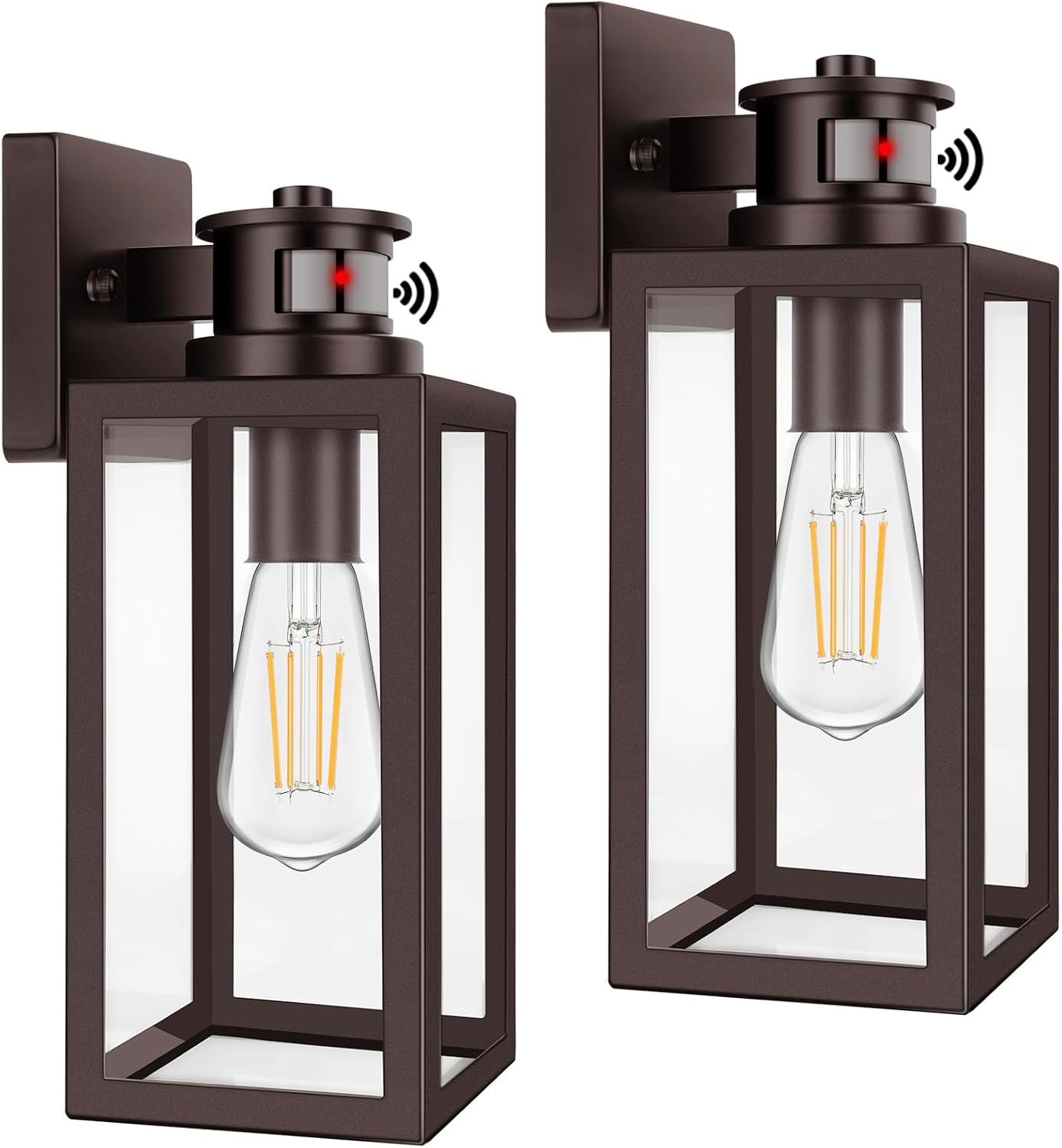
Image 1.1: TOBUSA Motion Sensor Outdoor Wall Lights (Pair)
Each light features an integrated IC light sensor for dusk-to-dawn functionality and a PIR motion sensor for enhanced security and energy saving. The lights offer three distinct operating modes, easily selectable via your existing wall switch.
2. Safety Information
- Electrical Safety: Always turn off power at the circuit breaker before installation, maintenance, or bulb replacement. Consult a qualified electrician if you are unsure about wiring procedures.
- Bulb Compatibility: Use only E26 dimmable bulbs. Non-dimmable bulbs may cause flickering or malfunction. Bulbs are not included.
- Installation: Ensure the mounting surface is structurally sound and can support the weight of the fixture. Follow all local electrical codes.
- Glass Handling: Handle glass components with care to prevent breakage and injury.
- Outdoor Use: These fixtures are rated for outdoor use and are waterproof. Ensure all connections are properly sealed during installation to maintain water resistance.
3. Package Contents
Verify that all components are present before beginning installation.
- TOBUSA Motion Sensor Outdoor Wall Light Fixtures (2 units)
- Mounting Hardware (screws, wire nuts, mounting plate)
- Instruction Manual
Note: E26 dimmable bulbs are required and are not included in the package.

Image 3.1: Recommended E26 Dimmable Bulbs (Not Included)
4. Specifications
| Feature | Specification |
|---|---|
| Brand | TOBUSA |
| Model Name | B05023CPG-ORB |
| Color | Brown |
| Material | Metal, Glass |
| Product Dimensions | 4.75"L x 4.75"W x 13.25"H |
| Power Source | Corded Electric |
| Voltage | 120 Volts |
| Bulb Base | E26 (Bulb not included) |
| Max Wattage | 100 watts |
| Special Features | Dusk to Dawn, Motion Activated, 3 Operating Modes, Anti-rust, Waterproof |
| Motion Sensor Range | Up to 40 feet |
| Motion Sensor Angle | 220 degrees |
| Indoor/Outdoor Usage | Outdoor |
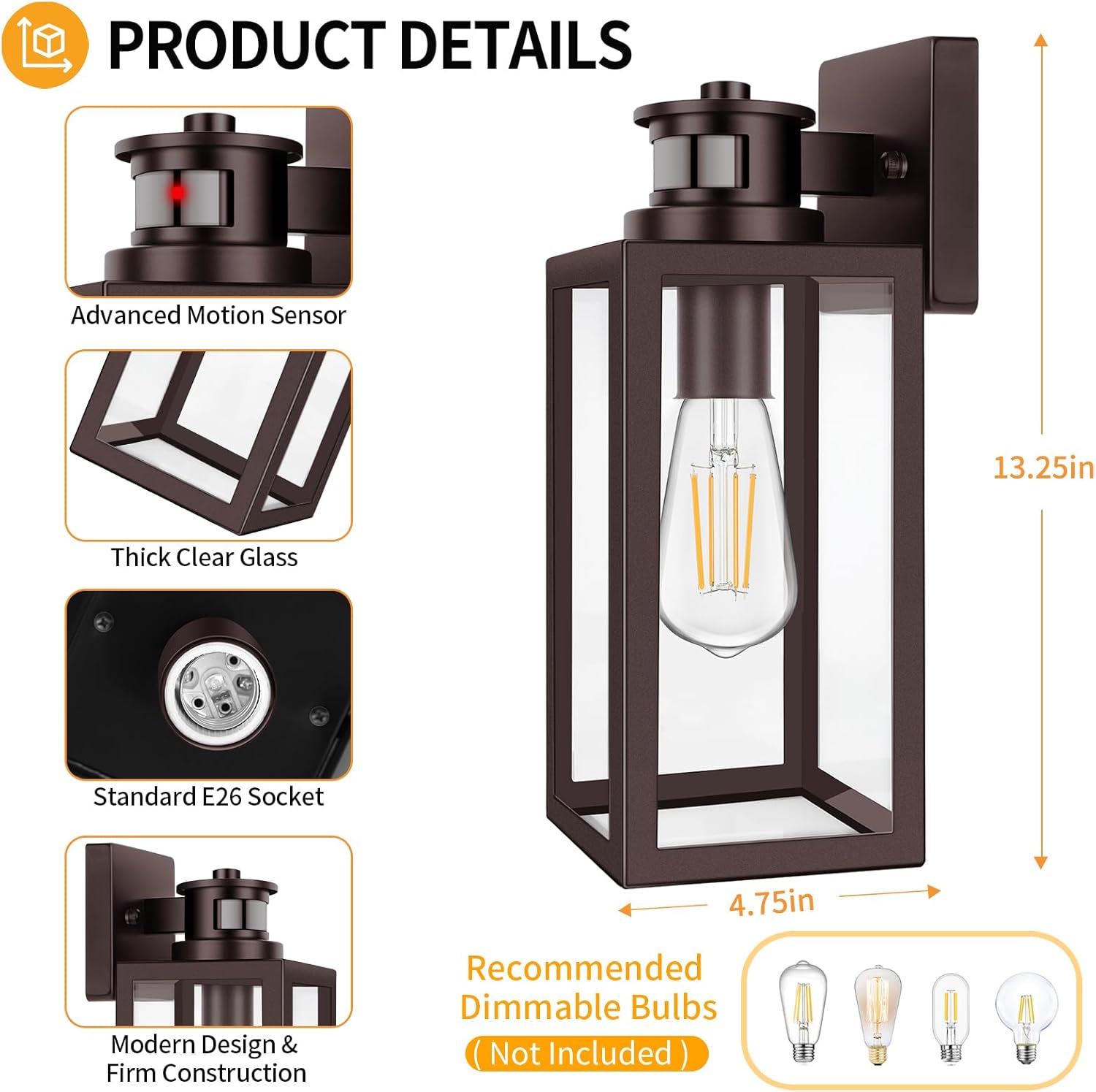
Image 4.1: Product Dimensions and Key Features
5. Installation Instructions
Before You Begin: Ensure power is OFF at the circuit breaker. Read all instructions carefully.
- Prepare Wiring: Turn off the power at the main circuit breaker. Remove your old fixture if applicable.
- Mounting Plate Installation: Attach the provided mounting plate to your junction box using the screws. Ensure it is securely fastened.
- Electrical Connections: Connect the fixture's wires to your house wiring using the wire nuts. Match black to black (live), white to white (neutral), and green/bare copper to green/bare copper (ground). Ensure all connections are tight and secure.
- Secure Fixture: Carefully align the fixture with the mounting plate and secure it with the provided screws.
- Install Bulb: Insert a compatible E26 dimmable bulb (not included) into the socket. The open bottom design allows for easy bulb replacement.
- Restore Power: Turn the power back on at the circuit breaker.
The fixture is designed with an open bottom for convenient bulb replacement and cleaning without disassembly.

Image 5.1: Key Components for Installation and Maintenance
6. Operating Instructions
These lights feature three operating modes, controlled by toggling your standard wall switch.

Image 6.1: Wall Switch Control for Operating Modes
Mode Selection:
To cycle through the modes, turn the wall switch OFF and then ON within 2 seconds. The light will briefly indicate the mode change.
- Auto Mode (Security Lights):
The light automatically turns on at dusk with 20% brightness. When motion is detected, it illuminates to 100% brightness. After approximately 2 minutes of no motion, it dims back to 20% brightness. This mode is ideal for general security and ambient lighting. - Auto+ Mode (Energy Saving):
The light remains off at dusk. It only turns on to 100% brightness when motion is detected. After approximately 2 minutes of no motion, it turns off completely. This mode maximizes energy savings by only activating when needed. - Manual Override Mode:
In this mode, the light stays on at 100% brightness for 8 hours, regardless of motion or ambient light conditions. To activate, cycle through modes until the light stays on continuously. This mode is useful for extended periods of full illumination.

Image 6.2: Auto+ Mode and Manual Override Mode Explained
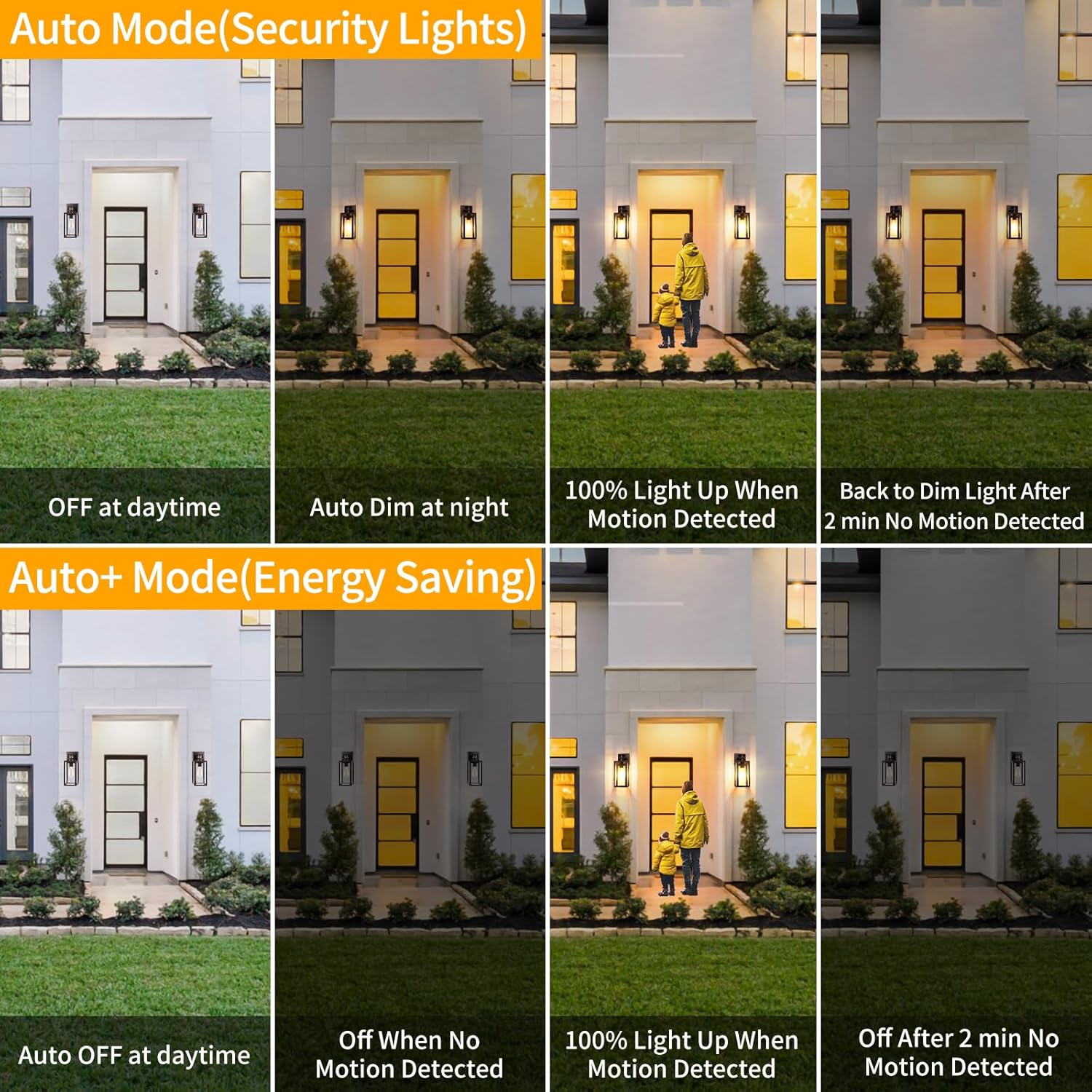
Image 6.3: Visual Comparison of Auto Mode and Auto+ Mode
Sensor Performance:
The advanced motion sensor detects movement up to 40 feet away within a 220-degree sensing angle, ensuring broad coverage for your outdoor areas.

Image 6.4: Motion Sensor Sensing Distance and Angle
7. Maintenance
- Cleaning: To clean the fixture, ensure power is off. Wipe the metal and glass surfaces with a soft, damp cloth. Avoid abrasive cleaners or solvents that could damage the finish or sensors.
- Bulb Replacement: Turn off power at the circuit breaker. Unscrew the old bulb and screw in a new E26 dimmable bulb. The open bottom design facilitates easy access.
- Weather Resistance: These lights are designed to be waterproof and anti-rust. Regular inspection for any damage to seals or housing is recommended, especially after severe weather.

Image 7.1: Weather Resistance Features
8. Troubleshooting
| Problem | Possible Cause | Solution |
|---|---|---|
| Light does not turn on | No power, faulty bulb, incorrect wiring, light sensor detecting daylight | Check circuit breaker. Replace bulb. Verify wiring connections. Ensure it's dark enough for dusk-to-dawn sensor. |
| Light flickers or does not work correctly | Non-dimmable bulb used, loose connection | Ensure an E26 dimmable bulb is installed. Check all electrical connections for tightness. |
| Motion sensor not detecting or too sensitive | Obstruction, incorrect mode, environmental factors | Ensure sensor is clear of obstructions. Cycle through modes to confirm desired setting. Adjust sensor placement if possible to avoid unwanted triggers (e.g., moving branches). |
| Light stays on continuously in Auto/Auto+ mode | Light sensor malfunction, constant motion detected | Ensure no continuous light source is hitting the dusk-to-dawn sensor. Check for constant motion in the sensor's field of view. If issue persists, contact support. |
9. Warranty and Support
This TOBUSA product comes with a 1-Year Warranty from the date of purchase. This warranty covers manufacturing defects and material flaws under normal use.
For technical assistance, warranty claims, or any questions regarding your TOBUSA Motion Sensor Outdoor Wall Lights, please contact TOBUSA customer support through the retailer's platform or visit the official TOBUSA store page.
Please retain your proof of purchase for warranty validation.