
TOZO TOZO A1
TOZO A1 Wireless Earbuds & 65W Fast Charger User Manual
Model: TOZO A1
Introduction
The TOZO A1 Wireless Earbuds, paired with the TOZO 2025 Upgraded C2 65W Fast Charger, offer a comprehensive audio and charging solution. These earbuds are designed for comfort and high-quality sound, while the charger provides efficient power delivery for multiple devices.
This manual provides detailed instructions for setting up, operating, maintaining, and troubleshooting your TOZO A1 Earbuds and 65W Fast Charger.
Product Overview
TOZO A1 Wireless Earbuds

The TOZO A1 earbuds are ultra-lightweight, with each earbud weighing only 3.7g, ensuring a comfortable and discreet fit. Their ergonomic design is suitable for extended wear, including during sports or workouts. They feature a 6mm diameter speaker for powerful sound and an advanced Bluetooth chip for enhanced audio quality.
TOZO 65W Fast Charger
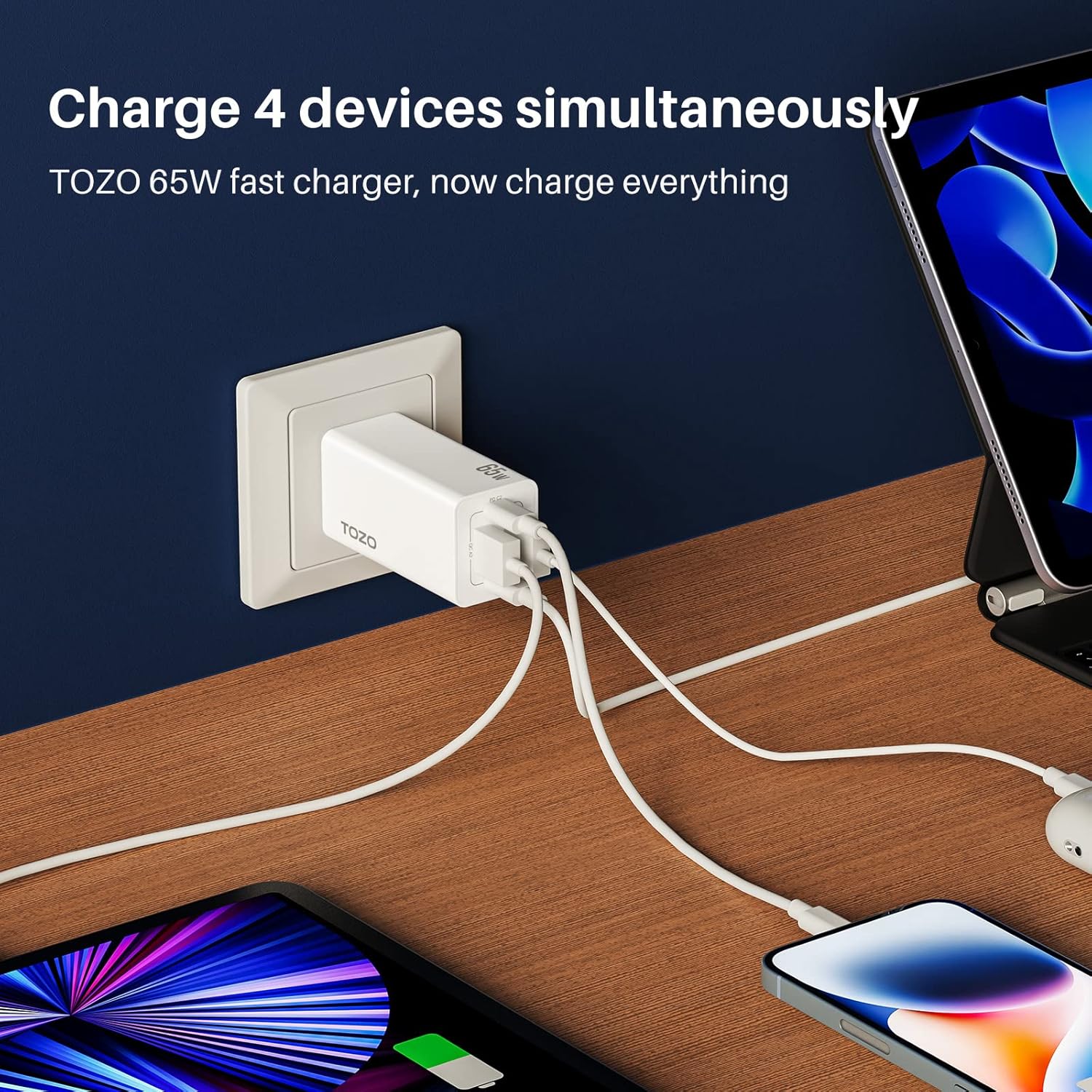
The TOZO 65W Fast Charger is designed for high-efficiency charging, capable of powering up to four devices simultaneously. It incorporates multiple protection features, including safeguards against over-charging, over-heating, and short-circuits, ensuring reliable and safe operation.
Key Features
- Ultra Lightweight Design: Each earbud weighs only 3.7g, providing a barely-there feel and comfortable wear, especially for small ears.
- Ergonomic Fit: Polished in-ear surface and angle ensure a secure and comfortable fit that does not protrude, ideal for active use.
- High-Fidelity Audio: Equipped with a 6mm diameter speaker for powerful sound range and an advanced Bluetooth chip for enhanced audio quality.
- 65W PD Fast Charging: The included charger offers powerful 65W Power Delivery output for exhilarating charging speeds.
- Multi-Device Charging: Capable of charging up to 4 devices simultaneously with its multiple USB ports (2x USB-C, 2x USB-A).
- Advanced Safety Protections: Built-in over-charging, over-heating, and short-circuit protection to safeguard your devices.
- Bluetooth 5.0 Connectivity: Ensures stable and reliable wireless connections for seamless audio streaming.
- Compact and Portable: The charging case is small and compact, easily fitting into a pocket. The charger features a foldable design for space-saving portability.
Setup Guide
1. Initial Charging
Before first use, fully charge both the earbuds and the charging case.
- Place the earbuds into the charging case. Ensure they are correctly seated.
- Connect the charging case to a power source using a compatible USB-C cable (not included) and the TOZO 65W Fast Charger.
- The indicator lights on the charging case will show the charging status. Once fully charged, the lights will indicate completion.
2. Fitting the Earbuds
For optimal sound quality and comfort, ensure a proper fit.

The ergonomic design ensures a secure and comfortable fit for uninterrupted audio.
- Gently insert each earbud into your ear canal.
- Rotate the earbud slightly until it feels secure and comfortable. The polished in-ear surface and angle are designed to fit naturally.
Operating Instructions
1. Power On/Off
- Power On: Open the charging case, and the earbuds will automatically power on.
- Power Off: Place the earbuds back into the charging case and close the lid. They will automatically power off and begin charging.
2. Bluetooth Pairing (One-Step Pairing)

Easy Bluetooth connection with various devices, including Apple, Android, and Windows.
- Open the charging case. The earbuds will enter pairing mode automatically.
- On your device (smartphone, tablet, laptop), go to Bluetooth settings.
- Search for "TOZO-A1" in the list of available devices and select it to connect.
- Once connected, you will hear a confirmation tone, and the device will show "connected."
3. Earbud Controls (Remote Control)
The TOZO A1 earbuds feature remote control for various functions. Refer to the quick start guide included in your product packaging for specific touch/button commands for playback, calls, and voice assistant activation.
4. Using the 65W Fast Charger

The foldable design of the charger saves space, making it ideal for travel.
- Unfold the prongs of the charger and plug it into a wall outlet.
- Connect your devices (phones, tablets, laptops, etc.) to the charger's USB-C or USB-A ports using appropriate charging cables.
- The charger can power up to four devices simultaneously, optimizing your charging experience.
Maintenance and Care
- Cleaning: Regularly clean the earbuds and charging case with a soft, dry, lint-free cloth. Do not use harsh chemicals or abrasive materials.
- Storage: When not in use, store the earbuds in their charging case to protect them and keep them charged. Store in a cool, dry place away from extreme temperatures.
- Water Resistance: The earbuds are Not Water Resistant. Avoid exposure to water, sweat, or moisture to prevent damage.
- Charger Care: Keep the charger dry and clean. Avoid dropping or subjecting it to strong impacts.
Troubleshooting
| Problem | Possible Cause | Solution |
|---|---|---|
| Earbuds not pairing. | Earbuds not in pairing mode; Bluetooth off on device; interference. | Ensure earbuds are out of case and in pairing mode. Turn Bluetooth off/on on your device. Move closer to your device. |
| No sound from earbuds. | Low battery; volume too low; not connected. | Charge earbuds. Increase device volume. Re-pair earbuds. |
| Charger not working. | No power from outlet; faulty cable; device incompatibility. | Check wall outlet. Try a different charging cable. Ensure device is compatible with USB charging. |
| Earbuds keep disconnecting. | Out of range; interference; low battery. | Stay within Bluetooth range. Avoid strong electromagnetic interference. Charge earbuds. |
Specifications
| Feature | Detail |
|---|---|
| Model Name | TOZO A1 |
| Brand | TOZO |
| Connectivity Technology | Bluetooth |
| Bluetooth Version | 5.0 |
| Control Method | Remote |
| Ear Placement | In Ear |
| Form Factor | In Ear |
| Audio Driver Type | Dynamic Driver |
| Frequency Range | 20Hz - 20,000Hz |
| Water Resistance Level | Not Water Resistant |
| Noise Control | None |
| Headphones Jack | No Jack |
| Carrying Case Material | Plastic or Rubber |
| Carrying Case Color | White |
| Charger Output | 65W PD (Power Delivery) |
| Charger Ports | 2x USB-C, 2x USB-A |
Official Product Video
This video provides a visual overview of the TOZO A1 Mini Wireless Earbuds, highlighting their key features and design. It demonstrates the product's appearance and some functionalities.
Warranty and Support
TOZO products typically come with a manufacturer's warranty. For specific warranty details, registration, or technical support, please refer to the warranty card included in your product packaging or visit the official TOZO website. You may also contact TOZO customer service directly for assistance.
For returns or exchanges, please refer to the retailer's return policy where the product was purchased. The buybox winner information indicates a 30-day return policy for refund/replacement.
Related documentsTOZO A1


Ask a question about this manual
Ask about setup, troubleshooting, compatibility, parts, safety, or missing instructions. Manuals+ will review the question and use this page’s manual context to help answer it.