
1. Introduction
Thank you for choosing the GHB VB603 3.2-inch Video Baby Monitor. This device is designed to provide you with peace of mind by allowing you to monitor your baby from another room. It features a clear video display, two-way audio communication, night vision, and temperature monitoring to ensure your baby's comfort and safety.
Please read this manual carefully before using the product to ensure proper operation and to keep it for future reference.
2. Package Contents
Ensure all items are present in the package. If any items are missing or damaged, please contact your retailer.
- 1 x 3.2-inch Baby Monitor (Parent Unit)
- 1 x Camera (Baby Unit)
- 2 x Power Adapters
- 1 x User Manual (This document)
3. Product Features
The GHB VB603 Video Baby Monitor comes equipped with several features to enhance your monitoring experience:
- 3.2-inch Color LCD Screen: Provides a clear view of your baby.
- 2.4 GHz Wireless Technology: Ensures a stable and secure connection.
- Automatic Infrared Night Vision: Allows clear monitoring in low-light conditions.
- Two-Way Audio Communication: Speak to your baby remotely.
- Temperature Monitoring: Displays the room temperature where the baby unit is placed.
- VOX (Voice Operated Exchange) Mode: Screen activates automatically upon detecting sound, saving battery.
- 8 Built-in Lullabies: Soothe your baby to sleep.
- Long Battery Life: Up to 10 hours in VOX mode for the parent unit.
- Extended Range: Up to 260 meters (approx. 850 feet) in open space.
4. Setup Guide
4.1 Charging the Parent Unit
Before first use, fully charge the parent unit for approximately 4 hours. The parent unit contains a rechargeable battery.
- Connect one power adapter to the parent unit's charging port.
- Plug the other end of the adapter into a power outlet.
- The charging indicator will illuminate. Once fully charged, the indicator may change color or turn off depending on the model.
4.2 Powering the Baby Unit
The baby unit (camera) requires continuous power to operate.
- Connect the second power adapter to the baby unit's power input.
- Plug the other end of the adapter into a power outlet.
- The power indicator on the baby unit will light up, indicating it is powered on.

Image: The baby unit (camera) and parent unit (monitor) are shown connected to their respective power adapters. The camera is positioned on a surface next to a baby's crib, emphasizing the need for it to be plugged in for continuous operation.
4.3 Placement of the Baby Unit (Camera)
For optimal monitoring, place the baby unit in a secure location that provides a clear view of your baby's crib or sleeping area. Ensure it is out of reach of the baby and that the power cord is not accessible.
- Place the camera at least 1 meter (3 feet) away from the baby.
- Avoid placing the camera in direct sunlight or near heat sources.
- Ensure the camera has a stable surface or is securely mounted.

Image: The GHB baby monitor parent unit and camera are displayed in the foreground, with a happy baby crawling in the background. This illustrates the product in its intended use environment.
5. Operating Instructions
5.1 Power On/Off
- To turn on the parent unit, press and hold the power button until the screen illuminates.
- To turn off the parent unit, press and hold the power button until the screen turns off.
- The baby unit powers on automatically when connected to a power source.
5.2 Adjusting Volume and Brightness
- Use the volume buttons on the parent unit to increase or decrease the sound level.
- Access the menu settings to adjust screen brightness for optimal viewing.
5.3 Two-Way Talk Function
The two-way talk feature allows you to speak to your baby through the monitor.
- Press and hold the talk button on the parent unit.
- Speak clearly into the microphone on the parent unit.
- Release the button to hear your baby again.
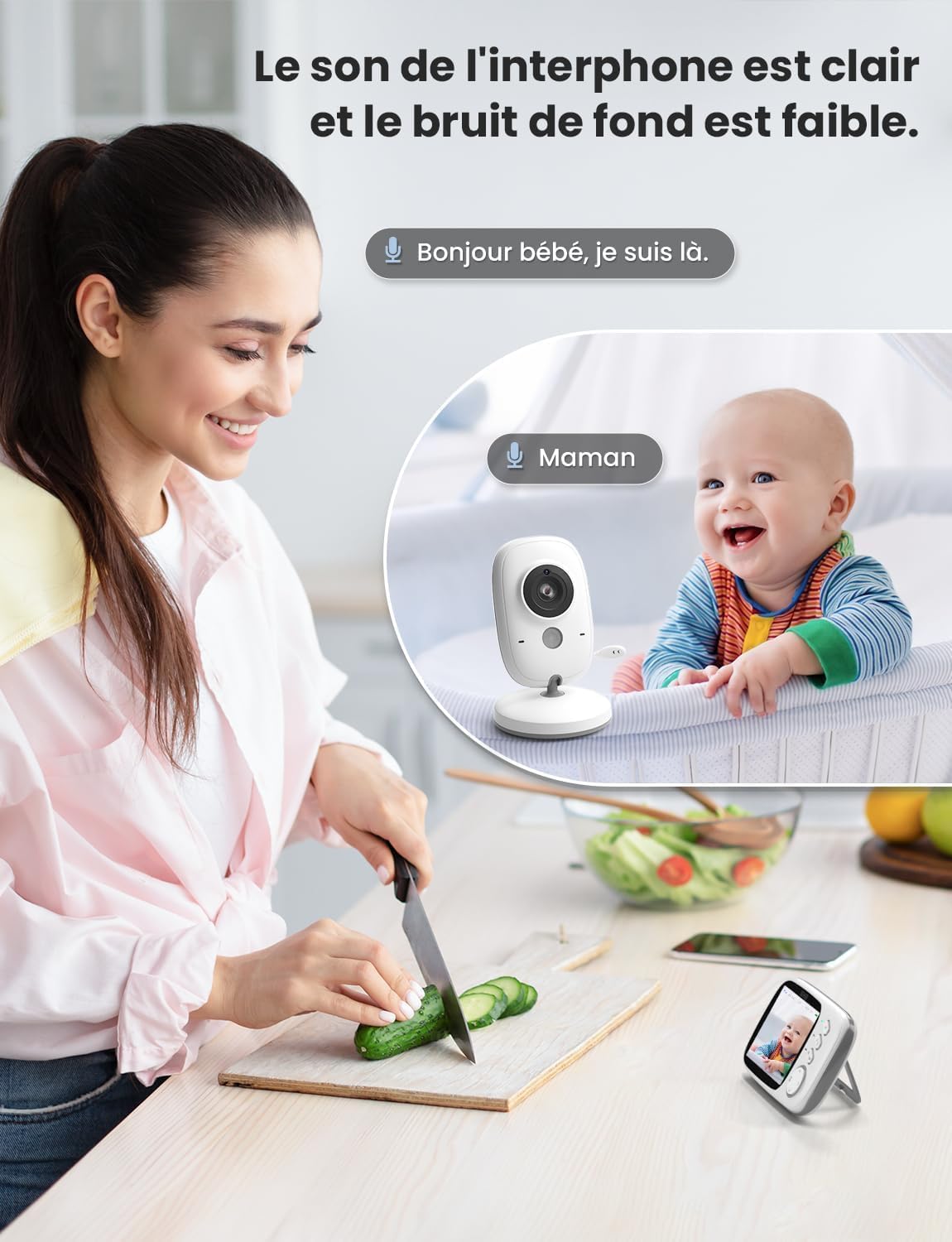
Image: A woman is shown in a kitchen setting, holding the parent unit and speaking into it, with a speech bubble indicating "Hello baby, I'm here." In the background, the baby unit is near a crib with a baby, and a speech bubble indicates "Mom." This visually represents the two-way audio communication feature.
5.4 Playing Lullabies
You can play built-in lullabies to help soothe your baby.
- Navigate to the lullaby option in the parent unit's menu.
- Select a lullaby to play.
- You can usually adjust the volume or stop the lullaby from the menu.

Image: A baby is sleeping peacefully in a crib, with the baby unit placed nearby. Musical notes are depicted emanating from the baby unit, illustrating the 8 built-in lullabies feature designed to help the baby fall asleep.
5.5 VOX (Voice Operated Exchange) Mode
VOX mode conserves battery by turning off the parent unit screen when no sound is detected. The screen will automatically turn on when sound is picked up by the baby unit.
- Access the VOX settings in the parent unit's menu.
- Enable VOX mode and adjust the sensitivity level as desired.

Image: Two panels illustrate the VOX energy-saving mode. The top panel shows a baby sleeping and the parent unit screen off, indicating no sound. The bottom panel shows a baby awake and smiling, with the parent unit screen on, indicating sound detection and screen activation.
5.6 Temperature Monitoring
The baby unit includes a temperature sensor that displays the room temperature on the parent unit.
- The current temperature is typically displayed on the parent unit's screen interface.
- Monitor the temperature to ensure your baby's room is comfortable.

Image: The top panel shows the baby unit near a sleeping baby, with an icon indicating real-time ambient temperature detection. The bottom panel shows the parent unit displaying the temperature (26.5°C) on its screen, demonstrating the temperature monitoring feature.
5.7 Automatic Night Vision
The baby unit automatically activates infrared night vision in low-light conditions, providing a clear black and white image on the parent unit.
6. Maintenance
6.1 Cleaning
- Wipe the units with a dry, soft, lint-free cloth.
- Do not use cleaning agents or solvents.
6.2 Battery Care (Parent Unit)
- To prolong battery life, avoid fully discharging the battery frequently.
- If storing the unit for an extended period, charge it periodically.
7. Troubleshooting
If you encounter issues with your GHB VB603 baby monitor, please refer to the following common problems and solutions:
| Problem | Possible Cause | Solution |
|---|---|---|
| No image/sound on parent unit | Units are not powered on or out of range. | Ensure both units are powered on and within range. Check power connections. |
| Poor image quality | Low light, interference, or camera lens is dirty. | Ensure adequate lighting or night vision is active. Move units away from other electronic devices. Clean the camera lens. |
| Static or interference | Other 2.4 GHz devices nearby. | Move the baby monitor away from Wi-Fi routers, cordless phones, or microwaves. |
| Parent unit battery drains quickly | Screen is constantly on, or battery is old. | Activate VOX mode. Reduce screen brightness. Ensure the battery is fully charged. |
| Two-way talk not working | Talk button not pressed, or volume too low. | Press and hold the talk button firmly. Increase parent unit volume. |
8. Specifications
| Feature | Detail |
|---|---|
| Model Number | VB603 |
| Screen Size | 3.2 inches LCD |
| Connectivity Technology | 2.4 GHz Wireless (FHSS) |
| Parent Unit Battery | 750 mAh Lithium-ion (included) |
| Night Vision | Infrared |
| Two-Way Audio | Yes |
| Temperature Sensor | Yes |
| Lullabies | 8 built-in |
| VOX Mode | Yes |
| Operating Range | Up to 260m (open space) |
| Product Dimensions (L x W x H) | 18 x 14 x 7 cm |
| Product Weight | 470 grams |
| Recommended Use | Baby monitoring, indoor security |
| Water Resistance Level | Not waterproof |
9. Warranty and Support
GHB products are designed and manufactured to the highest quality standards. For information regarding warranty coverage, please refer to the warranty card included with your purchase or contact your retailer.
If you have any questions or require technical assistance, please contact GHB customer support through the contact information provided on your product packaging or the official GHB website.


