
CHORTAU B-T50CH
CHORTAU 2.5K+1080P Dash Cam Front and Rear Camera User Manual
Model: B-T50CH | Brand: CHORTAU
Introduction
Thank you for choosing the CHORTAU 2.5K+1080P Dash Cam. This dual dash camera system is designed to enhance your driving safety and provide reliable video evidence with its high-resolution recording capabilities, advanced features like Wi-Fi connectivity, parking monitoring, and super night vision. This manual will guide you through the setup, operation, and maintenance of your new dash cam.
What's in the Box
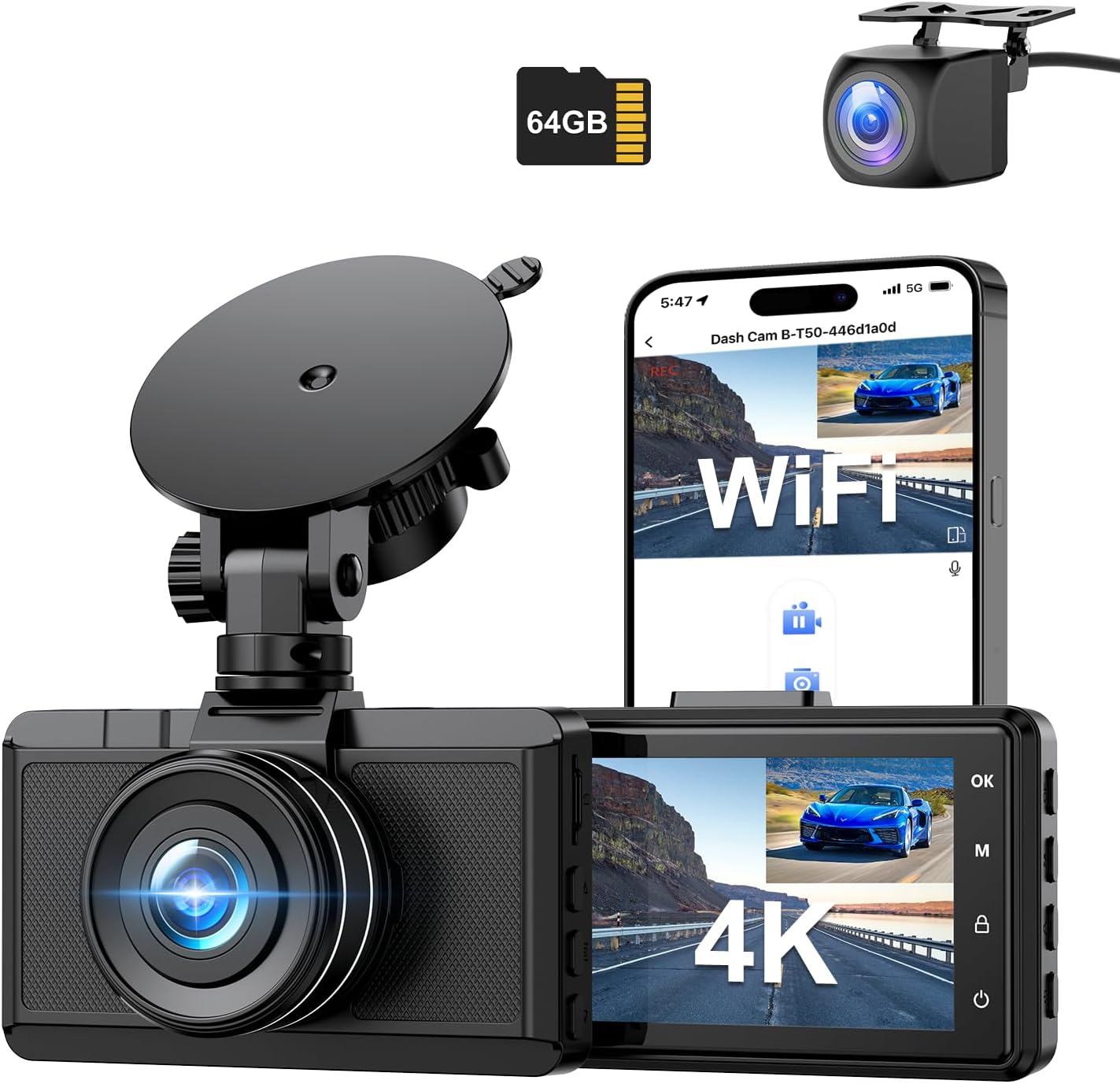
Image: All components included in the CHORTAU Dash Cam package.
- 1 x 4K Dash Cam Front and 1080P Rear Camera
- 1 x 11.5ft Car Charger Power Cord
- 1 x 18ft Rear Cam and Cable
- 1 x Suction Cup Mount
- 1 x 64GB Memory Card
- 1 x User Manual
- 1 x 2.5ft USB Data Cable
- 5 x 3M Stickers
- 1 x Pin (for SIM tray style access, if applicable)
Product Overview
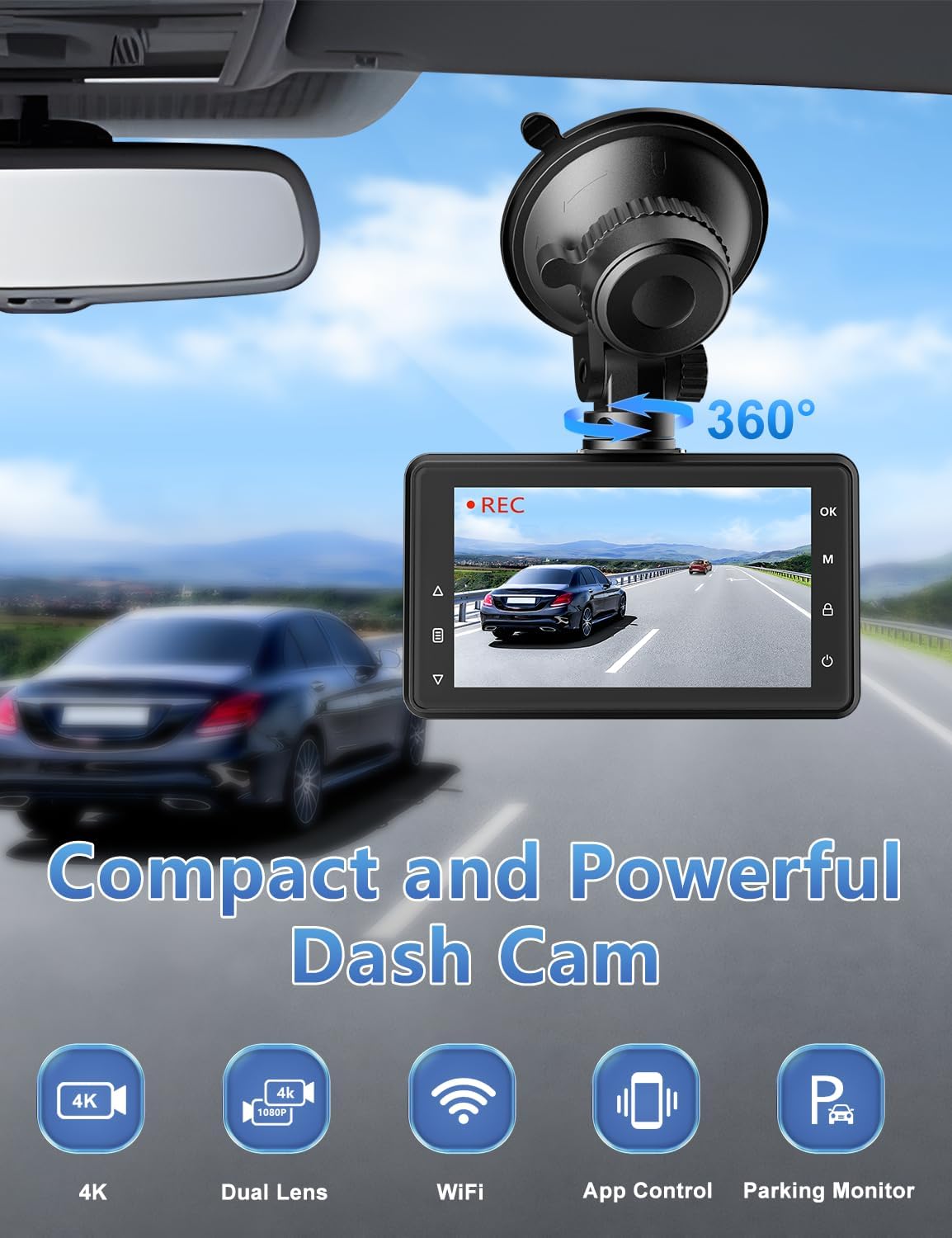
Image: Front view of the CHORTAU Dash Cam mounted on a windshield, highlighting its compact design and 360-degree rotation capability.
The CHORTAU Dash Cam features a compact 3-inch display and a rotatable suction cup mount for optimal positioning. It integrates dual lenses for comprehensive coverage and supports various essential functions for vehicle security.

Image: Visual representation of key features including dual cameras, 4K/1080P resolution, wide view angles, WiFi, and 24H parking monitor.
Setup Guide
- Prepare the Dash Cam:
- Remove any protective films from the screen and lens.
- Insert the included 64GB Micro SD Card into the dash cam's SD card slot. Ensure it is inserted correctly.
- It is recommended to format the Micro SD Card within the dash cam settings before first use to ensure optimal performance.
- Mount the Front Dash Cam:
- Clean the area on your car's windshield where you intend to mount the dash cam.
- Attach the suction cup mount to the windshield, ensuring a secure grip.
- Attach the main dash cam unit to the suction cup mount. Adjust the angle to ensure a clear view of the road ahead.

Image: Diagram showing how to attach the dash cam to the suction cup mount and windshield.
- Install the Rear Camera:
- Determine the best location for the rear camera, typically on the rear windshield or near the license plate.
- Use the provided 3M stickers to securely attach the rear camera.
- Route the 18ft rear camera cable from the rear camera to the main dash cam unit. Conceal the cable along the vehicle's interior trim for a neat installation.
- Connect the rear camera cable to the designated port on the main dash cam.

Image: Illustration of the front and rear dash cameras working together for dual-channel recording.
- Power Connection:
- Connect the 11.5ft car charger power cord to the Type-C port on the dash cam.
- Plug the other end of the power cord into your car's cigarette lighter socket.
- The dash cam will automatically power on and begin recording when your vehicle starts.

Image: Close-up of the dash cam's Type-C power port.
Video: An overview of the CHORTAU 2.5K+1080P Dual WiFi Dash Cam, demonstrating its features and components.
Operating Instructions
Recording Modes
The dash cam automatically starts recording when powered on. It records simultaneously from both the front and rear cameras.
- Front Camera: Records in Super High Resolution 4K with a 170° wide-angle lens.
- Rear Camera: Records in 1080P with a 140° wide-angle lens.

Image: Visualizing the wide-angle coverage of both front (170°) and rear (140°) cameras.
Wi-Fi and Smart APP Control
The dash cam features built-in Wi-Fi for seamless connectivity with your smartphone via the free Viidure APP (available for Android and iOS devices).
- Real-time Viewing: Stream live footage from your dash cam directly to your phone.
- Playback & Download: Easily review recorded videos and download important clips to your device.
- Sharing: Share your travel scenery and moments with friends and family with a single click.

Image: A smartphone screen displaying the Viidure app interface, showing real-time video and options to download and share footage.
Video: UHD video footage captured by the CHORTAU dash cam during a road trip, demonstrating video quality.
Video: Footage captured by the CHORTAU dash cam from both front and rear perspectives.
Super Night Vision
Equipped with an excellent optical lens, ultra-large F1.8 aperture, 6 layers of glass, and WDR (Wide Dynamic Range) technology, the dash cam captures clear details even in low-light conditions, ensuring license plates and road signs are legible day and night.

Image: Visual demonstrating the effectiveness of Super Night Vision with F1.8 aperture and WDR technology.

Image: Comparison showing clear license plate readability in low light conditions with Super Night Vision.
24 Hours Parking Monitor
When the parking monitor function is enabled, the dash cam will automatically turn on and lock the current video to save evidence if your car experiences a collision while parked. For continuous 24/7 monitoring, a hardwire kit (sold separately) is required.

Image: A car being monitored by the dash cam, indicating 24-hour parking surveillance.

Image: Icon representing the parking monitor feature.
G-Sensor (Emergency Lock)
The built-in G-Sensor detects sudden shakes or collisions. When triggered, it automatically locks the current video footage, preventing it from being overwritten by loop recording. This ensures critical evidence is secured.

Image: Icon representing the G-Sensor feature, showing a locked symbol over two colliding cars.
Loop Recording
Loop recording automatically overwrites the oldest videos when the memory card is full, ensuring continuous recording without manual intervention. Important locked videos (from G-Sensor or manual lock) will not be overwritten.

Image: Visual representation of Loop Recording, G-Sensor, and Motion Detection features.
Maintenance
Memory Card Management
- The dash cam supports Micro SD cards up to 256GB (a 64GB card is included).
- Regularly format the SD card (at least once a month) to prevent data corruption and ensure smooth recording. This can be done through the dash cam's settings menu.
- Use a Class 10, U3 or higher speed Micro SD card for optimal performance.

Image: Close-up of the dash cam's SD card slot, indicating support for 16GB-256GB Class 10, U3 cards.
General Care
- Keep the dash cam lenses clean for clear footage. Use a soft, lint-free cloth.
- Avoid exposing the dash cam to extreme temperatures for prolonged periods.
- Ensure the suction cup mount is clean and properly secured to prevent it from falling off, especially in varying temperatures.
- The rear camera is designed to be durable, but avoid direct impact or excessive force.
- If your car provides continuous power to the cigarette lighter socket when off, consider unplugging the dash cam to prevent battery drain, or install a hardwire kit with low-voltage protection.
Troubleshooting
| Problem | Possible Solution |
|---|---|
| Dash cam not powering on. | Check the power connection to the cigarette lighter. Ensure the car charger is working. Try a different USB cable or power source. |
| "Card Error" or recording issues. | Format the Micro SD card in the dash cam's settings. Ensure the card is Class 10, U3 or higher. Try a different SD card. |
| Wi-Fi app connection issues. | Ensure Wi-Fi is enabled on the dash cam and your phone. Restart both devices. Reinstall the Viidure app. Check for app updates. |
| Suction cup not sticking. | Clean the windshield and the suction cup thoroughly. Moisten the suction cup slightly before attaching. Ensure the lever is fully engaged. Avoid extreme temperatures. |
| Time stamp resets. | Ensure the dash cam is receiving continuous power. Some vehicles may cut power to the cigarette lighter when off, causing the time to reset. Manually set the time or consider a hardwire kit. |
| Parking monitor is too sensitive. | Adjust the G-Sensor sensitivity setting in the dash cam menu to a lower level. |
Specifications
| Feature | Detail |
|---|---|
| Model Name | B-T50CH |
| Video Capture Resolution | Front: 4K (2.5K) | Rear: 1080P |
| Display Screen | 3-inch LCD |
| Front Lens Angle | 170° Wide Angle |
| Rear Lens Angle | 140° Wide Angle |
| Connectivity Technology | Wi-Fi |
| Special Features | Loop Recording, 24H Parking Monitor, Super Night Vision (F1.8 aperture, WDR), Built-In WiFi, G-Sensor, Motion Detection |
| Memory Card Support | Up to 256GB (64GB card included) |
| Power Port | Type-C |
| Mounting Type | Windshield Mount (Suction Cup) |
| Product Dimensions | 0.5 x 3.4 x 2 inches |
| Item Weight | 1.1 pounds |
| Manufacturer | CHORTAU |
Warranty and Support
CHORTAU provides an extendable 2-Year repairation warranty for this dash cam. Additionally, a Full Refund within 30 days is available if you are not satisfied with your purchase.
For any questions, missing accessories, or technical support, please contact CHORTAU customer service. They aim to respond within 24 hours and ensure 100% satisfaction.
Visit the official CHORTAU Store for more information and products: CHORTAU Store
Related documentsB-T50CH


Ask a question about this manual
Ask about setup, troubleshooting, compatibility, parts, safety, or missing instructions. Manuals+ will review the question and use this page’s manual context to help answer it.