
1. Introduction
The UCOCARE S2-4G Cellular Security Camera is an advanced outdoor surveillance solution designed for locations without Wi-Fi access. Featuring 4MP QHD resolution, a 360° pan and tilt view, and a 6W solar panel with a 15000mAh battery, it provides reliable, continuous monitoring. This manual will guide you through the installation, operation, and maintenance of your camera.

Image 1.1: UCOCARE S2-4G Cellular Security Camera and Solar Panel.
2. What's in the Box
Please verify that all components are present before proceeding with installation:
- Security Camera
- Solar Panel
- SIM Card (pre-installed or included separately)
- Screw Bag and Other Installation Tools
- User Manual (this document)

Image 2.1: Included components of the UCOCARE S2-4G camera system.
3. Setup
3.1 SIM Card Installation and Initial Power-Up
The UCOCARE S2-4G camera operates on a 4G LTE cellular network and requires the included SIM card. This camera is designed to work exclusively with the provided SIM card and will not function with SIM cards from other carriers.
- Locate the SIM card slot on the camera.
- Insert the provided 4G SIM card into the slot. Ensure it is correctly oriented.
- Power on the camera. The status light should flash blue, indicating a successful data network connection.

Image 3.1: The camera operates with the included SIM card, requiring no external Wi-Fi.
3.2 App Download and Camera Pairing
To control and view your camera, download the Cloudedge app.
- Download the Cloudedge app from your device's app store (available for Android and iOS).
- Create an account and log in.
- In the app, select 'Add Device' and scan the QR code located on the base of the camera.
- Follow the on-screen prompts to complete the pairing process.

Image 3.2: Simple 5-minute setup process using the Cloudedge app.
3.3 Mounting the Camera and Solar Panel
The camera and solar panel are designed for outdoor installation and can be mounted on walls, ceilings, poles, or trees.
- Choose a location that provides optimal sunlight exposure for the solar panel throughout the day.
- Use the included screw bag and installation tools to securely mount the camera and solar panel. Ensure the solar panel is connected to the camera via the provided 3-meter solar cord.
- Adjust the camera's position to achieve the desired viewing angle.

Image 3.3: The camera and solar panel installed for continuous power.

Image 3.4: The 6W solar panel and 15000mAh battery provide non-stop power.
4. Operating the Camera
4.1 Live View and Pan/Tilt/Zoom Control
Access the live feed and control the camera's movement through the Cloudedge app.
- Open the Cloudedge app and select your camera.
- Use the on-screen joystick or swipe gestures to control the camera's 355° pan and 120° tilt.
- Utilize the 5x digital zoom feature to view details more closely.
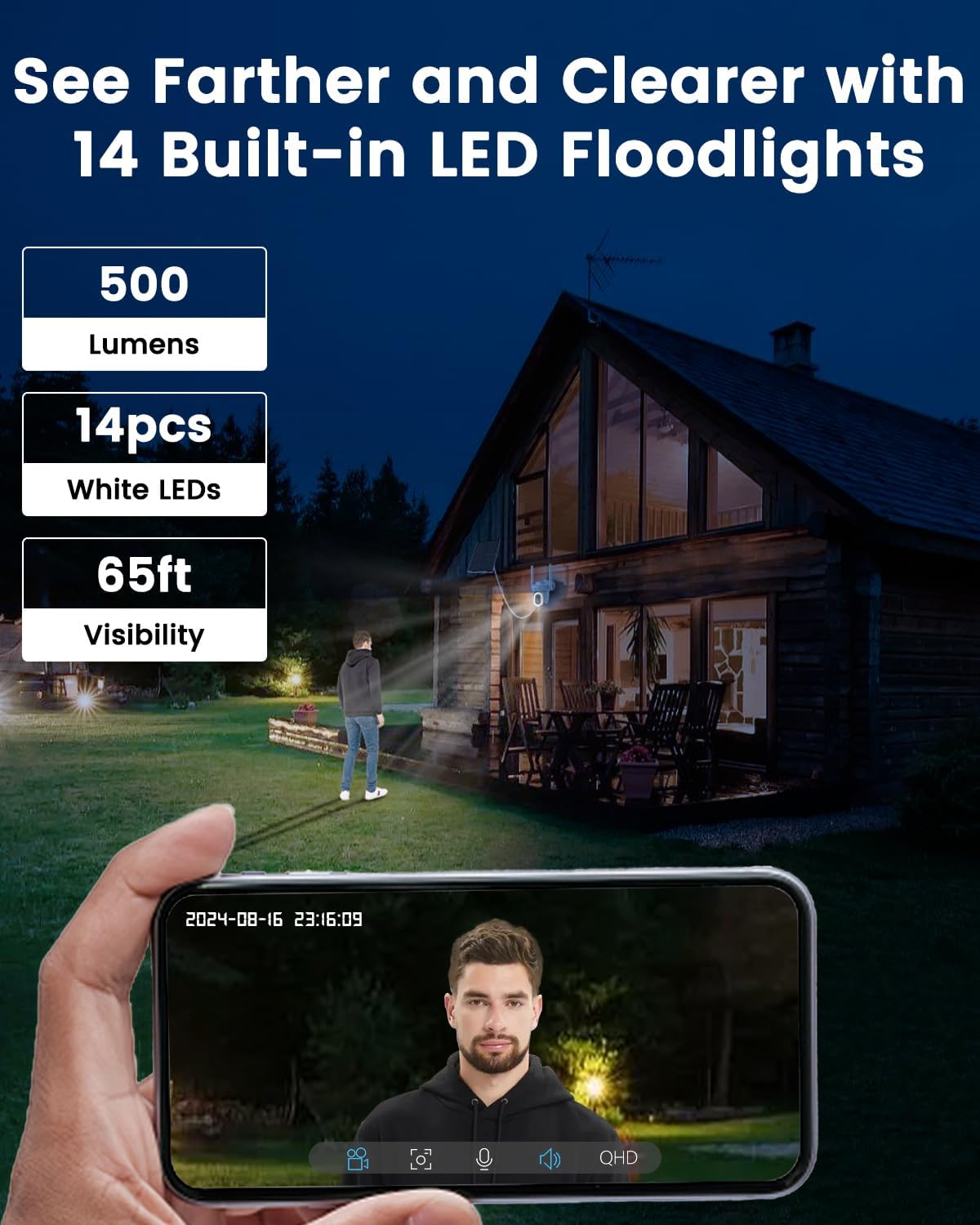
Image 4.1: The camera offers 360° pan and tilt for comprehensive coverage.

Image 4.2: Full 360° PTZ control with 5x digital zoom.
4.2 Image Quality and Night Vision
The camera provides clear 4MP QHD video and versatile night vision modes.
- 4MP QHD Resolution: Enjoy sharp and vibrant images with a 120° wide field of view.
- Color Night Vision: The powerful 500-lumen floodlight enables clear color views up to 65 feet in low-light conditions.
- Infrared (IR) Night Vision: Built-in IR LEDs provide clear black-and-white night vision up to 50 feet in complete darkness.

Image 4.3: Comparison of 4MP QHD image quality versus 1080P.

Image 4.4: Enhanced 4MP QHD resolution for superior image clarity.
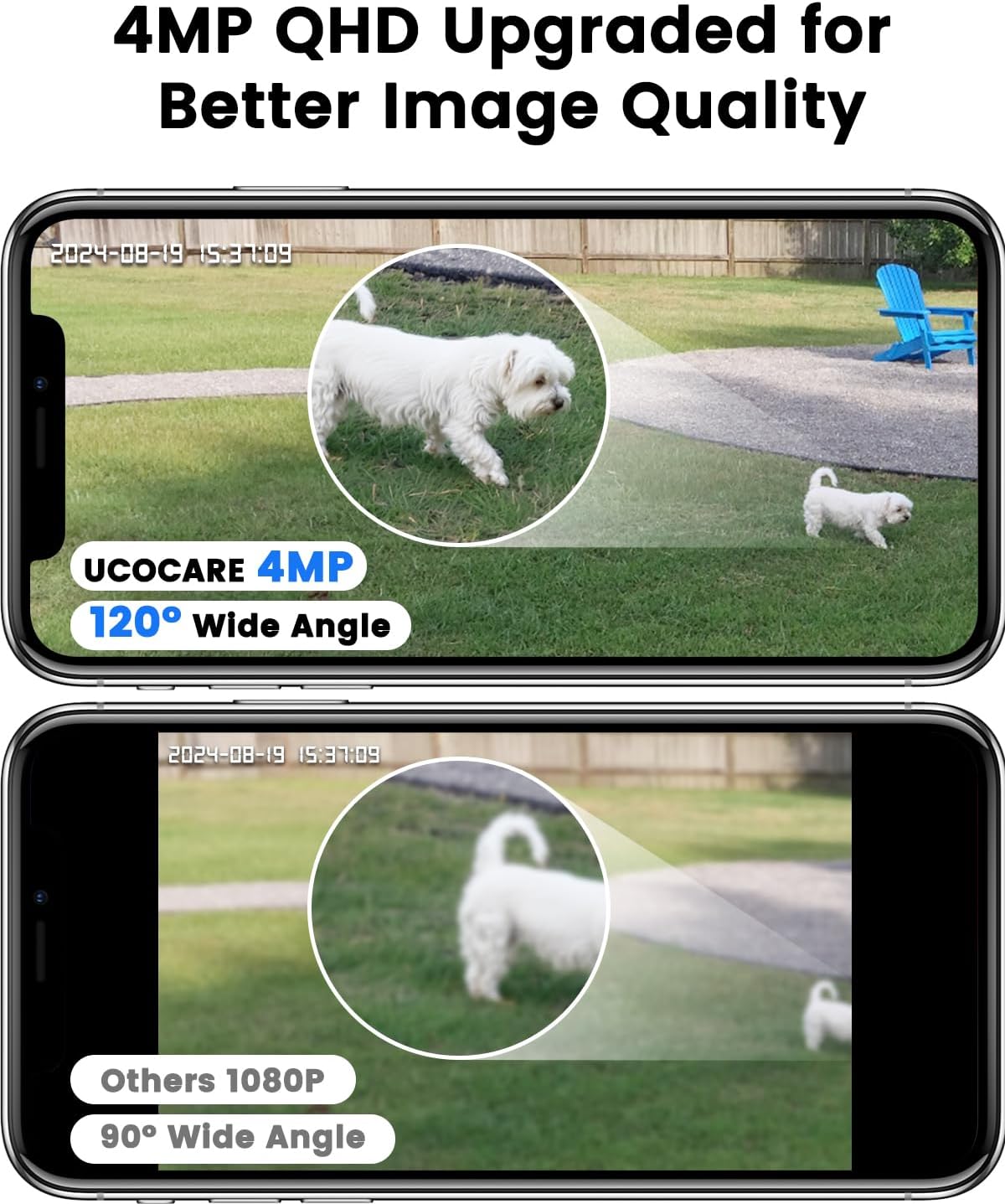
Image 4.5: Clearer night vision with 14 built-in LED floodlights.

Image 4.6: Choose between vivid color (spotlight) or black and white (infrared) night vision.
4.3 Smart Detection and Alerts
The camera utilizes advanced detection technology to minimize false alarms and provide timely notifications.
- Human Detection: Accurately identifies human shapes, filtering out irrelevant motion from animals or swaying branches.
- Instant Alerts: Receive real-time notifications on your phone when motion is detected.
- Customizable Zones: Set specific motion zones, sensitivity levels, and alarm schedules to focus on critical areas.
- Alarm Modes: Enhance security with smart alarm modes including siren, light, or both.

Image 4.7: Accurate human detection with instant alerts and security system integration.

Image 4.8: Upgraded human detection with no activation fee.
4.4 Two-Way Talk
Communicate with visitors or deter intruders using the camera's built-in microphone and speaker.
- From the live view in the Cloudedge app, activate the microphone icon to speak through the camera.
- Listen to audio from the camera's surroundings through the app.

Image 4.9: Real-time two-way talk functionality for communication.
4.5 Video Storage
Recordings can be stored locally or in the cloud.
- Local Storage: Supports up to 128GB Micro SD card (not included).
- Cloud Storage: A free 7-day trial of premium cloud storage with video encryption is available. Data plans for continued service are offered through the Cloudedge app.

Image 4.10: Flexible storage options including local Micro SD and cloud storage.
4.6 Smart Home Integration
The UCOCARE S2-4G camera is compatible with Google Home and Amazon Alexa for convenient live viewing.
- Link your Cloudedge account to your Google Home or Alexa app.
- Use voice commands (e.g., "Hey Alexa, show me the 4G camera") to display the live feed on compatible smart displays.

Image 4.11: Seamless integration with Amazon Alexa and Google Home.
5. Maintenance
Proper maintenance ensures the longevity and optimal performance of your UCOCARE S2-4G camera.
- Cleaning: Periodically wipe the camera lens and solar panel with a soft, damp cloth to remove dust and debris. This ensures clear image quality and efficient solar charging.
- Weather Resistance: The camera has an IP66 rating, making it resistant to dust and strong jets of water. However, ensure the special charging port cover is securely closed to prevent water damage.
- Solar Panel Placement: Regularly check that the solar panel remains in a position that receives maximum direct sunlight, especially after seasonal changes or foliage growth.

Image 5.1: The camera's IP66 rating ensures durability in various weather conditions.

Image 5.2: Built for the outdoors, the camera is guarded against rain and snow.
6. Troubleshooting
If you encounter issues with your UCOCARE S2-4G camera, refer to the following common problems and solutions:
| Problem | Possible Cause / Solution |
|---|---|
| Camera not connecting to network | Ensure the SIM card is correctly inserted and activated. Check for cellular signal strength in the camera's location. Restart the camera. |
| Battery not charging or low battery life | Verify the solar panel is clean and receiving direct sunlight for several hours daily. Ensure the solar panel cable is securely connected. Consider repositioning the solar panel. |
| Frequent false alarms | Adjust motion detection sensitivity in the Cloudedge app. Define specific motion detection zones to exclude areas with irrelevant movement (e.g., swaying trees). Ensure human detection is enabled. |
| Poor image quality at night | Ensure the camera lens is clean. Check if the night vision mode (color or IR) is set appropriately for the lighting conditions. Ensure no obstructions are blocking the camera's view or IR/floodlights. |
| Cannot access recorded footage | Verify that a Micro SD card is inserted correctly and formatted. Check your cloud storage subscription status if using cloud services. Ensure the camera is powered on and connected to the network. |
7. Specifications
| Feature | Detail |
|---|---|
| Model Name | S2-4G |
| Indoor/Outdoor Usage | Indoor, Outdoor |
| Power Source | Battery Powered, Solar Powered |
| Connectivity Protocol | Cellular |
| Controller Type | Amazon Alexa, Android, CloudEdge, Google Assistant |
| Video Capture Resolution | 4MP |
| Battery Capacity | 15000 mAh |
| Solar Panel Wattage | 6W |
| Viewing Angle | 355 Degrees (Pan), 120 Degrees (Tilt) |
| Digital Zoom | 5x |
| Night Vision Range | 65 Feet (Color), 50 Feet (IR) |
| Storage Type | Micro SD (Max 128GB), Cloud Storage |
| Water Resistance Level | IP66 |
| Product Dimensions | 5.11 x 4.33 x 3.14 inches |
| Item Weight | 2.53 pounds |
8. Warranty and Support
UCOCARE is committed to providing reliable products and excellent customer service. While specific warranty details are not provided in this manual, UCOCARE maintains a dedicated technical support team prepared to assist with any concerns or issues you may encounter with your product.
For technical assistance, troubleshooting, or inquiries regarding your UCOCARE S2-4G Cellular Security Camera, please refer to the contact information provided on the product packaging or the official UCOCARE website.