
Introduction
Thank you for choosing the T&G Wireless Speaker TG619C. This manual provides essential information for setting up, operating, and maintaining your new portable speaker. Please read this manual carefully before use to ensure optimal performance and longevity of your device.
The T&G Wireless Speaker TG619C is designed to deliver rich, immersive audio with the convenience of wireless connectivity. It features a 1200mAh battery for extended playtime and supports various audio sources including Bluetooth, memory cards, and USB drives.
Safety Information
- Do not expose the speaker to water, moisture, or extreme temperatures.
- Avoid dropping or subjecting the speaker to strong impacts.
- Do not attempt to disassemble, repair, or modify the speaker yourself. Contact qualified service personnel if needed.
- Keep the speaker away from heat sources, direct sunlight, and flammable materials.
- Use only the provided or a certified charger cable for charging.
- Keep out of reach of children.
Package Contents
Please check the package contents upon opening. If any items are missing or damaged, contact your retailer.
- 1 x T&G Wireless Speaker TG619C
- 1 x Charger Cable
Product Overview
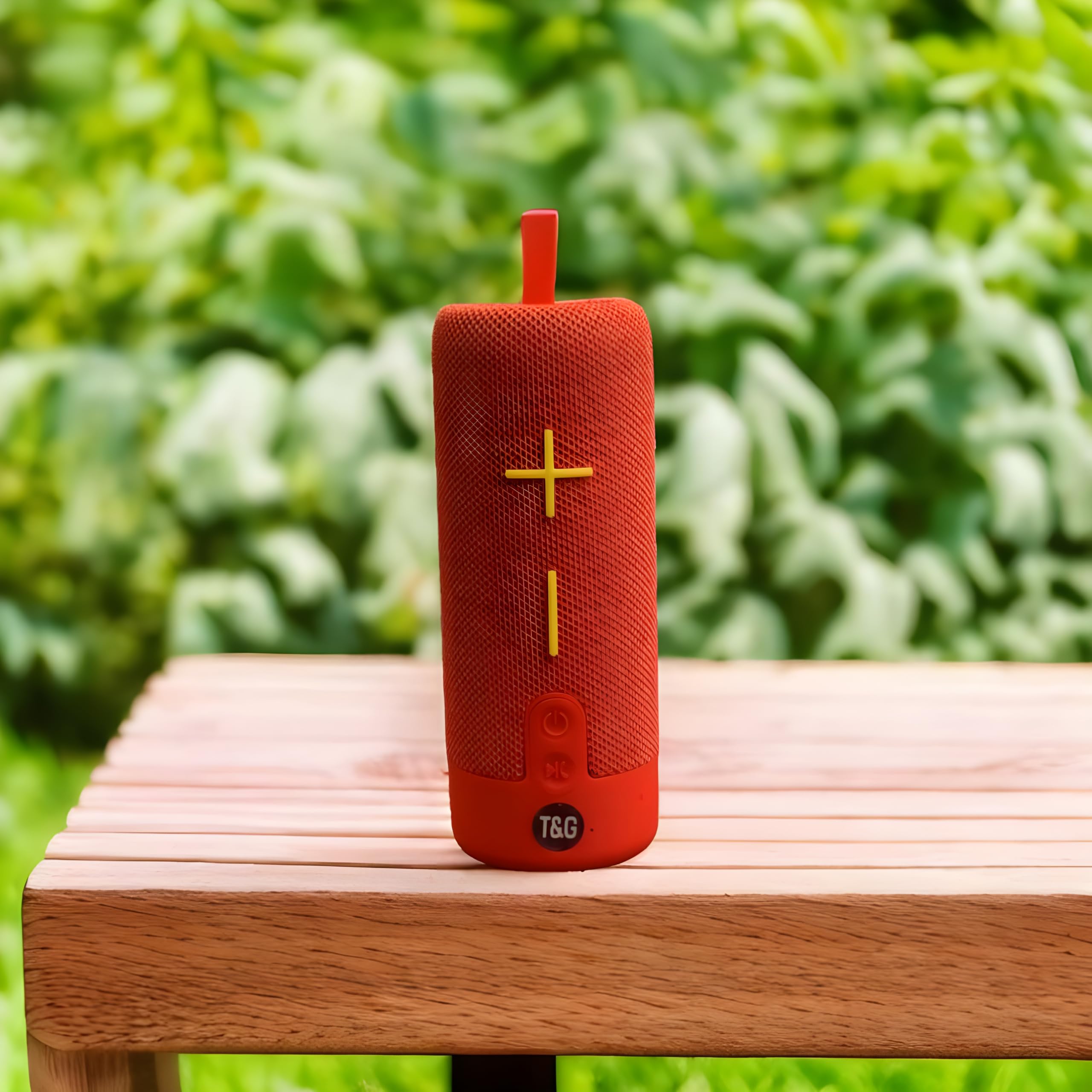
This image displays the T&G Wireless Speaker in red, highlighting its compact, cylindrical design. Visible features include the speaker grille and a control panel with buttons for power, volume, and mode selection.
The T&G Wireless Speaker TG619C is a portable audio device designed for ease of use and versatility. It features a robust speaker grille, intuitive control buttons for power, volume adjustment, track navigation, and mode switching. Input ports for charging, USB drives, and memory cards are typically located on the side or rear of the unit.
Setup
Charging the Speaker
Before first use, fully charge the speaker. Connect the provided charger cable to the speaker's charging port and the other end to a USB power adapter (not included) or a computer's USB port. The charging indicator light will illuminate during charging and turn off or change color when fully charged.
Powering On/Off
To power on the speaker, press and hold the power button for a few seconds until you hear an audible prompt or see an indicator light. To power off, press and hold the power button again.
Bluetooth Pairing
- Ensure the speaker is powered on and in Bluetooth pairing mode (usually indicated by a flashing LED).
- On your smartphone, tablet, or other Bluetooth-enabled device, go to the Bluetooth settings.
- Search for available devices and select "T&G Speaker" (or similar name) from the list.
- Once paired, the speaker will emit a confirmation sound, and the LED indicator will typically stop flashing.
Operating Instructions
Playing Music
After successful Bluetooth pairing, you can stream audio from your connected device. Use your device's media player to control playback (play/pause, skip tracks).
Volume Control
Press the '+' button to increase volume and the '-' button to decrease volume. You can also adjust the volume from your connected device.
Mode Selection
Press the 'M' (Mode) button to switch between available input modes: Bluetooth, Memory Card (TF card), and USB drive. The speaker will announce the current mode.
Using Memory Card/USB Drive
Insert a compatible memory card (TF card) or USB drive into the respective slot. The speaker will automatically detect the storage device and begin playing audio files. Use the track navigation buttons on the speaker to skip songs.
Maintenance
- Clean the speaker with a soft, dry cloth. Do not use abrasive cleaners or solvents.
- Store the speaker in a cool, dry place when not in use.
- To prolong battery life, avoid fully discharging the battery frequently and charge it regularly, even if not in use for extended periods.
- Keep ports free of dust and debris.
Troubleshooting
| Problem | Solution |
|---|---|
| Speaker won't turn on. | Ensure the battery is charged. Connect the charger cable and try again. |
| No sound from the speaker. | Check the volume level on both the speaker and your connected device. Ensure the speaker is correctly paired via Bluetooth or the correct input mode is selected. |
| Cannot pair via Bluetooth. | Ensure the speaker is in Bluetooth pairing mode (flashing LED). Turn off and on Bluetooth on your device. Move the speaker closer to your device. Clear previous Bluetooth connections on your device. |
| Memory card/USB drive not playing. | Ensure the speaker is in the correct mode (Memory Card/USB). Check that the files on the card/drive are compatible audio formats. Ensure the card/drive is inserted correctly. |
Specifications
| Feature | Detail |
|---|---|
| Brand | T&g |
| Model Name | TG619C |
| Speaker Type | Portable |
| Color | Red |
| Battery Capacity | 1200mAh |
| Connectivity | Wireless (Bluetooth), Memory Card (TF), USB |
| Product Dimensions (D x W x H) | 6.9D x 6.6W x 17.8H centimetres |
| Included Components | Charger Cable |
| Country of Origin | China |
Warranty and Support
This product comes with NO WARRANTY as per manufacturer specifications.
For any support inquiries, technical assistance, or issues not covered in this manual, please contact the seller or retailer where the product was purchased. Please retain your proof of purchase for any potential service requests.


