
1. Introduction
Thank you for choosing the RaLeno PLV-S116 and RGB-S116 LED Video Light. This device is designed to provide versatile and high-quality lighting for various applications, including live streaming, video calls, and photography. Please read this manual carefully before use to ensure proper operation and to maximize the product's lifespan.
2. Product Features
- Soft and Non-Glare Lighting: Utilizes side-emitting technology and a built-in 4-layer diffuser for soft, eye-friendly illumination.
- Multiple Lighting Modes: Offers CCT mode for standard lighting, HSI RGB mode for atmospheric effects, and 6 special effects for creative video production.
- Extensive Adjustability: Brightness (1%-100%), Color Temperature (2500K-8500K), Hue (0-360°), and Saturation (1%-100%) are all adjustable.
- 2.4G Magnetic Remote Control: Features a remote control with a dedicated compartment for easy connection, charging, and storage. One remote can control multiple lights.
- Dual Power Supply: Equipped with a built-in 4000mAh battery for portable use (up to 85 minutes) and supports Type-C charging, allowing use while charging.
3. Setup Instructions
Follow these steps to assemble and set up your RaLeno LED Video Light:
- Attach the Stand Base: Secure the telescopic pole to the weighted base.
- Adjust Pole Height: Extend the telescopic pole to your desired height. The pole can extend up to 700mm from the base, with sections of 340mm and 360mm.
- Mount the Light: Attach the 360° spherical head to the top of the pole. Then, mount the LED video light onto the 1/4 screw-in cold shoe of the spherical head.
- Adjust Angle: Use the spherical head to adjust the light to any desired angle. The light can also be used alone on any camera or bracket with a 1/4 screw.
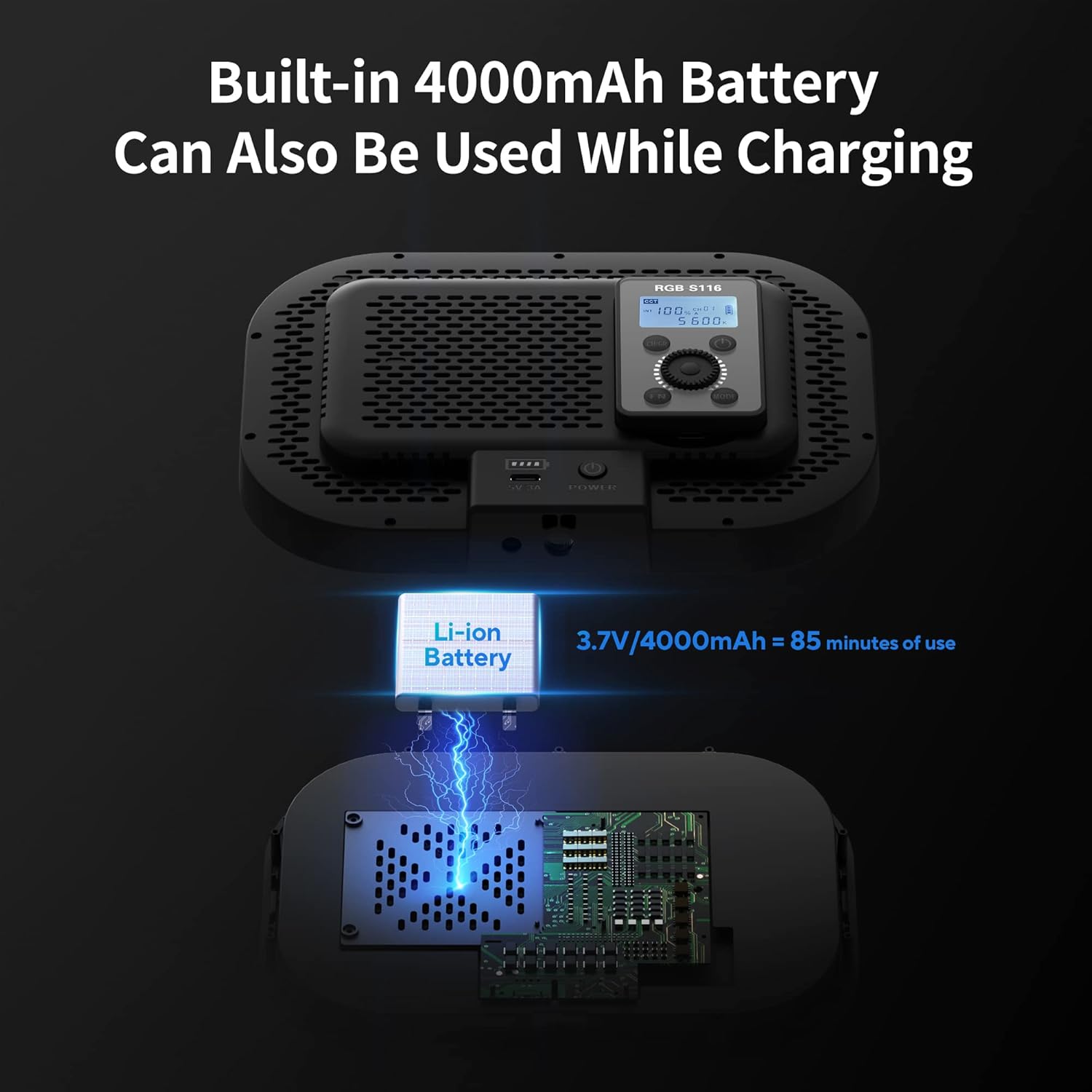
Image: This diagram illustrates the adjustable components of the light stand, including the stable base, easy-to-adjust pole, and the spherical head for angle adjustment. It also shows the light fitting various brackets.
4. Operating Instructions
4.1 Powering On/Off
Press and hold the power button on the light or the remote control to turn the device on or off.
4.2 Remote Control Operation
The 2.4G magnetic remote control allows for convenient adjustment of the light settings. The remote can be connected, charged, and stored in the dedicated compartment on the back of the light. One remote can control multiple lights simultaneously.

Image: This image demonstrates how the remote control easily connects, charges, and stores within the light's compartment, eliminating the need for an external app.
4.3 Lighting Modes and Adjustments
The light offers three primary modes:
- CCT Mode: Provides adjustable color temperature from 2500K (warm) to 8500K (cool) and brightness from 1% to 100%. Ideal for video conferences and general live broadcasts.
- HSI RGB Mode: Allows adjustment of Hue (0-360°), Saturation (1%-100%), and Brightness (1%-100%) to create a wide range of colors. Suitable for game broadcasts or creative photography.
- Special Effects Mode: Includes 6 pre-programmed special effects for enhanced video creation.

Image: The top panel shows two lights in CCT mode, demonstrating brightness (1%-100%) and color temperature (2500K-8500K) adjustments. The bottom panel illustrates HSI & Scene mode with yellow, red, and blue lighting.
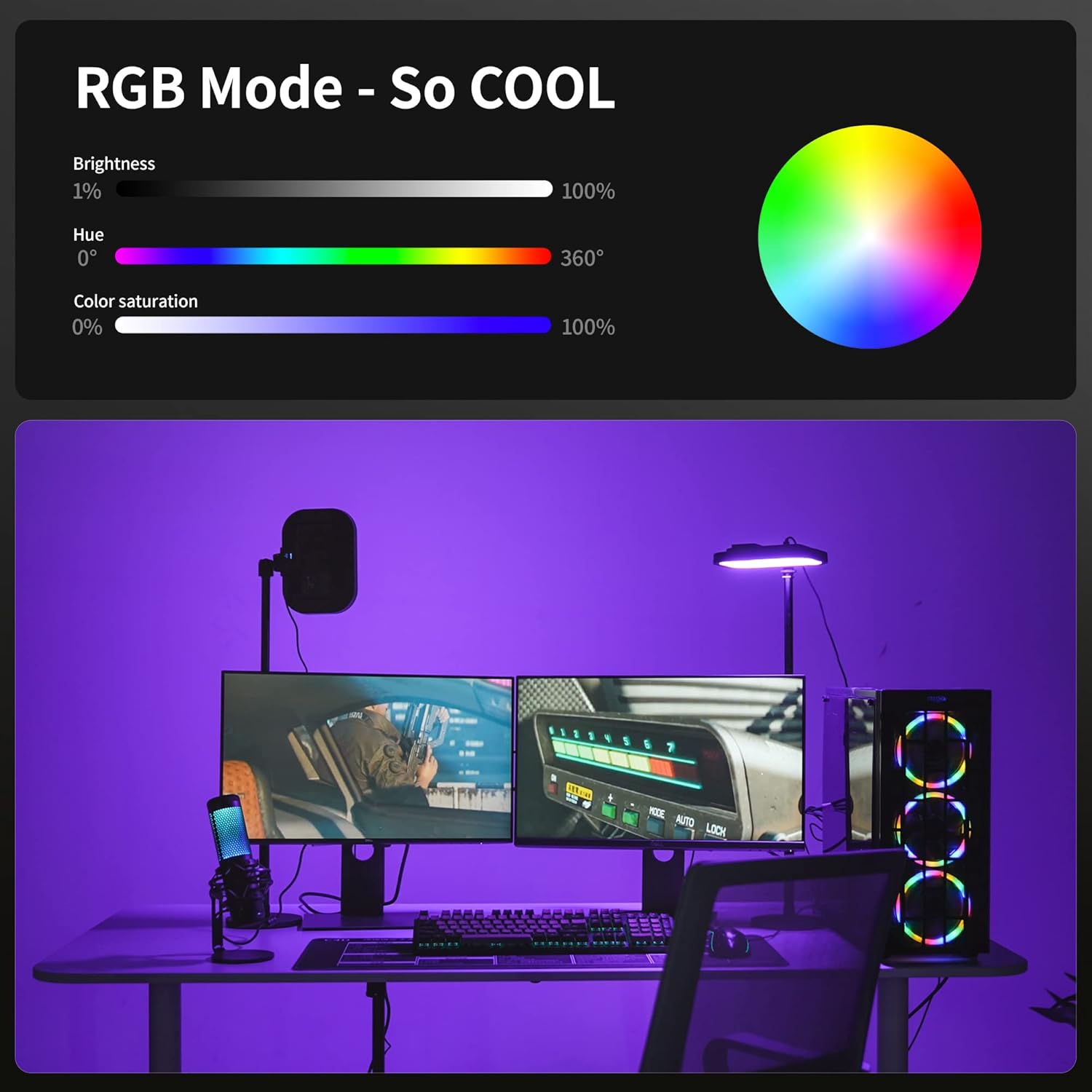
Image: This diagram details the RGB mode, showing sliders for brightness (1%-100%), hue (0-360°), and color saturation (0%-100%), alongside a color wheel for visual reference.
5. Power Supply
The RaLeno LED Video Light features a dual power supply system:
- Built-in Battery: A 4000mAh Li-ion battery provides up to 85 minutes of continuous power, offering portability for various shooting environments.
- Type-C Charging: The light comes with a Type-C charger. It can be used while charging, ensuring uninterrupted operation for longer sessions.

Image: This diagram highlights the built-in 4000mAh Li-ion battery, indicating 85 minutes of use, and shows the Type-C charging capability, allowing the light to be used while charging.
6. Maintenance
To ensure the longevity and optimal performance of your LED video light:
- Cleaning: Use a soft, dry cloth to clean the light's surface. Avoid using harsh chemicals or abrasive materials.
- Storage: Store the light in a cool, dry place away from direct sunlight and extreme temperatures.
- Battery Care: If storing for an extended period, charge the battery to approximately 50% every three months to maintain battery health.
- Eye Protection: The light features a built-in 4-layer diffuser for soft, non-glare illumination, protecting your eyes during use.

Image: This image highlights the eye-friendly design, showing the side-emitting technology and the built-in 4-layer diffuser that makes the light softer and protects your eyes.
7. Troubleshooting
If you encounter issues with your RaLeno LED Video Light, please refer to the following common solutions:
- Light Not Turning On: Ensure the battery is charged or the device is connected to a power source via the Type-C cable. Check if the power button was pressed and held sufficiently.
- Remote Not Responding: Ensure the remote control is charged and properly paired with the light. Re-dock the remote in its compartment to re-establish connection.
- Inconsistent Brightness/Color: Verify that the settings (brightness, color temperature, hue, saturation) are correctly adjusted using the remote or on-device controls.
- Short Battery Life: Ensure the battery is fully charged before use. Battery performance may decrease over time with extensive use.
If problems persist, please contact customer support.
8. Specifications
| Feature | Specification |
|---|---|
| Brand | RaLeno |
| Model | PLV-S116, RGB-S116 |
| Battery Life | 85 minutes (built-in 4000mAh) |
| Connectivity Technology | 2.4G magnetic (for remote) |
| Color Temperature Range | 2500K - 8500K |
| Brightness Adjustment | 1% - 100% |
| Hue Adjustment | 0 - 360° |
| Saturation Adjustment | 1% - 100% |
| Stand Height (Max) | Approx. 700mm (excluding light head) |
9. Warranty and Support
RaLeno products are manufactured to high-quality standards. For specific warranty information, please refer to the warranty card included with your purchase or visit the official RaLeno website. If you require technical assistance or have questions regarding your product, please contact RaLeno customer support through the retailer where the product was purchased or via the contact information provided on the official RaLeno website.


