
Product Overview
The IIUIPI Cordless Hand Blender offers unparalleled freedom and convenience in your kitchen. Designed for portability and powerful performance, this rechargeable immersion blender allows you to prepare a variety of foods, from sauces and soups to smoothies and baby food, without being tethered by wires. Its ergonomic design ensures comfortable use, while multi-speed adjustment provides versatility for different blending needs.

Image: The IIUIPI Cordless Hand Blender, showcasing its main unit, blending cup, charger, and various ingredients it can process.
Key Features
- Cordless Design: Enjoy complete freedom of movement in the kitchen or outdoors, unconstrained by power outlets.
- Powerful Blending: Equipped with a robust motor for fast and even blending of various ingredients.
- Multi-Speed Adjustment: Features 3 adjustable speeds to cater to different blending requirements, from soft to hard ingredients.
- Ergonomic Design: Comfortable grip with an enlarged power button and LED indicators for battery power and speed.
- Safety Lock: A double-click unlock mechanism ensures safe operation, with automatic locking after 5 seconds of inactivity.
- Easy to Clean: Detachable blending head and stainless steel body for simple rinsing and maintenance.
- Anti-Scratch Protective Cover: Semi-wrapped design prevents scratching of containers and minimizes splashing.
- Fast Charging: Fully charges in approximately 2.5 hours, minimizing downtime.
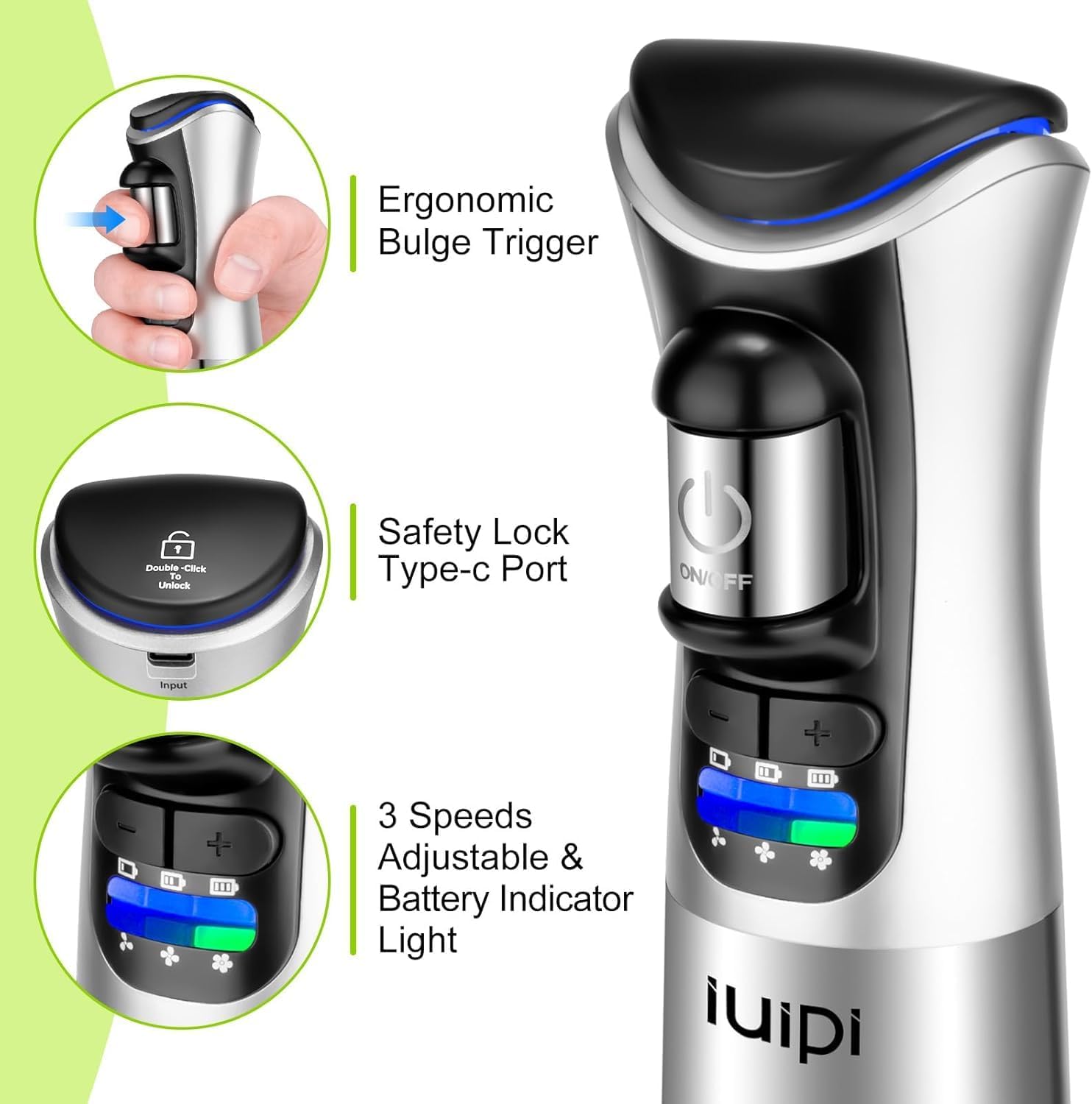
Image: Detailed view of the blender's handle, highlighting the ergonomic trigger, safety lock mechanism, and the LED display for speed and battery status.
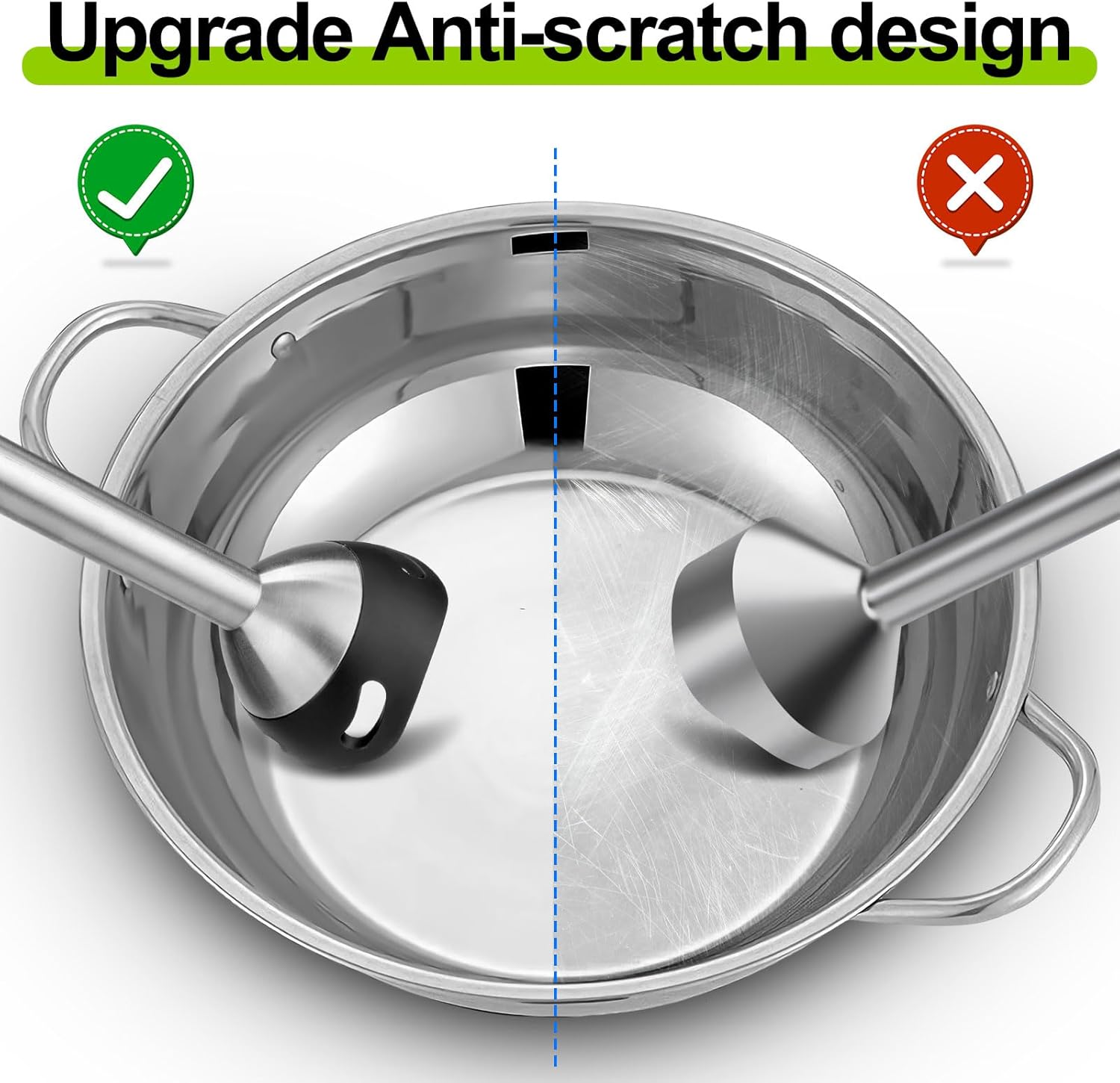
Image: Visual comparison demonstrating the effectiveness of the anti-scratch design, showing a pot protected by the IIUIPI blender versus a scratched pot from a conventional blender.
Setup Guide
Unpacking and Initial Charge
- Carefully remove all components from the packaging: the Immersion Blender, 800ml Cup, Charger Adapter, and Charging Cable.
- Inspect all parts for any signs of damage. Do not use if damaged.
- Before first use, fully charge the blender. Connect the charging cable to the Type-C port on the blender handle and plug the charger adapter into a power outlet. The LED indicator lights will show charging progress. A full charge takes approximately 2.5 hours.
Assembly
- Align the blending arm with the main motor unit. Push and twist gently until it clicks securely into place.
- Ensure the blending arm is firmly attached before use.
Operating Instructions
Safety Lock Activation
To activate the blender, double-click the unlock button. The indicator light will turn blue, signifying that the blender is ready for use. If no operation occurs for 5 seconds, the blender will automatically lock for safety.
Image: Detail of the blender's control panel, illustrating the safety lock and power button for activation.
Blending Procedure
- Prepare your ingredients and place them in a suitable container, such as the provided 800ml cup or a pot.
- Ensure the safety lock is disengaged (blue light).
- Immerse the blending arm into the ingredients. Ensure the protective cover is fully submerged to prevent splashing.
- Press and hold the power button to begin blending.
- Adjust the speed using the speed control buttons (+/-) on the handle. There are 3 available speeds. Choose a lower speed for softer ingredients or gentle mixing, and a higher speed for harder ingredients or faster blending.
- Move the blender gently up and down and in circular motions to ensure even blending.
- Release the power button to stop blending.
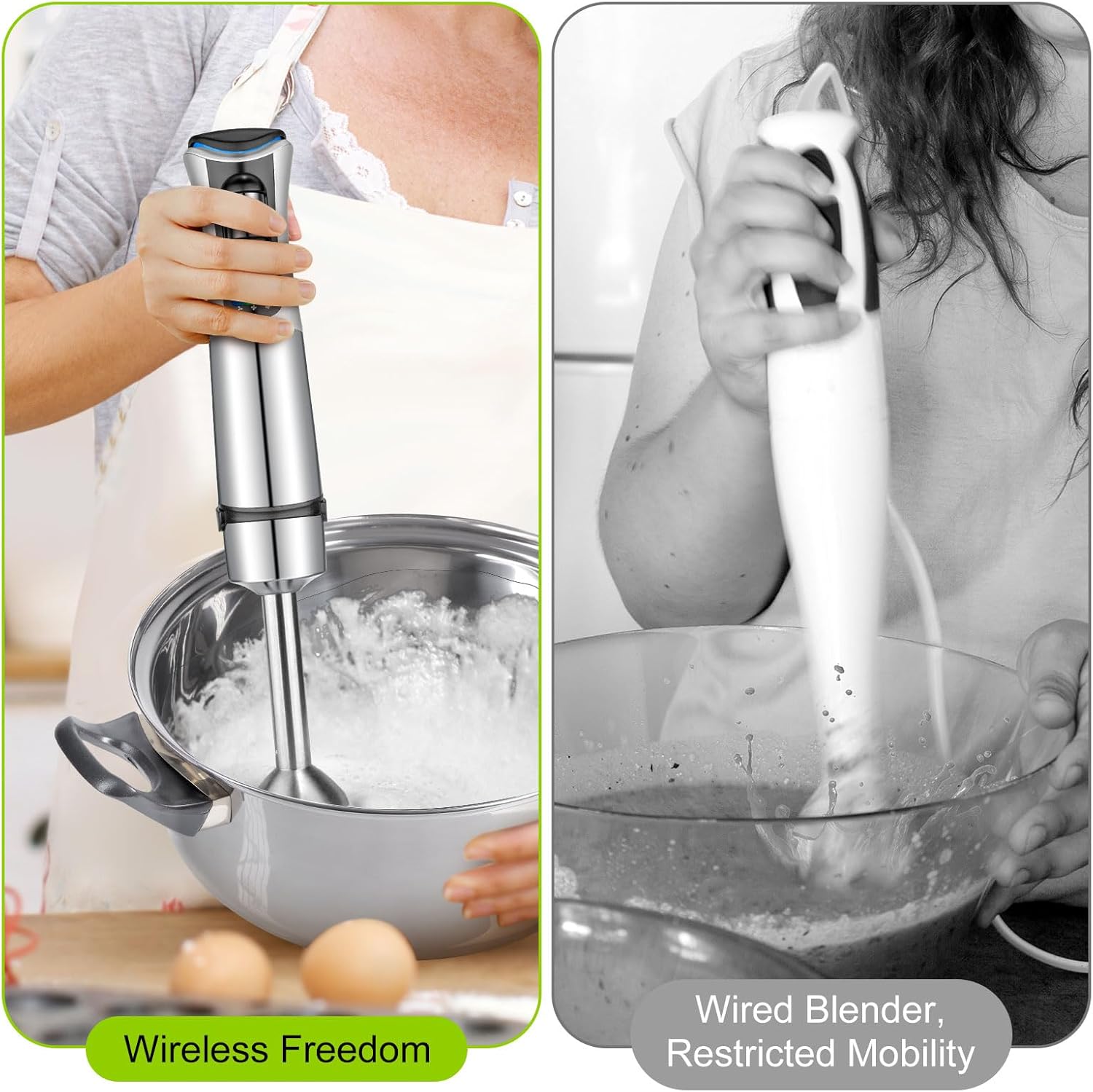
Image: A visual demonstration of the cordless blender in use, highlighting the freedom of movement compared to a traditional wired blender.
Maintenance and Cleaning
- Always unplug the charger and ensure the blender is off and locked before cleaning.
- To clean the blending arm, detach it from the motor unit by twisting and pulling.
- Rinse the blending arm under running water. For stubborn food residue, use a mild dish soap and a brush. The stainless steel blade and anti-splash cover are designed for easy cleaning.
- The main motor unit should not be submerged in water. Wipe it clean with a damp cloth.
- Ensure all parts are thoroughly dry before reassembling or storing.

Image: Close-up of the blender's stainless steel blade and anti-splash design, illustrating how easily it can be cleaned by rinsing with water.
Troubleshooting
| Problem | Possible Cause | Solution |
|---|---|---|
| Blender does not turn on. | Battery is low or depleted. Safety lock is engaged. | Charge the blender fully. Double-click the unlock button until the blue indicator light appears. |
| Blender stops during operation. | Overheat protection activated. Battery is low. | Allow the blender to cool down for at least 15-20 minutes. Charge the blender. |
| Ingredients are not blending evenly. | Too much or too little liquid. Ingredients are too large or dense. Incorrect speed setting. | Add more liquid if necessary. Cut ingredients into smaller pieces. Adjust to a higher speed setting. Move the blender up and down more frequently. |
| Blender makes unusual noise. | Blending arm not properly attached. Foreign object caught in blade. | Ensure blending arm is securely attached. Disconnect power, carefully inspect and remove any obstructions from the blade. |

Image: Internal view of the blender's motor, illustrating the built-in overheat protection mechanism.
Technical Specifications
| Specification | Detail |
|---|---|
| Brand | IIUIPI |
| Model Number | JHB-168 |
| Colour | Silver |
| Rated Power | 150 Watts |
| Voltage | DC 7.4V |
| Input (Charger) | 5.0V-2A |
| Charging Time | Approx. 2.5 hours |
| Product Dimensions | 7.62 x 7.62 x 25.4 cm |
| Item Weight | 971 g |
| Capacity (Cup) | 800 ml (3.2 Cup) |
| Blending Arm Length | 20.6 cm (8.11 inches) |
| Material | Stainless Steel |
| Number of Speeds | 3 |
| Special Features | Adjustable Speed Control, Cordless, Ergonomic Handle, Multiple Speeds, Portable, Anti-scratch design, Overheat protection |
| Included Components | Immersion Blender, 800ml Cup, Charger Adapter, Charging Cable |
Warranty and Support
For information regarding warranty coverage and customer support, please refer to the documentation provided with your purchase or contact IIUIPI customer service directly. Specific warranty details may vary by region and retailer.