
Introduction
This manual provides instructions for the safe and effective use of your Blukar K9179 Rechargeable LED Flashlight. This powerful and versatile flashlight is designed for various applications, including outdoor activities, camping, and emergency situations. Please read this manual thoroughly before operating the device.

Image: Blukar K9179 LED Flashlight and its complete accessory kit, including the charging cable, battery, and user guide, all neatly organized within a durable protective case.
Key Features
The Blukar K9179 LED Flashlight offers a range of advanced features for superior performance:
- Extreme Brightness: Delivers an impressive 500,000 lumens, providing powerful and far-reaching illumination.
- Rechargeable Battery: Equipped with a built-in 5000mAh high-capacity battery, rechargeable via USB-C for convenience and environmental friendliness.
- Digital Power Display: Features a clear digital screen to monitor the remaining battery power in real-time.
- 5 Lighting Modes: Includes Super Bright, Normal, Soft, Strobe, and SOS modes to adapt to various lighting needs and situations.
- Zoomable Function: Easily adjust the beam from a wide floodlight to a focused spotlight by extending or retracting the flashlight head.
- IP67 Waterproof: Constructed from high-quality aluminum alloy with an IP67 waterproof rating, making it suitable for complex outdoor environments.
- Emergency Power Bank: Can function as a portable power bank to charge mobile devices via its USB-A output port.

Image: The Blukar K9179 LED Flashlight powerfully illuminating a vast outdoor area at night, showcasing its ultra-bright and long-range beam capability, reaching up to 1524 meters (5000 feet).
Setup
Battery Installation
The flashlight comes with a rechargeable battery. Before first use, ensure the battery is properly installed and charged.
- Open the back cover: Unscrew the back cover of the LED torch.
- Note polarity: Observe the positive (+) and negative (-) poles of the battery. The positive pole is typically marked with a '+' sign and is often slightly raised.
- Install battery: Insert the battery into the flashlight with the positive side facing inwards and the negative side facing outwards.
- Close back cover: Screw the back cover back onto the flashlight securely.
Note: Please remove any transparent plastic film from the battery before installation to ensure proper charging and operation.

Image: A four-step visual guide demonstrating the correct battery installation process for the Blukar K9179 flashlight, from unscrewing the back cover to securing it after inserting the battery with correct polarity.
Initial Charging
Connect the flashlight to a USB power source (e.g., wall adapter, computer, power bank) using the provided USB-C charging cable. The digital display on the flashlight will show the charging progress. A full charge takes approximately 6 hours and provides 6 to 24 hours of illumination depending on the mode used.
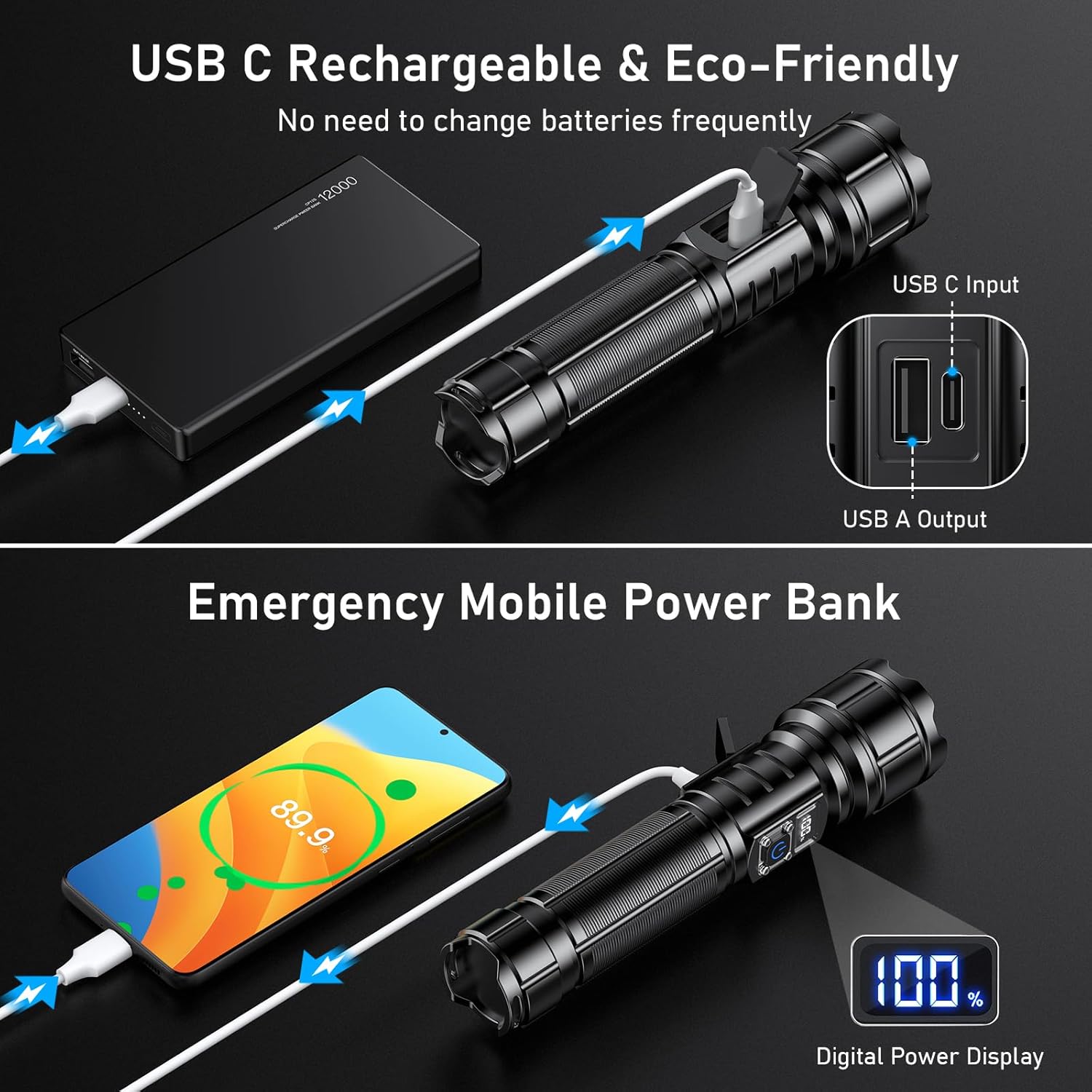
Image: The Blukar K9179 flashlight being charged via a USB-C cable connected to a power bank, highlighting its rechargeable capability and the digital power display showing battery percentage.
Operating Instructions
Power On/Off
Press the power button once to turn the flashlight on. To turn it off, press and hold the power button for 3 seconds in any mode. The flashlight features a memory function; if you press the switch again after 8 seconds of being off, it will automatically return to the previously used light mode.
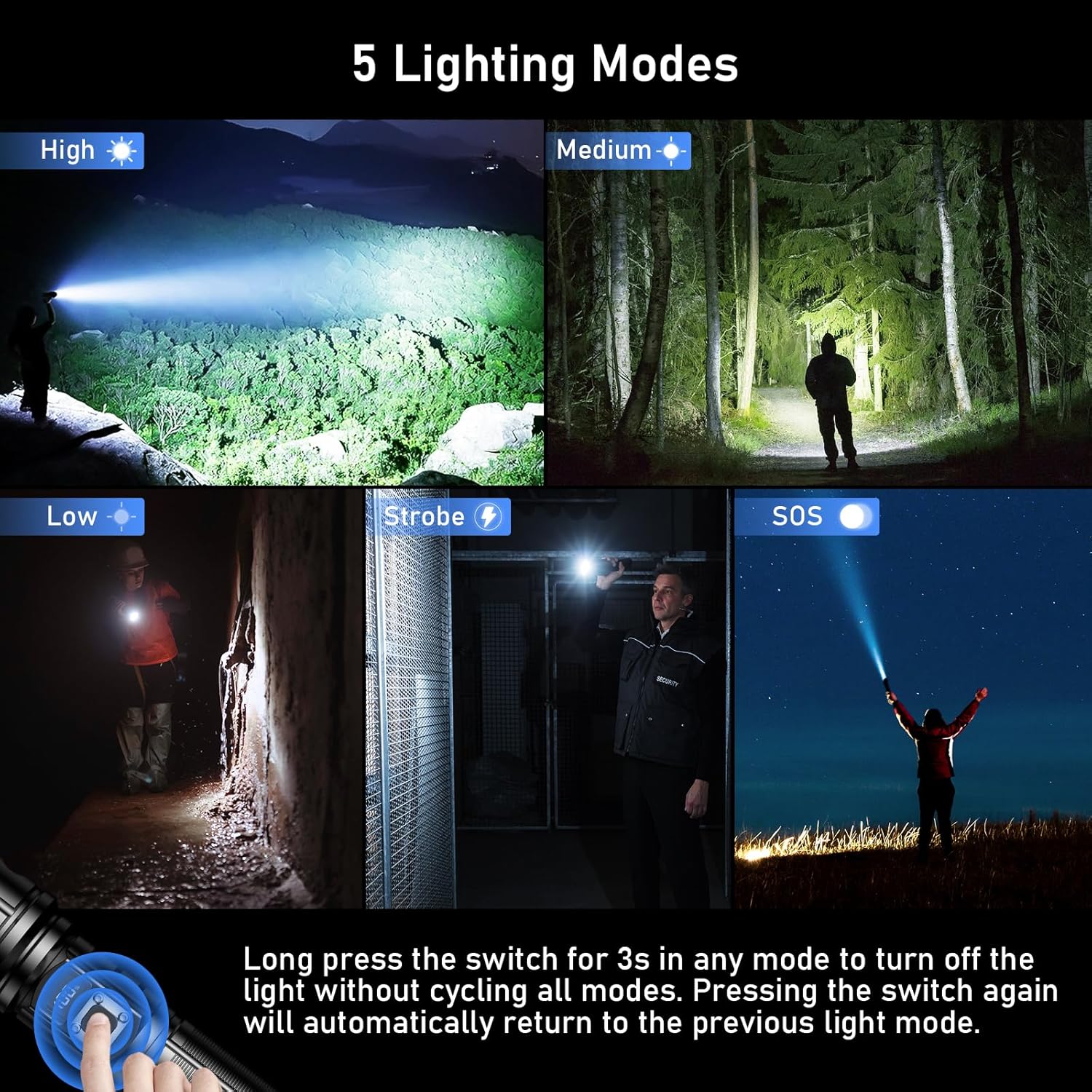
Image: A collage illustrating the five distinct lighting modes of the Blukar K9179 flashlight: High (Super Bright), Medium (Normal), Low (Soft), Strobe, and SOS, demonstrating their visual effects in various scenarios.
Switching Light Modes
With the flashlight on, short press the power button to cycle through the 5 lighting modes: Super Bright, Normal, Soft, Strobe, and SOS. This allows you to quickly select the appropriate illumination for your needs.
Zoom Function
To adjust the beam from a wide floodlight to a focused spotlight, simply extend or retract the head of the flashlight. This zoomable feature provides versatility for both close-range and long-distance illumination.

Image: A visual demonstration of the Blukar K9179 flashlight's adjustable focus, illustrating how to zoom out for a wide floodlight beam and zoom in for a concentrated spotlight beam.
Emergency Mobile Power Bank Function
The Blukar K9179 can act as an emergency power bank. Connect your mobile device to the flashlight's USB-A output port using a compatible cable to charge your device. The digital display will show the flashlight's remaining power, ensuring you can monitor its capacity while charging other devices.
Maintenance
Cleaning
Wipe the flashlight with a soft, damp cloth to remove dirt and debris. Do not use abrasive cleaners, harsh chemicals, or solvents, as these can damage the finish or internal components.
Storage
Store the flashlight in a cool, dry place away from direct sunlight and extreme temperatures. If storing for extended periods (e.g., more than 3 months), charge the battery periodically (at least every 3-6 months) to maintain its health and prolong its lifespan.
Sealing Rings
Periodically inspect the thickened sealing rings (O-rings) for any signs of wear, cracks, or damage. These rings are crucial for maintaining the IP67 waterproof rating. Replace them if necessary using the spare sealing rings included in the package to ensure continued water resistance.
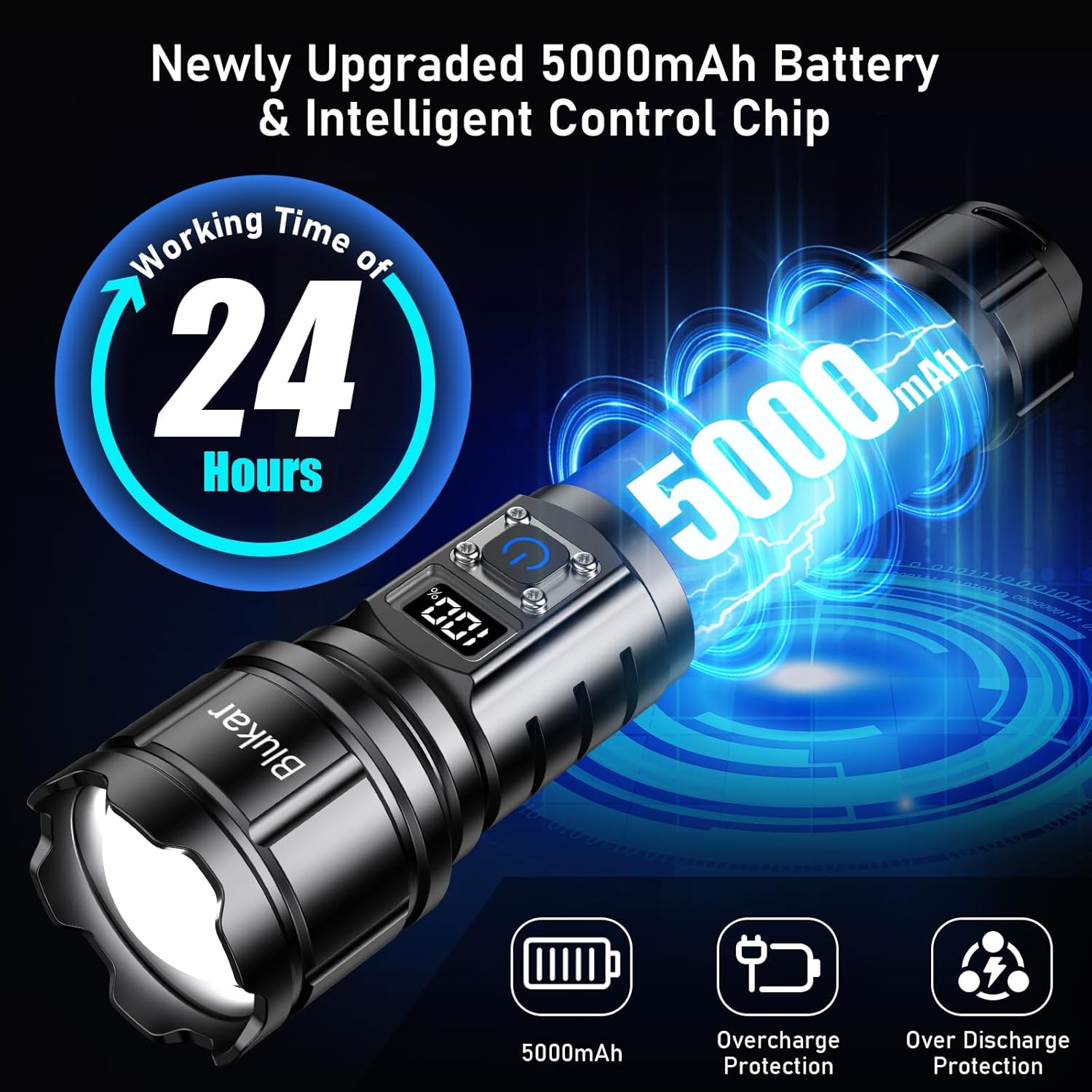
Image: The Blukar K9179 flashlight demonstrating its IP67 waterproof capability under splashing water, with an inset showing a close-up of the thickened sealing ring that ensures its water resistance.
Troubleshooting
If you encounter any issues with your Blukar K9179 flashlight, please refer to the table below for common problems and their solutions.
| Problem | Possible Cause | Solution |
|---|---|---|
| Flashlight does not turn on | Low battery | Recharge the battery fully using the provided USB-C cable. |
| Flashlight does not turn on | Battery incorrectly installed | Check battery polarity and ensure it's inserted correctly (positive side in, negative side out). |
| Flashlight does not turn on | Transparent plastic film on battery | Remove the transparent plastic film from the battery before installation. |
| Dim light output | Low battery | Recharge the battery. Optimal brightness is achieved with a fully charged battery. |
| Water ingress / Reduced waterproof performance | Damaged or improperly seated sealing ring | Inspect and replace sealing rings if damaged. Ensure the back cover is tightly screwed on. |
Specifications
- Brand: Blukar
- Model Number: K9179
- Product Dimensions: 18 x 4.17 x 4.17 cm (7.09 x 1.64 x 1.64 inches)
- Weight: 192 grams (0.42 lbs)
- Battery: 1 Lithium-Polymer battery (included), 5000mAh capacity
- Light Source Type: LED (Upgraded XHP70.2 Lamp Beads)
- Lumen Output: 500,000 Lumens
- Lighting Modes: Super Bright, Normal, Soft, Strobe, SOS
- Waterproof Rating: IP67
- Charging Interface: USB-C
- Output Interface: USB-A (for power bank function)
- Material: Aviation Aluminum Alloy
- Special Features: Rechargeable, Zoomable, Digital Power Display, Emergency Power Bank, Memory Function, Non-Slip Handle, Safety Hammer
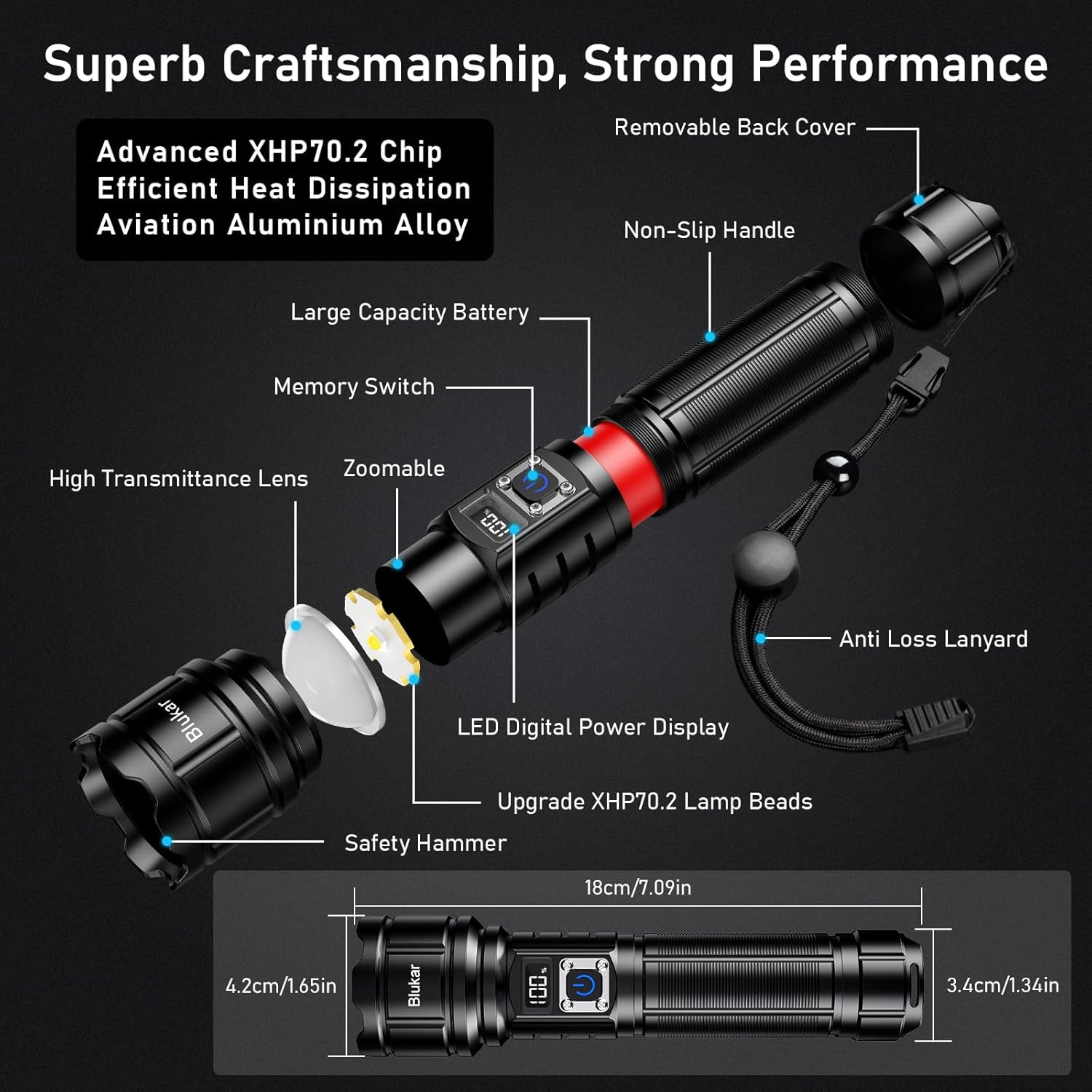
Image: An exploded view diagram of the Blukar K9179 flashlight, detailing its internal and external components, including the XHP70.2 LED chip, aviation aluminum alloy body, digital power display, and key dimensions.
Warranty and Support
For warranty information or technical support regarding your Blukar K9179 flashlight, please contact Blukar customer service through the retailer where the product was purchased. You may also visit the official Blukar website for additional resources and contact details.
Keep your purchase receipt or proof of purchase as it may be required for any warranty claims or support inquiries.
For more information and to explore other Blukar products, visit the Blukar Store.


