

1. Product Overview
The BRANO 36 Inch Wall Mount Range Hood (Model ZM-ZMRH-07B) is designed to provide efficient ventilation for your kitchen. It features 900 CFM powerful airflow, voice, gesture, and touch controls, 4-speed settings, 4 adjustable LED lights, and convertible ventilation options (ducted or ductless).
Included Components:
- Wall Mount Range Hood (x1)
- Installation Accessories (x1 set)
- User Manual (x1)
- Charcoal Filter (x1, for ductless installation)
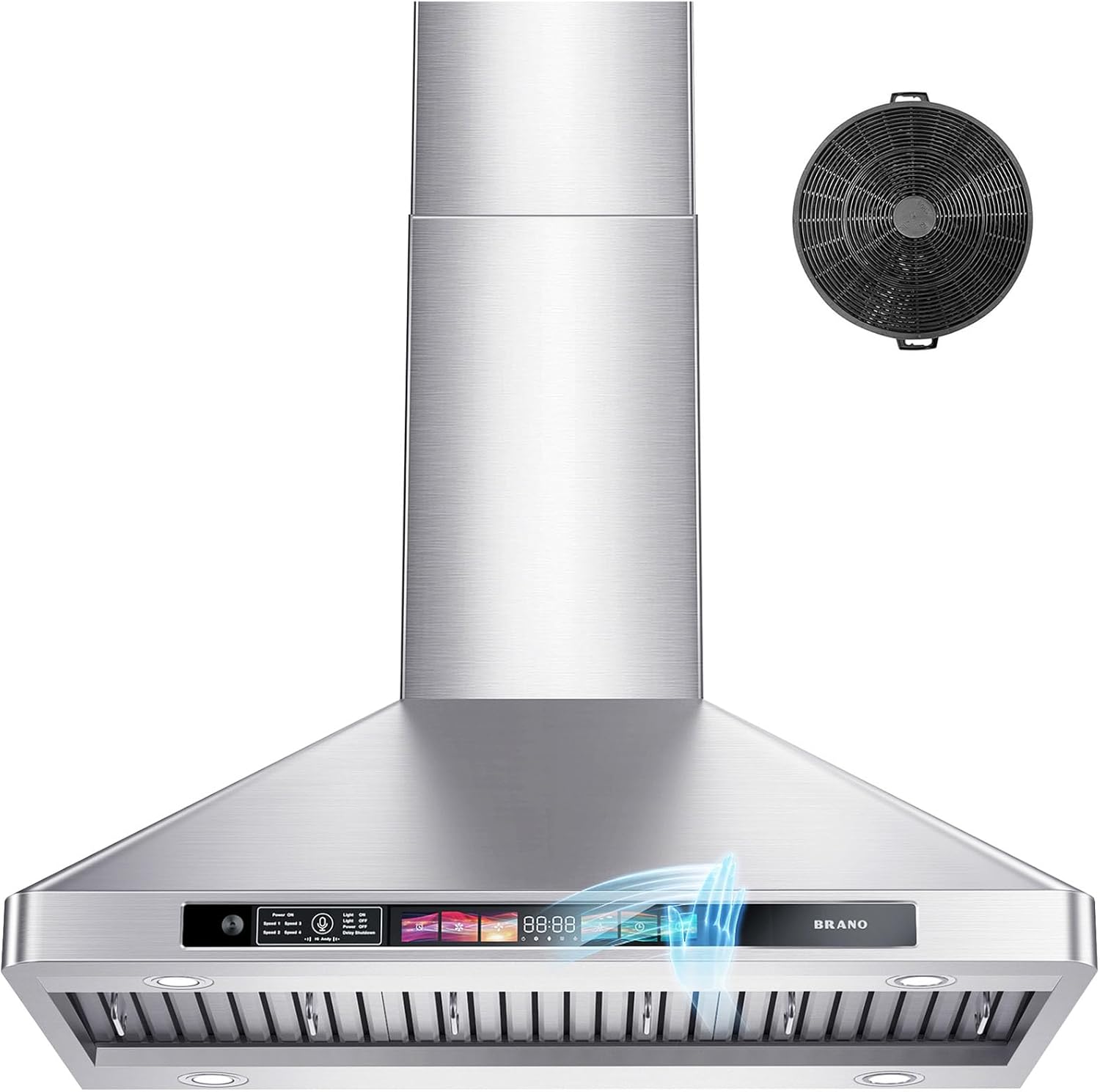
Image: BRANO 36 Inch Wall Mount Range Hood, front view.
2. Required Tools for Installation
Before beginning installation, ensure you have the following tools:
- Pencil
- Tape Measure
- Electric Drill
- Hammer
- Utility Knife
- Level
3. Installation
This range hood offers both ducted (vented to the outside) and ductless (recirculating with charcoal filters) installation options. The default setup is top-ducted with a 6-inch round exhaust vent.
3.1 Pre-Installation Steps
- Carefully unpack all components and verify against the packing list.
- Remove any protective films or packaging materials from the hood and filters.
- Ensure the installation area is clean and clear.
3.2 Mounting the Hood
Measure and mark the installation location on the wall. The recommended distance between the stovetop and the bottom of the range hood is 24 to 30 inches. Use a level to ensure accurate placement.

Image: Detailed dimensions of the BRANO range hood for accurate installation planning.
Install the mounting plate and secure the duct adapter to the hood body using screws. For concrete walls, use the self-drilling plastic drywall anchors. For template walls, anchor screws are not needed.
3.3 Connecting Ventilation
For ducted installation, connect the 6-inch vent pipe to the duct adapter and ensure it leads to an external vent. For ductless installation, ensure the charcoal filter is properly installed to recirculate filtered air back into the kitchen.

Image: Diagram illustrating both ducted and ductless ventilation options for the range hood.
3.4 Chimney Installation
Install the upper and lower chimneys, securing them to the hood body and the wall/ceiling as per the provided instructions and hardware.
3.5 Installation Video Guide
For a visual guide on the installation process, please refer to the official installation video:
Video: Official installation guide for the BRANO wall mount range hood, demonstrating each step from unboxing to final setup.
4. Operation
The BRANO range hood offers multiple control methods for convenience: voice, gesture, and touch.
4.1 Voice Control
Activate voice control by saying "Hi Andy". You can then issue commands such as "Power on", "Speed one" to "Speed four", "Light on", "Light off", and "Delay shutdown".

Image: Illustration of the range hood's voice control feature, showing a user interacting with the hood using voice commands.
Video: Demonstration of the BRANO wall mount range hood's voice control functionality, showcasing various commands.
4.2 Gesture Control
Wave your hand across the two sensing points on the control panel to adjust fan speed. Waving right increases speed, and waving left decreases speed. The gesture sensing distance is approximately 3-4 inches.

Image: Illustration demonstrating the gesture control feature of the range hood, showing hand movements to adjust settings.
4.3 Touch Control
The tempered glass display panel features intuitive touch controls for power, fan speed (1-4), lights (on/off), and delay shutdown.
4.4 Fan Speed Settings
The hood has 4-speed modes, providing up to 900 CFM airflow to effectively remove smoke and odors from your kitchen.

Image: Visual representation of the range hood's powerful 900 CFM suction, clearing smoke from a cooking area.
4.5 Adjustable LED Lighting
The four adjustable LED lights provide energy-efficient and bright illumination for your stovetop. Press and hold the light button for three seconds to adjust brightness.

Image: The range hood with its four dimmable LED lights illuminating the cooking surface.
4.6 Delay Shutdown and Timer
The 3-minute delay shutdown feature helps remove residual grease and fumes after cooking. A 15-minute adjustable timer is also available for flexible control.

Image: The range hood operating with the delay shutdown feature, indicated by a timer on the display.
4.7 Memory Function
The innovative memory function saves your last settings (fan speed and light status), so there is no need to reset them after a power outage or when turning the hood back on.
5. Maintenance
Regular maintenance ensures optimal performance and longevity of your BRANO range hood.
5.1 Cleaning Baffle Filters
The premium stainless steel baffle filters are dishwasher-safe for easy cleaning. Regularly remove and clean the filters to maintain effective grease capture.

Image: Baffle filters placed inside a dishwasher for convenient cleaning.
5.2 Cleaning the Hood Body
The stainless steel body of the range hood can be cleaned with a wet cloth and warm water. Avoid abrasive cleaners or scouring pads that could scratch the surface.

Image: A hand wiping down the stainless steel surface of the range hood with a cloth.
5.3 Charcoal Filter Replacement (Ductless Only)
For ductless installations, the activated carbon filter should be replaced periodically to ensure efficient odor removal. Refer to the specific filter instructions for replacement frequency.
6. Troubleshooting
If you encounter any issues with your BRANO range hood, refer to the following common problems and solutions:
- Fan Not Operating: Check if the power cord is securely plugged in and if the circuit breaker is tripped. Ensure the power button is pressed.
- Lights Not Working: Verify that the light function is activated. Check if the LED bulbs need replacement (contact support if so).
- Insufficient Suction: Clean the baffle filters. For ductless models, replace the charcoal filter. Ensure there are no obstructions in the ductwork (if ducted).
- Excessive Noise: Check for loose parts or obstructions in the fan. Ensure the hood is securely mounted. The maximum noise level is 65 decibels at the highest speed.

Image: A noise meter displaying a low decibel reading, indicating the quiet operation of the range hood.
If problems persist after attempting these solutions, please contact BRANO customer support.
7. Product Specifications
| Feature | Specification |
|---|---|
| Brand | BRANO |
| Model Number | ZM-ZMRH-07B |
| Product Dimensions | 35.7"D x 12.8"W x 19.7"H |
| Color | Stainless Steel |
| Material Type | Stainless Steel |
| Air Flow Capacity | 900 Cubic Feet Per Minute (CFM) |
| Number of Speeds | 4 |
| Noise Level | 65 Decibels (at highest speed) |
| Controls Type | Voice, Gesture, Touch |
| Light Source | LED (4 adjustable lights) |
| Ventilation Type | Convertible (Ducted/Ductless) |
| Filter Type | Baffle (Dishwasher-safe) |
| Wattage | 230 watts |
| Voltage | 110 Volts (AC) |
| Amperage | 2 Amps |
| Mounting Type | Wall Mount |
| Special Features | Delay Shutdown, LED Lighting, Noise Reduction, Powerful Airflow, Timer, Memory Mode |
| Certification | ETL |
8. Warranty and Support
Your BRANO range hood is backed by a 5-year service warranty, ensuring peace of mind with your purchase.
8.1 Warranty Information
The product comes with a 5-year warranty. Please retain your proof of purchase for warranty claims.
8.2 Customer Support
For any assistance, questions, or concerns regarding your BRANO range hood, please reach out to our customer support team. Contact details can typically be found on the BRANO official website or through your retailer.
Video: An overview of the BRANO wall mount range hood, highlighting its features and design.

