
FITE ON FS-T100TN Compatible AC Power Cord
FITE ON 5ft AC Power Cord User Manual
Model: Compatible with JVC FS-T100TN, FS-T100, TN, CA-FST100TN Micro Mini Disc Digital Audio Ultra Compact Component System
Introduction
This manual provides essential information for the safe and effective use of your FITE ON 5ft AC Power Cord. This power cord is designed to provide reliable power to compatible JVC audio component systems, including models FS-T100TN, FS-T100, TN, and CA-FST100TN. Please read this manual thoroughly before use and retain it for future reference.
Safety Information
Always observe the following safety precautions to prevent electric shock, fire, or damage to the product or connected devices:
- Ensure the power cord is fully inserted into both the wall outlet and the device's power socket.
- Do not use the power cord if it is damaged, frayed, or has exposed wires.
- Do not overload electrical outlets.
- Keep the power cord away from water, heat sources, and sharp objects.
- Do not attempt to modify or repair the power cord. Contact qualified personnel for assistance.
- This power cord is designed for indoor use only.
Setup
Follow these steps to properly set up your AC power cord:
- Verify Compatibility: Before connecting, ensure your device requires a 2-prong AC power cord (Figure D type) and is compatible with the specified JVC models (FS-T100TN, FS-T100, TN, CA-FST100TN).

Image Description: This image displays the female end of the 2-prong power cord, labeled "SHENGD IS-08A". To its right, two diagrams illustrate power interfaces: an upper diagram with a green checkmark shows a compatible "Figure D power cord" receptacle, while a lower diagram with a red 'X' shows an incompatible "3 prong power cord" receptacle. This helps users identify the correct interface for their device.
- Connect to Device: Insert the female end of the FITE ON AC power cord firmly into the power input socket of your JVC audio component system.
- Connect to Power Outlet: Insert the male plug end of the power cord into a standard 100-240VAC 50/60Hz wall outlet.
- Power On: Once connected, you can power on your device.

Image Description: A black 5ft AC power cord is shown coiled in a circular shape. The male two-prong plug is visible on the left, and the female two-slot connector is visible on the right, both extending from the coiled cable. This illustrates the full length and connectors of the product.
Operating Instructions
The FITE ON AC Power Cord is a passive component designed to supply electrical power. Once properly connected to a compatible device and a power outlet, it will continuously provide power to the device. There are no operational controls on the cord itself.
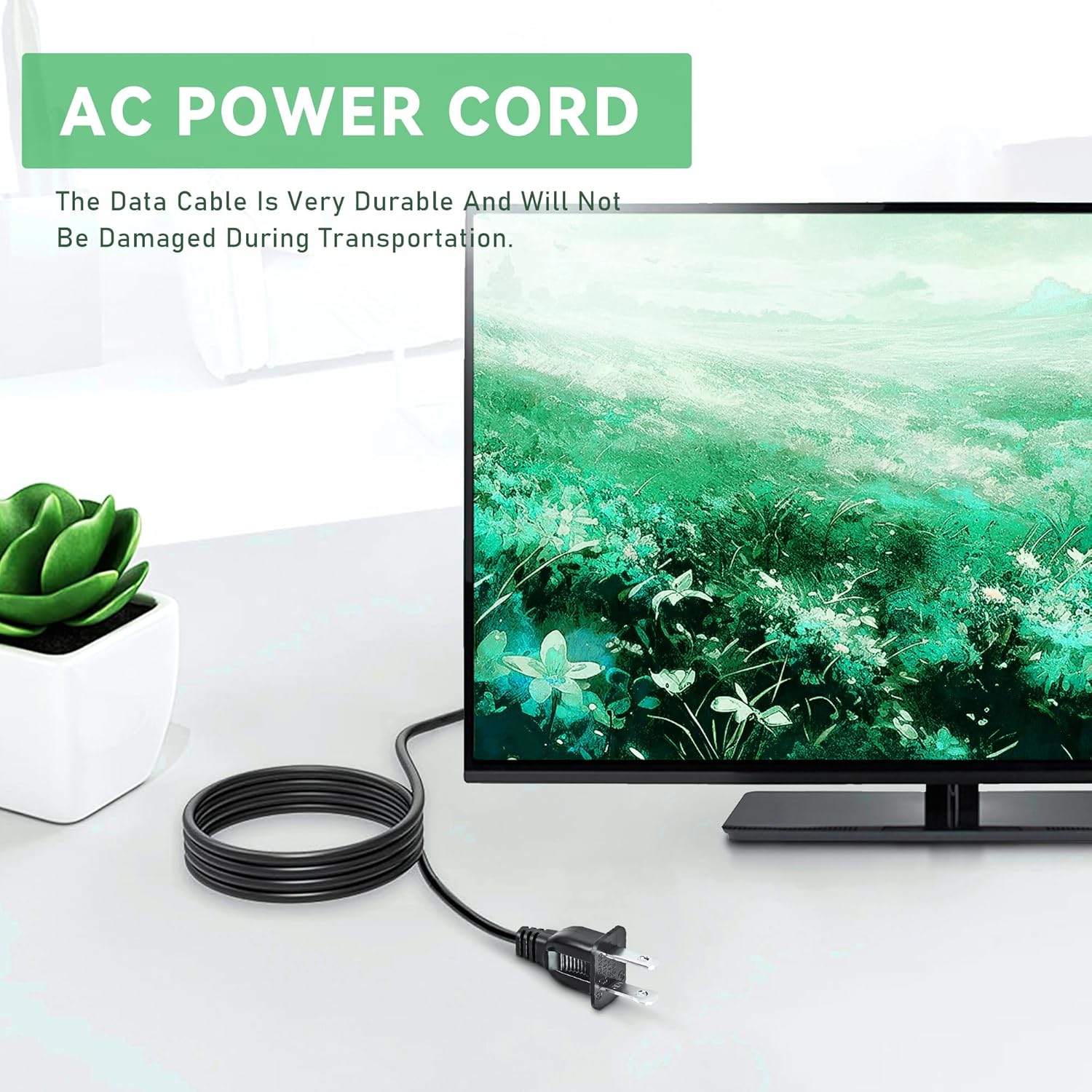
Image Description: This image shows the FITE ON AC power cord in use, connected to the back of a black monitor on a desk. A small green plant is visible on the left side of the desk, and a white wall is in the background. The image demonstrates a typical application of the power cord in a home or office setting.
Maintenance
Proper maintenance ensures the longevity and safe operation of your power cord:
- Cleaning: Disconnect the power cord from both the device and the wall outlet before cleaning. Wipe the cord with a dry, soft cloth. Do not use liquid cleaners or abrasive materials.
- Storage: When not in use, coil the cord loosely. Avoid sharp bends or kinks, which can damage the internal wires. Store in a cool, dry place.
- Inspection: Periodically inspect the cord for any signs of damage, such as cuts, fraying, or discoloration. If damage is found, discontinue use immediately and replace the cord.
Troubleshooting
If you experience issues with your power cord, refer to the following common problems and solutions:
| Problem | Possible Cause | Solution |
|---|---|---|
| Device does not power on. | Power cord not fully connected. Wall outlet is not active. Power cord is damaged. Device issue. | Ensure both ends of the cord are securely plugged in. Test the wall outlet with another device. Inspect the cord for damage; replace if necessary. Consult your device's manual. |
| Cord feels warm. | Normal operation (slight warmth). Overload or damage. | A slight warmth is normal. If it's excessively hot, disconnect immediately. Ensure the device's power requirements do not exceed the cord's capacity. Inspect for damage. |
Specifications
Key specifications for the FITE ON 5ft AC Power Cord:
- Input Voltage: 100-240VAC 50/60Hz
- Length: 5 feet
- Color: Black
- Connector Type: 2-prong (Figure D type)
- Protection: OVP (Over Voltage Protection), OCP (Over Current Protection), SCP (Short Circuit Protection)
- Item Weight: 2 ounces
- Package Dimensions: 3 x 2 x 1 inches
- Manufacturer: Shenzhen Sunshine Technological Co.,Ltd.
- Country of Origin: China
Warranty and Support
This product is typically covered by a standard return policy. For specific warranty details and support, please refer to the purchase platform or contact the manufacturer directly.
Return Policy: As per Amazon's policy, this product may be eligible for a refund/replacement within 30 days of purchase. Please check your order details for the most accurate and up-to-date return information.
Manufacturer: FITE ON (Shenzhen Sunshine Technological Co.,Ltd.)
For further assistance, please visit the FITE ON Store on Amazon or contact their customer service.
Ask a question about this manual
Ask about setup, troubleshooting, compatibility, parts, safety, or missing instructions. Manuals+ will review the question and use this page’s manual context to help answer it.