
1. Introduction to Your Dolphin EX40
The Dolphin EX40 is an advanced robotic pool cleaner designed to provide comprehensive cleaning for above-ground pools up to 12 meters in length. Equipped with an intelligent scanning system and PowerStream technology, it efficiently cleans the pool floor, walls, and waterline, ensuring a pristine swimming environment. Its dual ultra-fine filtration system captures both large debris and fine particles, while its energy-saving design helps reduce water, chemical, and energy consumption.
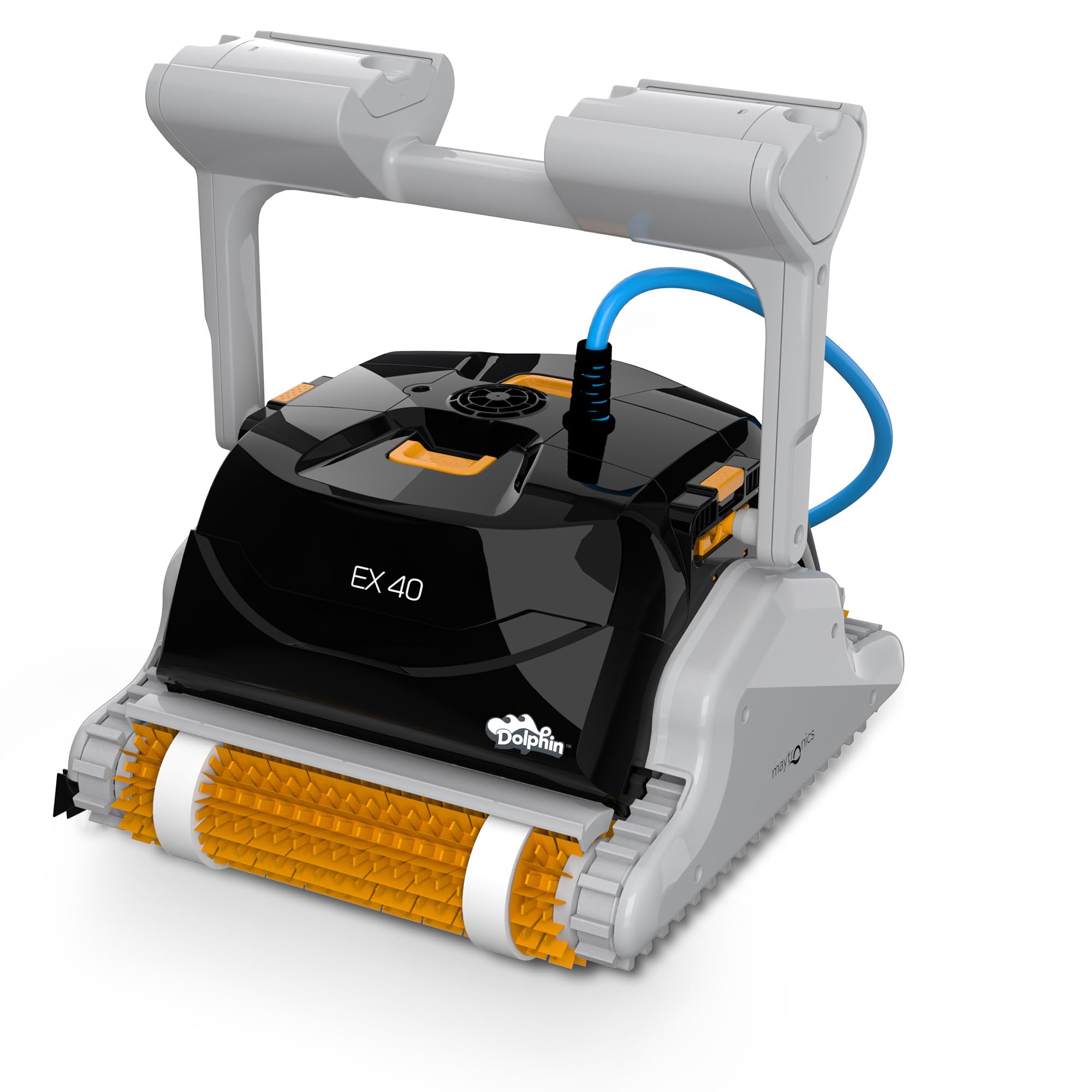
Image: The Dolphin EX40 robotic pool cleaner, ready for operation.
This manual will guide you through the setup, operation, maintenance, and troubleshooting of your Dolphin EX40 to ensure optimal performance and longevity.
2. Setup and Initial Use
2.1 Unboxing and Component Check
Carefully remove all components from the packaging. Ensure all parts are present and undamaged before proceeding.

Image: All components of the Dolphin EX40, including the robot, filter baskets, ultra-fine filter kit, documentation, and power supply unit.
The package should contain:
- Dolphin EX40 Robotic Pool Cleaner
- Power Supply Unit
- Filter Baskets (standard)
- Ultra-fine Filter Kit
- Documentation (User Manual, Warranty Information)
2.2 Preparing the Pool Cleaner
- Connect the Floating Cable: Ensure the floating cable is securely connected to the robot.
- Place in Pool: Gently immerse the Dolphin EX40 into the pool. Allow it to sink to the bottom, releasing any trapped air. Ensure the cable is not tangled.
- Position the Power Supply: Place the power supply unit at least 3.5 meters (11.5 feet) from the edge of the pool. It should be in a shaded area and not exposed to direct sunlight or standing water.
- Connect to Power: Plug the floating cable into the power supply unit, then plug the power supply unit into a grounded electrical outlet.
3. Operating Your Dolphin EX40
3.1 Starting a Cleaning Cycle
Once the robot is in the pool and the power supply is connected, press the ON/OFF button on the power supply unit. The robot will begin its cleaning cycle. The intelligent scanning system will map your pool to ensure efficient and thorough cleaning of the floor, walls, and waterline.

Image: The Dolphin EX40 robot actively cleaning the pool floor, demonstrating its movement.
3.2 PowerStream Technology
The Dolphin EX40 utilizes PowerStream technology, which employs multi-directional water jets. This allows the robot to pivot and move across all pool surfaces, including climbing walls and scrubbing the waterline, for a complete and effective clean.

Image: The Dolphin EX40 robot cleaning a pool wall, illustrating the effectiveness of its PowerStream technology.
3.3 Energy Efficiency
The Dolphin EX40 is designed for energy efficiency, helping to reduce the consumption of water, chemicals, and electricity during each cleaning cycle. This contributes to lower operating costs and a more environmentally friendly pool maintenance routine.

Image: The Dolphin EX40 power supply unit positioned beside the pool, highlighting its compact design and energy-saving features.
4. Maintenance
4.1 Cleaning the Filter Baskets
Regular cleaning of the filter baskets is crucial for maintaining the Dolphin EX40's cleaning efficiency. It is recommended to clean the filters after each cleaning cycle.
- Turn Off and Unplug: Always turn off the power supply unit and unplug it from the electrical outlet before performing any maintenance.
- Remove from Pool: Gently pull the robot out of the pool using the floating cable. Do not lift it by the cable.
- Access Filters: Open the filter compartment on the top of the robot.
- Remove Baskets: Lift out the filter baskets.
- Rinse Filters: Rinse the filter baskets thoroughly with a garden hose until all debris is removed. For the ultra-fine filters, ensure all fine particles are flushed out.
- Reinsert Filters: Place the clean filter baskets back into the robot and close the compartment securely.
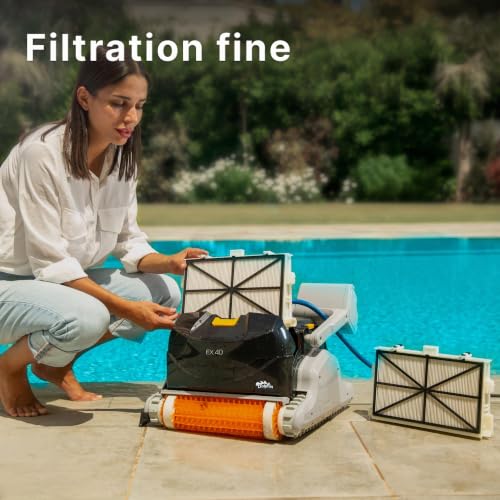
Image: A person demonstrating how to remove and clean the filter baskets of the Dolphin EX40 robotic pool cleaner.
4.2 General Care and Storage
- Store the robot in a shaded, dry place when not in use.
- Avoid exposing the power supply unit to water or direct sunlight.
- Periodically check the floating cable for any signs of wear or damage.
- Ensure the brushes are clean and free of debris for effective scrubbing.
5. Troubleshooting Guide
This section addresses common issues you might encounter with your Dolphin EX40. For problems not listed here, please contact customer support.
| Problem | Possible Cause | Solution |
|---|---|---|
| Robot does not start | Power supply not connected or turned on; electrical outlet issue. | Ensure power supply is plugged in and turned on. Check the electrical outlet with another device. |
| Poor cleaning performance | Clogged filter baskets; worn brushes; insufficient cleaning cycle time. | Clean filter baskets thoroughly. Inspect and replace worn brushes. Allow the robot to complete its full cycle. |
| Robot does not climb walls or clean waterline | Clogged filters; air trapped in robot; water chemistry imbalance (e.g., high algae). | Clean filters. Gently shake the robot in the water to release trapped air. Check and balance pool water chemistry. |
| Robot gets stuck | Obstacles in the pool; tangled cable. | Remove large obstacles from the pool. Ensure the floating cable is spread out and not tangled. |
6. Product Specifications
| Feature | Detail |
|---|---|
| Brand | Dolphin |
| Model Name | EX40 |
| Material | Plastic |
| Color | Multicolor |
| Product Dimensions (L x W x H) | 42.4L x 41.2W x 26.6H centimeters |
| Power Source | AC (Wired) |
| Special Features | Multi-directional, Intelligent Navigation, Ultra-fine Filtration |
| Assembly Required | No |
| Control Method | Remote Control |
| Installation Type | Robotic |
| Efficiency | Efficient, Energy Efficient, Highly efficient |
| Country of Origin | France |
| Manufacturer | Maytronics |
7. Warranty and Support
7.1 Warranty Information
The Dolphin EX40 Robotic Pool Cleaner comes with a 2-year warranty. This warranty covers manufacturing defects and ensures the product's quality and performance under normal use. Please retain your proof of purchase for warranty claims.
7.2 Customer Support
For technical assistance, troubleshooting beyond this guide, or warranty service, please contact Dolphin customer support. Refer to the contact information provided in your product packaging or visit the official Dolphin website for the most up-to-date support details.
Online Resources: For additional tips, FAQs, and video tutorials, visit the official Dolphin website: www.maytronics.com (Maytronics is the manufacturer of Dolphin products).


