
Lamshaw IDW26 Smart Watch Case
Lamshaw IDW26 Smart Watch Case User Manual
Model: IDW26 Smart Watch Case | Brand: Lamshaw
Introduction
This manual provides essential information for the proper use and care of your Lamshaw IDW26 Smart Watch Case. Designed specifically for the IDW26 Smart Watch, this 2-in-1 case offers comprehensive protection for your device's screen and edges.
The case features a durable PC bumper and a high-clarity 9H hardness tempered glass screen protector, safeguarding your smartwatch against scratches, drops, and bumps while maintaining touch sensitivity and display clarity.
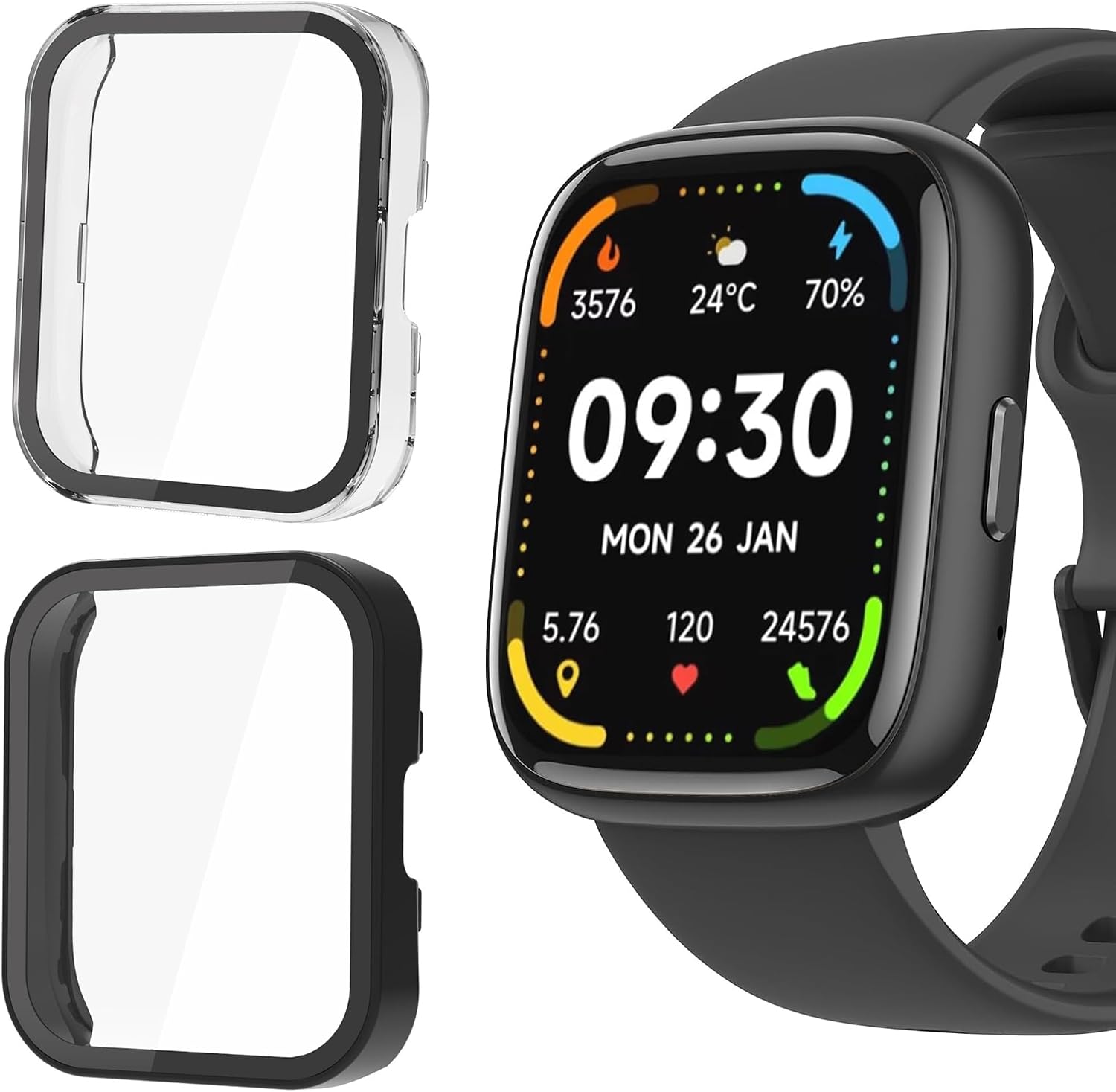
Image: The Lamshaw IDW26 Smart Watch Case in both clear and black, alongside a compatible smartwatch, illustrating the product's appearance and purpose.
Setup and Installation
Installing your Lamshaw IDW26 Smart Watch Case is a straightforward process that does not require removing the watch band. Follow these steps for optimal fit and protection:
- Prepare Your Watch: Ensure your IDW26 Smart Watch screen and body are clean and free of dust, fingerprints, or smudges. Use a soft, lint-free cloth for cleaning.
- Align the Case: Carefully align the case with your smartwatch, ensuring the cutouts for buttons and sensors match perfectly.
- Snap On: Gently press the case onto the watch until it snaps securely into place. The flexible PC material allows for easy application.
- Check Fit: Verify that the case is seated properly around all edges and that the screen protector is flush with the watch face.

Image: A close-up view of the Lamshaw IDW26 Smart Watch case being installed onto a smartwatch, demonstrating the simple snap-on method.
Installation Video Guide
Video: A detailed guide demonstrating the installation process of the Lamshaw IDW26 Smart Watch Case, including cleaning the watch and snapping the case into place.
Operating with the Case
The Lamshaw IDW26 Smart Watch Case is designed to provide robust protection without hindering the functionality of your smartwatch. Key operational aspects include:
- Touch Sensitivity: The built-in tempered glass screen protector offers 99.99% HD clarity and high touch sensitivity, ensuring smooth and responsive interaction with your watch screen.
- Button and Sensor Access: Precision cutouts allow accurate access to all controls, buttons, and sensors on your IDW26 Smart Watch, ensuring full functionality.
- Display Clarity: The high-definition tempered glass maintains the original visual quality of your smartwatch display.

Image: Visual representation of the case's features, emphasizing HD display clarity, high touch sensitivity, and comprehensive protection for the smartwatch.
Maintenance
To ensure the longevity and continued clarity of your Lamshaw IDW26 Smart Watch Case, regular maintenance is recommended:
- Cleaning: Wipe the case regularly with a soft, damp cloth to remove dust, sweat, and smudges. For stubborn dirt, a mild soap solution can be used, followed by thorough rinsing and drying.
- Avoid Harsh Chemicals: Do not use abrasive cleaners, solvents, or harsh chemicals, as these can damage the PC material or the tempered glass coating.
- Inspect for Damage: Periodically check the case for any signs of wear, cracks, or damage. While highly durable, extreme impacts can compromise its protective integrity.
- Storage: When not in use, store the case in a clean, dry place away from direct sunlight and extreme temperatures.
Troubleshooting
If you encounter any issues with your Lamshaw IDW26 Smart Watch Case, consider the following common solutions:
- Reduced Touch Sensitivity:
- Ensure the case is installed correctly and is not lifting at the edges.
- Clean the watch screen and the inside of the case thoroughly before re-installation to remove any dust or debris that might interfere with touch.
- Dust or Debris Under the Case:
- Remove the case, clean both the watch screen and the case interior with a lint-free cloth, and then re-install.
- Perform installation in a clean, dust-free environment if possible.
- Case Does Not Fit Properly:
- Double-check that your smartwatch model is indeed the IDW26. This case is specifically designed for the IDW26 Smart Watch.
- Ensure no foreign objects are obstructing the fit.
Specifications
| Brand | Lamshaw |
| Model Compatibility | IDW26 Smart Watch |
| Material | High-quality PC (Polycarbonate) and 9H Hardness Tempered Glass |
| Color | Black + Clear (2 Pack) |
| Special Features | Scratch Resistant, Dust Resistant, High Touch Sensitivity, HD Clarity |
| Form Factor | Bumper Case with Built-in Screen Protector |
| Item Weight | 1.76 ounces |
| Package Dimensions | 3.94 x 1.97 x 0.39 inches |
| What's in the Box | 2 x IDW26 Smart Watch Cases (Black and Clear) |
Warranty and Support
Specific warranty information for the Lamshaw IDW26 Smart Watch Case is not provided in this manual. For details regarding warranty coverage, returns, or technical support, please refer to the product listing on the retailer's website or contact Lamshaw customer service directly.
You may find additional support resources or contact information on the official Lamshaw brand website or through the platform where the product was purchased.
Ask a question about this manual
Ask about setup, troubleshooting, compatibility, parts, safety, or missing instructions. Manuals+ will review the question and use this page’s manual context to help answer it.