
Introduction
Thank you for choosing the iWALK Small Portable Charger. This compact and powerful USB-C power bank is designed to provide convenient on-the-go charging for your compatible devices. This manual provides essential information on how to use, maintain, and troubleshoot your portable charger to ensure optimal performance and longevity.
Package Contents
- 2 x iWALK Small Portable Chargers
- 1 x USB-C Charging Cable (for recharging the power bank)
- 1 x User Manual
Setup
Initial Charging of the Portable Charger
Before first use, fully charge your iWALK portable charger. This ensures the battery is calibrated and ready to deliver its full capacity.
- Connect the provided USB-C charging cable to the USB-C input port on the portable charger.
- Connect the other end of the cable to a compatible USB power adapter (not included) or a computer's USB port.
- The digital display on the charger will show the charging progress, indicating the battery percentage.
- Once the display shows 100%, the portable charger is fully charged and ready for use. Disconnect it from the power source.
Understanding the Digital Display
The iWALK portable charger features a digital display that shows the remaining battery percentage. This allows you to monitor the power bank's charge level at a glance.

Image: The digital display indicates the current battery percentage of the portable charger.
Operating Instructions
Charging Your Device
The iWALK portable charger is designed for direct plug-in charging via its built-in USB-C connector.
- Ensure your portable charger has sufficient power.
- Align the built-in USB-C connector of the portable charger with the USB-C port on your smartphone or compatible device.
- Gently insert the connector into your device's port. The charging process will begin automatically.
- The digital display on the portable charger will activate, showing its remaining battery percentage as it charges your device.
- To stop charging, simply disconnect the portable charger from your device.

Image: The iWALK portable charger directly connected to a smartphone for charging.
Fast Charging Capability
This portable charger supports fast charging for compatible devices, allowing for quicker power replenishment.

Image: Illustration of fast charging performance with the iWALK portable charger on various devices.
Low-Heat and Stable Charging
The iWALK portable charger is engineered to maintain a low operating temperature during the charging process, ensuring stable and safe power delivery to your devices without concerns of overheating.
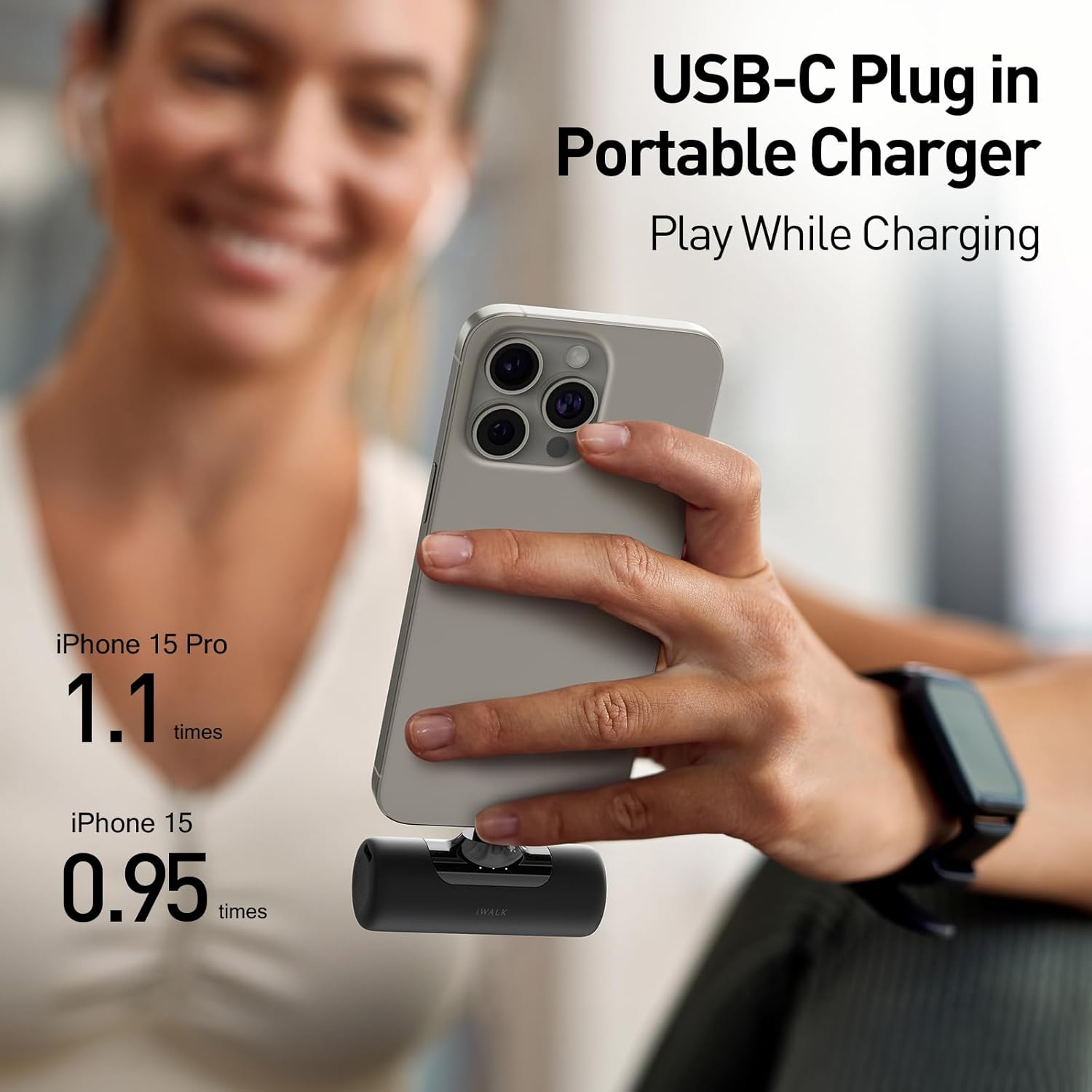
Image: The portable charger in use, demonstrating its compact design and charging capability while the phone is being used.
Maintenance
Storage
- Store the portable charger in a cool, dry place away from direct sunlight and extreme temperatures.
- For long-term storage, it is recommended to charge the power bank to approximately 50-70% every three months to preserve battery health.
Cleaning
- Disconnect the charger from all devices and power sources before cleaning.
- Use a soft, dry, lint-free cloth to wipe the surface of the charger.
- Do not use harsh chemicals, abrasive cleaners, or immerse the charger in water.
Battery Care
- Avoid fully discharging the battery frequently, as this can reduce its lifespan.
- Do not expose the charger to fire or dispose of it in household waste. Follow local regulations for battery recycling.
Troubleshooting
Portable Charger Not Charging
- Check Cable: Ensure the USB-C charging cable is securely connected to both the portable charger and the power adapter/source.
- Check Power Source: Verify that the wall adapter or USB port you are using is functional and providing power. Try a different adapter or port.
- Inspect Ports: Check the USB-C input port on the portable charger for any debris or damage.
Device Not Charging from Portable Charger
- Check Charger Battery: Ensure the iWALK portable charger has sufficient battery charge (check the digital display).
- Check Connection: Make sure the portable charger's built-in USB-C connector is fully and correctly inserted into your device's charging port.
- Device Compatibility: Confirm your device is compatible with USB-C charging. The iWALK charger is designed for USB-C port phones like iPhone 15 series, Samsung Galaxy S24/S23 Ultra, Pixel, LG, Huawei, and OnePlus.
- Restart Device: Sometimes, restarting your smartphone can resolve charging issues.

Image: The iWALK portable charger is compatible with a wide range of USB-C port devices.
Overheating During Use
- The iWALK charger is designed for low-heat operation. If you notice excessive heat, disconnect it immediately.
- Ensure the charger is not covered or in an enclosed space during operation, which could impede heat dissipation.
- If overheating persists, discontinue use and contact customer support.
Specifications
| Feature | Detail |
|---|---|
| Brand | iWALK |
| Model Number | f34fab6f-5673-435d-9a29-5b3e4d87f933 |
| ASIN | B0D815NP94 |
| Capacity | 4500mAh |
| Connector Type | USB Type C (Built-in) |
| Special Feature | Fast Charging, Low-heat Operation |
| Power Source | Battery Powered |
| Portability | Yes |
| Compatible Devices | Smartphones with USB-C port |
| Compatible Phone Models | iPhone 15 series, Samsung Galaxy S24, S23 Ultra, Pixel, LG, Huawei, OnePlus, etc. |
| Reusability | Rechargeable |
| Number of Items | 2 (in this pack) |

Image: The compact dimensions of the iWALK portable charger.
Warranty and Support
Warranty Information
iWALK products are manufactured to high-quality standards. For specific warranty details, please refer to the warranty card included in your product packaging or visit the official iWALK website. Keep your purchase receipt as proof of purchase for warranty claims.
Customer Support
If you encounter any issues or have questions regarding your iWALK Small Portable Charger, please contact iWALK customer support through the following channels:
- Website: Visit the official iWALK website for FAQs and support contact information.
- Email: Refer to your product packaging or warranty card for customer service email addresses.