
Introduction
Thank you for choosing the ESR Cyber Series Magnetic Stand Case for iPhone 16. This case is engineered to provide robust protection and enhanced functionality for your device. It features military-grade drop protection, strong MagSafe compatibility, and a versatile camera stand for optimal viewing.
Key features include:
- Compatibility: Specifically designed for iPhone 16, ensuring full functionality with precise cutouts for speakers, ports, and easy-press buttons.
- Military-Grade Protection: Rigorously tested to provide 7x total protection on all sides, with high-quality silicone that absorbs shock to protect your iPhone 16 from scratches and drops up to 23 ft.
- Stronger Magnetic Lock: A powerful ring of magnets with 1,500 g of holding force enables faster, easier place-and-go wireless charging and a secure lock on any MagSafe accessory.
- Versatile Camera Stand: The integrated stand is tested for over 3,000 uses, protects the camera, and supports 0-85° viewing angles in both portrait and landscape orientations, ensuring stability and durability.
- Drop-Proof Protection: A 3-layer structure with a hard TPE and PC outer shell resists impacts and scratches, while the soft inner shell absorbs shocks, providing extra cushioning.
Setup
To install your ESR Cyber Series Magnetic Stand Case, ensure your iPhone 16 is clean and free of debris. Gently align your iPhone with the case, inserting the top edge first, then pressing down firmly around the edges until the phone is securely seated. The case is designed for a precise fit, maintaining access to all buttons and ports.
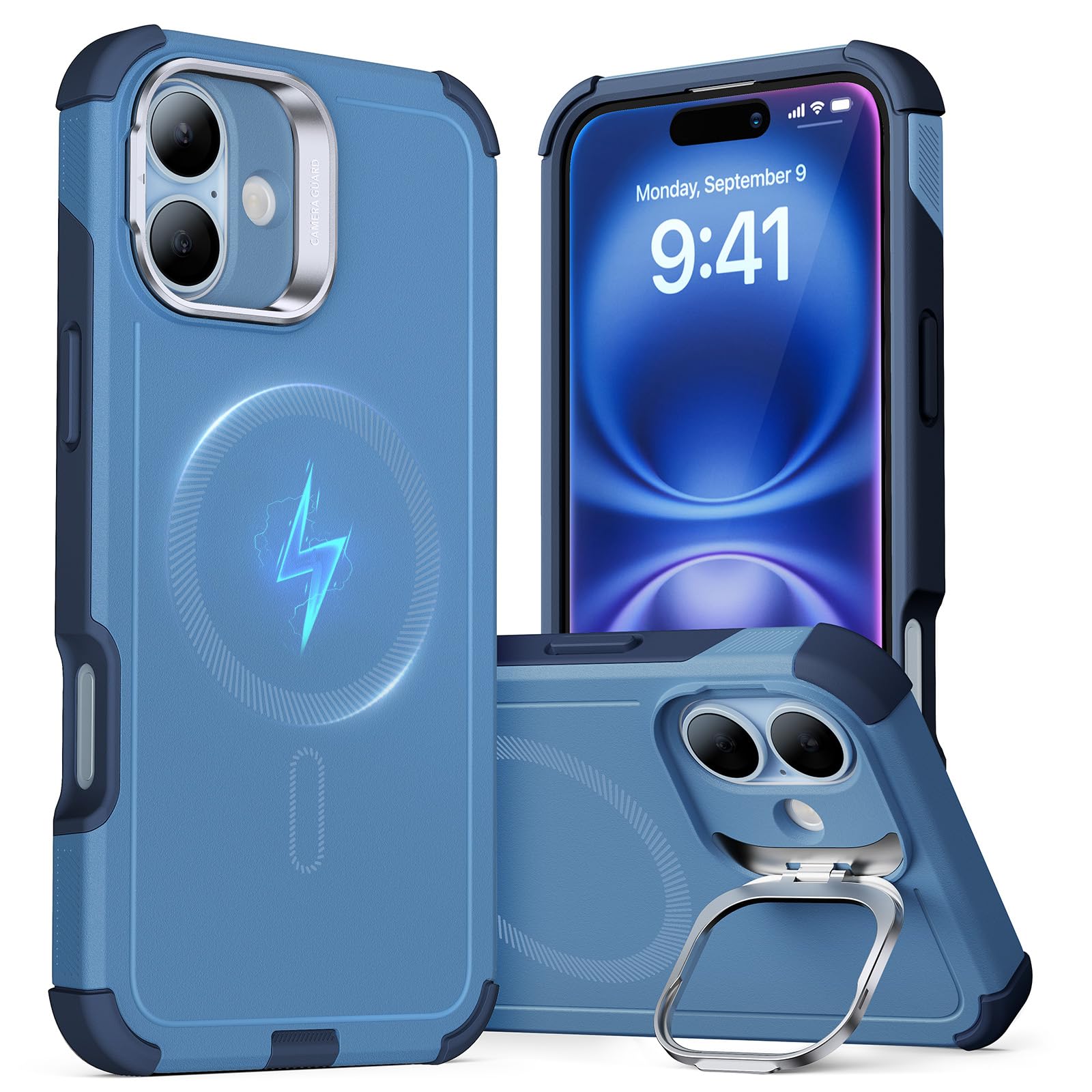
Figure 1: ESR Cyber Series Magnetic Stand Case for iPhone 16, showcasing its design and fit.
Video 1: Detailed instructions on how to properly install the ESR Cyber Series Magnetic Stand Case onto your iPhone 16.
Operating Instructions
MagSafe Compatibility
The case features a powerful magnetic ring that ensures strong compatibility with all MagSafe chargers and accessories. Simply align your MagSafe accessory with the back of the case for a secure and efficient connection.
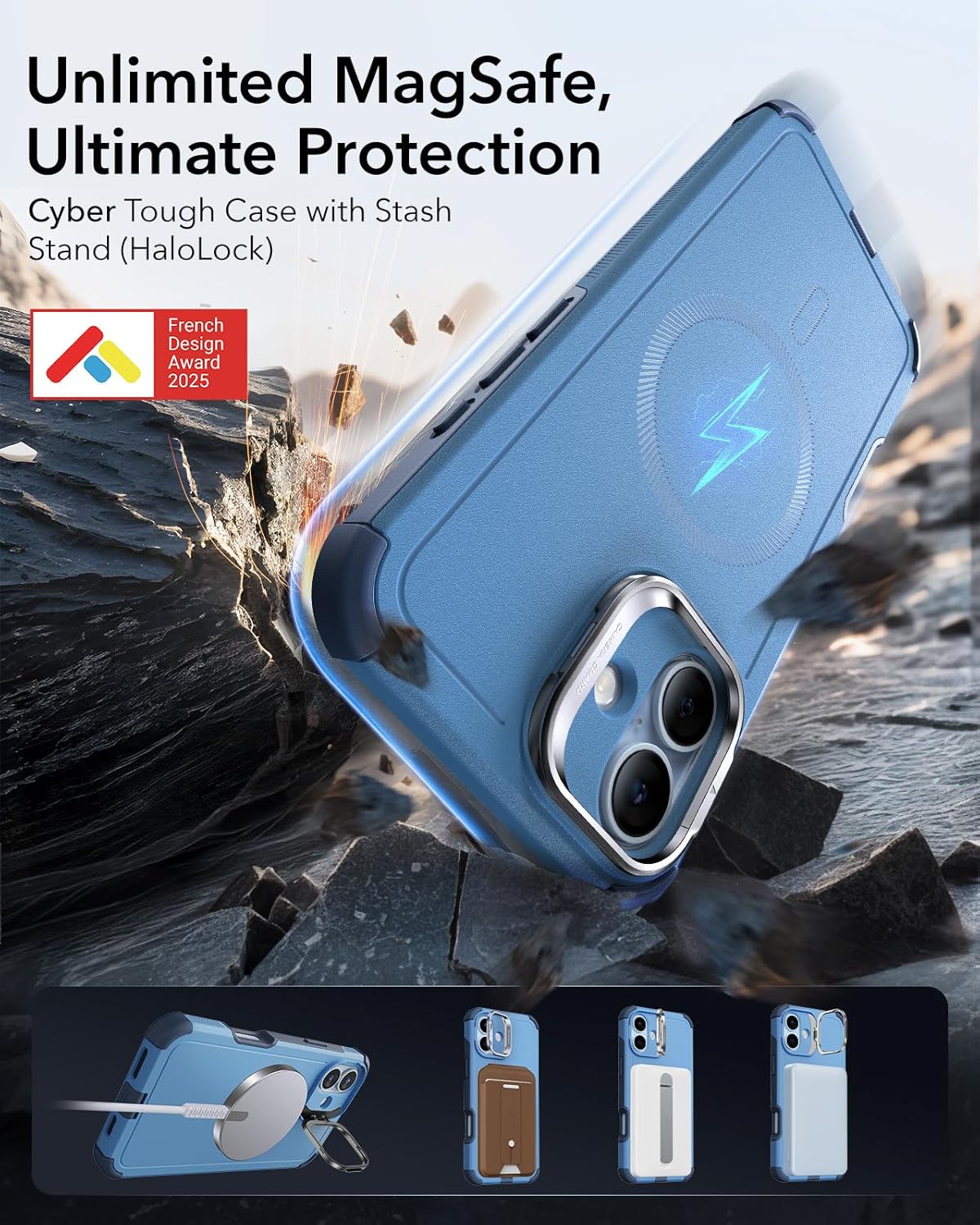
Figure 2: The case securely attaches to a MagSafe charger, highlighting its strong magnetic connection.
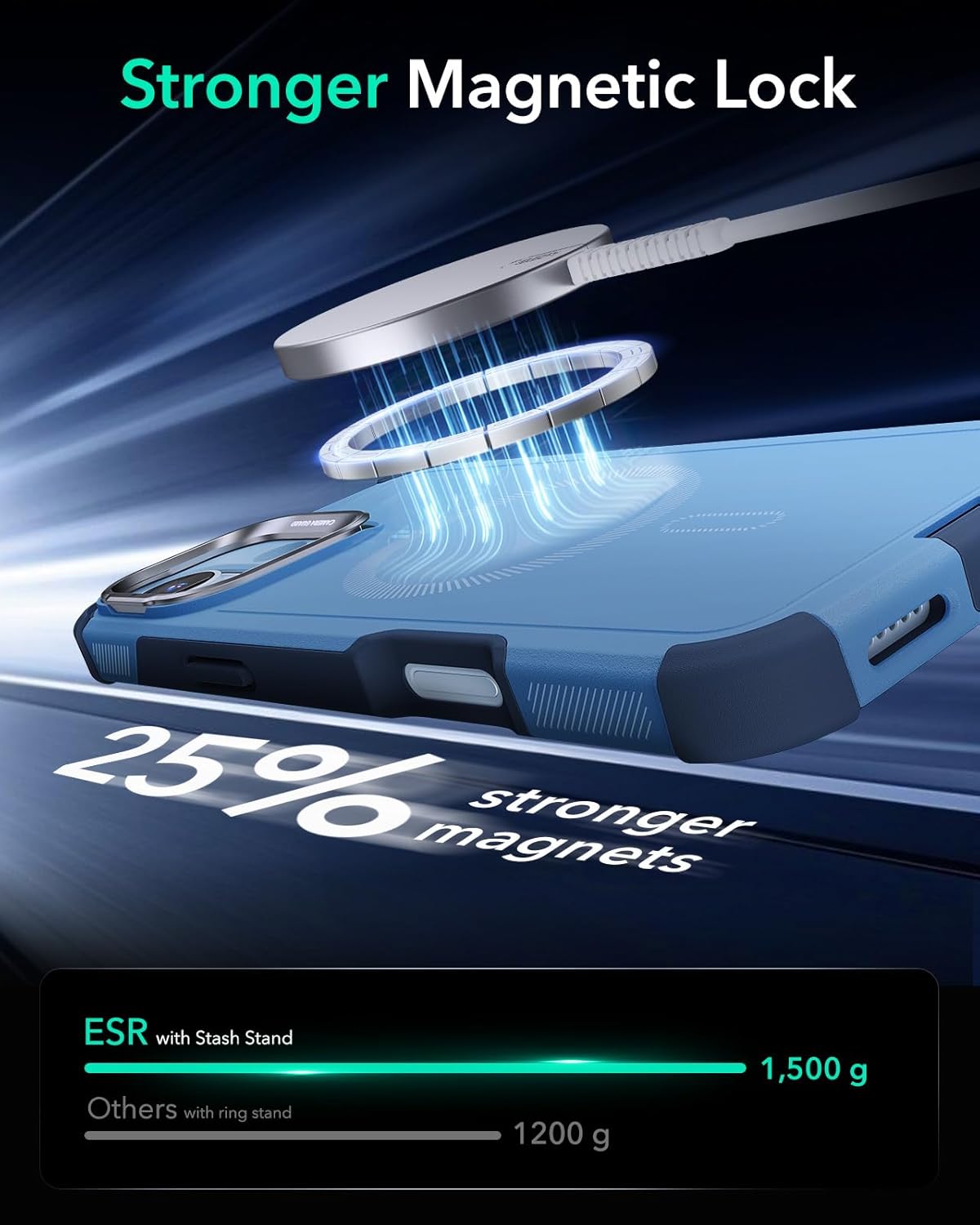
Figure 3: Illustration of the enhanced magnetic strength (1,500g) for secure MagSafe accessory attachment.
Versatile Camera Stand
The integrated camera stand can be easily deployed to prop up your iPhone 16. It supports viewing angles from 0 to 85 degrees, allowing for comfortable viewing in both portrait and landscape orientations. When not in use, the stand folds flat to protect your camera lenses.

Figure 4: The camera stand provides multiple viewing angles and doubles as a secure grip.

Figure 5: The stash stand allows for MagSafe accessory use even when deployed.
Camera Control Button Access
The case features precise cutouts and responsive button covers, ensuring full functionality of your iPhone 16's camera control button and other side buttons.

Figure 6: Close-up of the case's design around the camera control button, ensuring full access.
Port and Speaker Protection
A protective cover is integrated for the USB-C port, and mesh grilles are present for the speakers, safeguarding them from dust and debris while maintaining audio quality.
Video 2: Overview of the ESR Cyber Series Tough Case with Stand for iPhone 16, demonstrating its features and usability.
Maintenance
To ensure the longevity and appearance of your ESR Cyber Series case, clean it regularly with a soft, damp cloth. Avoid using harsh chemicals or abrasive materials, as these may damage the case's finish or protective properties. Ensure the USB-C port cover is properly sealed when not charging to prevent dust and moisture ingress.
Troubleshooting
Incorrect Size/Fit Issues
If you encounter issues with the case size or fit, please verify that you have purchased the correct model specifically for the iPhone 16. Refer to the product packaging or your order details to confirm compatibility. If the issue persists, please contact customer support as outlined in the Warranty & Support section.
Video 3: Guidance on resolving incorrect size or fit issues with your ESR iPhone case, including steps for replacement.
Specifications
| Feature | Detail |
|---|---|
| Product Dimensions | 6.46 x 3.19 x 0.57 inches |
| Item Weight | 3.2 ounces |
| Material | Thermoplastic Polyurethane (TPE), Polycarbonate (PC) |
| Compatible Phone Models | iPhone 16 |
| Color | Magnetic Stand-Light Blue |
| Special Features | MagSafe Compatible, Integrated Kickstand, Military-Grade Drop Protection, Camera Control Access, Port Protection |
Warranty & Support
ESR provides comprehensive customer support for your product. This includes detailed setup videos and FAQs, a comprehensive 12-month protection plan, lifetime support, and personalized help.
For any inquiries or support needs, please visit the official ESR website or contact our customer service team directly. You can also find detailed information and support by visiting the ESR Store on Amazon.